

 Deutsch
 Español
 Français
 Hrvatski
 Italiano
 Polski
 Português (BR)
Mobile Availability of Projects
Overview
For each project a user is assigned to, it is possible to configure whether or not the user can access the project via the mobile app.
Access & Permissions
Configure Mobile Availability of Projects for Other Users
If you are an in-house user with the user permission 'Users', you can configure mobile availability of projects for other users:
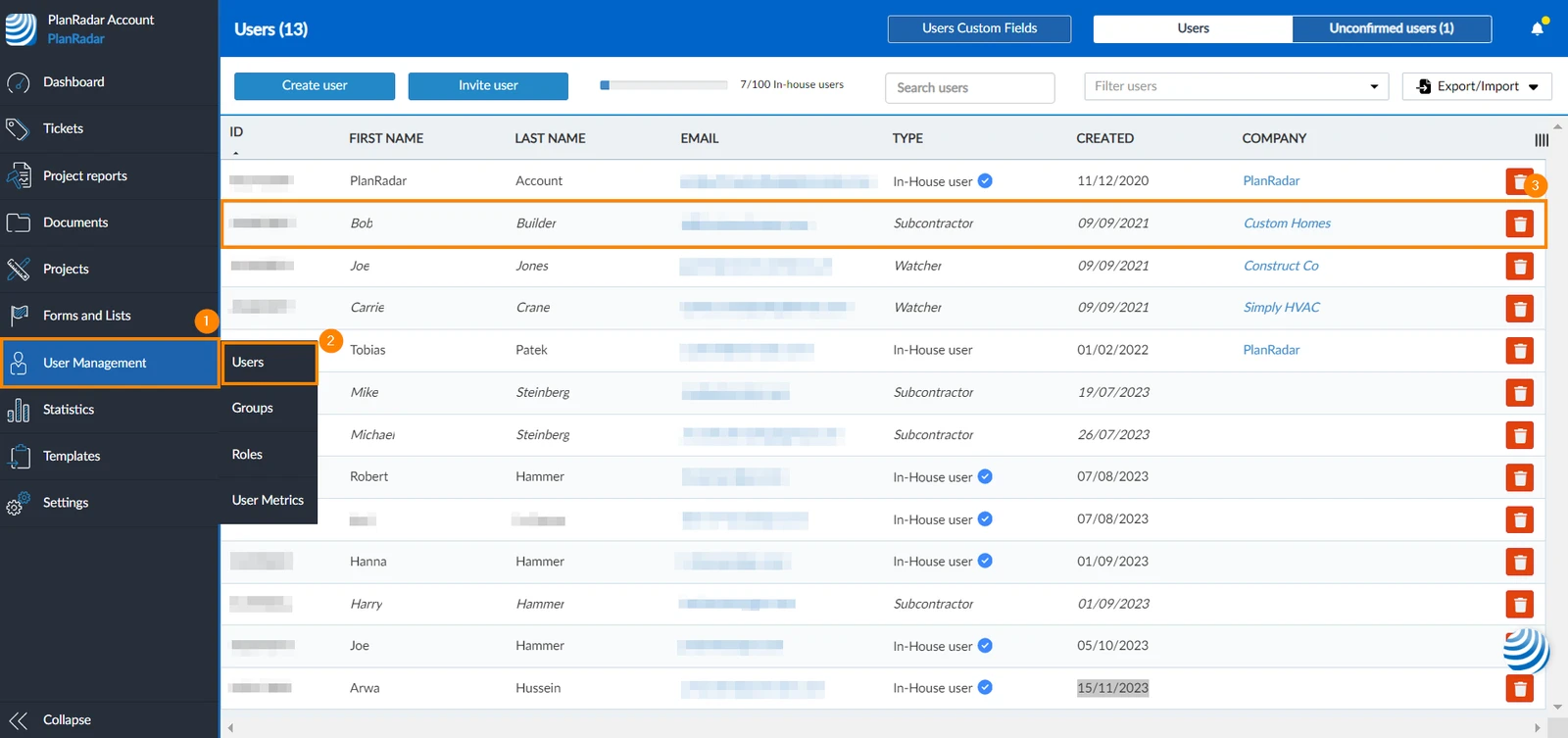
From User Management
- Click User Management
- Click Users
- Click the user you want to activate mobile availability of project for
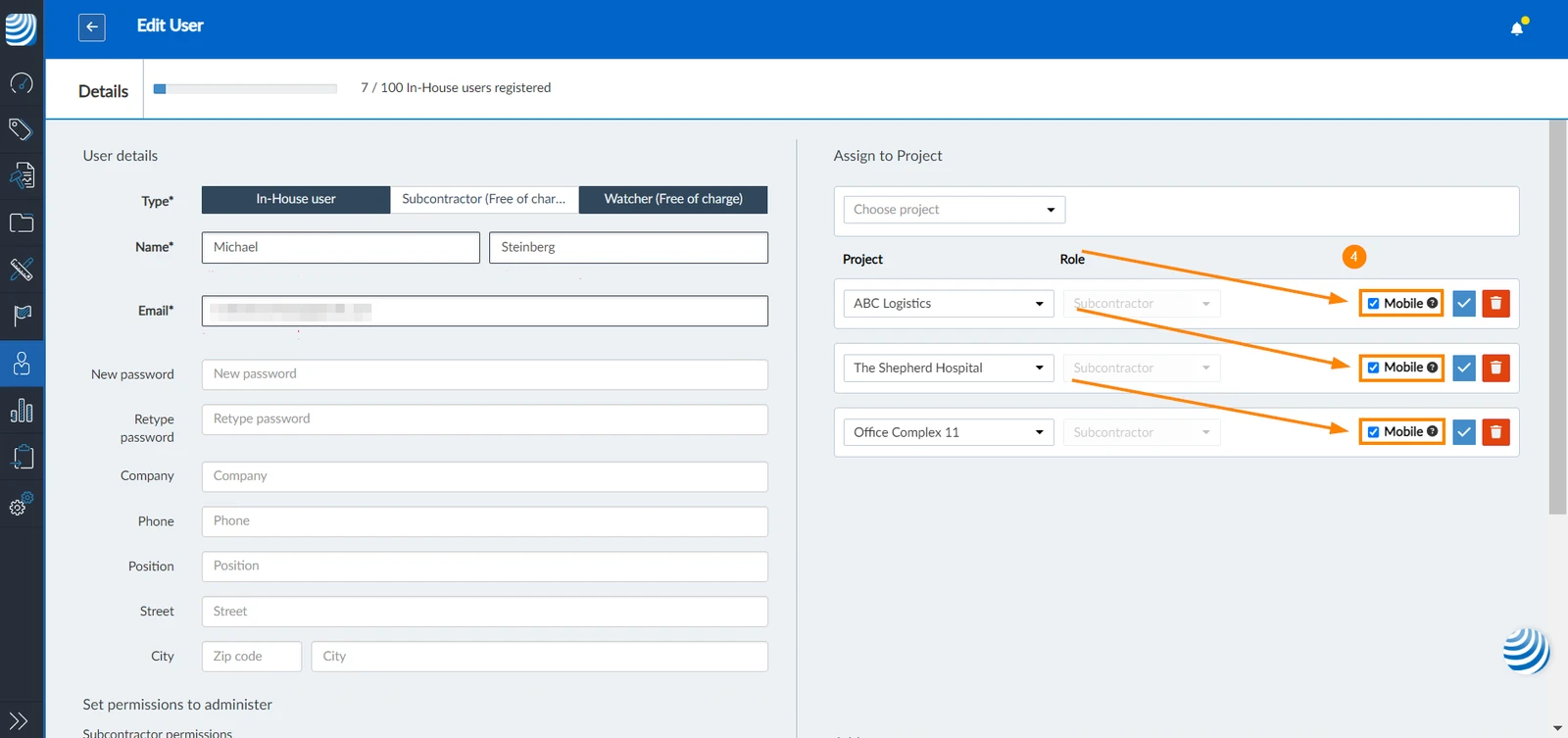
- Select the Mobile checkbox of the projects you want to make available on mobile
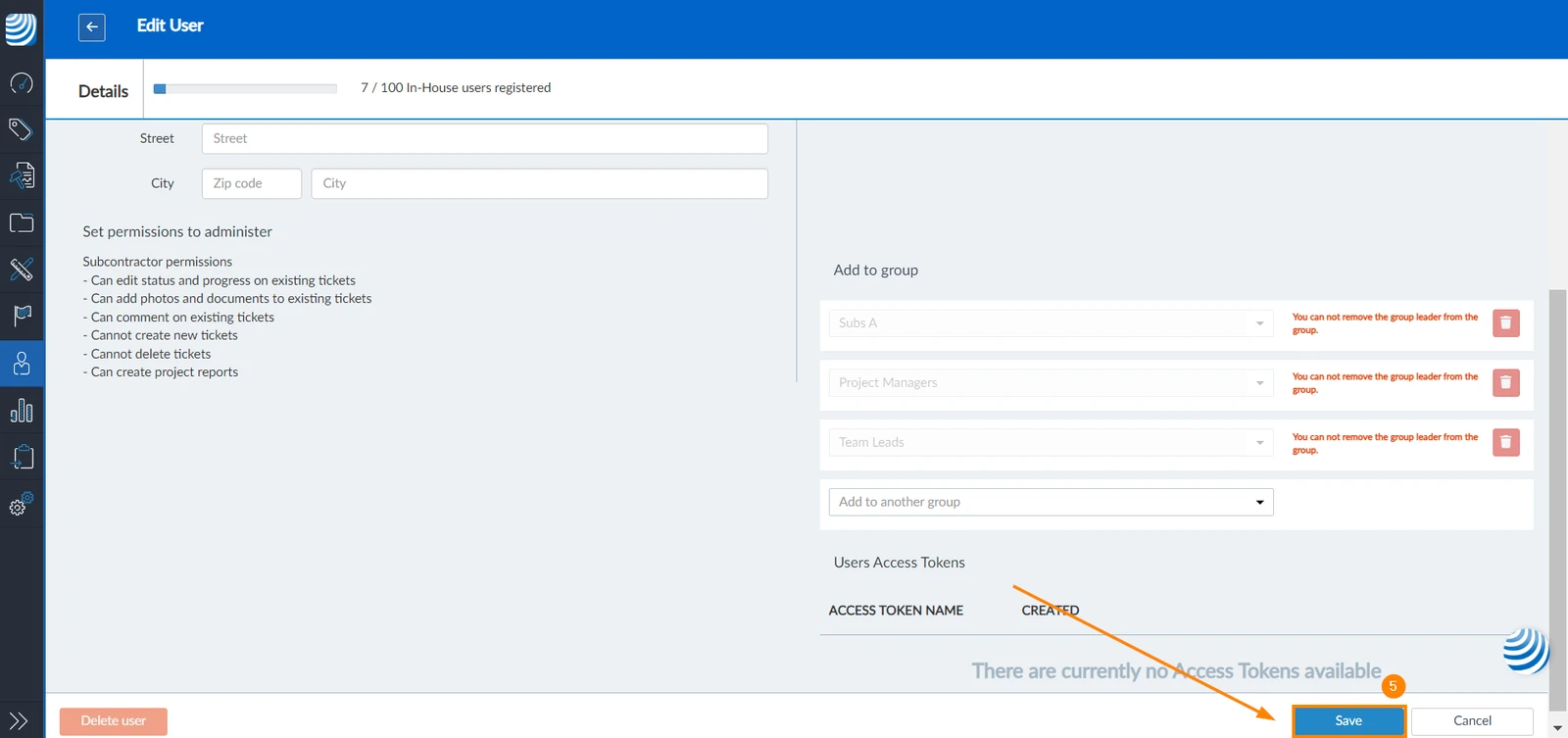
- Click Save

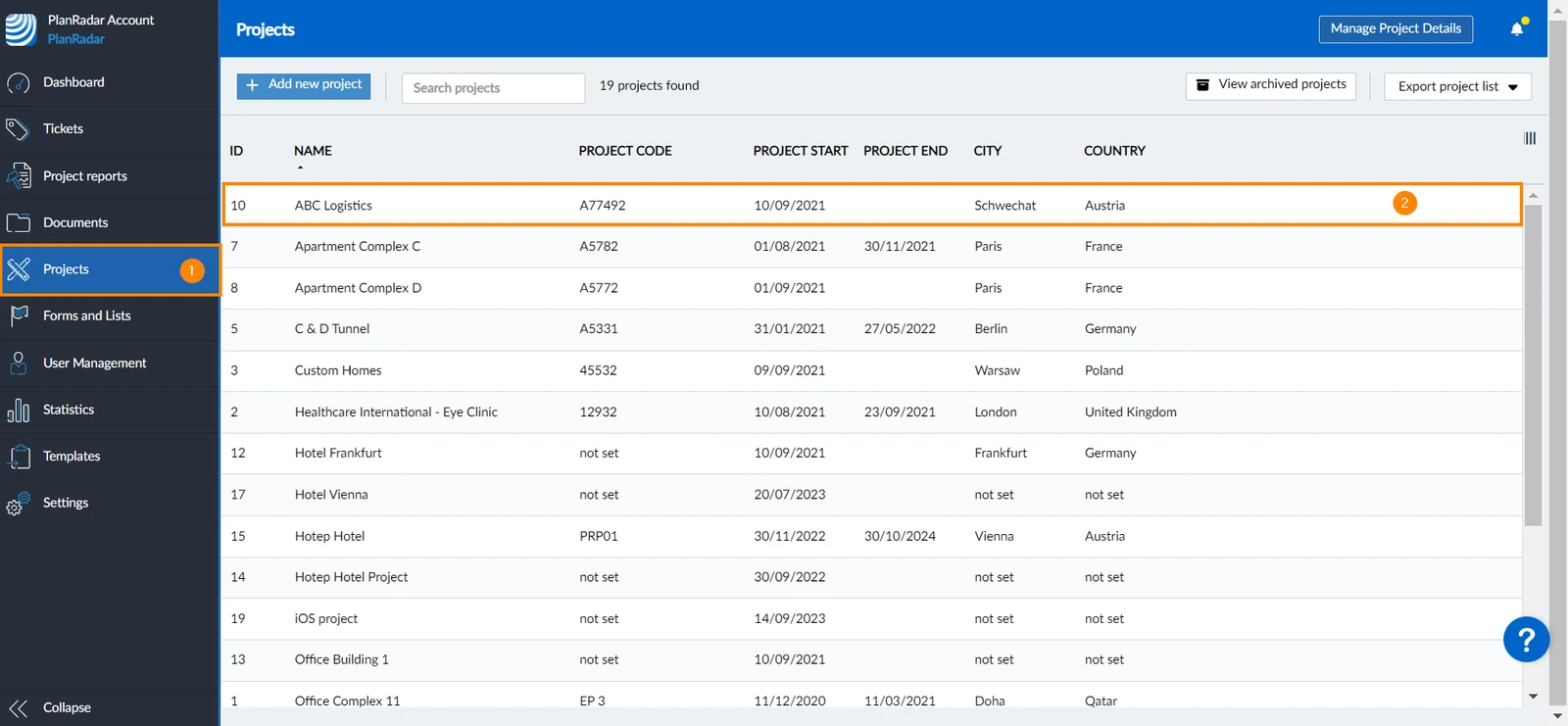
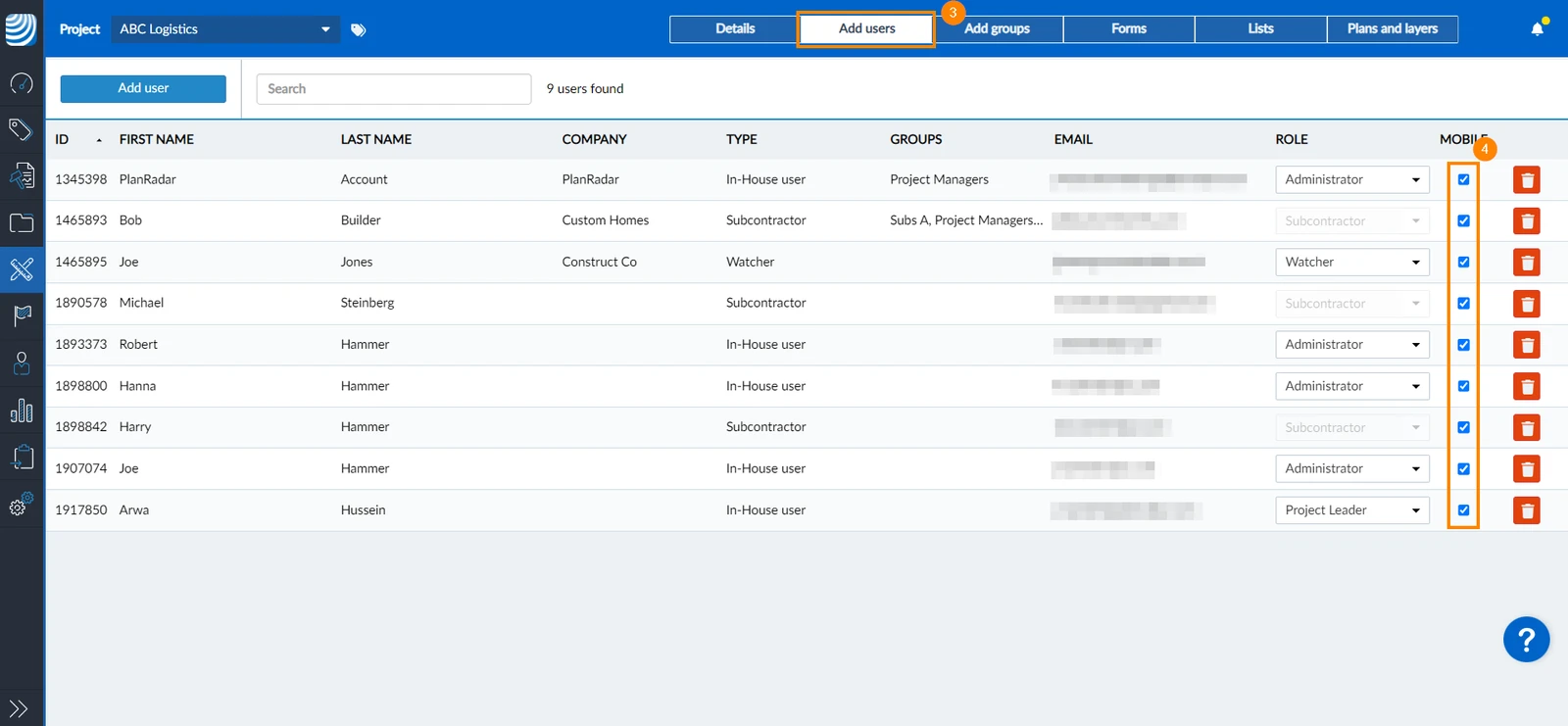
From Projects
Another way to make projects available on mobile for other users:
- Click Projects
- Select the project
- Click Add users
- Select the mobile checkbox of the user for whom you want to make the project available on mobile
Configure Mobile Availability of Projects for Yourself
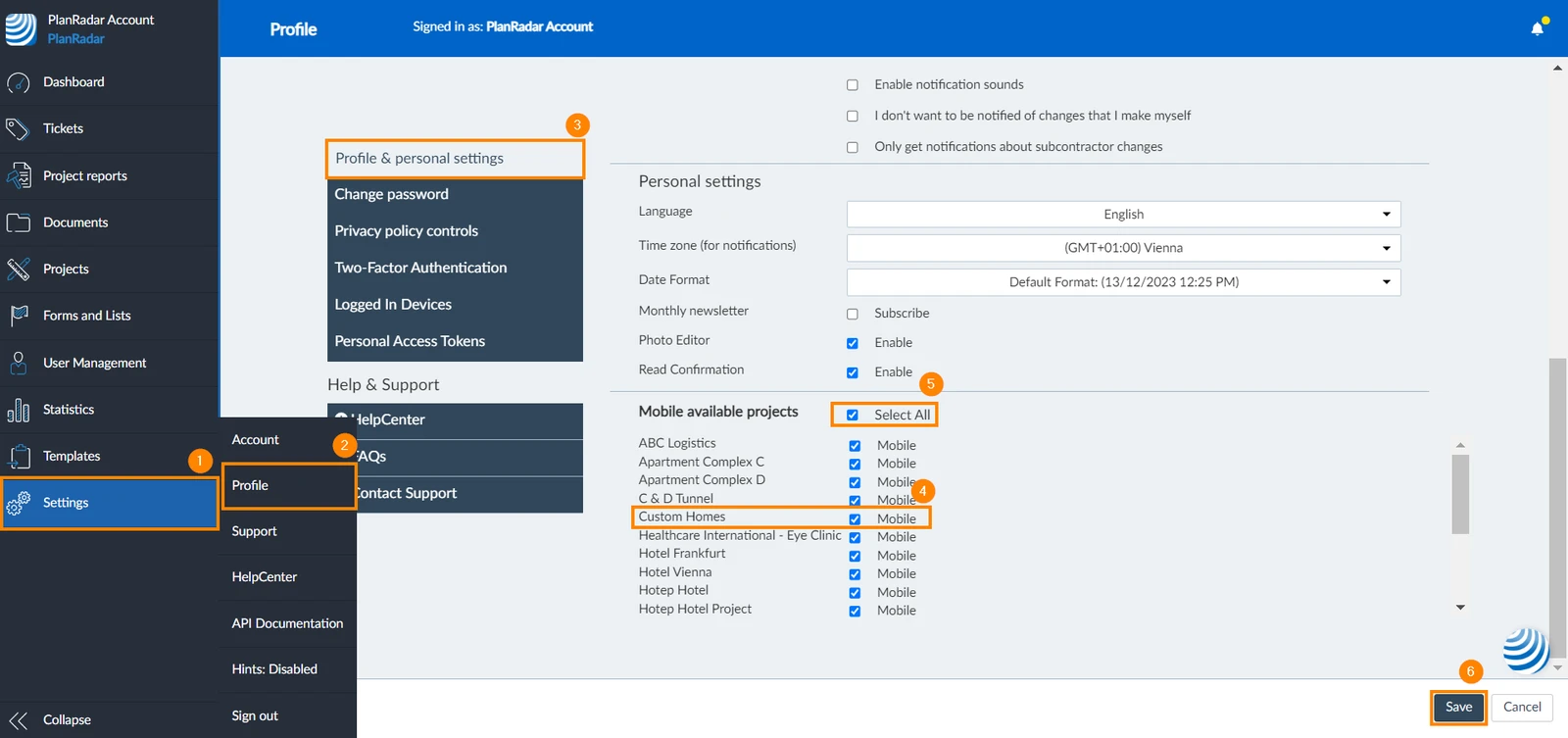
To make project assigned to you available on the mobile app:
- Click Settings
- Click Profile
- Click Profile & personal settings
- Select the checkbox/es of the project/s you want to make available on the mobile app
- Or select the Select All checkbox to make all projects available
- Click Save

Updated December 20, 2024