

 Deutsch
 Español
 Français
 Hrvatski
 Italiano
 Polski
 Português (BR)
Upload BIM Models through the Revit PlanRadar Plugin
Overview
This plugin allows you to smoothly integrate and manage your BIM models from Revit to PlanRadar. You don't need to switch application and can save time.
Download the Revit PlanRadar plugin from the Autodesk App Store: https://apps.autodesk.com.
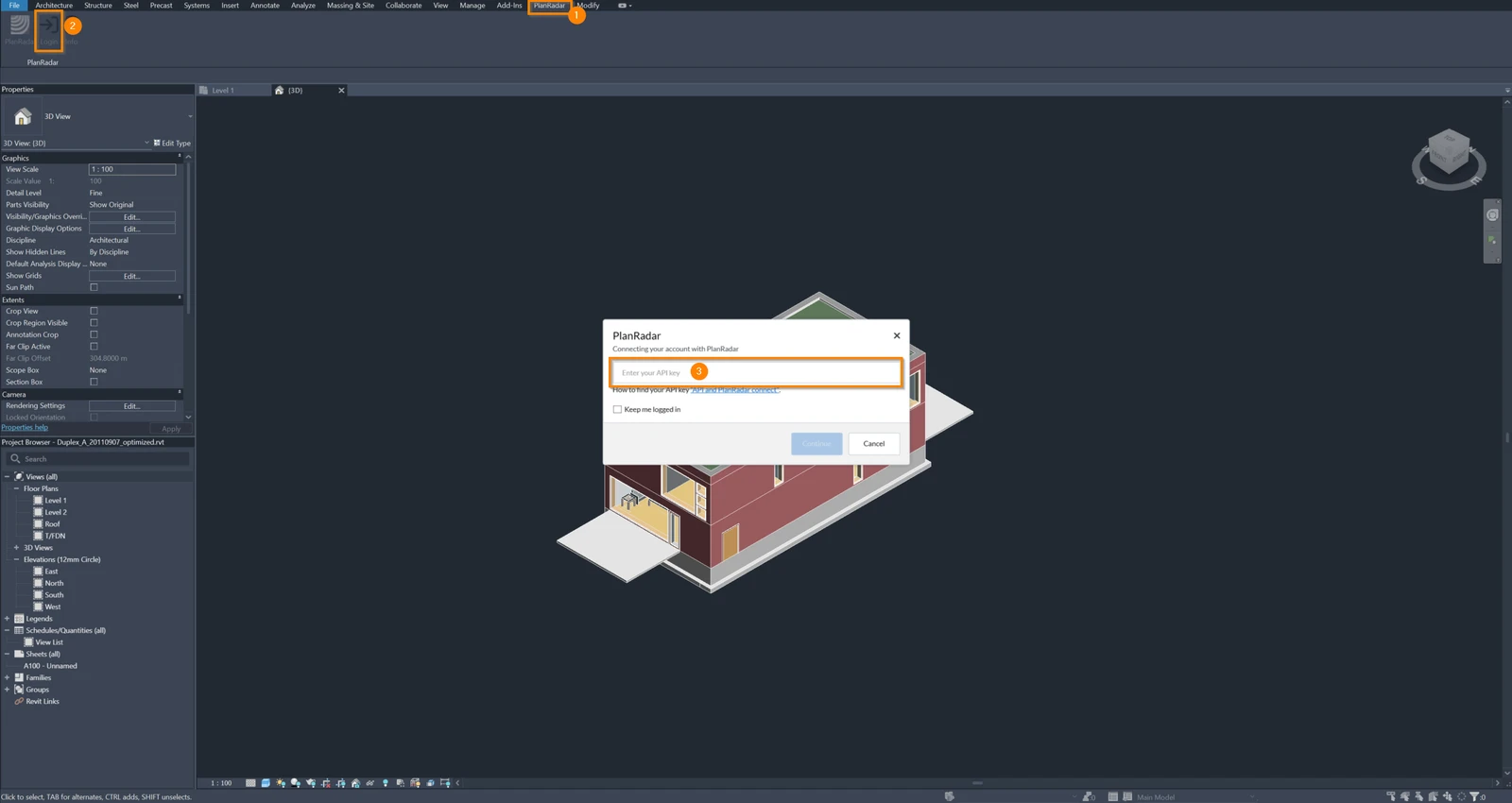
Log in via API Key
- Click the PlanRadar tab.
- Click login
- Enter your API Key. Read more about how to get your API key in Create or Delete Personal Access Tokens.
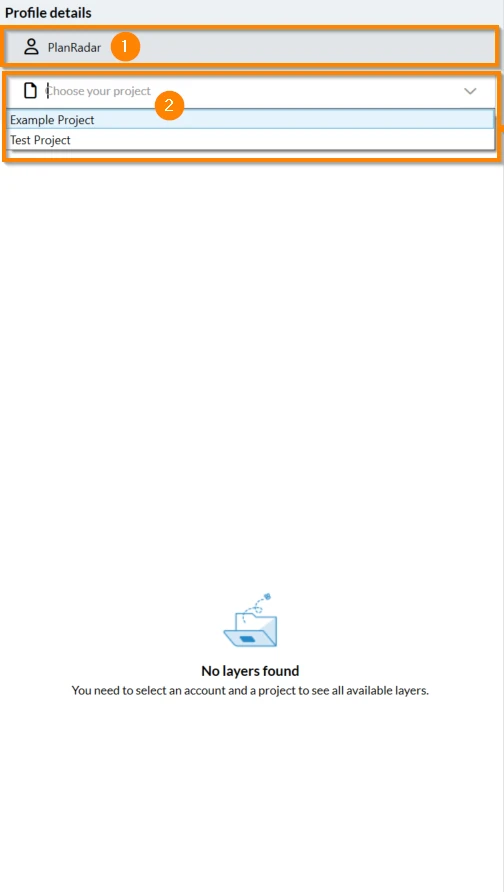
Select an Account and choose a Project
- Select the desired account e.g. PlanRadar from the list of available accounts.
- In the project selection dropdown choose your desired project
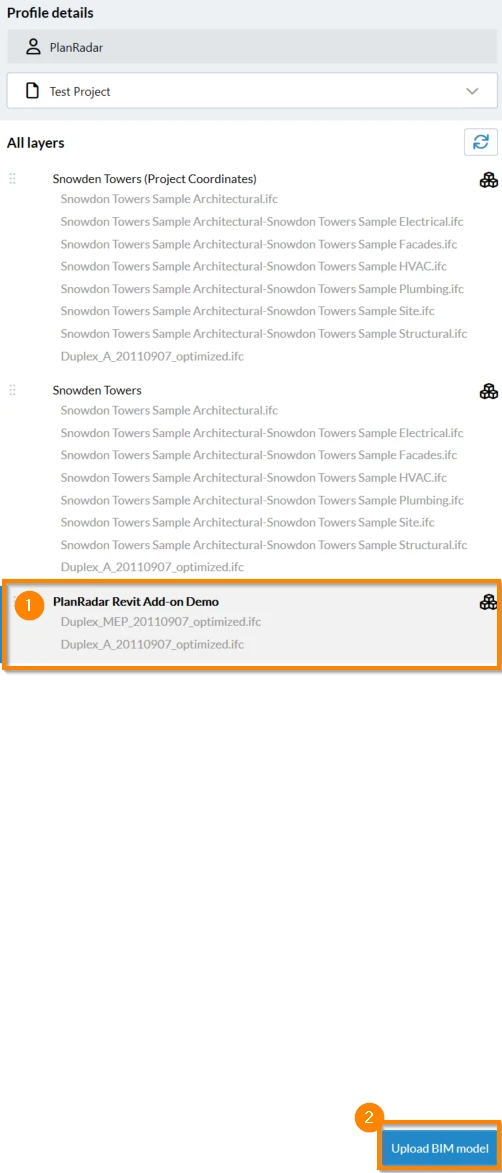
Upload a BIM Model to a Layer
- Select the layer where you want to upload your BIM model.
- Click Upload BIM model.
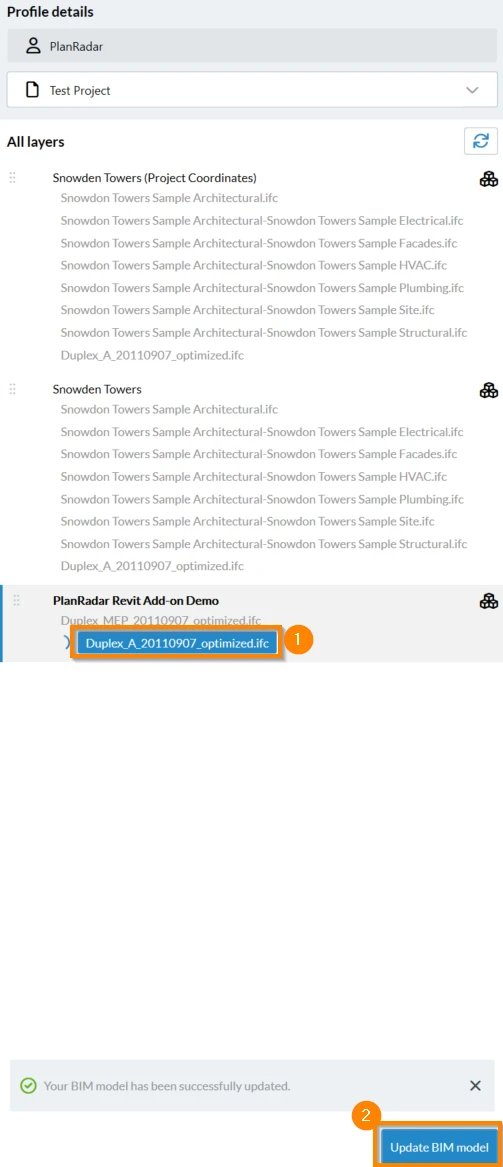
Update an existing BIM Model within a Layer
- Look for the list of BIM models within a layer and tap on the desired BIM model.
- Click Update BIM model.
Always ensure you have a backup of your models on your local storage before making any updates.
Related Articles
Updated January 28, 2025