

 Deutsch
 Español
 Français
 Hrvatski
 Italiano
 Polski
 Português (BR)
Create or Delete Personal Access Tokens
Overview
When integrating software based on PlanRadar's Open API or when setting up a Connector for PlanRadar Connect you need to generate a personal access token for authentication.
Personal access tokens are used in integrations to execute automated processes that cannot be attributed to individual users in your account. Therefore, it is advisable to create a dedicated user specifically for integrations (an integration user). This strategy centralises integration management under one user, improving your account's security.
Access & Permissions
How to access
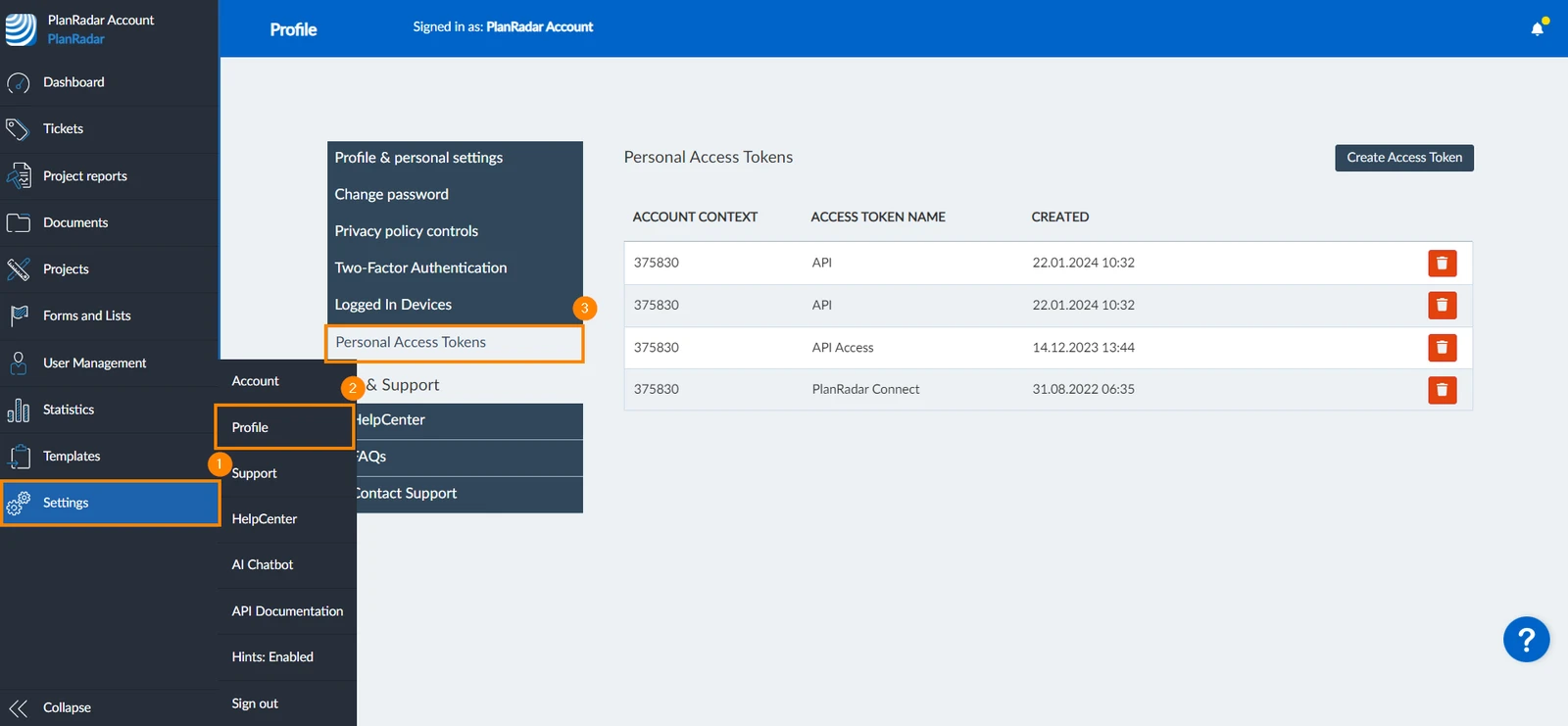
- Click Settings
- Click Profile
- Click Personal Access Tokens
Create a Personal Access Token
To create a personal access token:
-
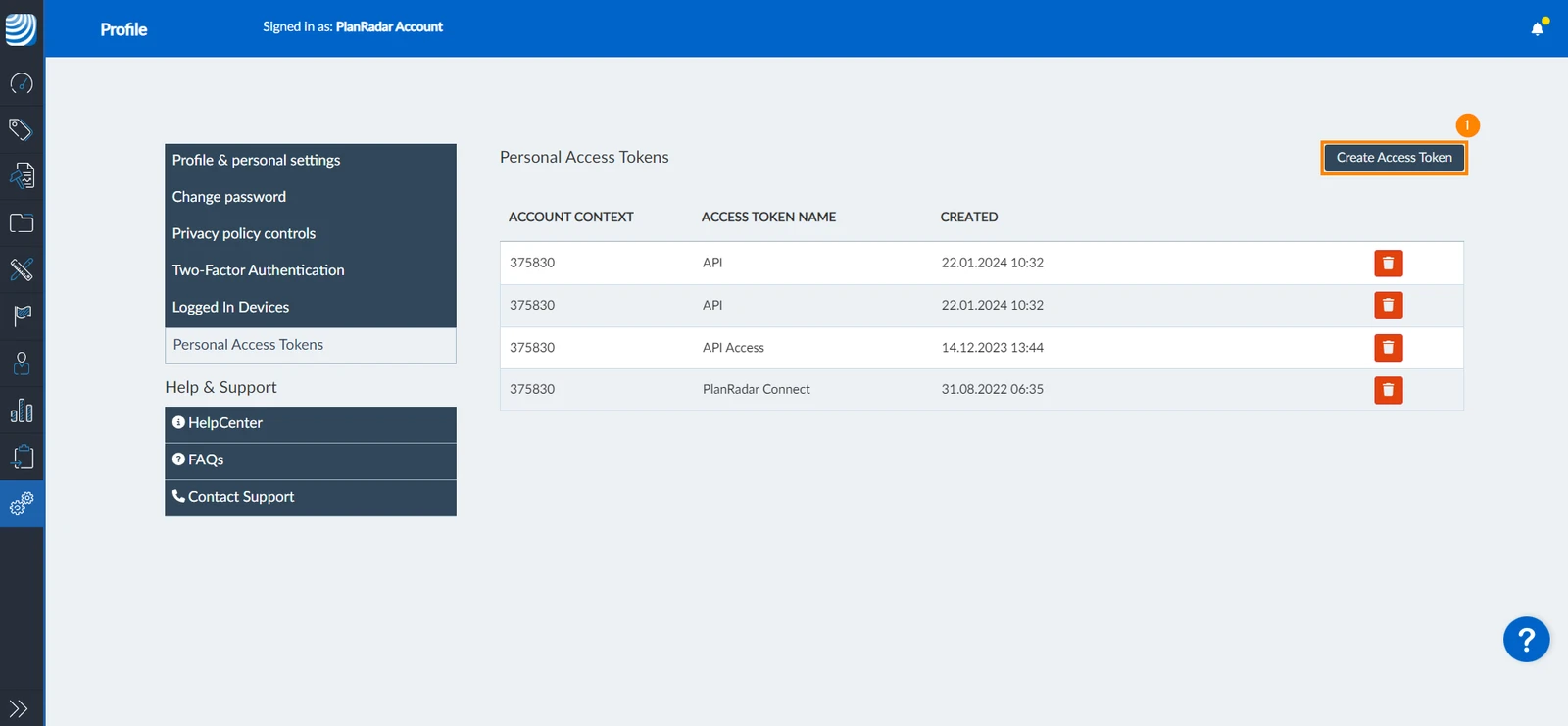
Click Create Access Token
-
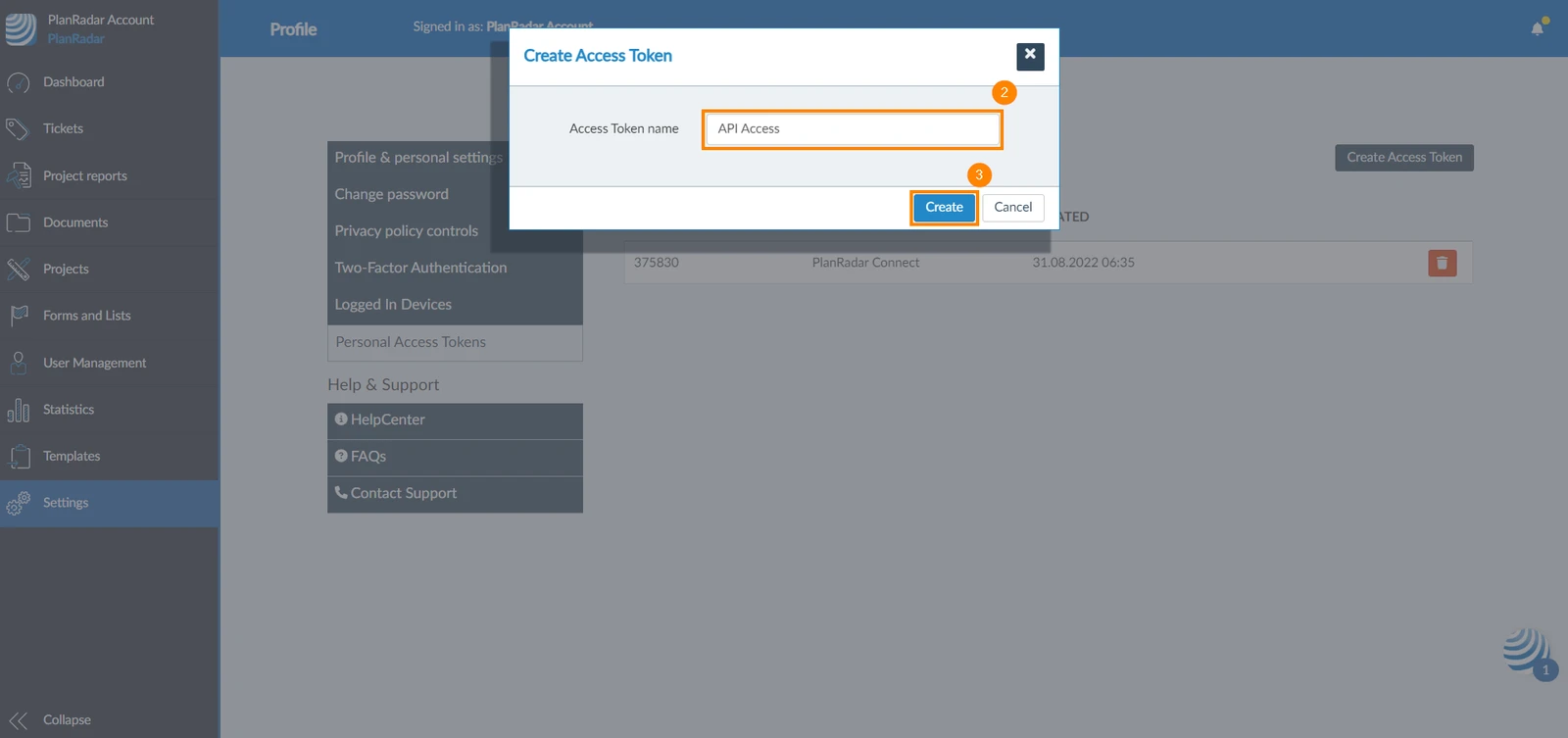
Enter a Access Token name
-
Click Create
-
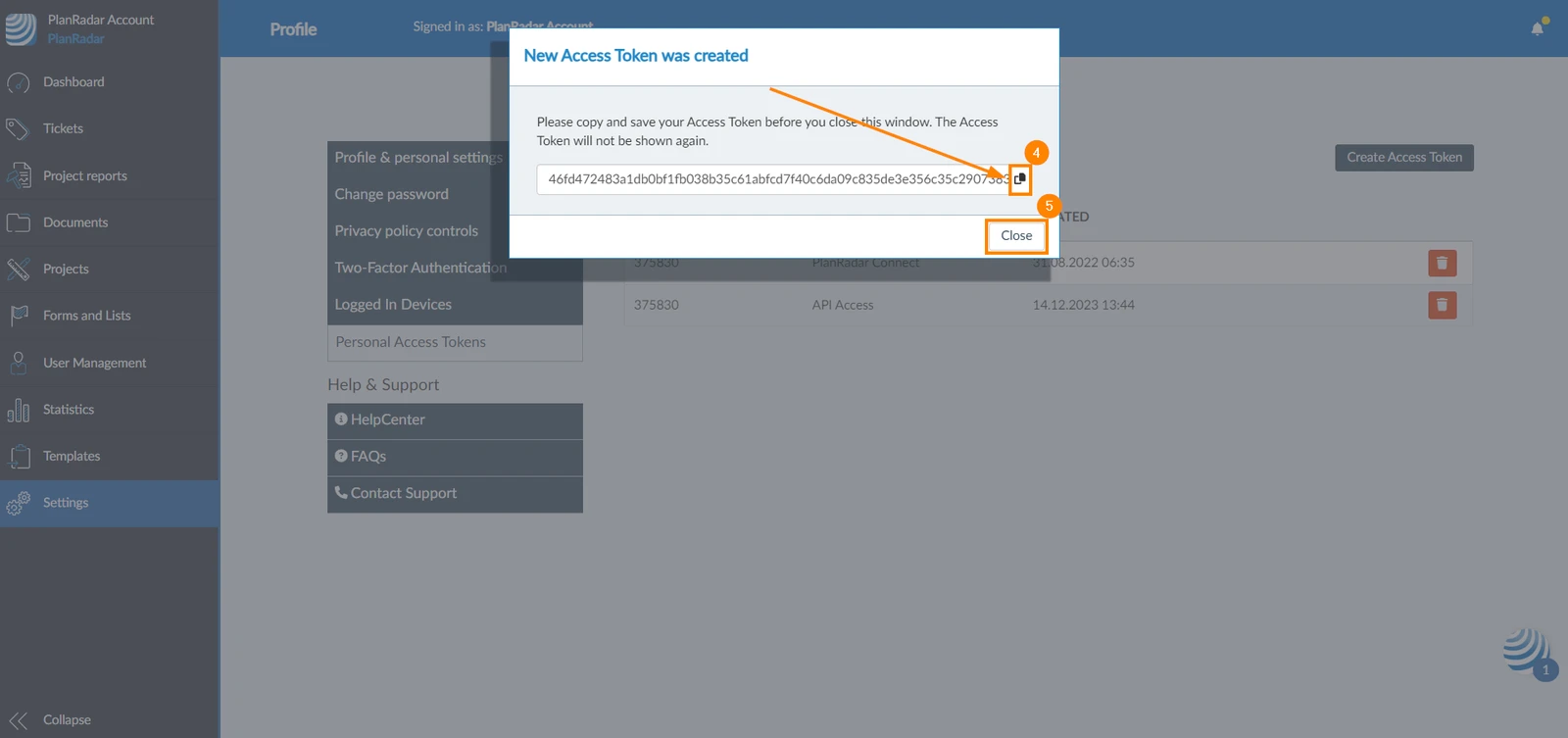
Copy the access token
-
Click Close
Delete Personal Access Tokens
Deleting an access token deactivates any integration using this token.
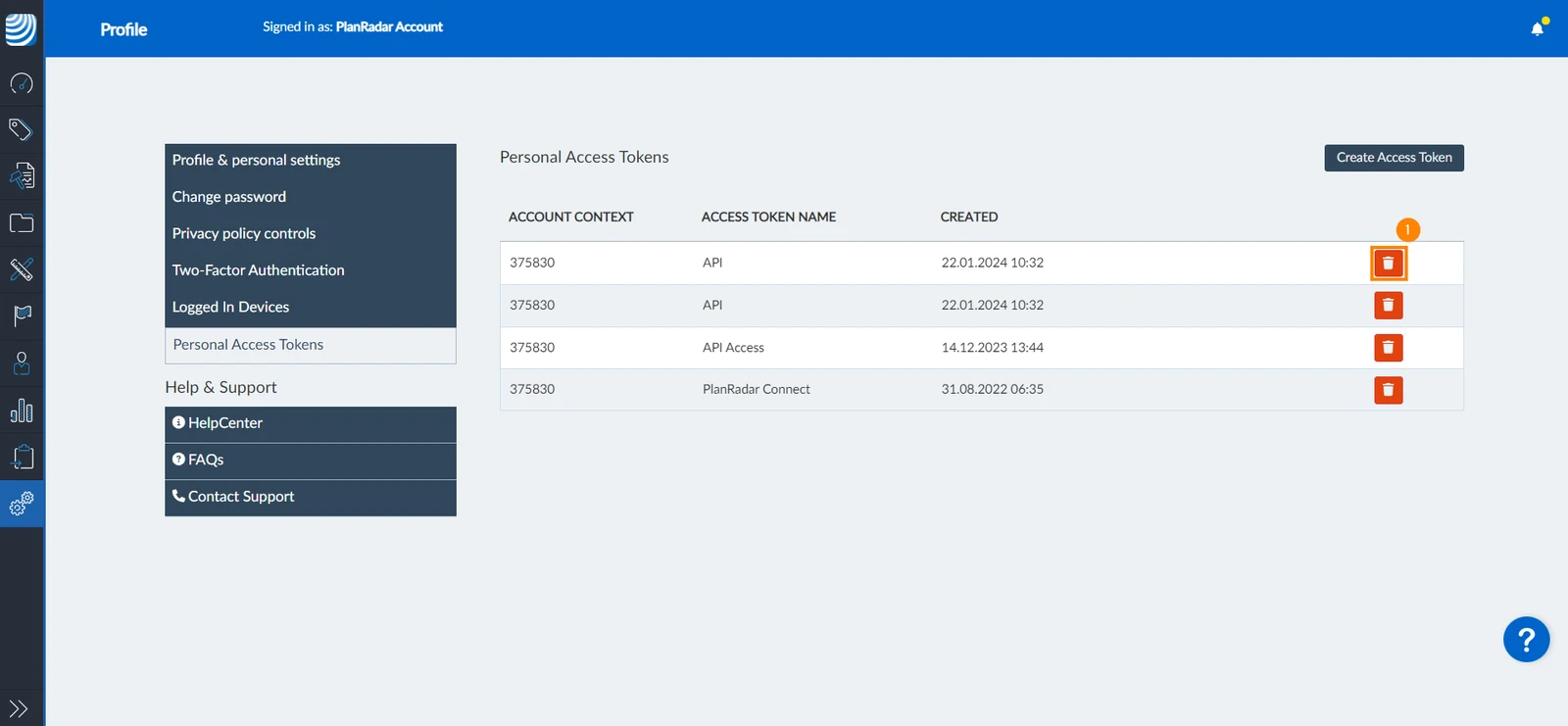
To delete your access token:
- Click the delete icon next to the token you want to remove
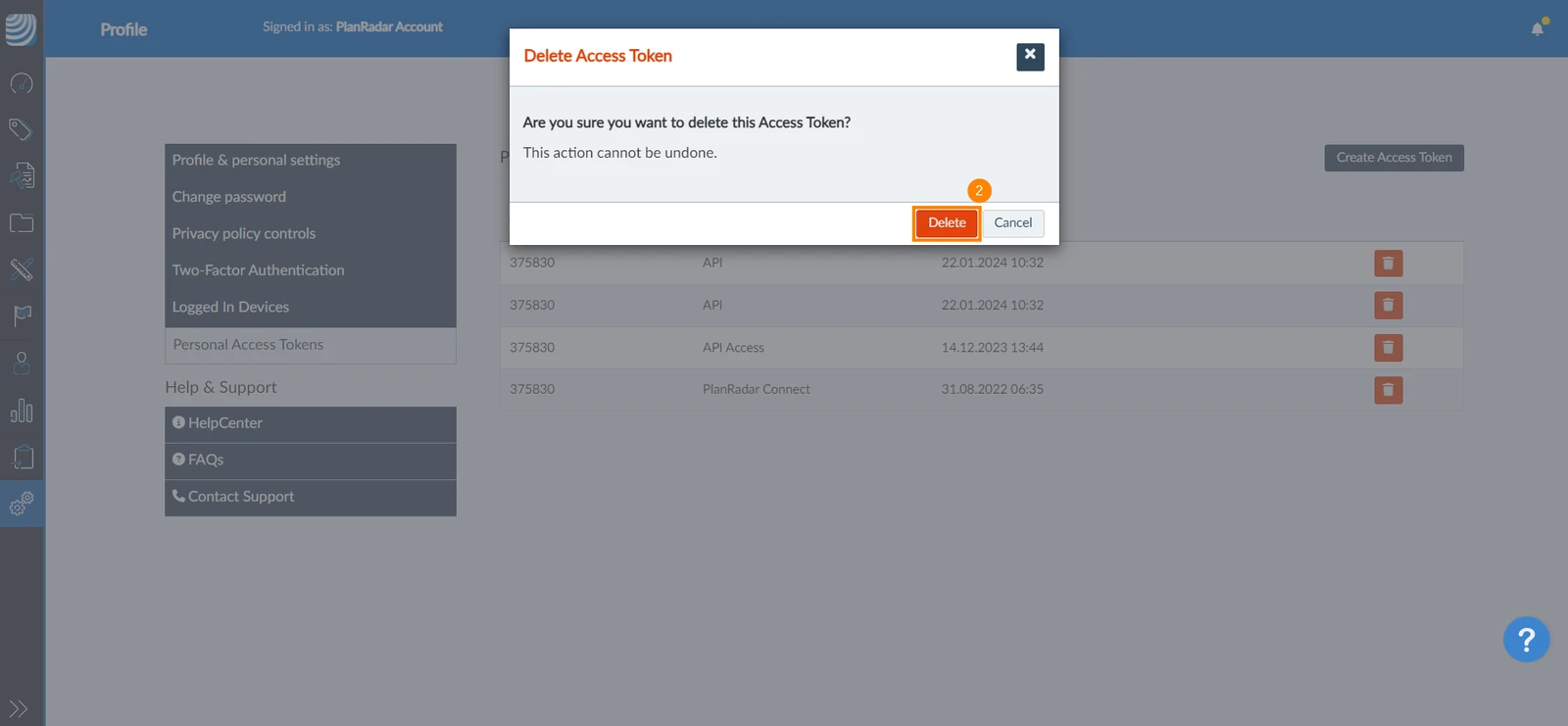
- Click Delete to confirm
Updated February 26, 2026