

 Deutsch
 Español
 Français
 Hrvatski
 Italiano
 Polski
 Português (BR)
View Generated Ticket Reports
Overview
When you Create a Ticket Report the PDF is generated by a PlanRadar server. As soon as it is ready you get notified and can download the PDF to share it with stakeholders outside of PlanRadar.
Access & Permissions
Only the user who created the ticket report can access the generated PDF file to download it.
View Generated Ticket Reports
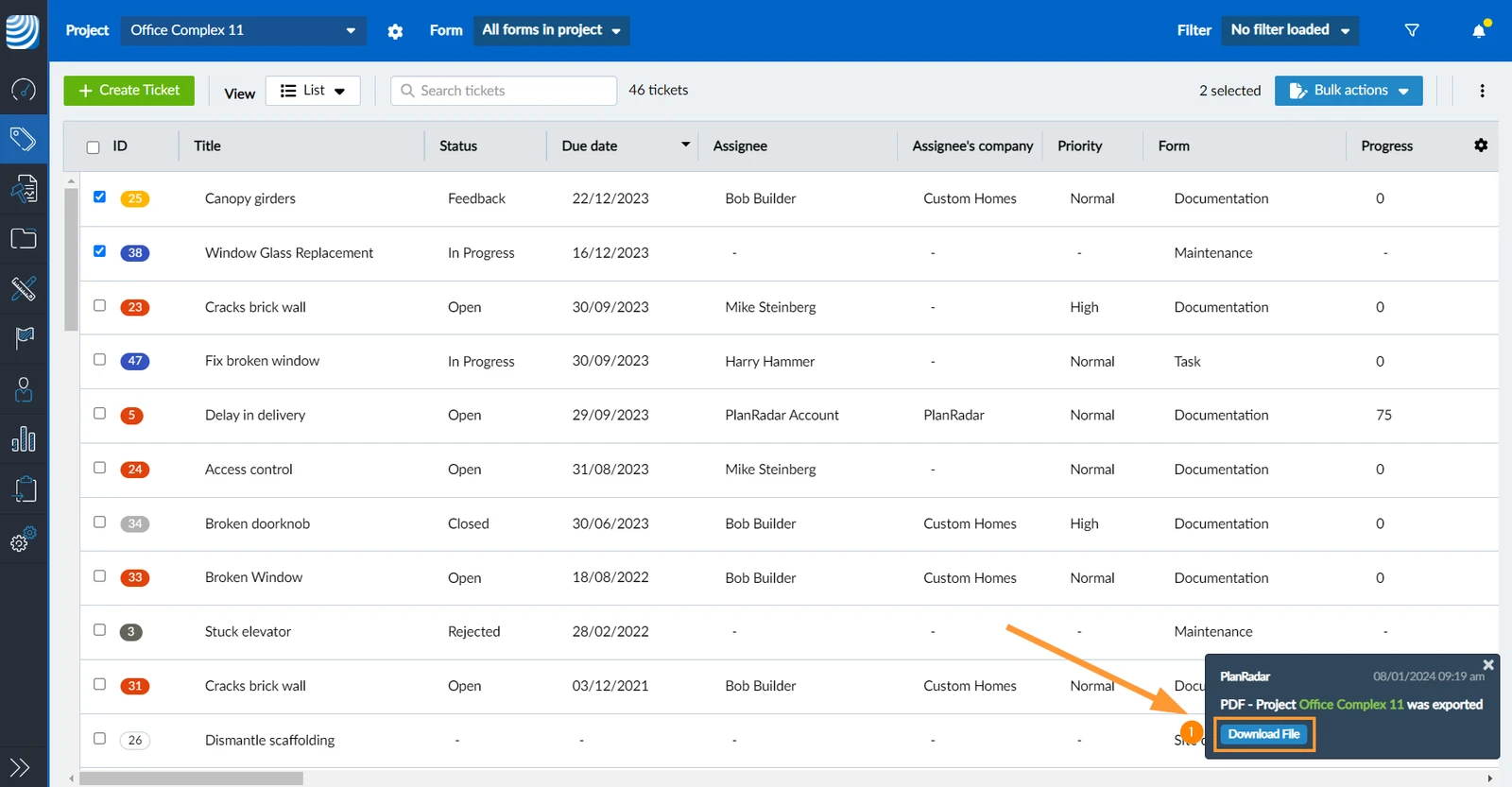
When the generated PDF ticket report is ready for download you get this notification message:
- Click Download File to save the PDF in your browser's download folder
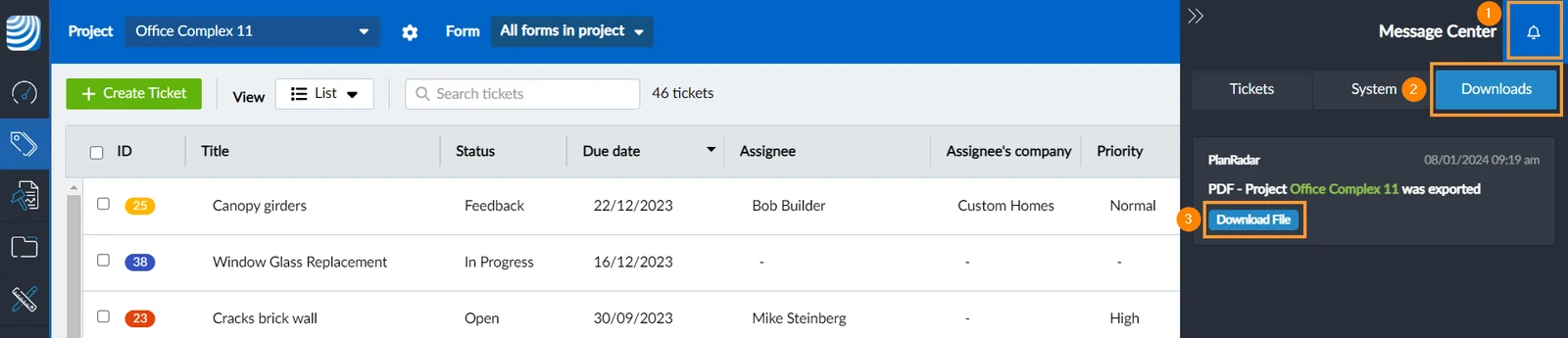
The message will is also be accessible in the Message Center:
- Click Message Center
- Click Downloads
- Click Download File
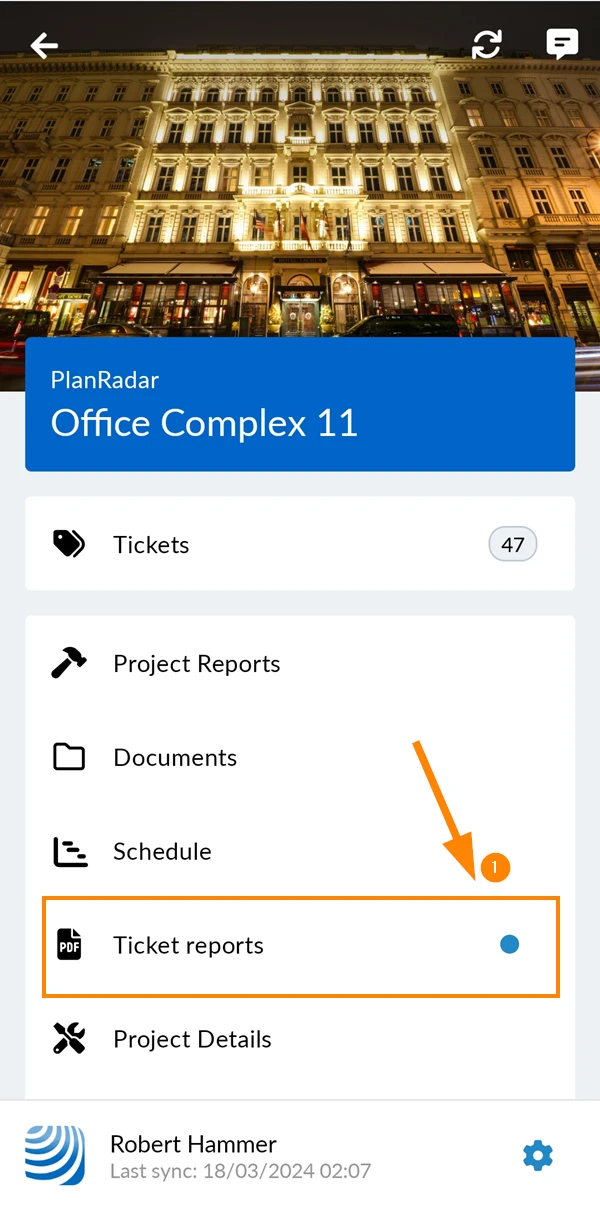
To view generated ticket reports:
- Tap Ticket reports in the main menu.
See the indicator when there are new generated ticket reports.
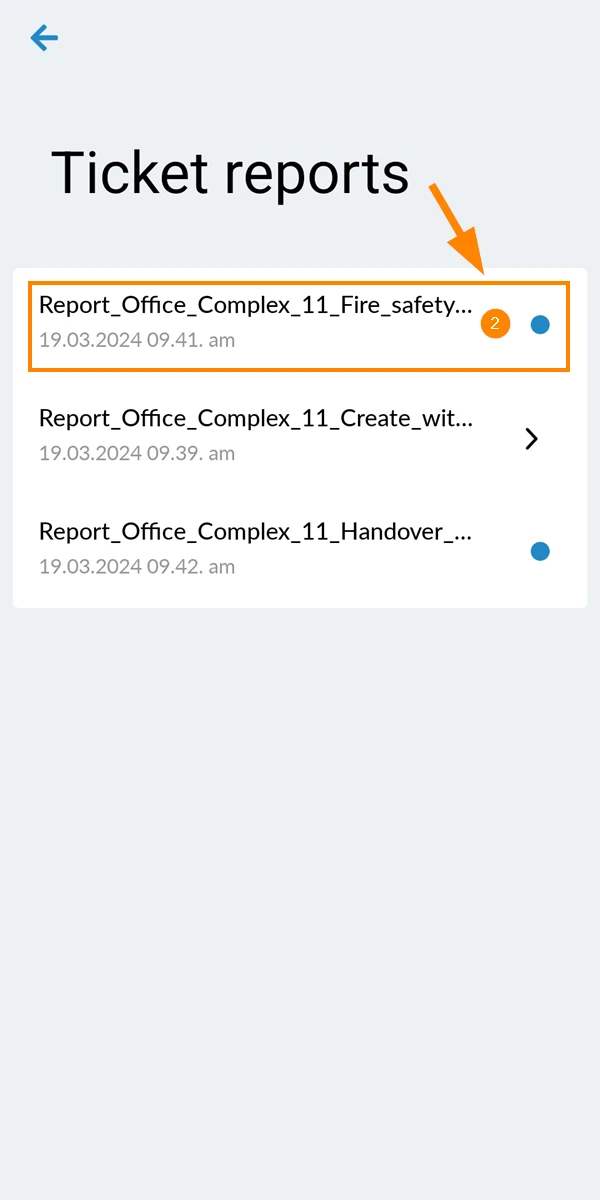
- Tap on the ticket report to open it
Updated June 11, 2026