

 Deutsch
 Español
 Français
 Hrvatski
 Italiano
 Polski
 Português (BR)
PlanRadar Connect
Overview
PlanRadar Connect is our integration and automation feature that allows you to
- Connect third-party software without requiring any custom software development.
- Automate business workflows across cloud and on-premises apps with your PlanRadar account.
- Automate PlanRadar-only processes with the same approach as well.
It offers easy-to-use predefined automations (defined by recipes) that don't require coding.
Access & Permissions
How to access PlanRadar Connect
- Click Settings
- Click Account
- Click PlanRadar Connect
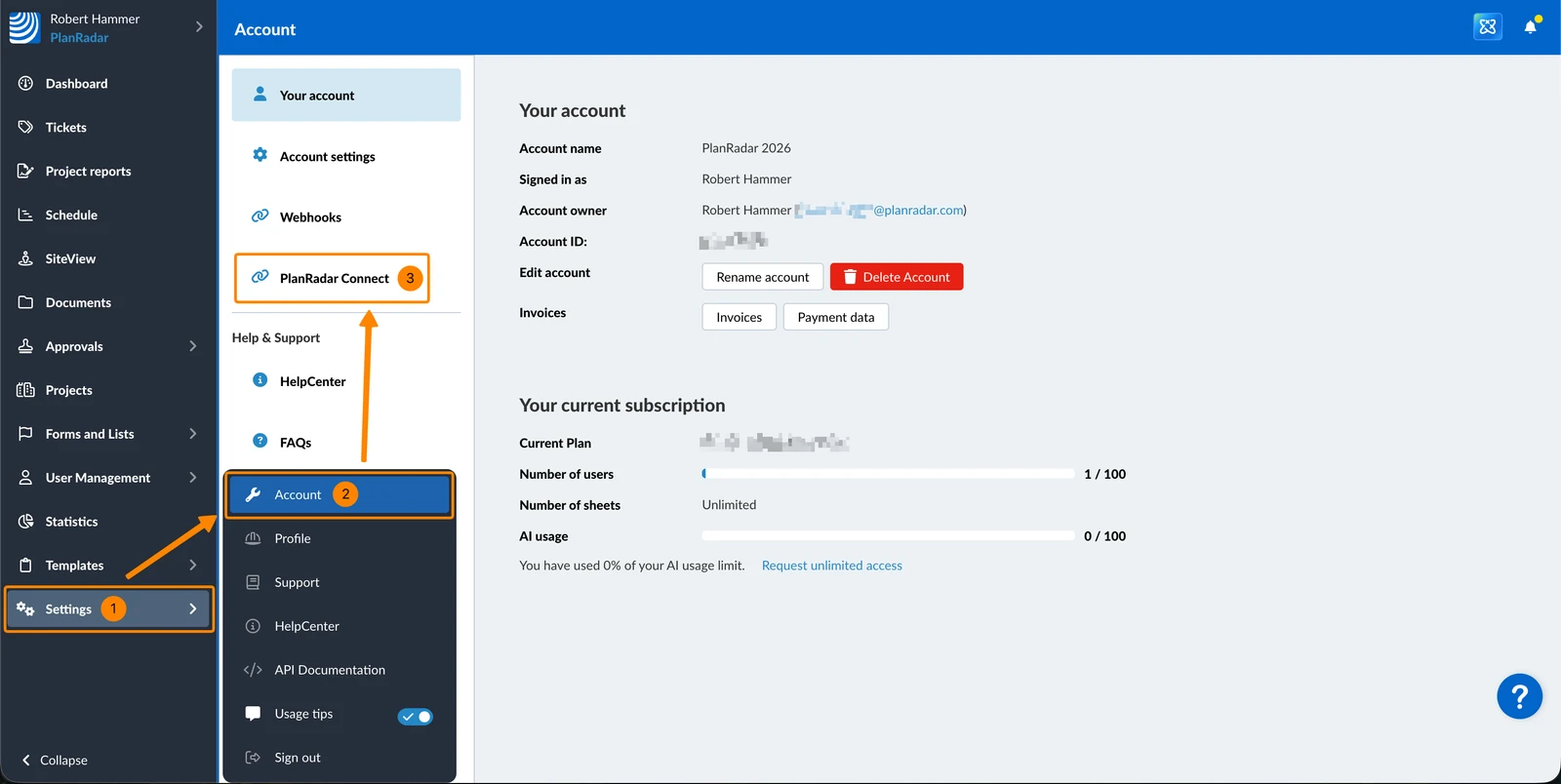
PlanRadar Connect can only be used in one browser tab at a time.

If you open it in multiple tabs (for example, while editing recipes), it may not load properly. You can have multiple PlanRadar tabs open simultaneously, but only one tab should have PlanRadar Connect open.
Activate PlanRadar Connect
PlanRadar Connect uses self-service activation — you can switch it on for your account in a few clicks, without contacting support.
Who can activate
You need:
- A Pro V2 or Enterprise V2 plan
- Access to the Accounts page in your PlanRadar web app
How to activate
- Navigate to Settings > Account > PlanRadar Connect.
- Click Activate.
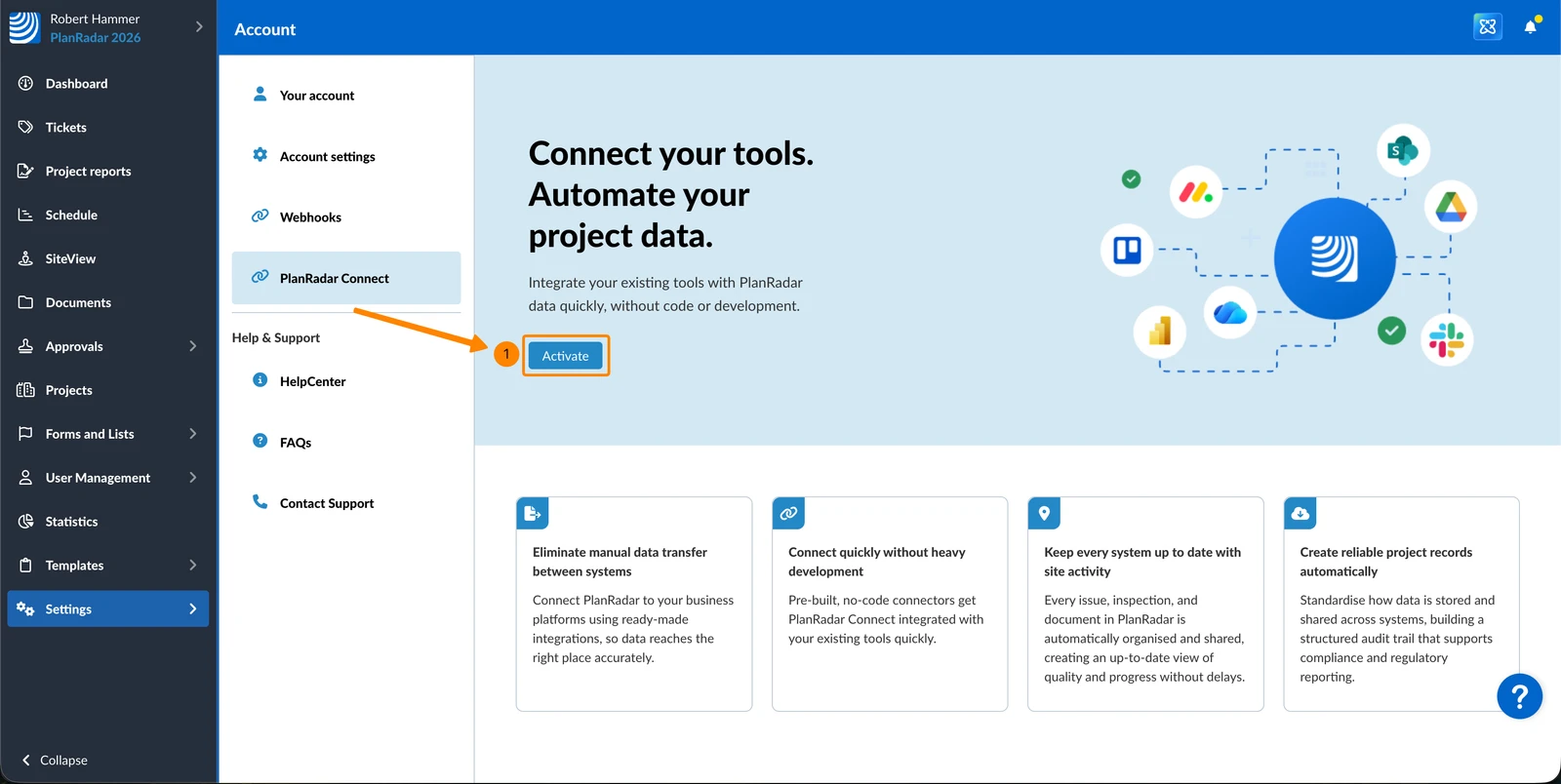
- Review the requirements, then tick the consent checkbox.
- Click Activate again. A spinner appears while your workspace is being created.
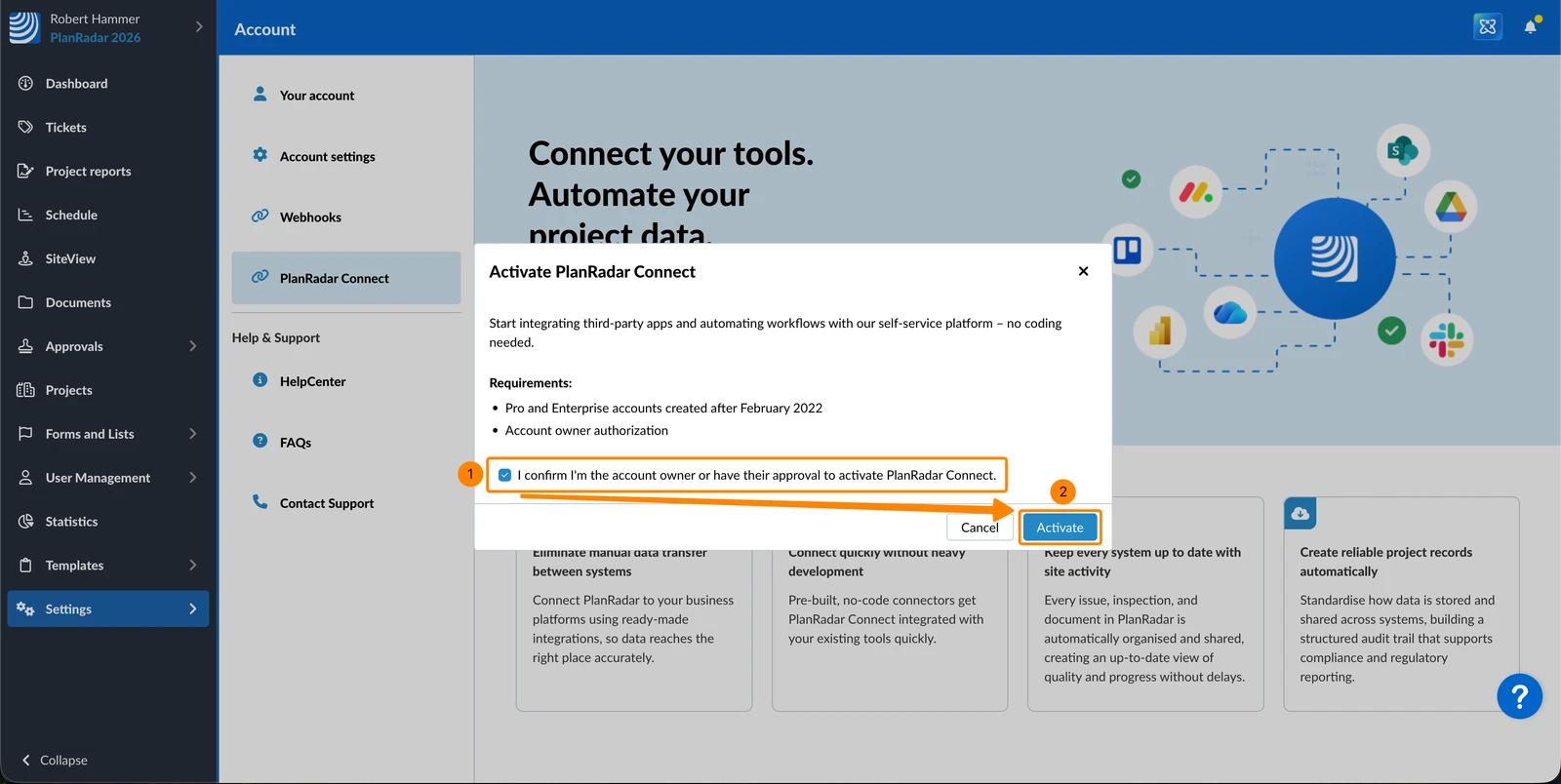
- You are redirected automatically to your PlanRadar Connect dashboard — from there you can browse the recipe library and start building automations.
A confirmation email is sent to the account owner once activation is complete.
If you see "PlanRadar Connect Unavailable"
Create an Integration User
To use PlanRadar Connect, you need to integrate it with your PlanRadar account. However, as the actions performed by integrations are automated and should not be linked to a personal user in your account, it is recommended to create a generic user specifically for integrations. This way you are also on the safe side in case someone leaves your company.
Connect your PlanRadar Account
PlanRadar Connect is available through a partnership with Workato, a low-code platform integrated into PlanRadar. To begin using this solution, you must first link your PlanRadar account, allowing PlanRadar Connect to access data and perform actions within your account.
Connections
PlanRadar Connect provides access to over 200 connectors for different applications. Each application has its own authentication options, allowing users to choose their preferred authentication method.
At the core of PlanRadar Connect are pre-built connectors that allow you to authenticate with the third-party software you want to integrate with, giving you access to the data stored in those systems. Each connection needs a one-time setup providing credentials to authorise itself during the execution of the automation. Connections are not tied to a recipe – a single connection can be used by multiple recipes.
Recipes
Recipes allow you to build automated workflows. They consist of two parts: triggers and actions. Triggers are events that trigger actions to take place.
You can build your own recipes, deciding the triggering event/s as well as the resulting action/s.
PlanRadar Connect already provides some basic recipes for typical workflows with third-party apps.
Updated June 1, 2026