

 Deutsch
 Español
 Français
 Hrvatski
 Italiano
 Polski
 Português (BR)
Upload and View Interactive 360° Panorama Photos in the Webapp
Overview
Document the progress and all kinds of situations on your construction site and buildings using a 360° panorama camera. PlanRadar has a built-in interactive viewer for panorama photos. The feature is available for ticket attachments and in Document Management.
Access & Permissions
If you are uploading panorama photos to Documents, read more in Document Management > Access & permissions.
This feature is only available in the web app.
Upload Panorama Photos
Panorama photos can be uploaded to tickets as well as documents.
Upload Panorama Photos to Tickets
To upload panorama photos to a ticket:
- Click Add new attachment or drag and drop the photo
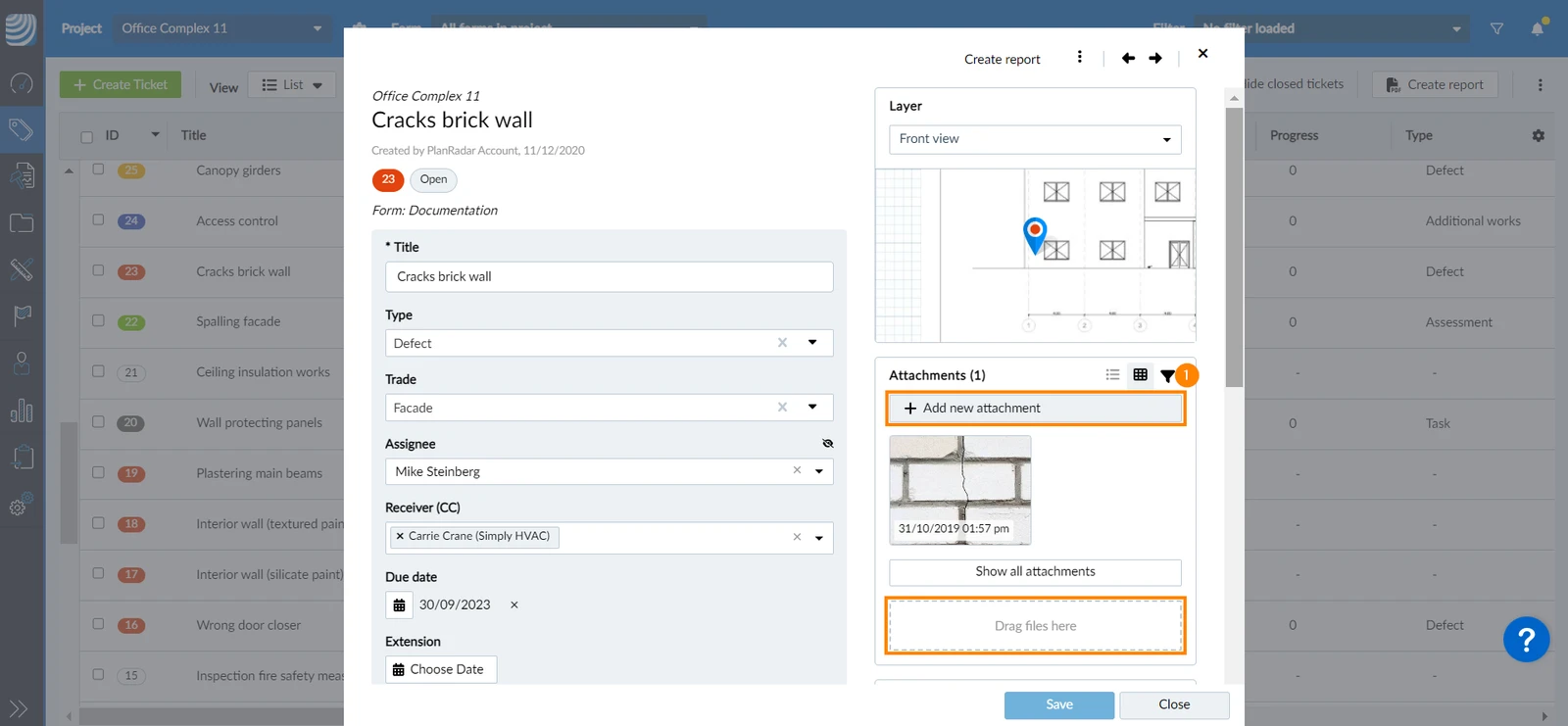
- Select the photo from your device
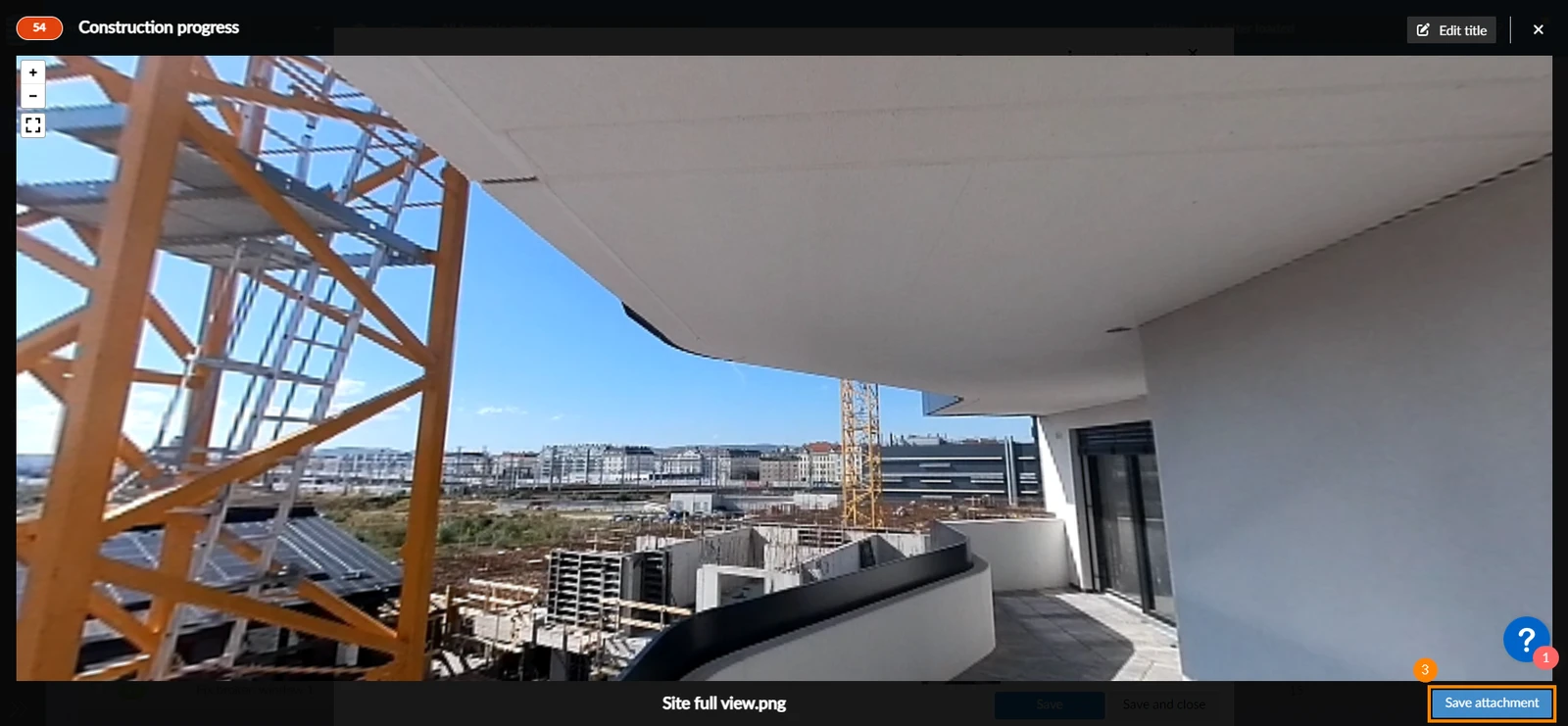
- Click Save attachment in the bottom right corner
Upload Panorama Photos to Documents
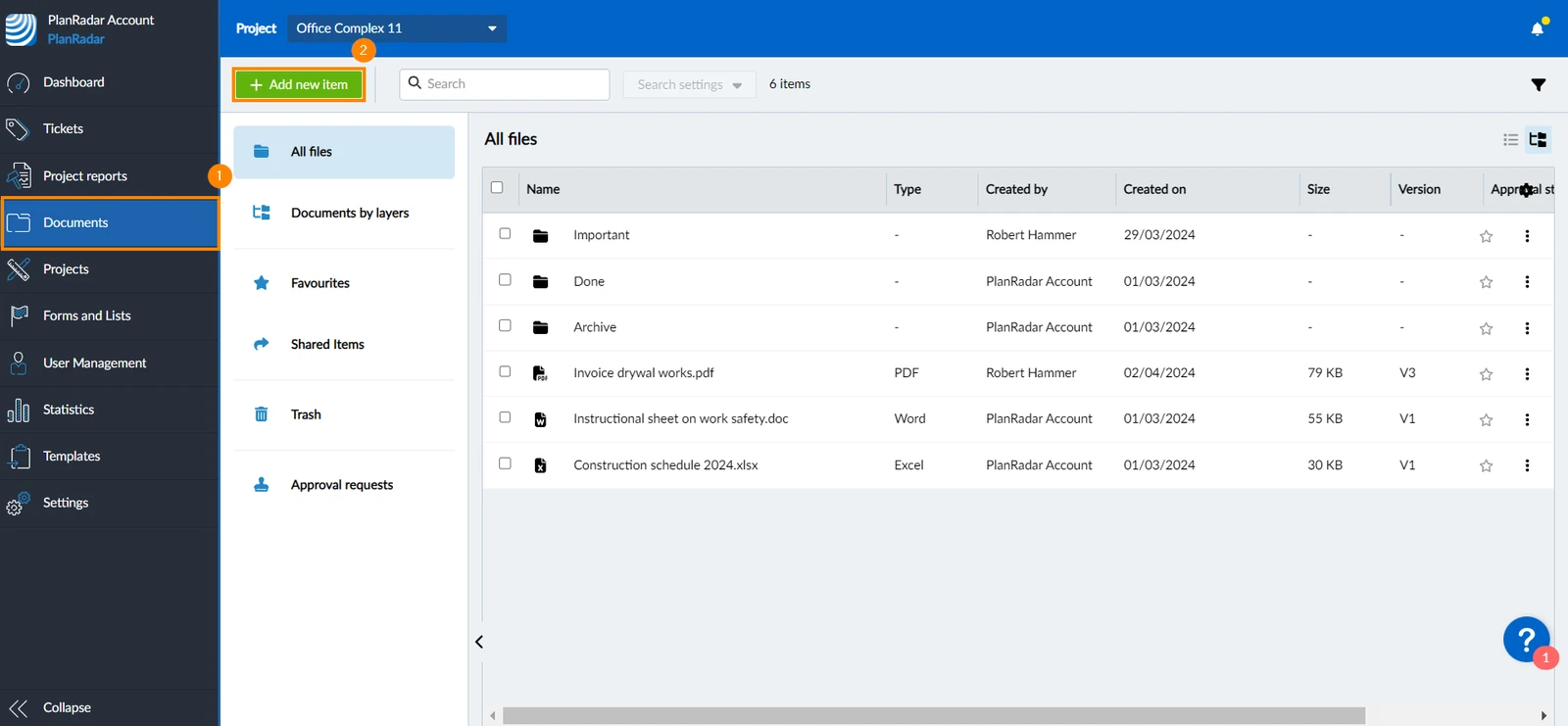
To upload a photo to Documents:
- Click Documents in the side navigation bar
- Click +Add new item or drag and drop the photo to Documents
- Select the photo from your device
View Panorama Photos
To view a 360° photo:
- Open the photo
- Use your cursor to hold the photo and move it around
Updated February 6, 2026