

 Deutsch
 Español
 Français
 Hrvatski
 Italiano
 Polski
 Português (BR)
Change your Password
Overview
Learn how to change your password.
Change your Password
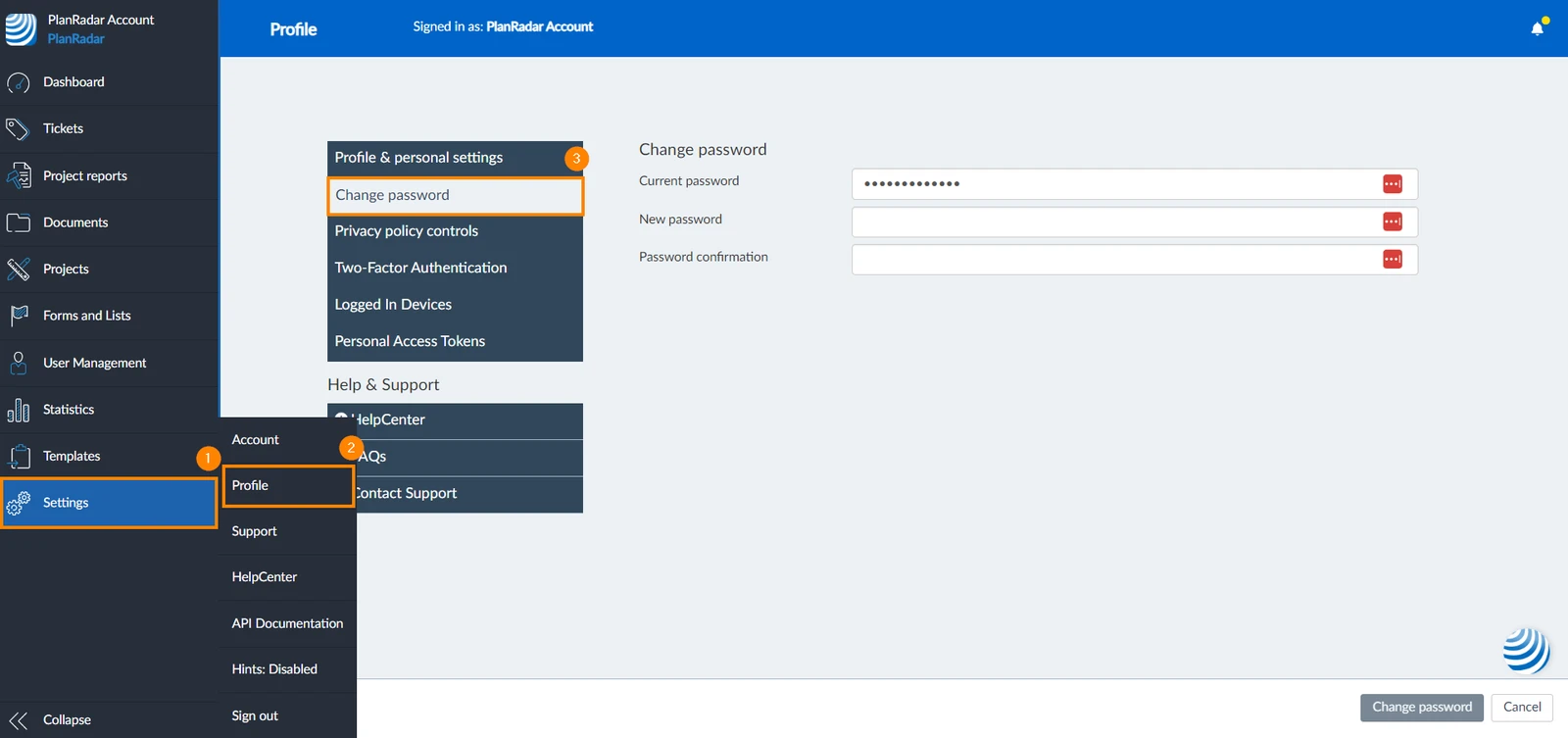
To change your password:
- Click Settings
- Click Profile
- Click Change password
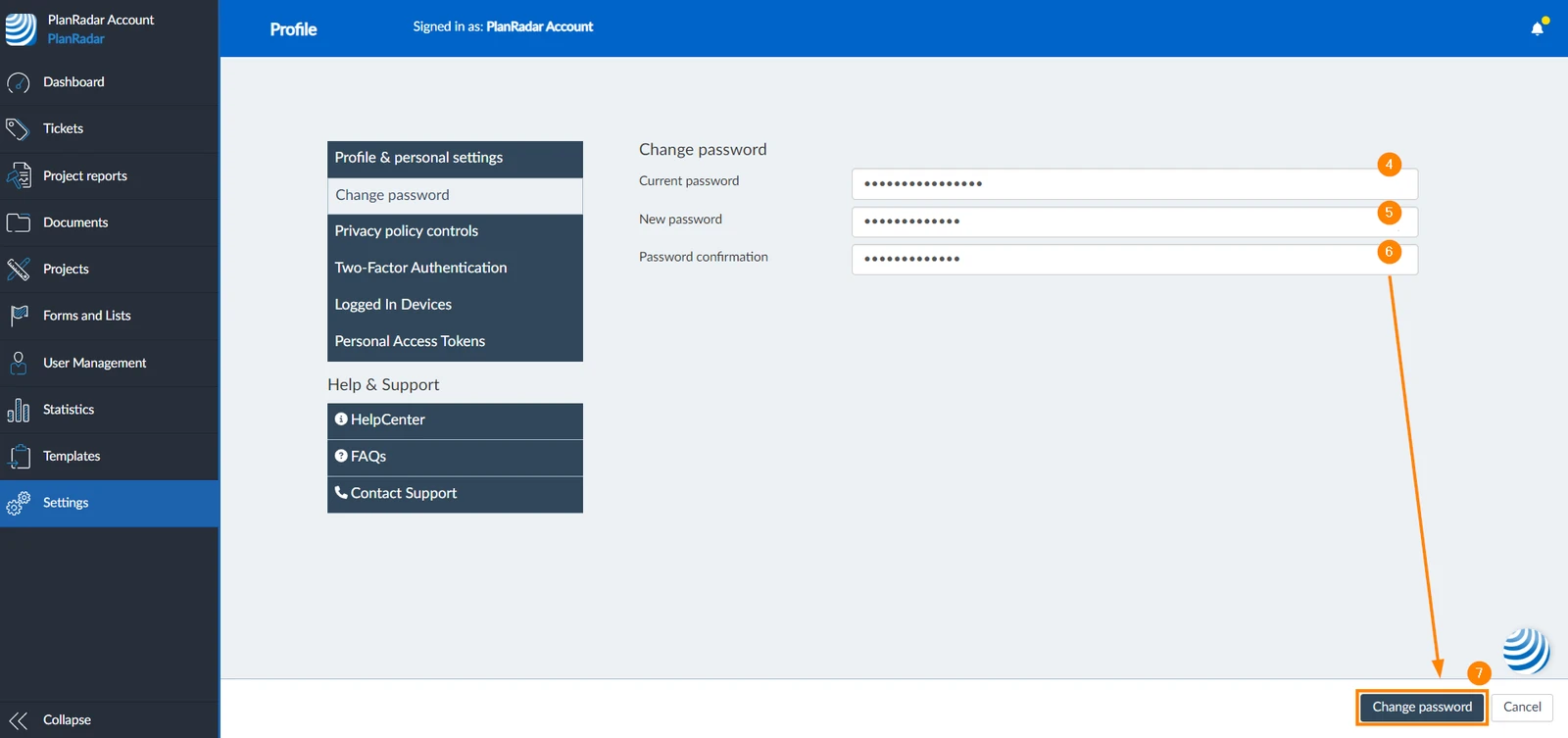
- Enter your current password
- Enter your new password
- Re-enter the new password to confirm
- Click Change password
Related Articles
Updated June 2, 2026