

 Deutsch
 Español
 Français
 Hrvatski
 Italiano
 Polski
 Português (BR)
User Profile
Overview
Set up your profile in PlanRadar to provide accurate information to your project partners.
Personal and Contact Information
-
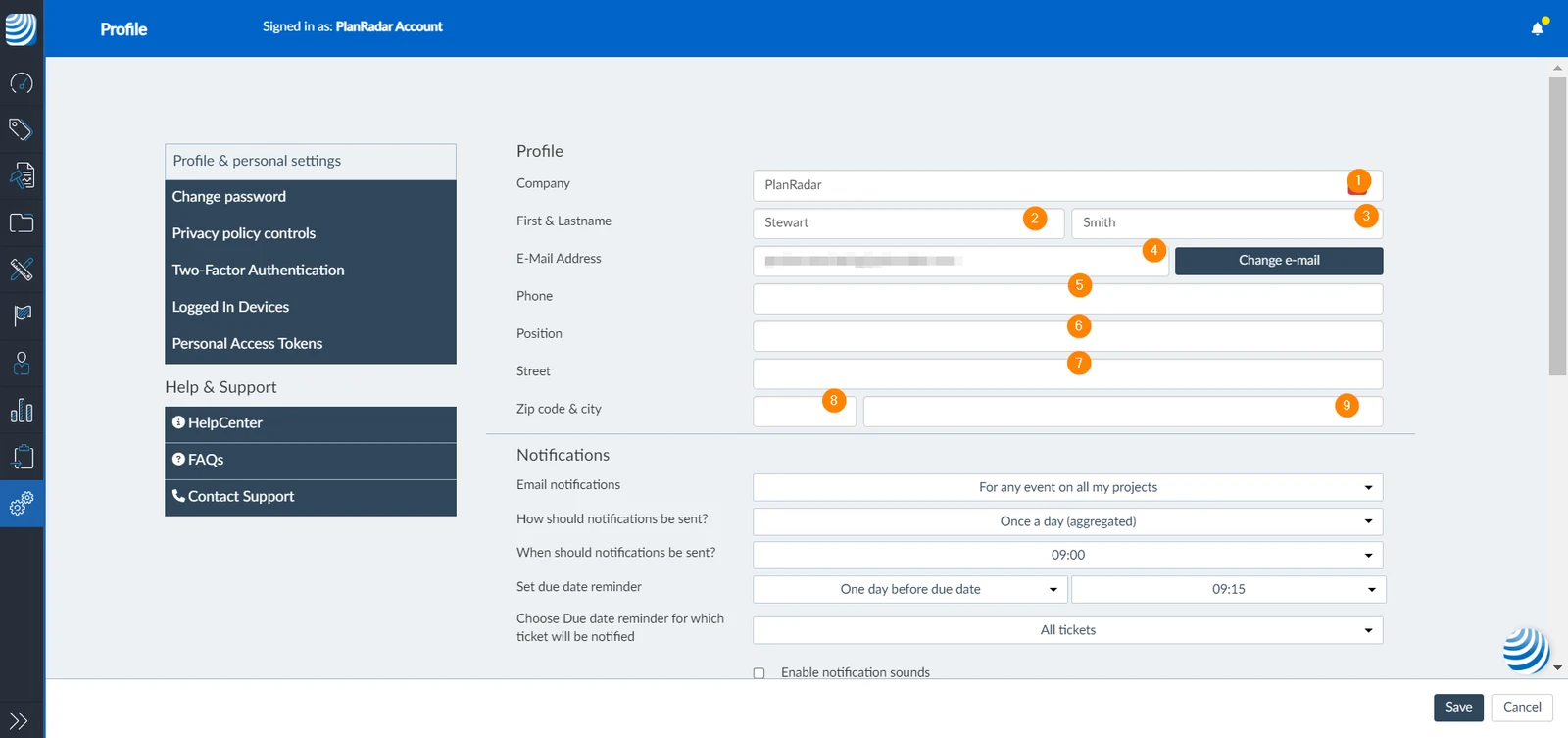
Company: This field is pre-filled with the company name you've entered when signing up or the admin has provided when inviting/adding you.
-
First name: This field is pre-filled with the first name you provided when signing up or the admin has provided when inviting/adding you.
-
Last name: This field is pre-filled with the last name you provided when signing up or the admin has provided when inviting/adding you.
-
Email Address: This field is pre-filled with the email address you've entered when signing up or the admin has provided when inviting/adding you.
-
Phone Number: Add your work phone number.
-
Position: Add your job position.
-
Street: Add the street of your company address.
-
Zip Code: Add the company's zip code.
-
City: Add the city in which your company is located.
Set up Profile
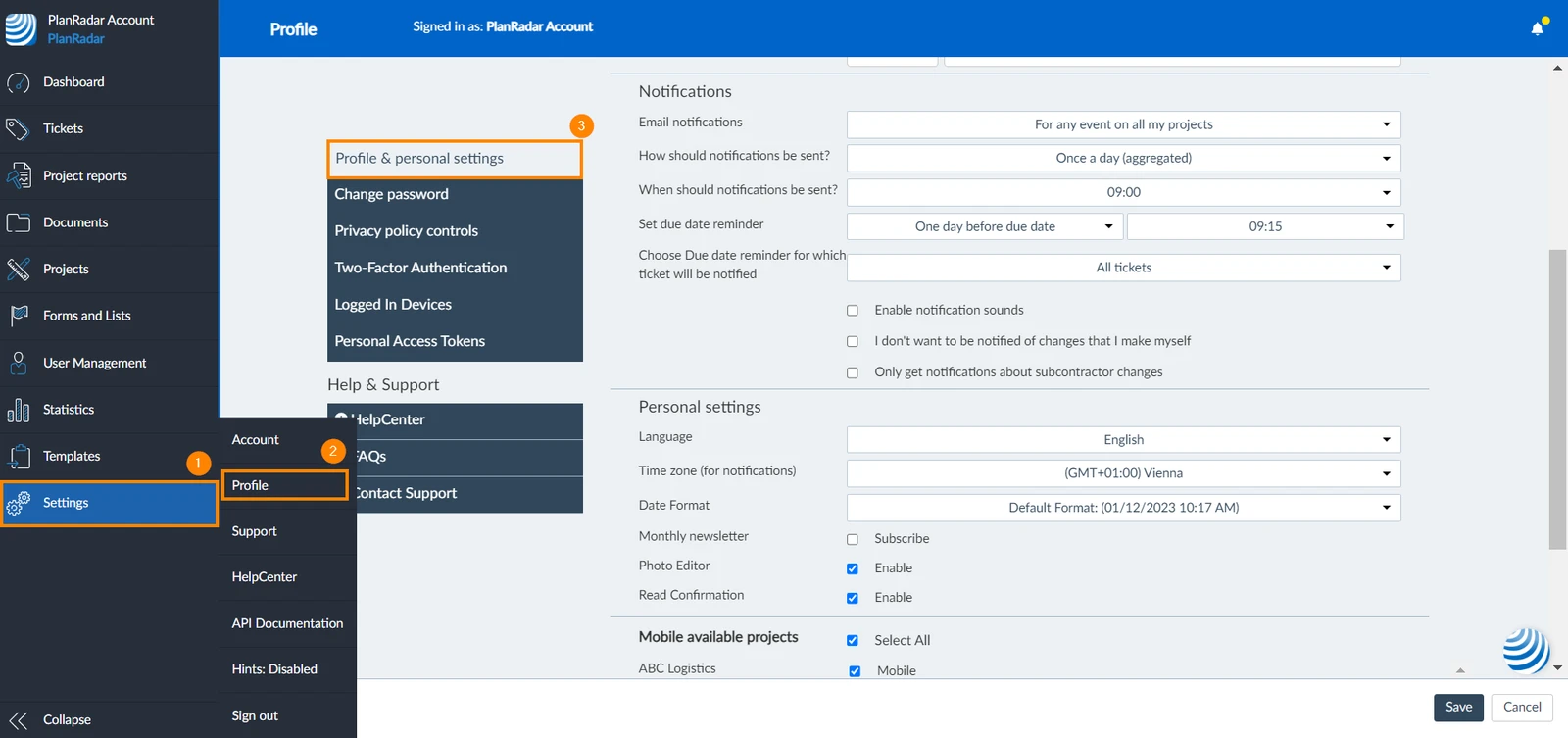
You can add and manage your personal and contact information. To do so:
- Click Settings
- Click Profile
- Click Profile & personal settings
- Add your Personal and Contact Information as explained above
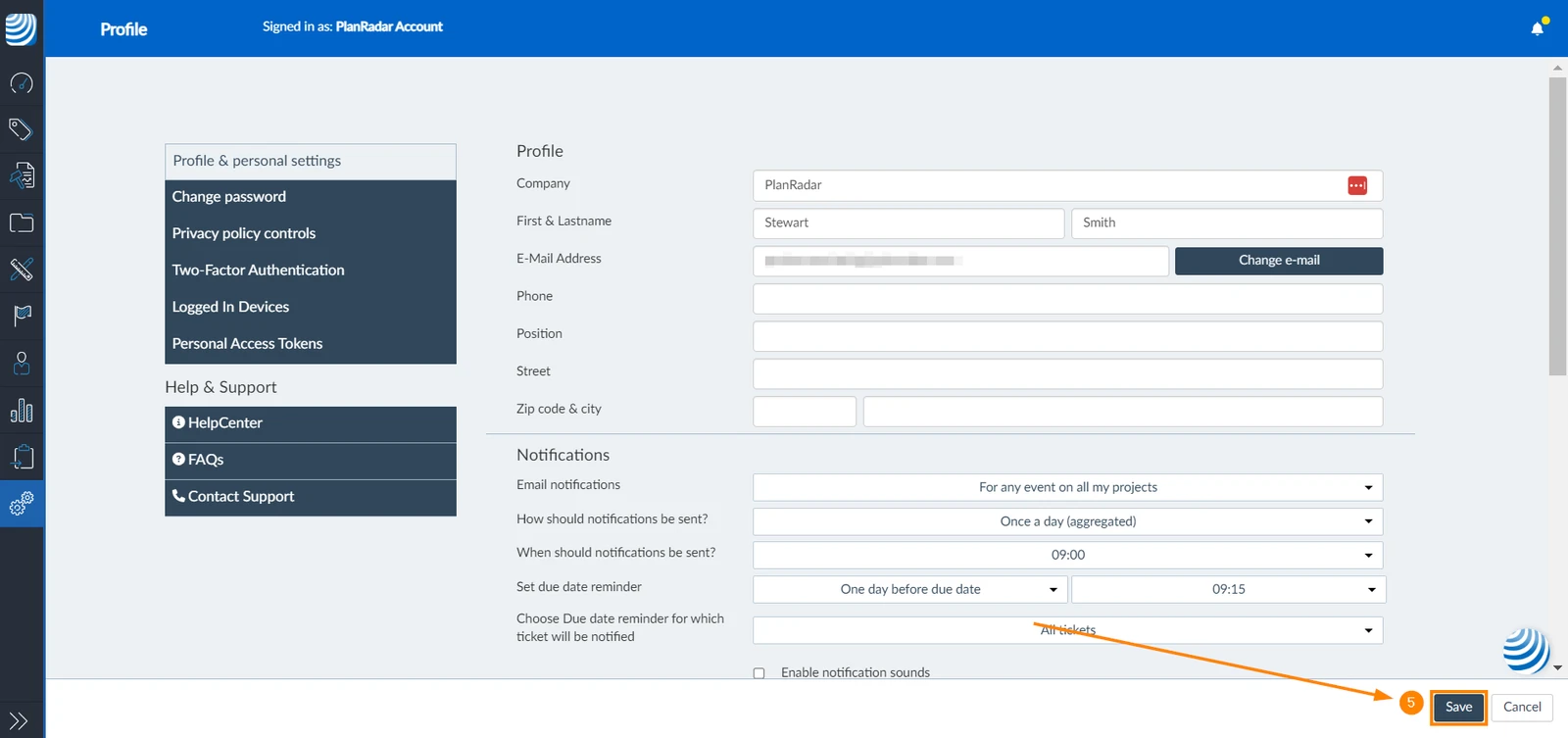
- Click Save
Updated January 23, 2025