

 Deutsch
 Español
 Français
 Hrvatski
 Italiano
 Polski
 Português (BR)
Generate an AI Project Summary
Overview
Generate an AI-written project summary based on ticket activity over the last 30 days in the Webapp.
Access & Permissions
How to access the Dashboard
The dashboard is shown after each new login.
To view the dashboard:
- Click Dashboard
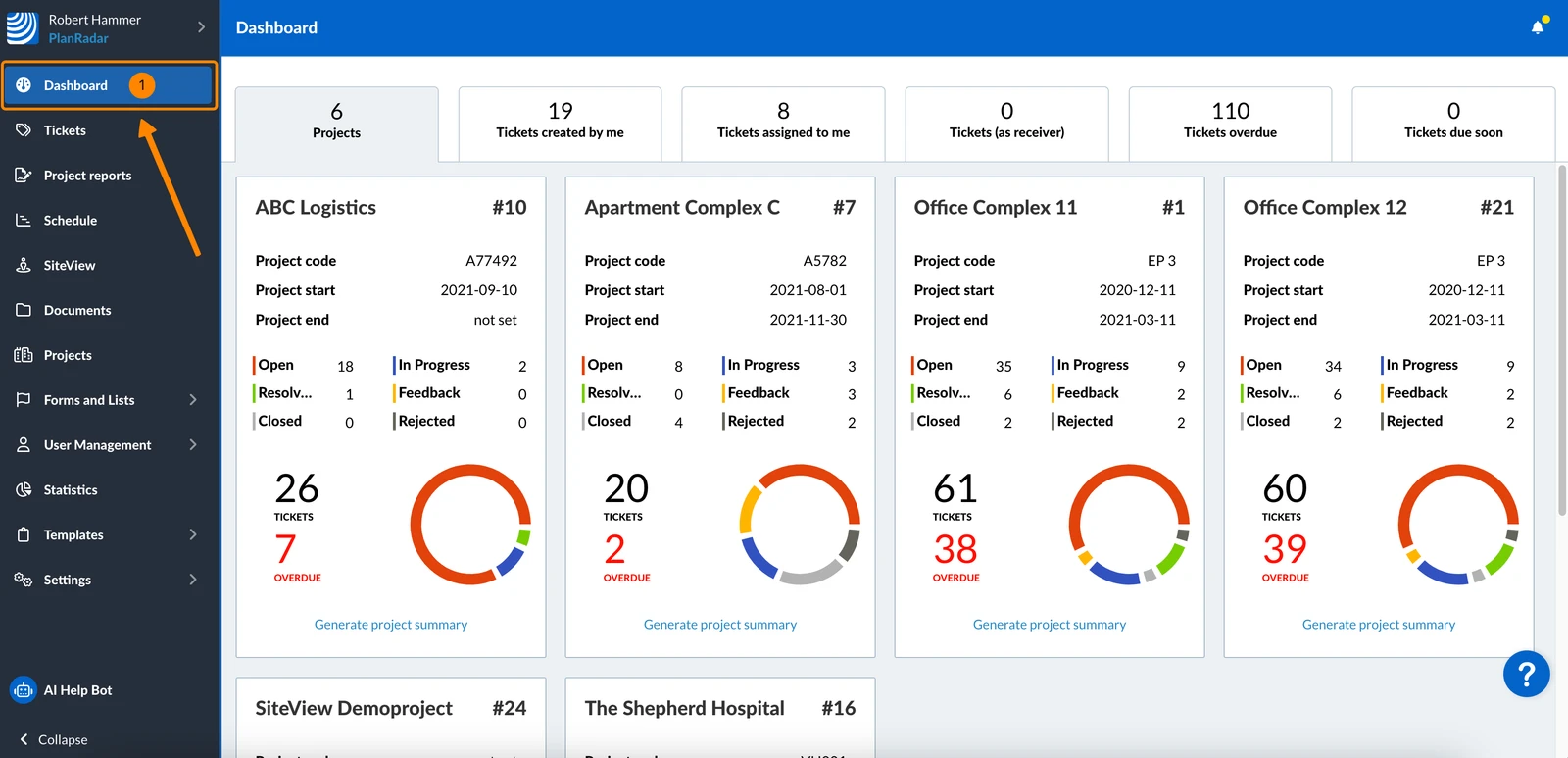
Generate an AI Project Summary
- Click Generate project summary on the project in the projects tab
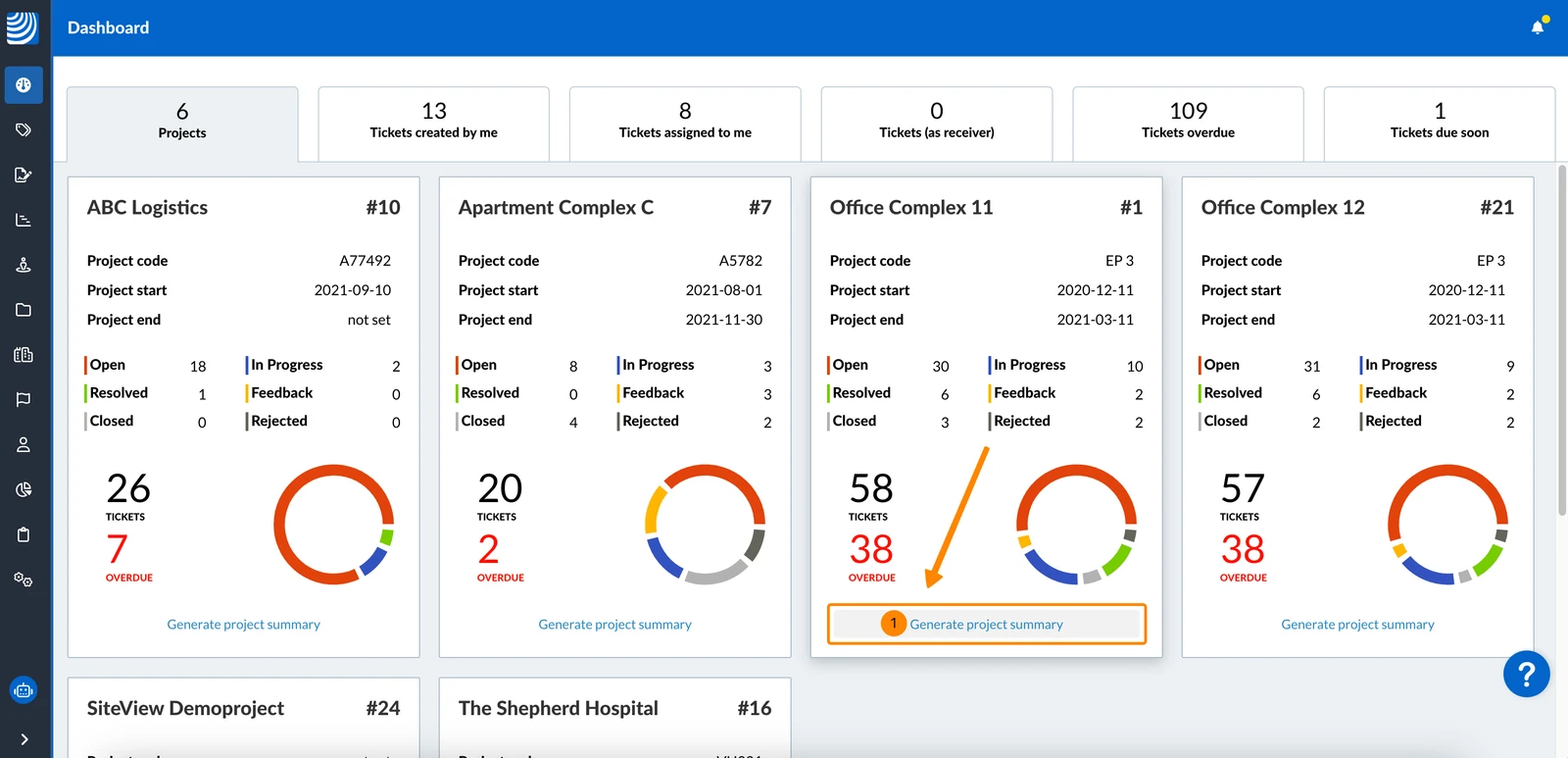
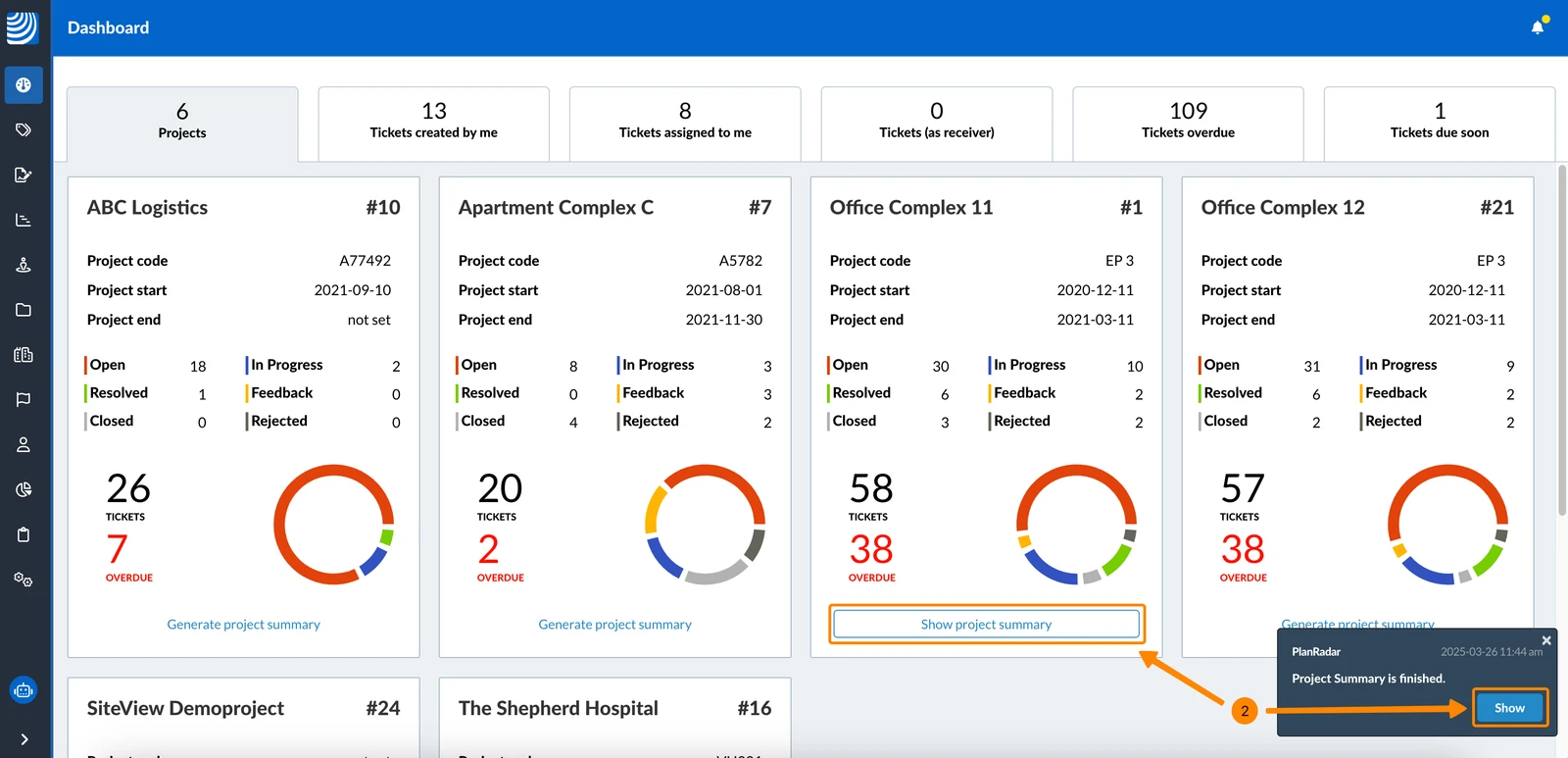
- When the project summary is finished, you get a notification like for generated reports.
Click Show in the notification or Show project summary in the dashboard to view the project summary.
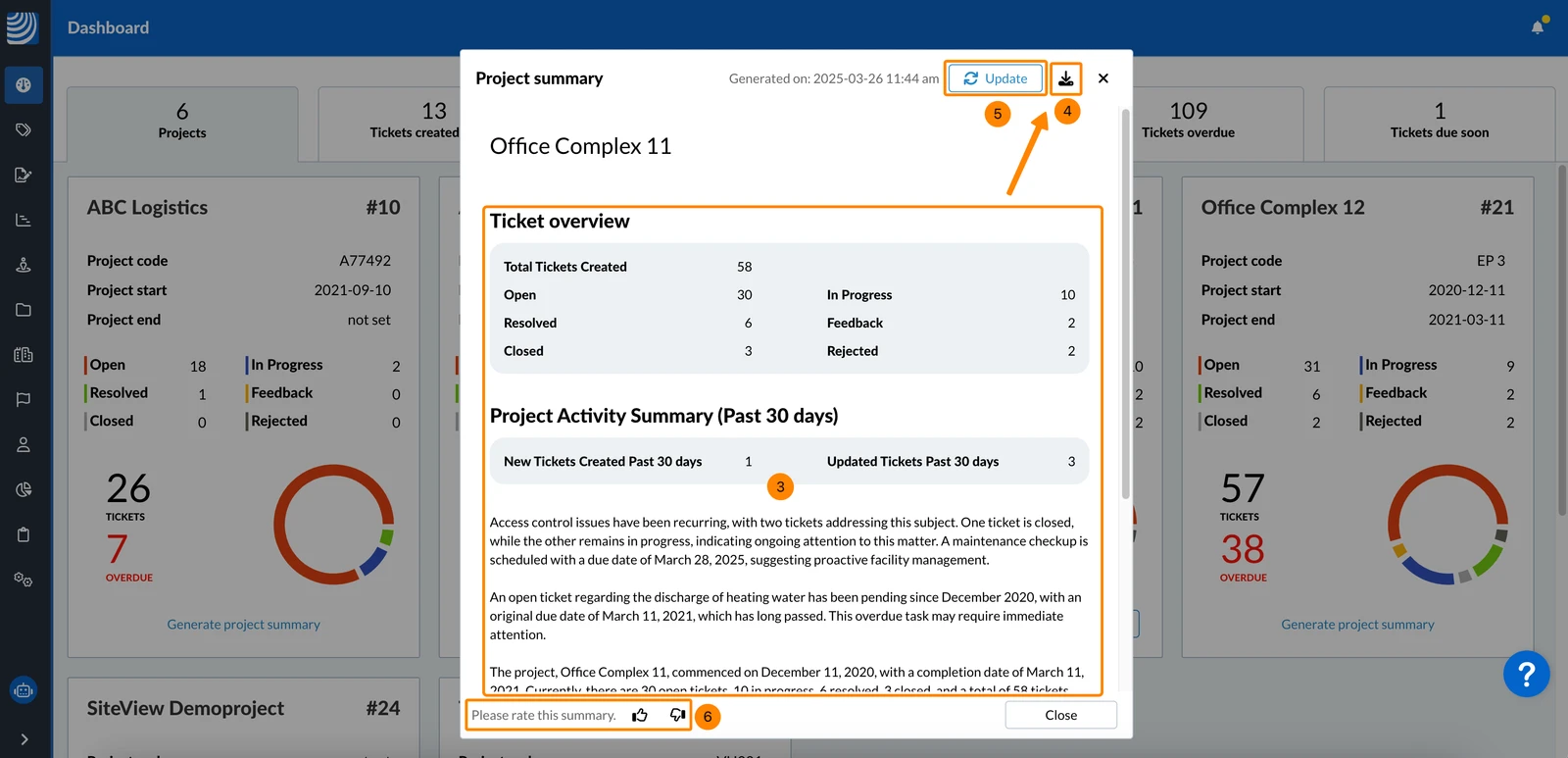
- The project summary contains some ticket statistics and the written summary.
- Optional: Click the Download icon to save the project summary as a PDF on your computer.
- Optional: Click Update to generate a new version of the project summary.
Update will result in closing and deleting the current project summary. - Optional: Click the thumbs up or thumbs down icons to provide feedback and help us improve the generated summaries.
Updated June 17, 2026