

 Deutsch
 Español
 Français
 Hrvatski
 Italiano
 Polski
 Português (BR)
Manage Approval Workflows of a Project
Overview
Add approval workflows to forms or to the Document section of projects to make them available when requesting approval. The workflows need to be created first as described in Create & Manage Approval Workflows.
Access & Permissions
Manage Workflows of Forms
Add (or remove) one or more workflows to make them available when requesting approval for tickets using that form. To do so:
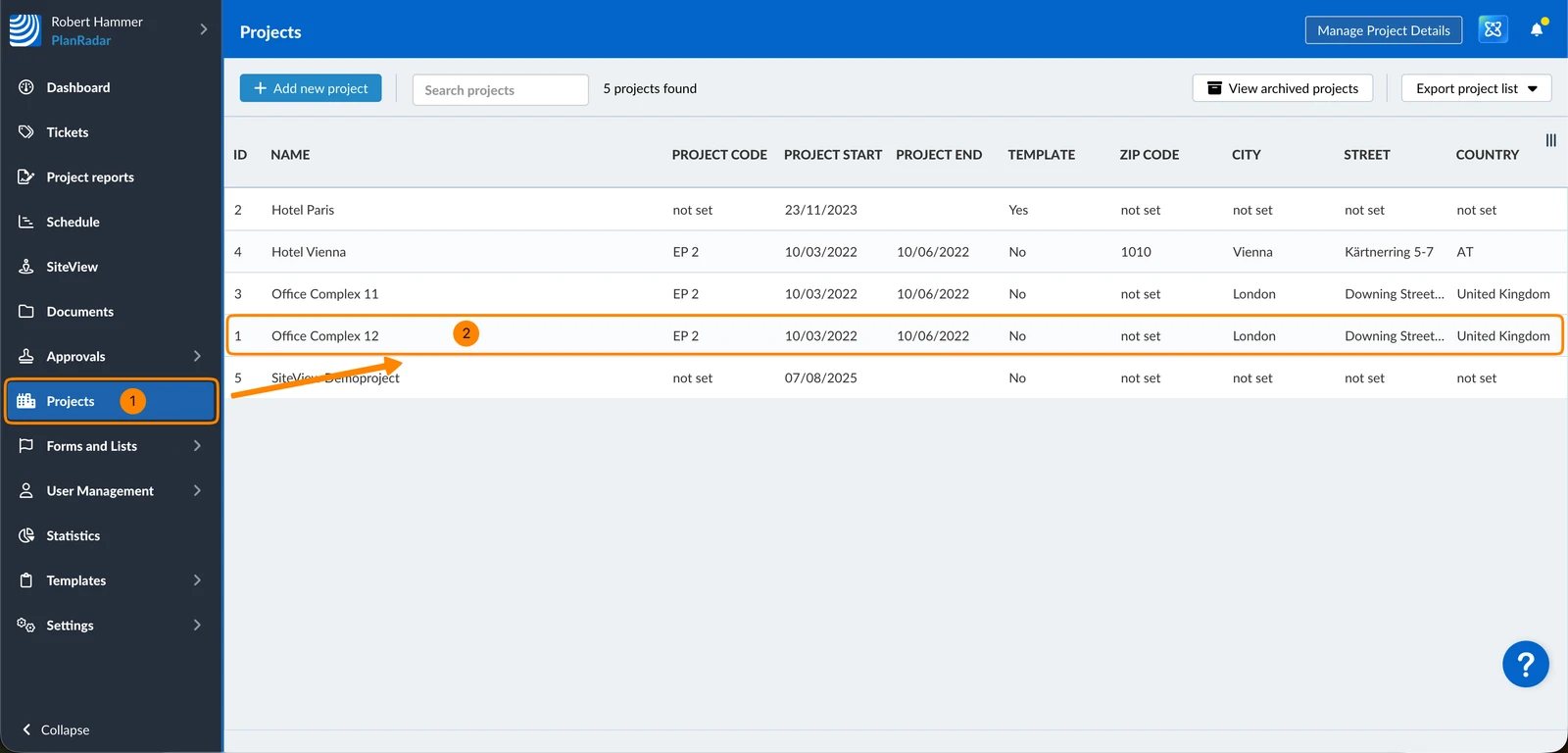
- Click Projects
- Click on the project in the list
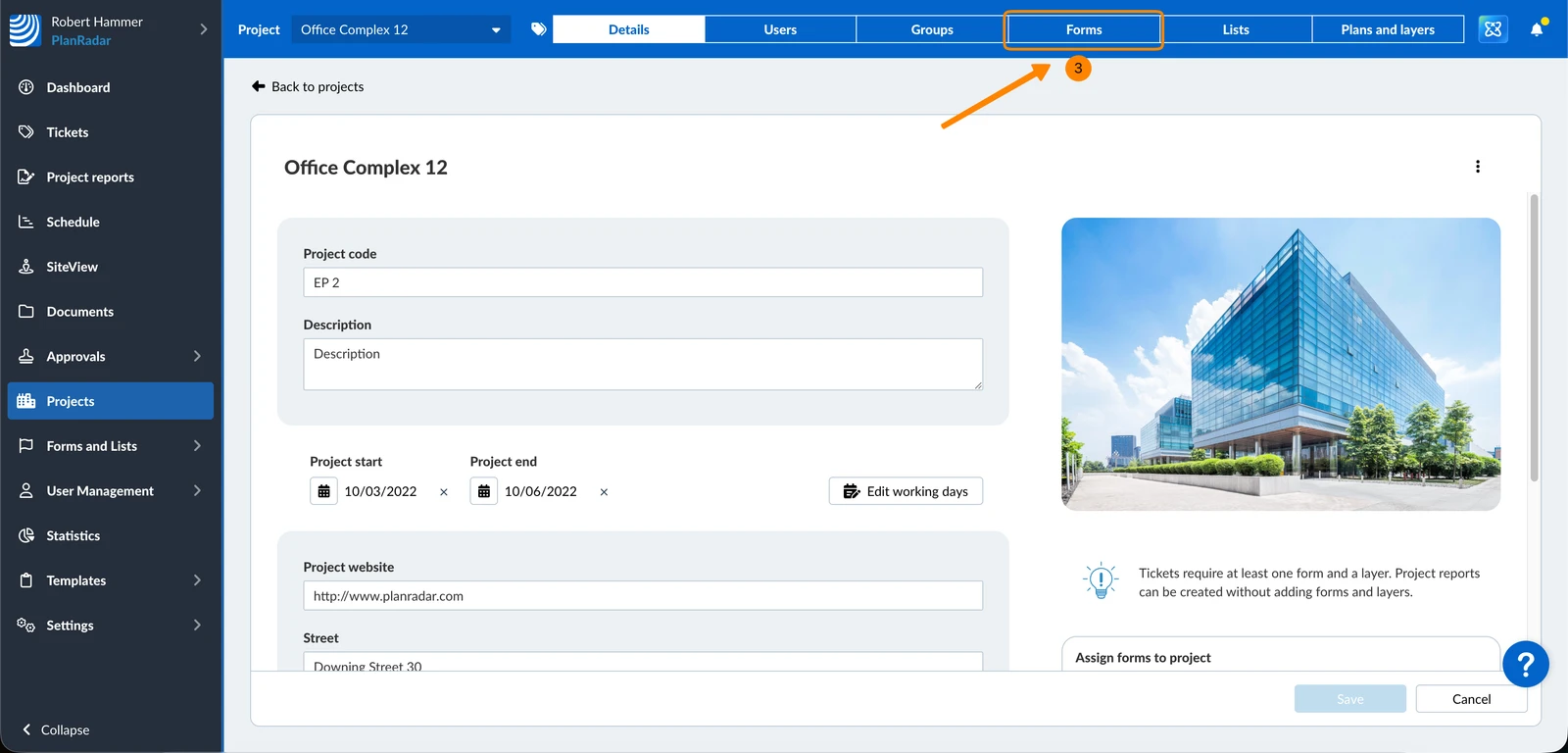
- Click Forms
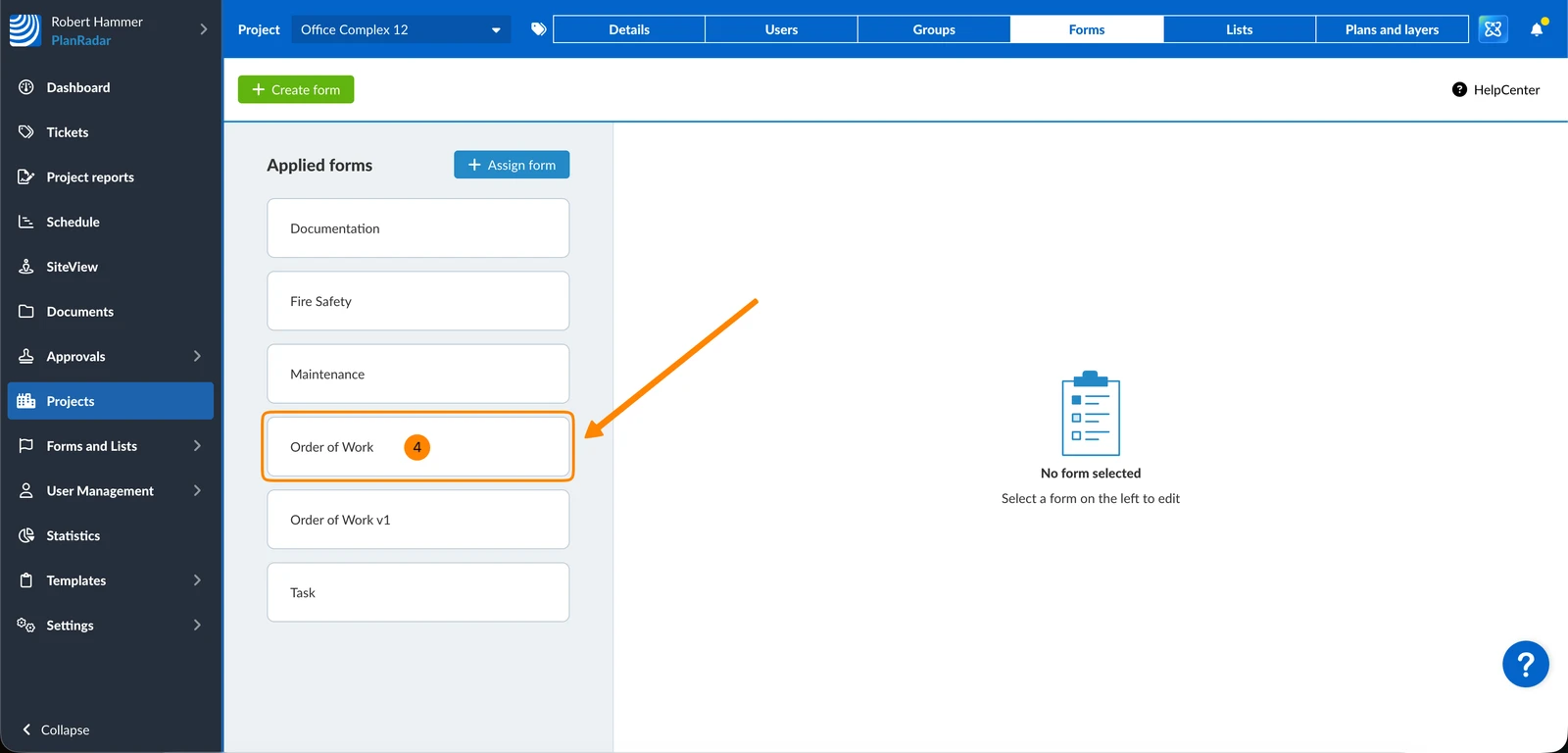
- Click on a form to edit it
- Click on the Approval workflow drop-down
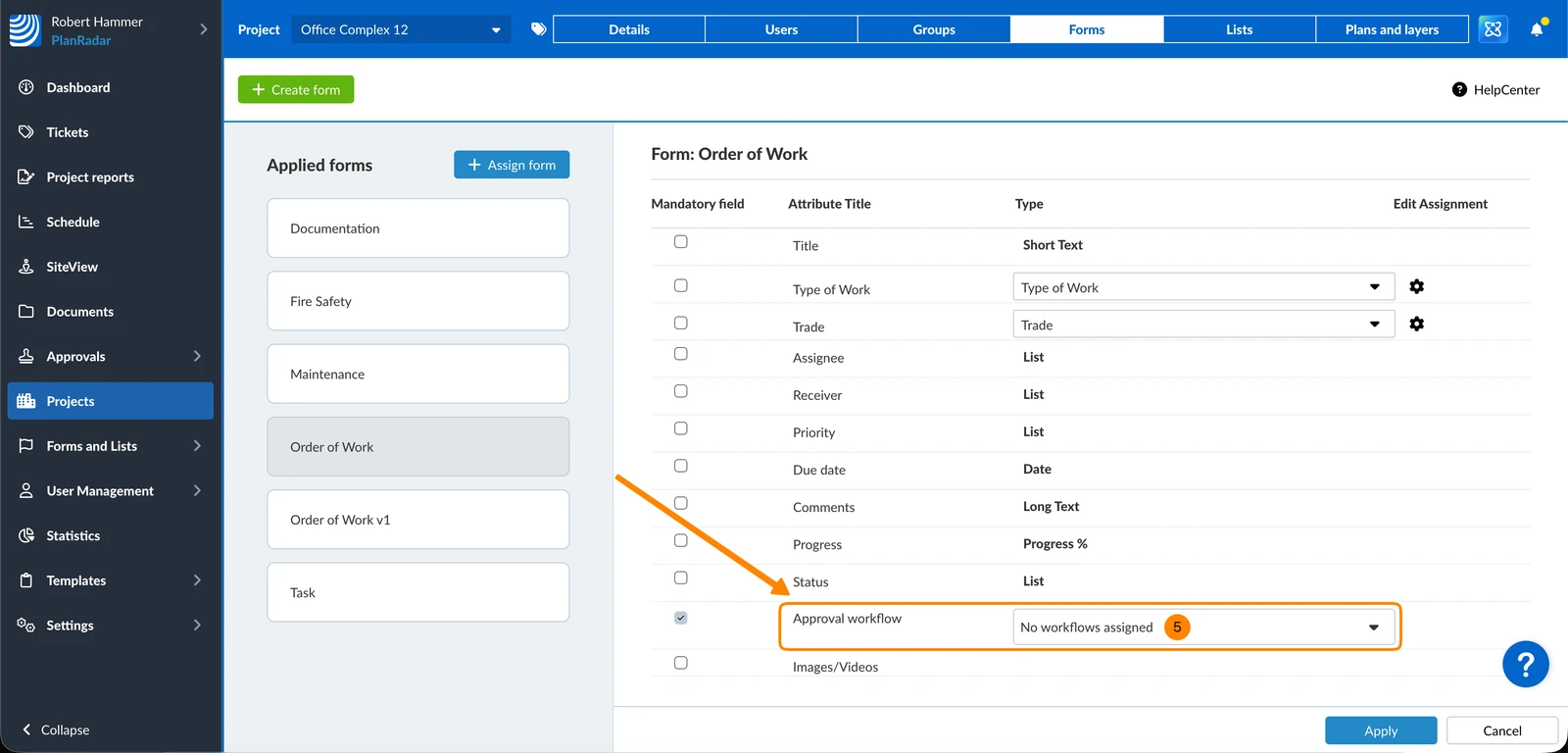
- Click + to add a workflow
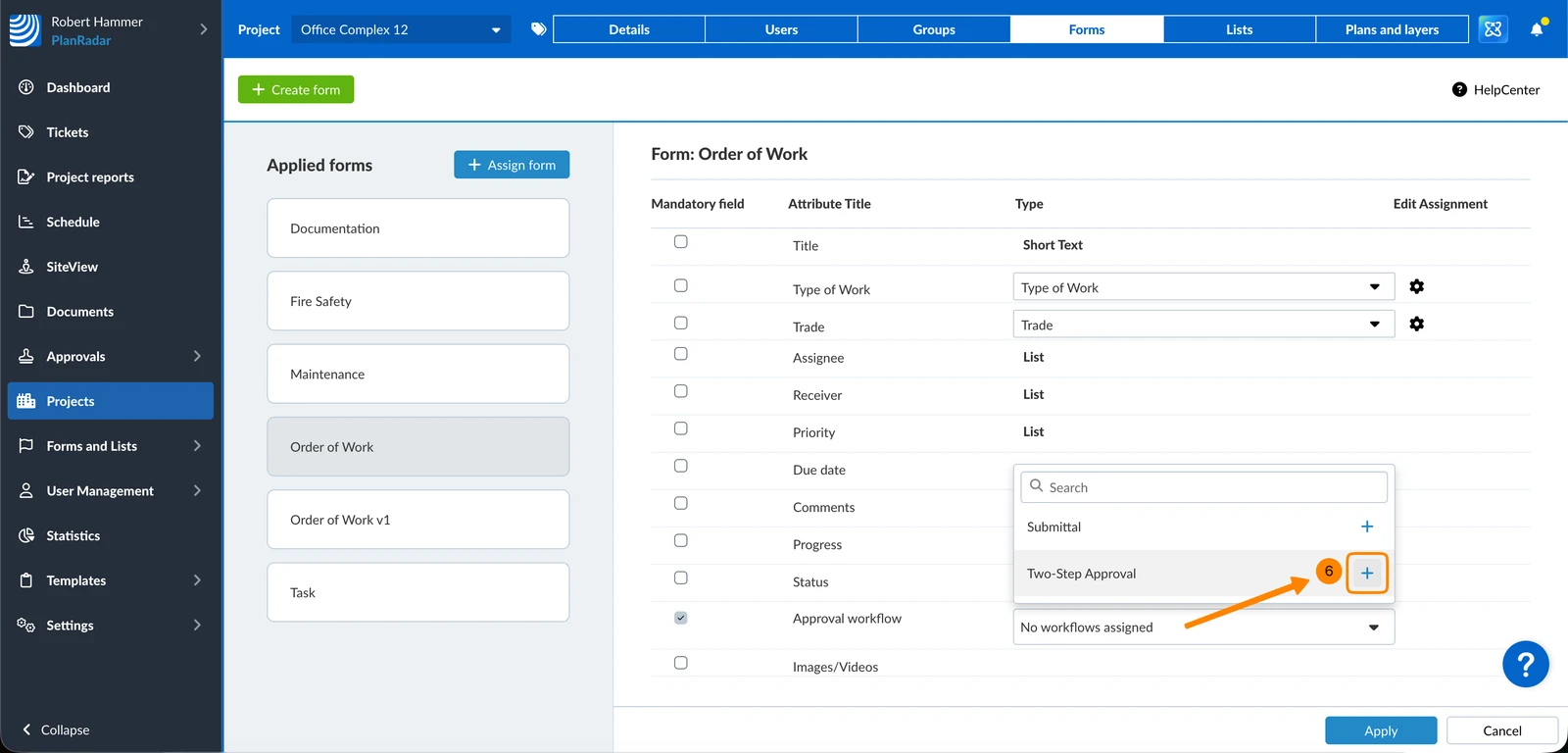
- Optional: Click ✔ to remove a workflow
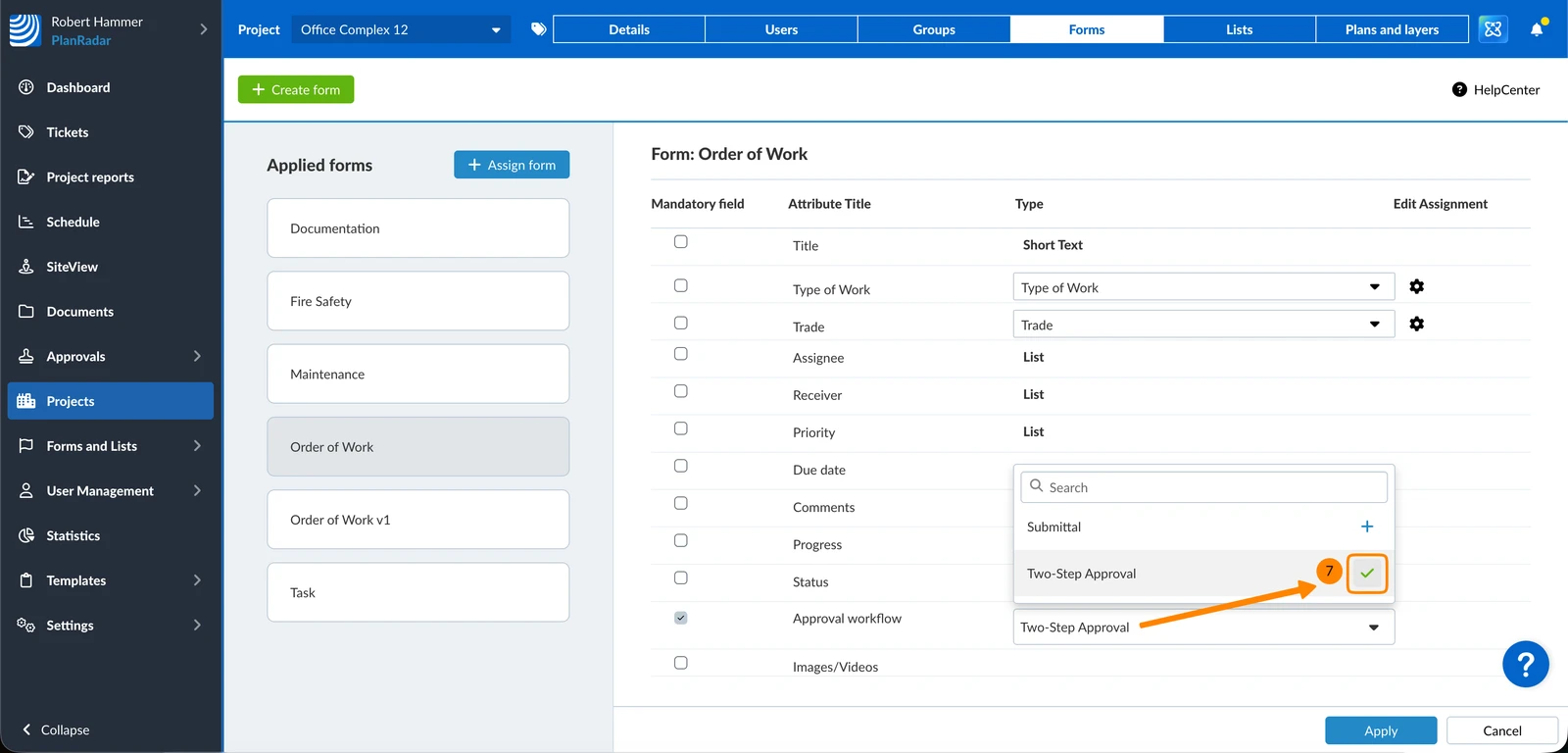
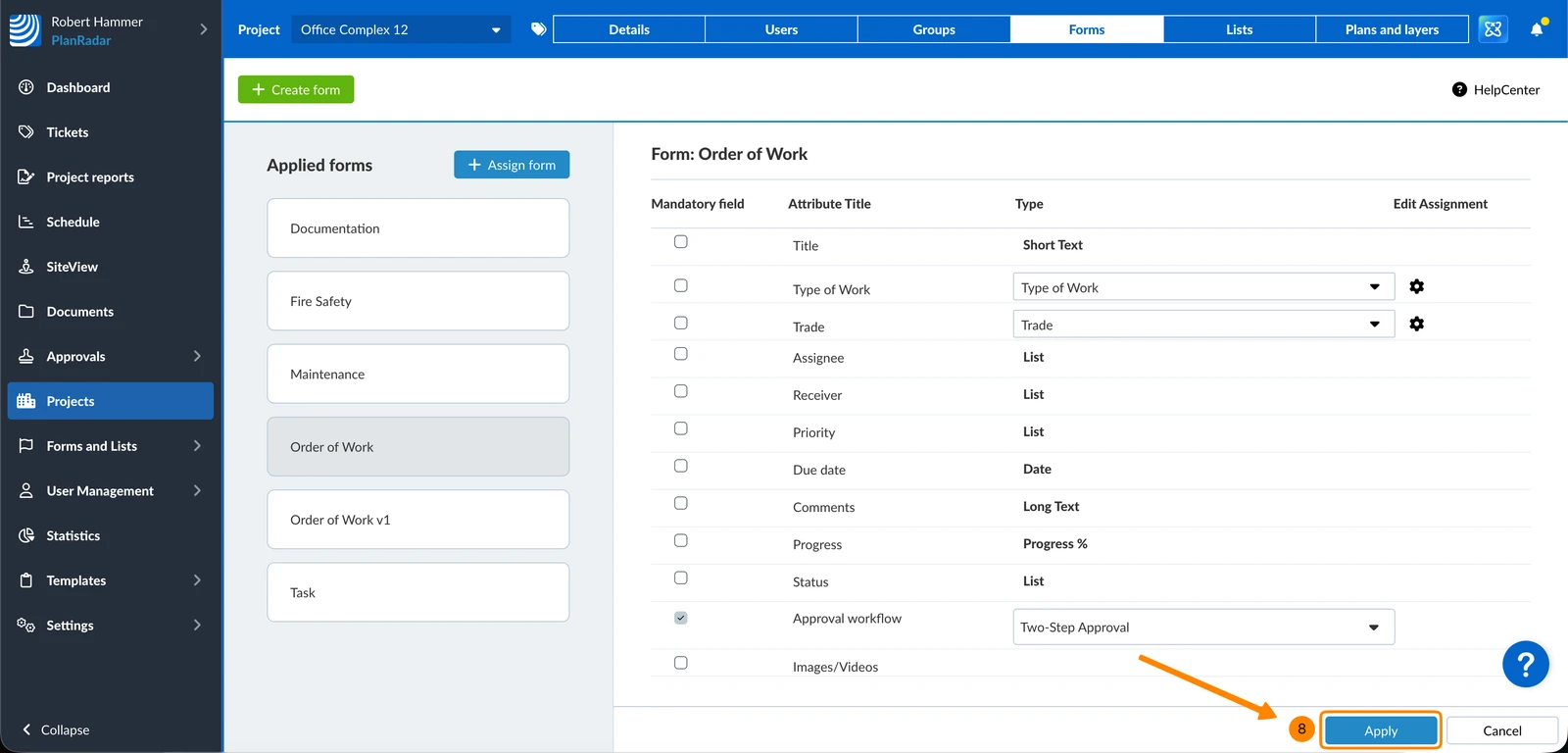
- Click Apply to save the selected workflow(s) to the form in this project
Manage Workflows of Documents
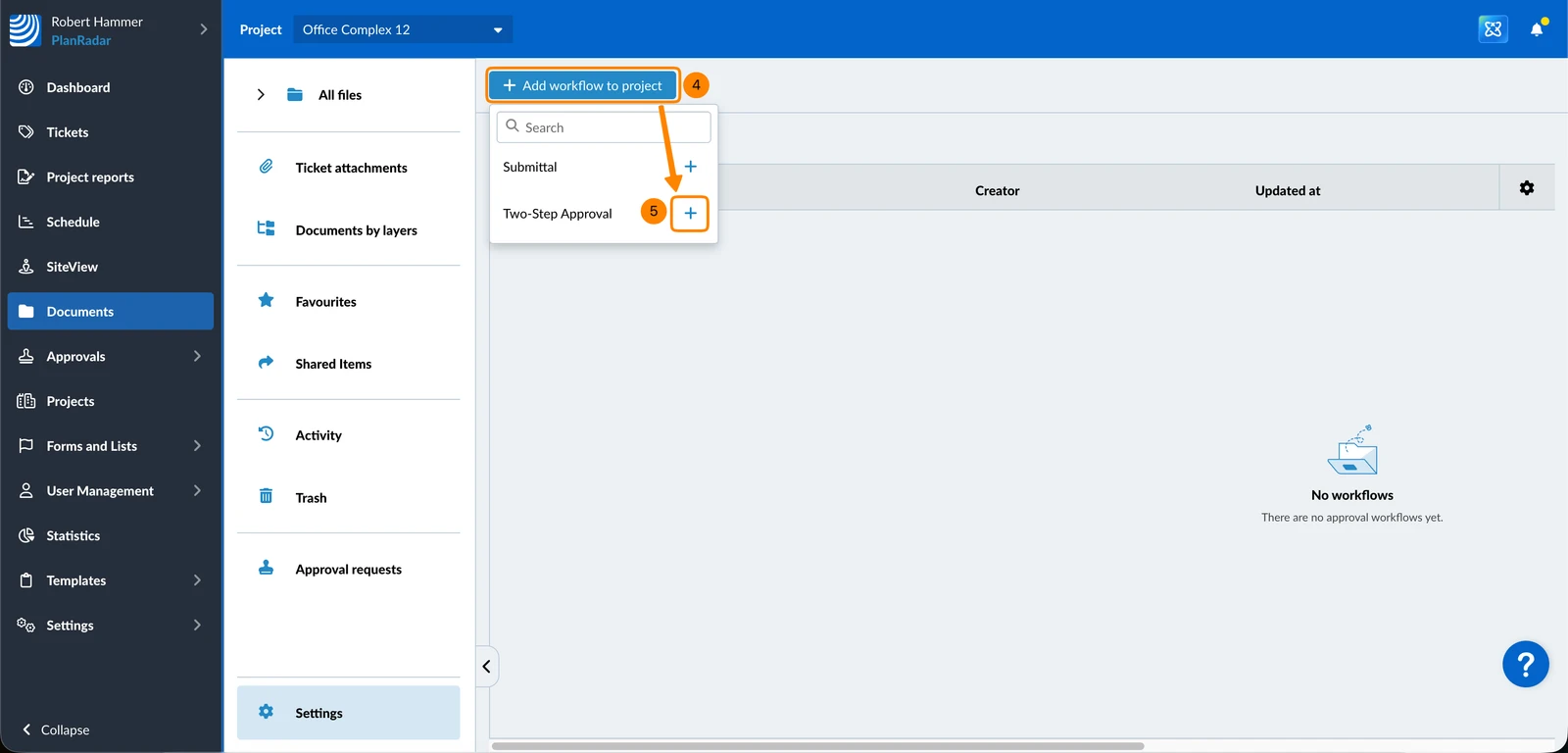
Add workflows to the Document section of projects to make them available when requesting approval for documents or plans. To do so:
- Click Documents
- Select the Project
- Click Settings
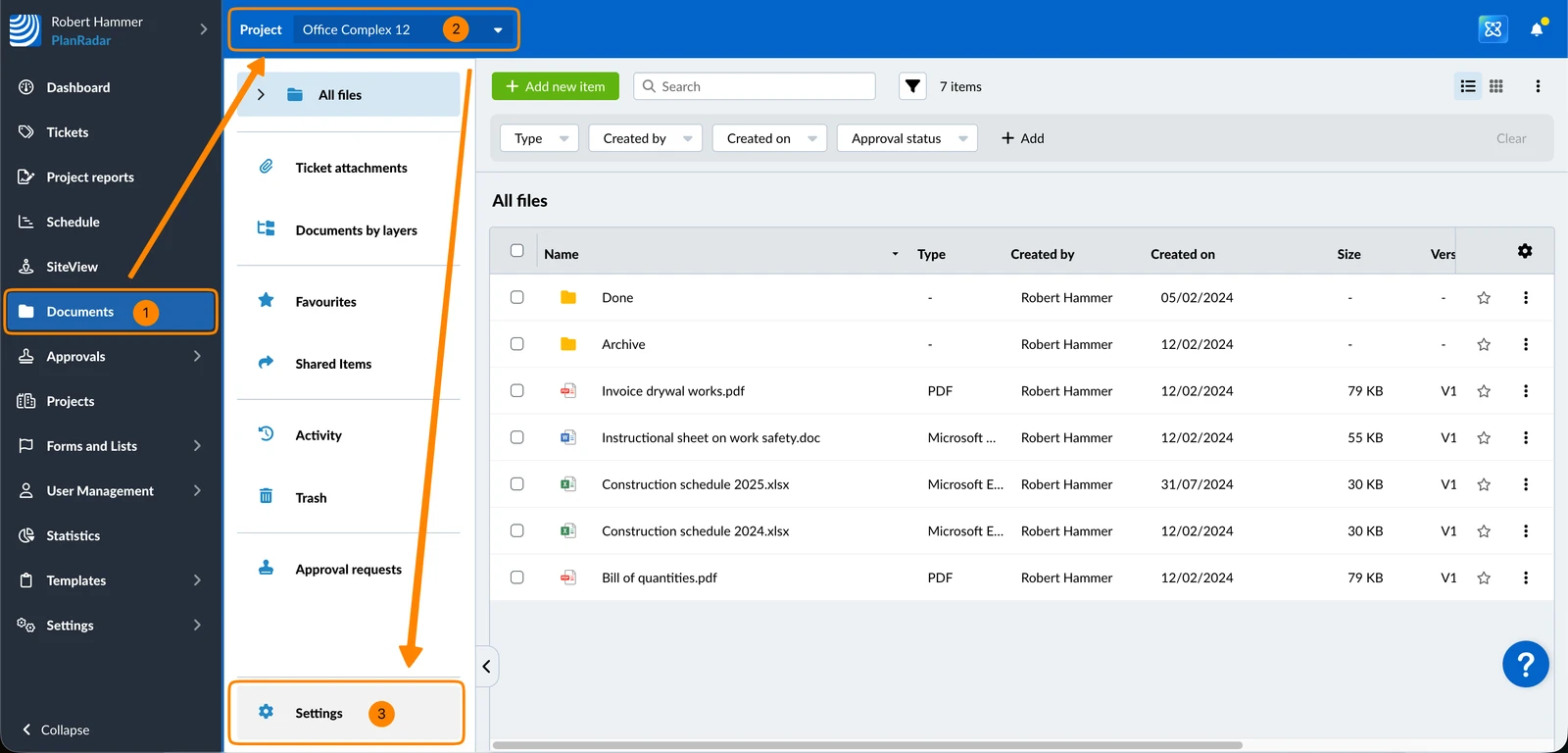
- Click + Add workflow to project
- Click the + icon to add the workflow
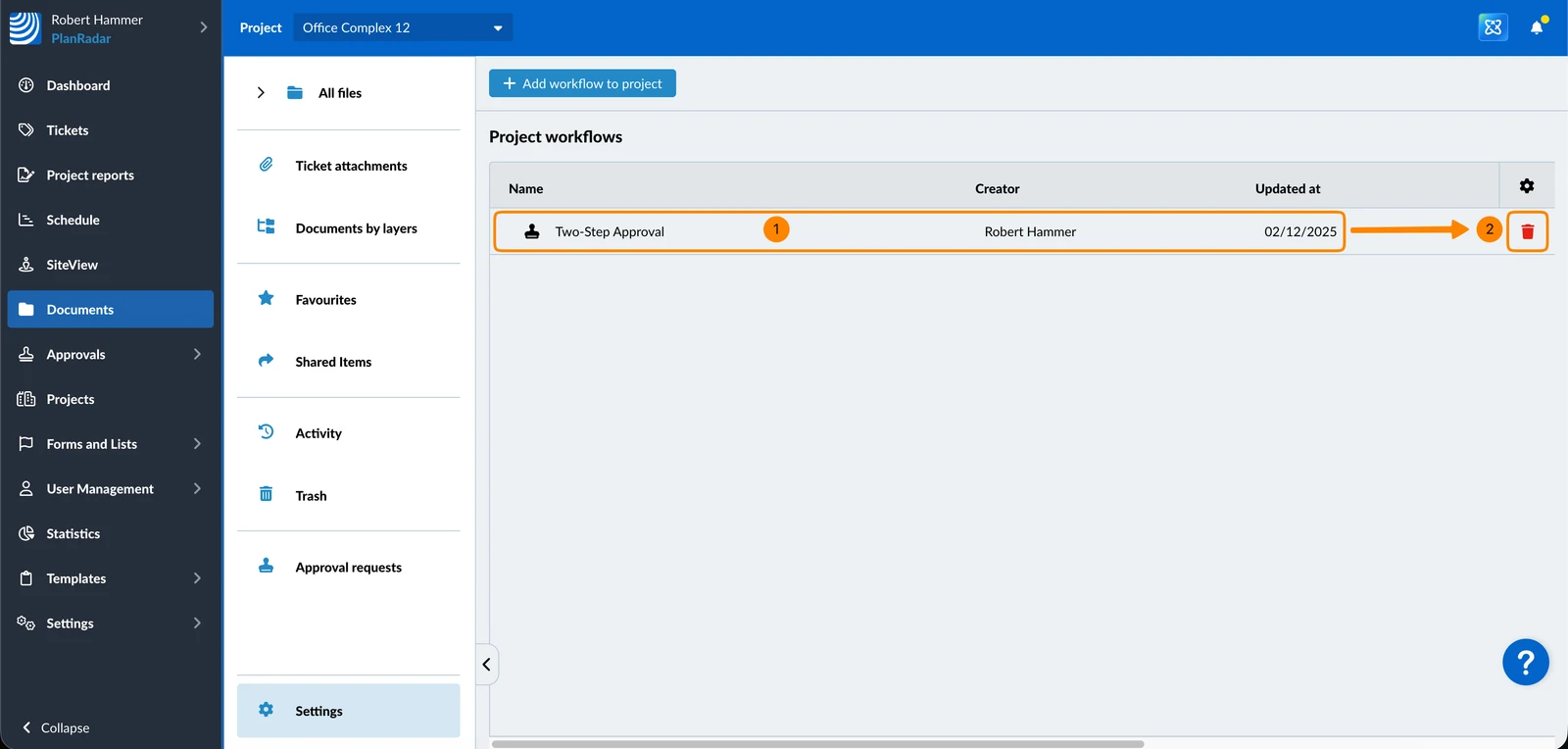
To remove a workflow from Documents of a project:
- Hover over the workflow
- Click the Delete icon
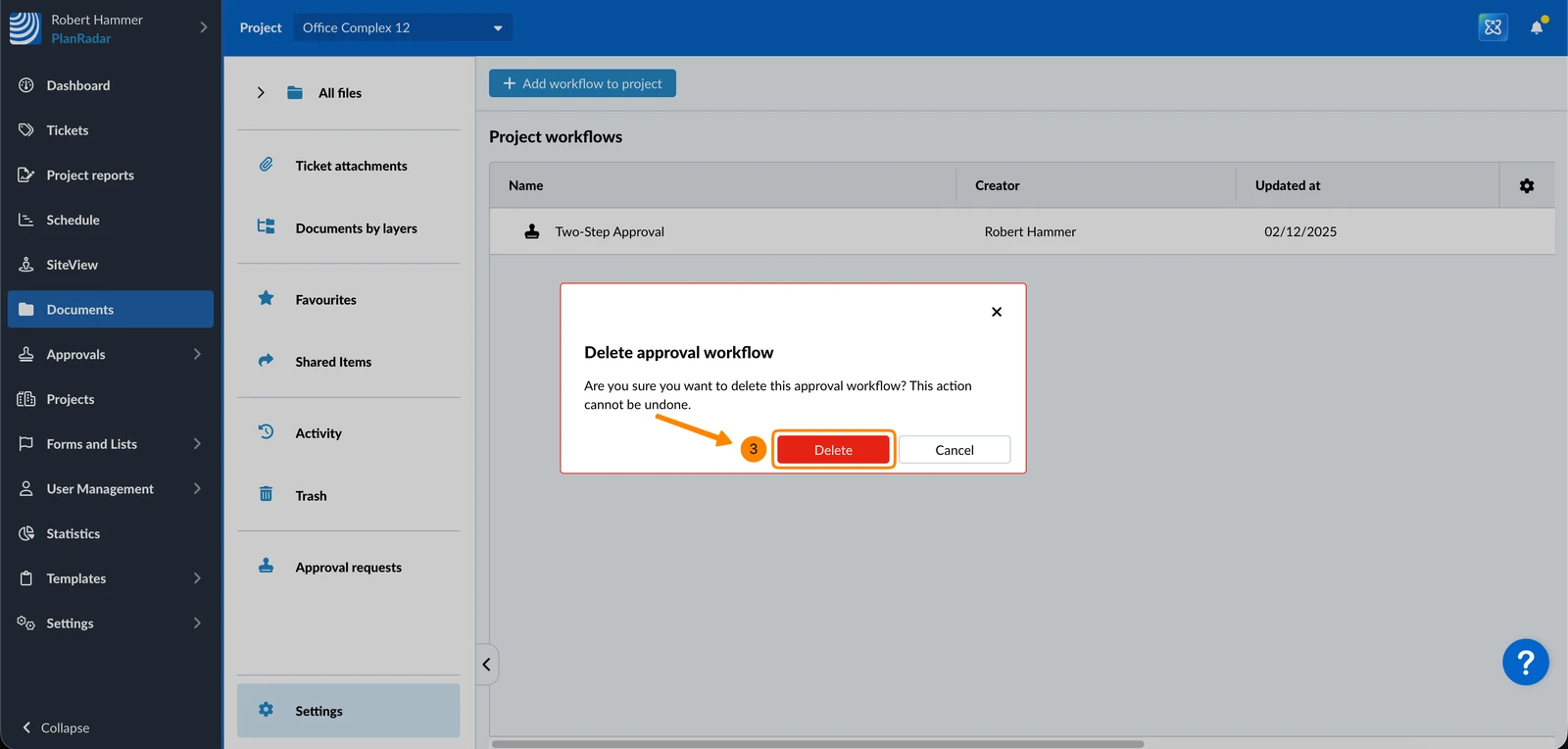
- Click Delete to confirm
Updated May 28, 2026