

 Deutsch
 Español
 Français
 Hrvatski
 Italiano
 Polski
 Português (BR)
Create & Manage Approval Workflows
Overview
Create approval workflows to predefine the steps and reviewers that are required to review and approve tickets, files or plans.
Duration sets how many days reviewers have to complete each step. The required reviewers count lets you specify that only a subset of assigned reviewers — not all of them — need to approve before a step is complete.
Access & Permissions
How to access Approval Workflows
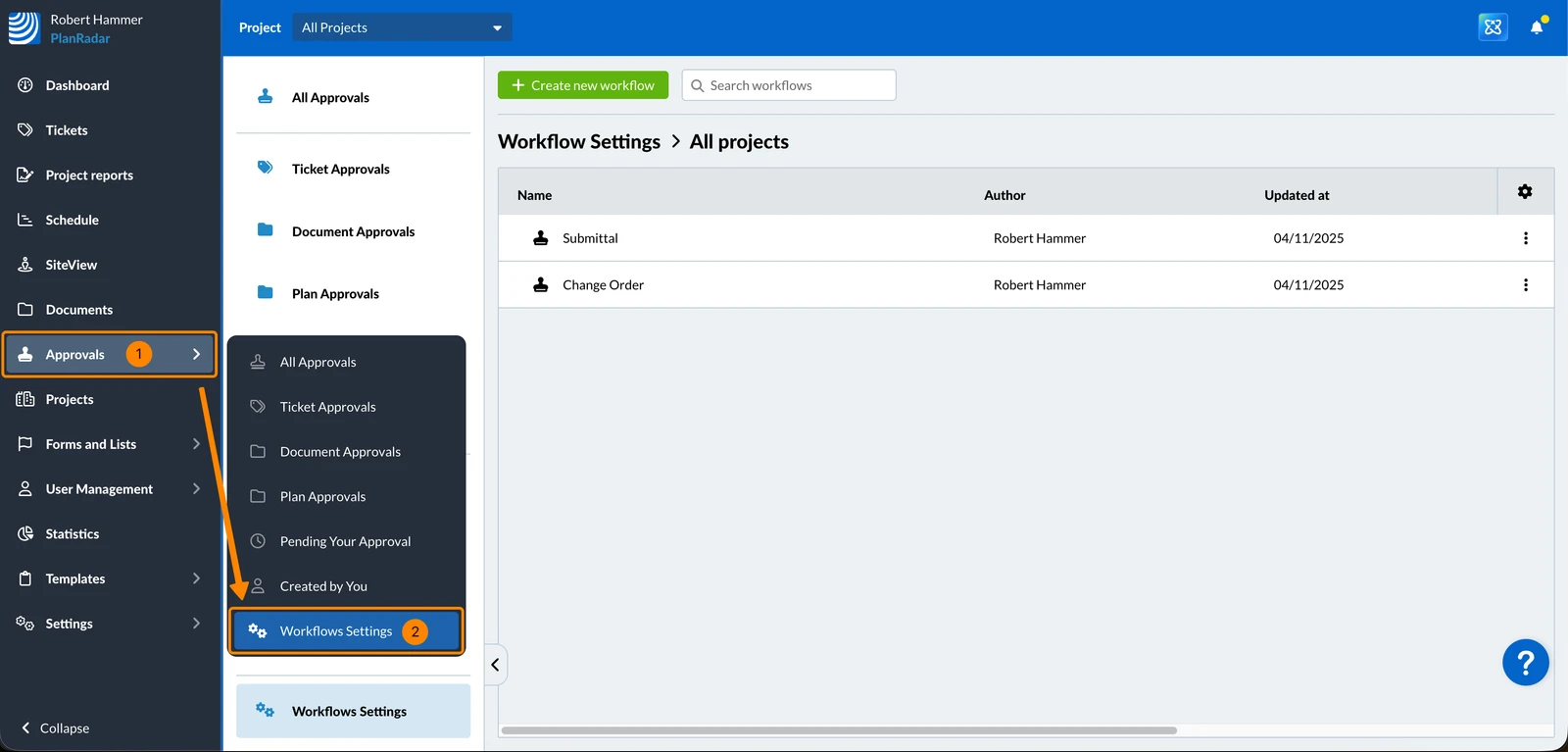
To access workflow settings where approval workflows are managed:
- Click Approvals
- Click Workflow Settings
To view all global approval workflows:
- Select All Projects in the Project drop-down
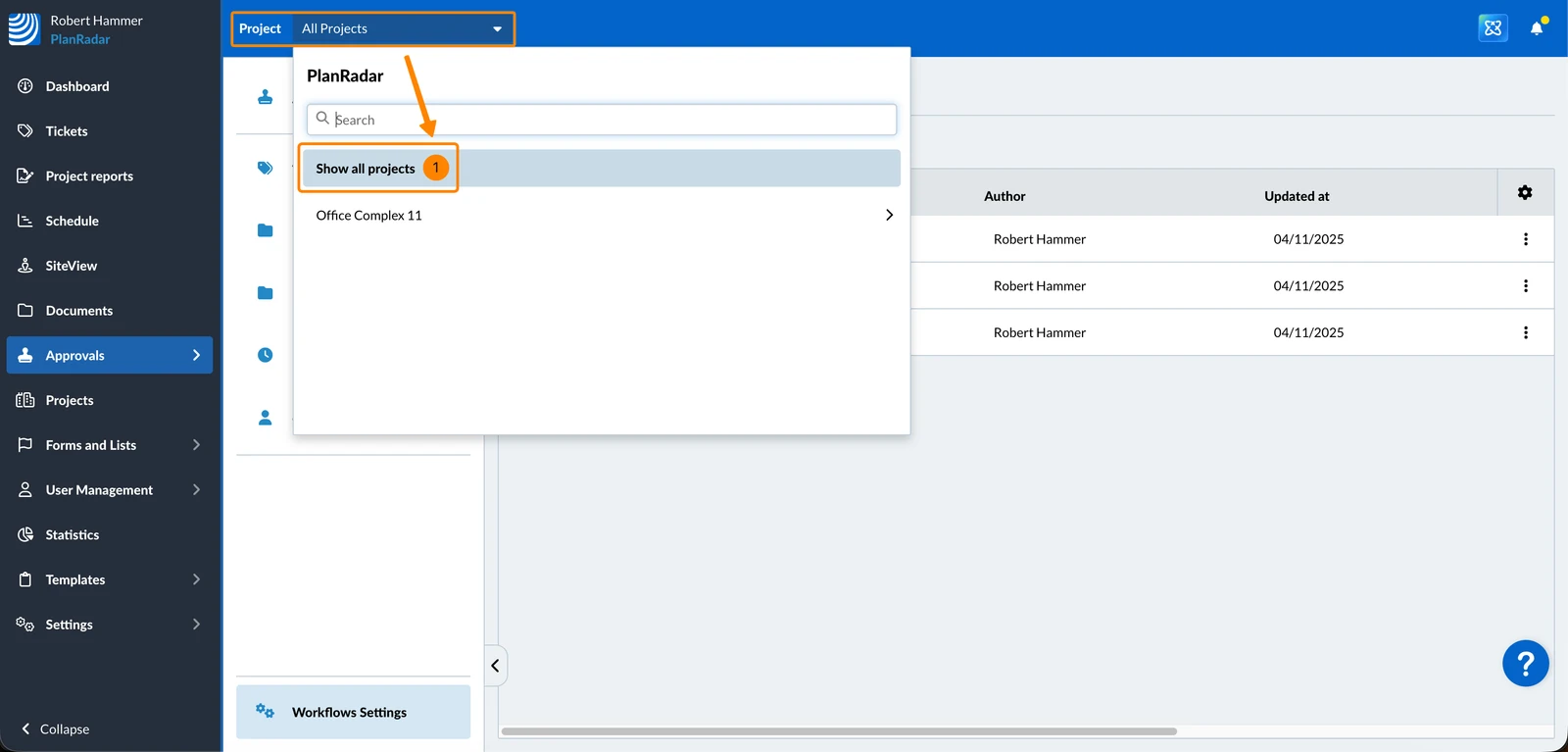
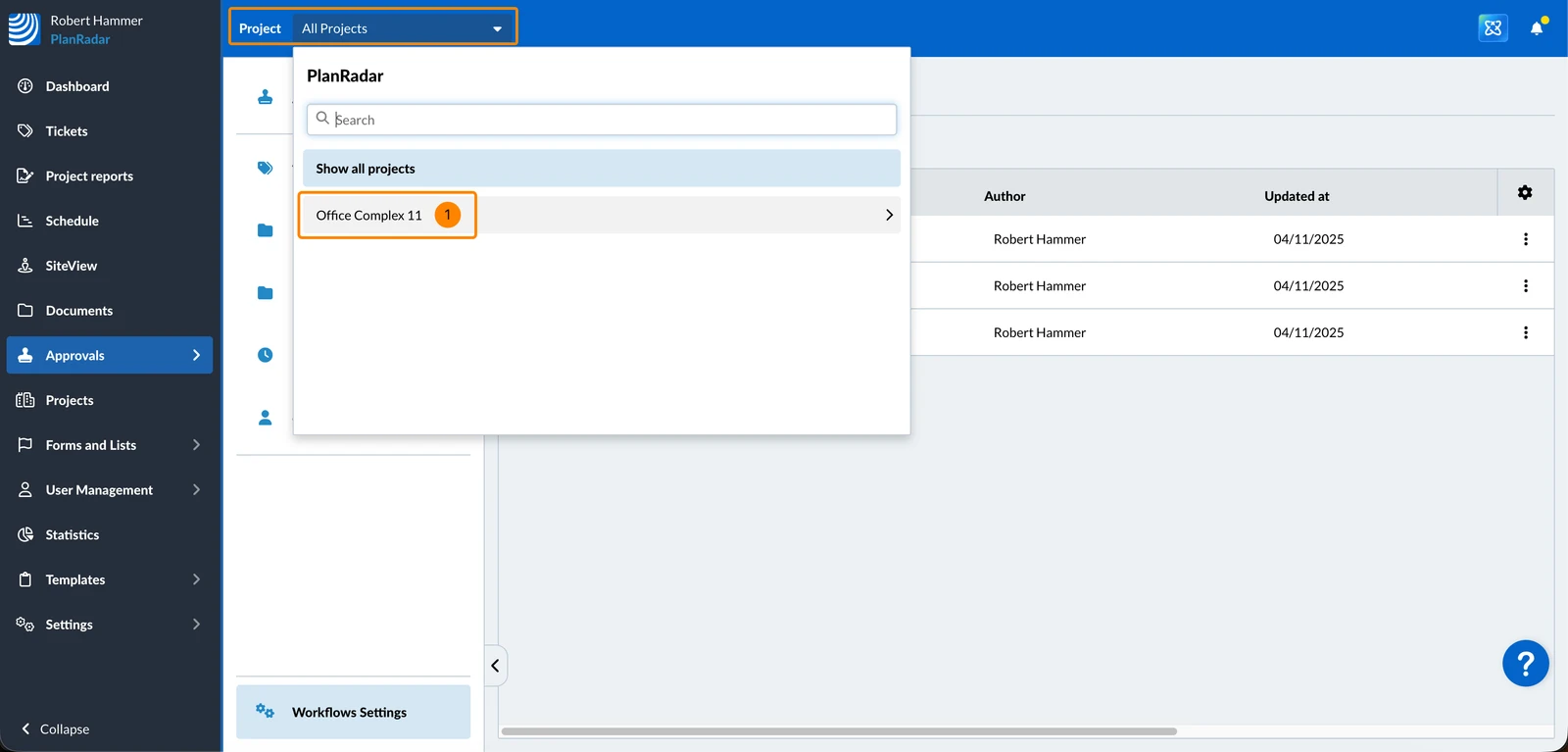
To view the approval workflows that are assigned to Documents or to forms in a project:
- Select the project in the Project drop-down
Create an Approval Workflow
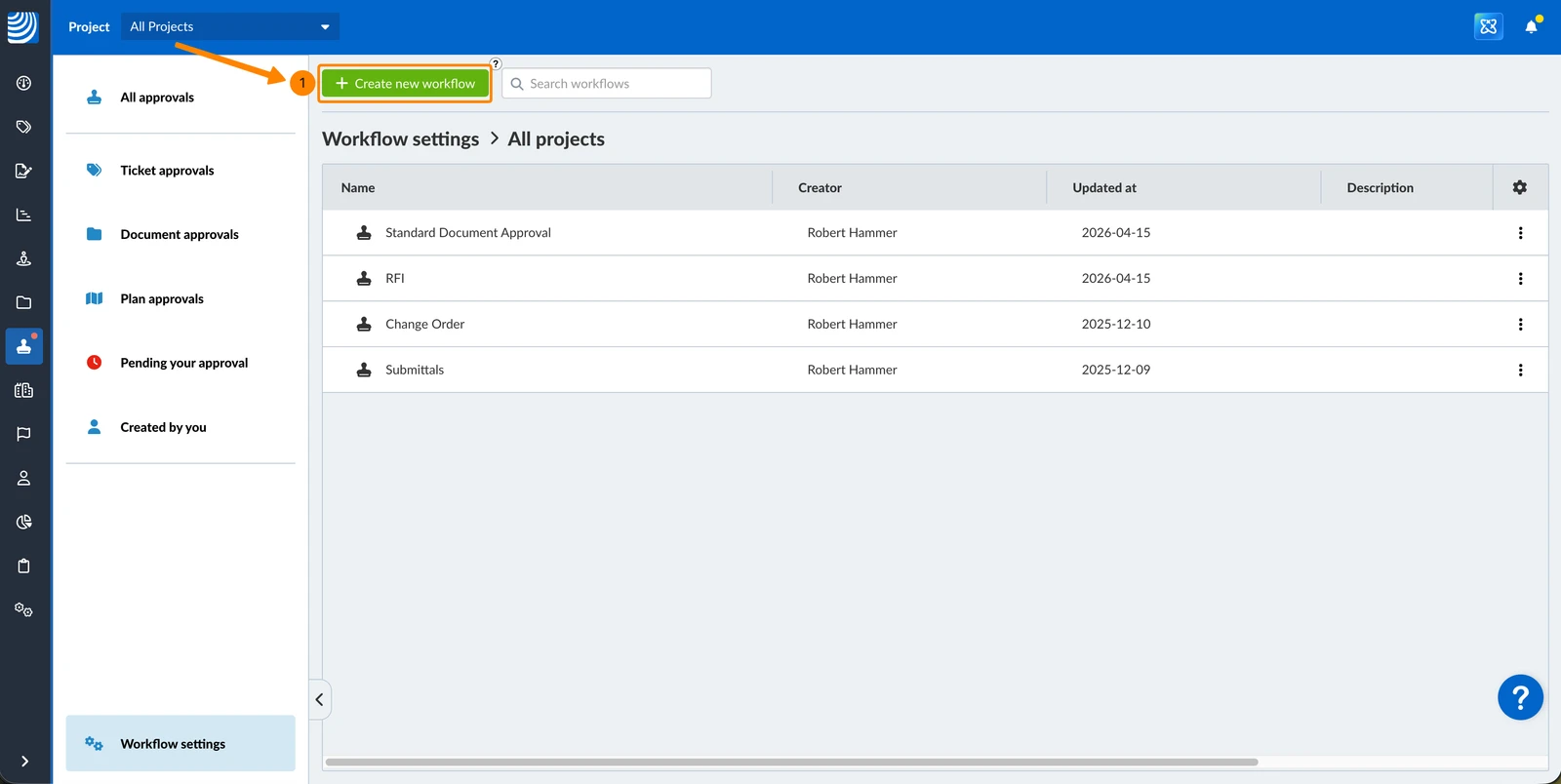
To create an approval workflow:
- Click + Create new workflow
- Enter a Name for the approval workflow (by which it will be selected later) e.g. Submittal
- Optionally: Enter a Description (will be displayed under the name when selecting later)
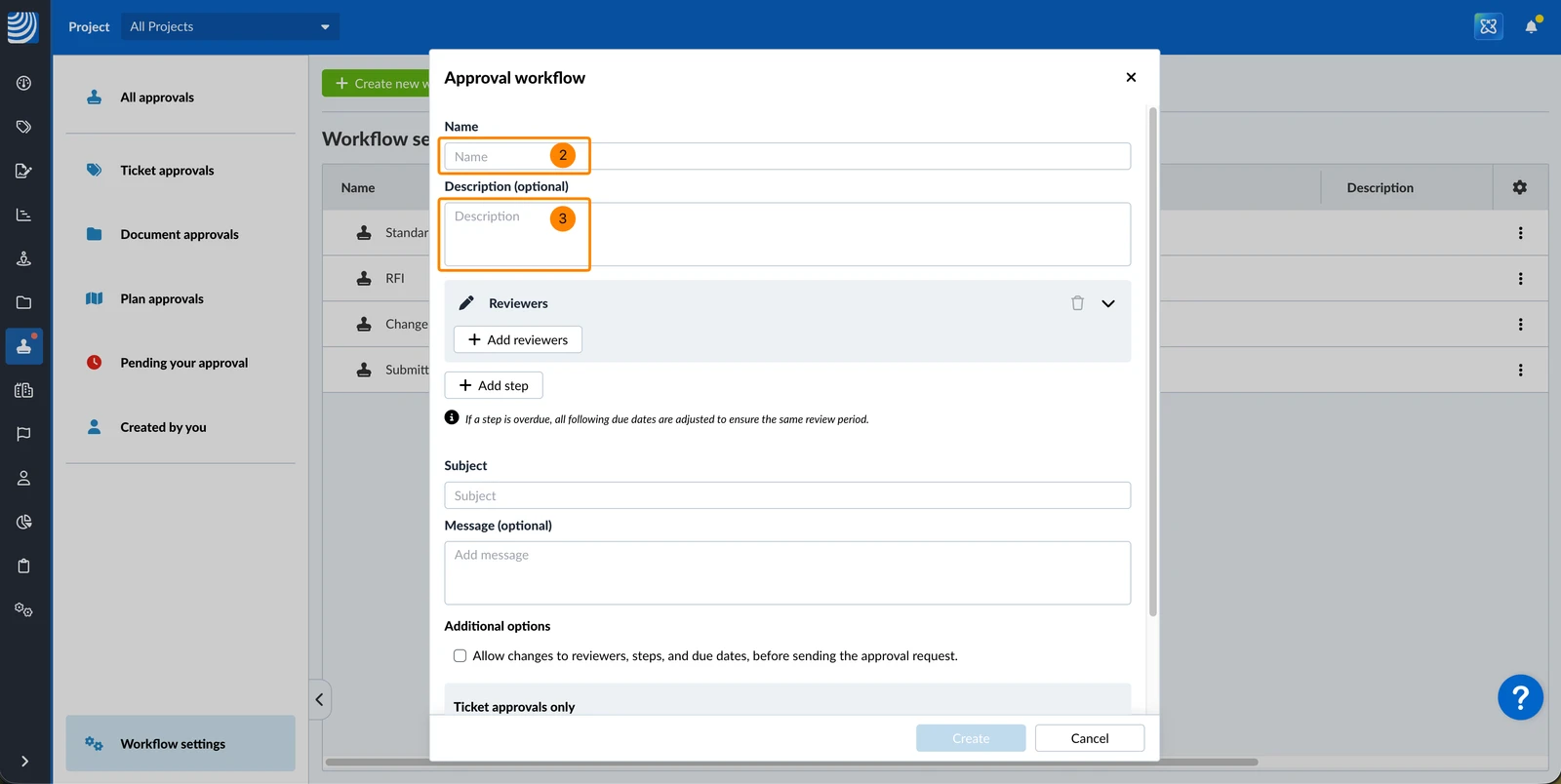
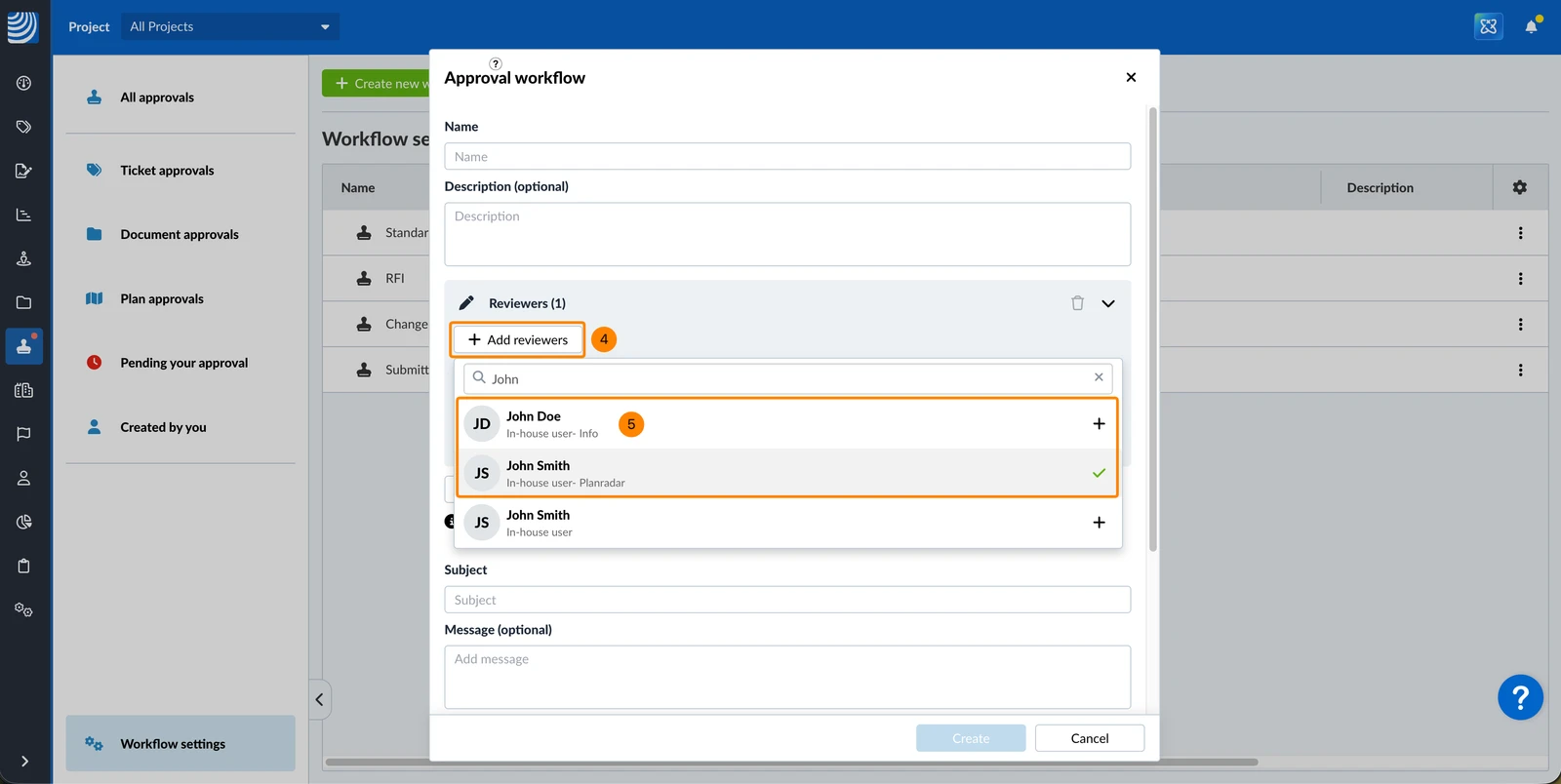
- Click + Add reviewers
- Click on the users to add or remove them for the current step (added = ✔ / not added = +)
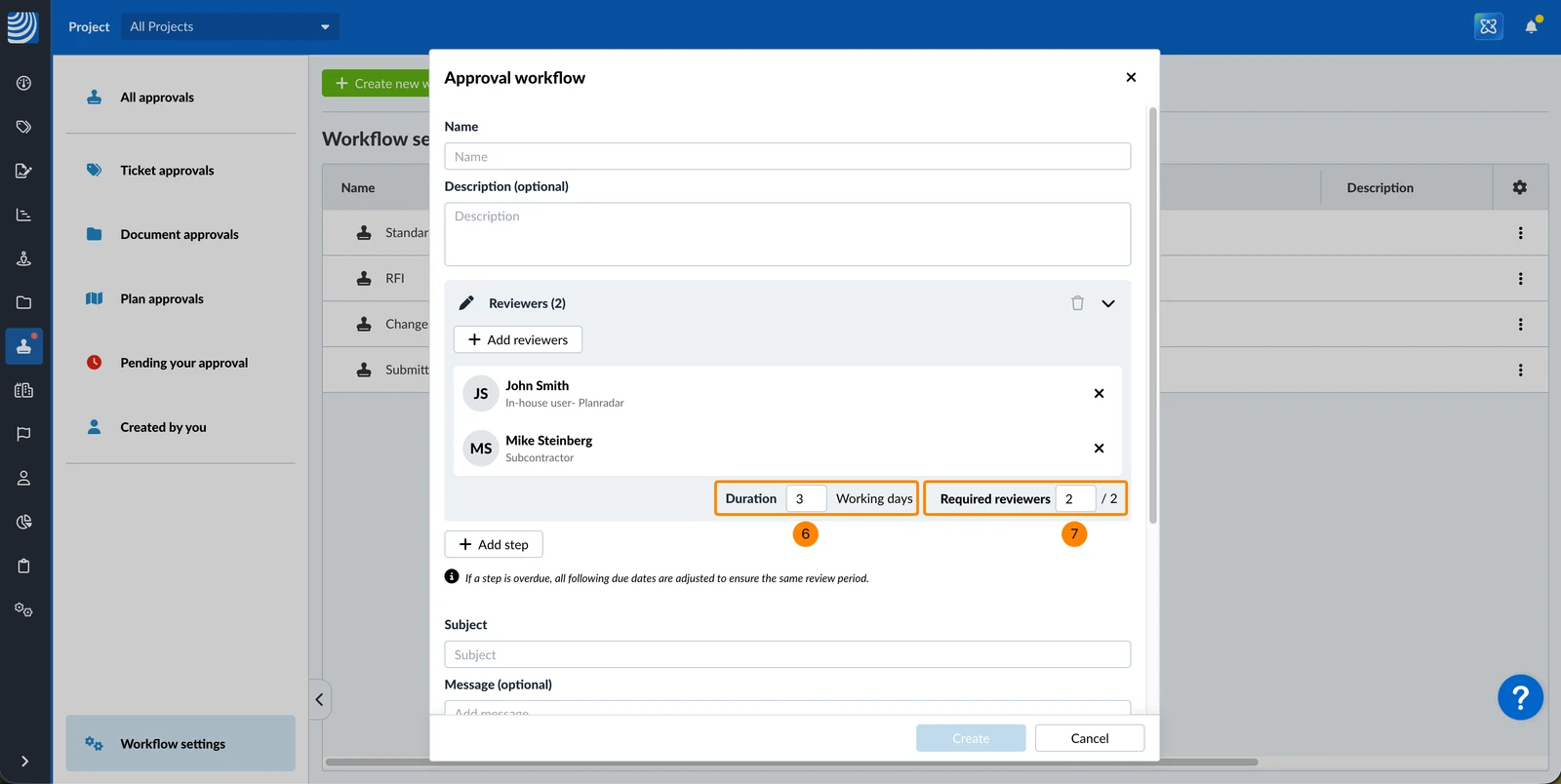
- Enter the Duration to define how many days the reviews have for review once the step started.
- Optional: Enter the number of Required reviewers if not all reviewers need to approve to complete the step — for example, 1 out of 2.
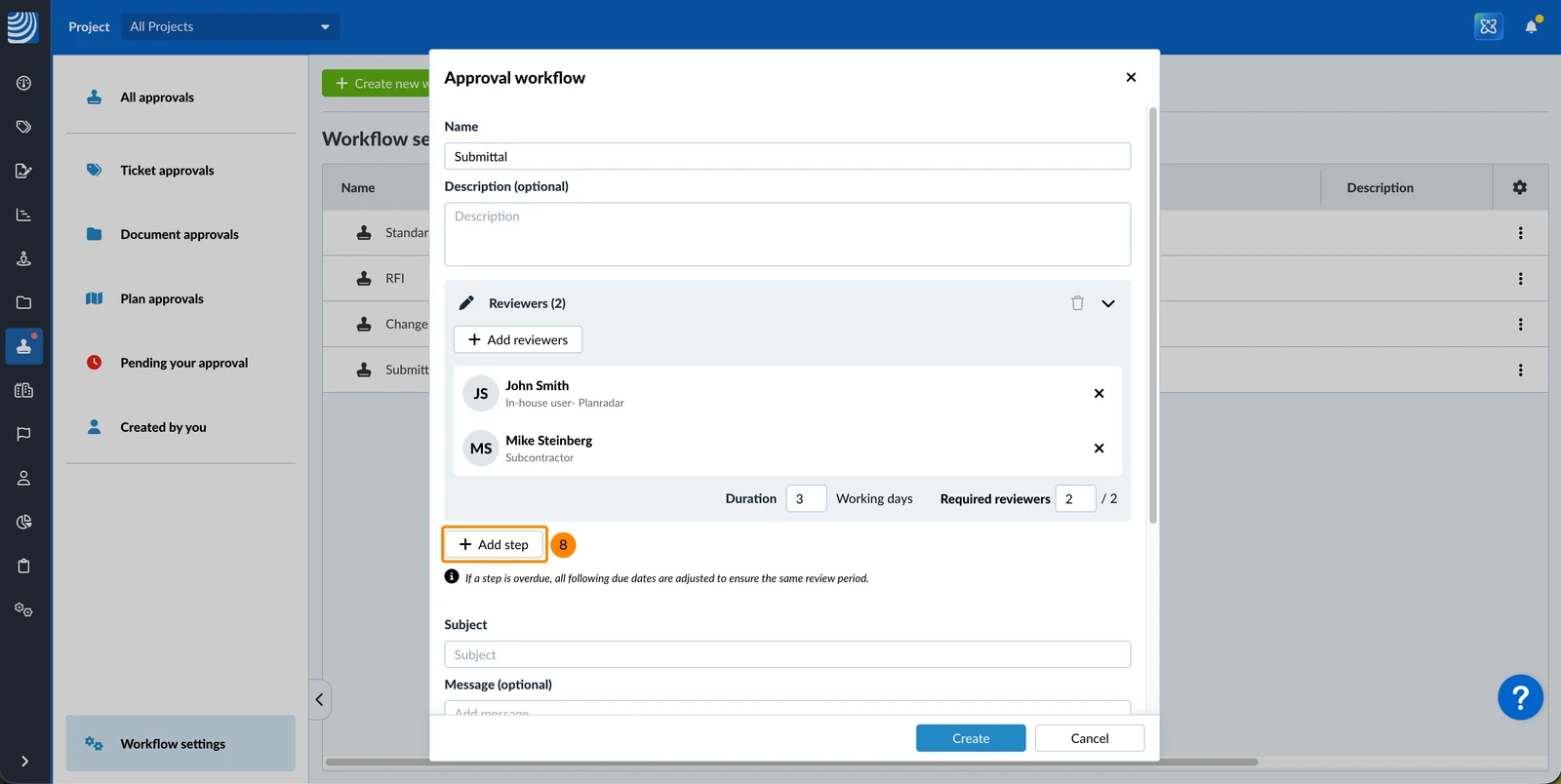
- Optional: Click + Add step to add additional steps and repeat 4. to 7. for each step.
(When reviewing the next step automatically starts when the previous step got completed.)
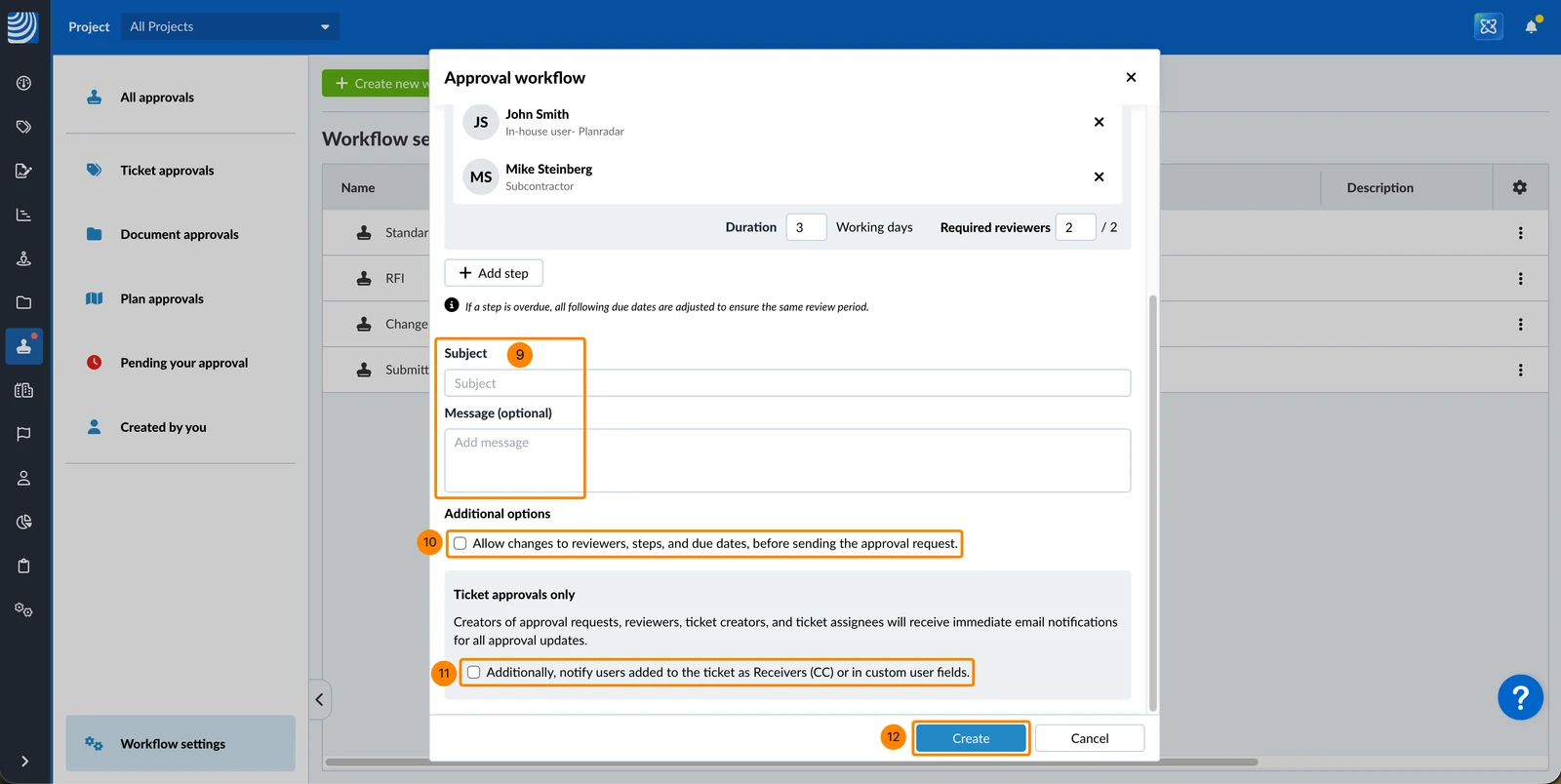
- Optional: Enter a Subject and Message which can be used or changed when requesting approval.
- Select/clear the Allow changes to reviewers, steps, and due dates, before sending the approval request checkbox.
- Select/clear the Additionally, notify users added to the ticket as Receivers (CC) or in custom user fields checkbox.
- Click Create
Edit an Approval Workflow
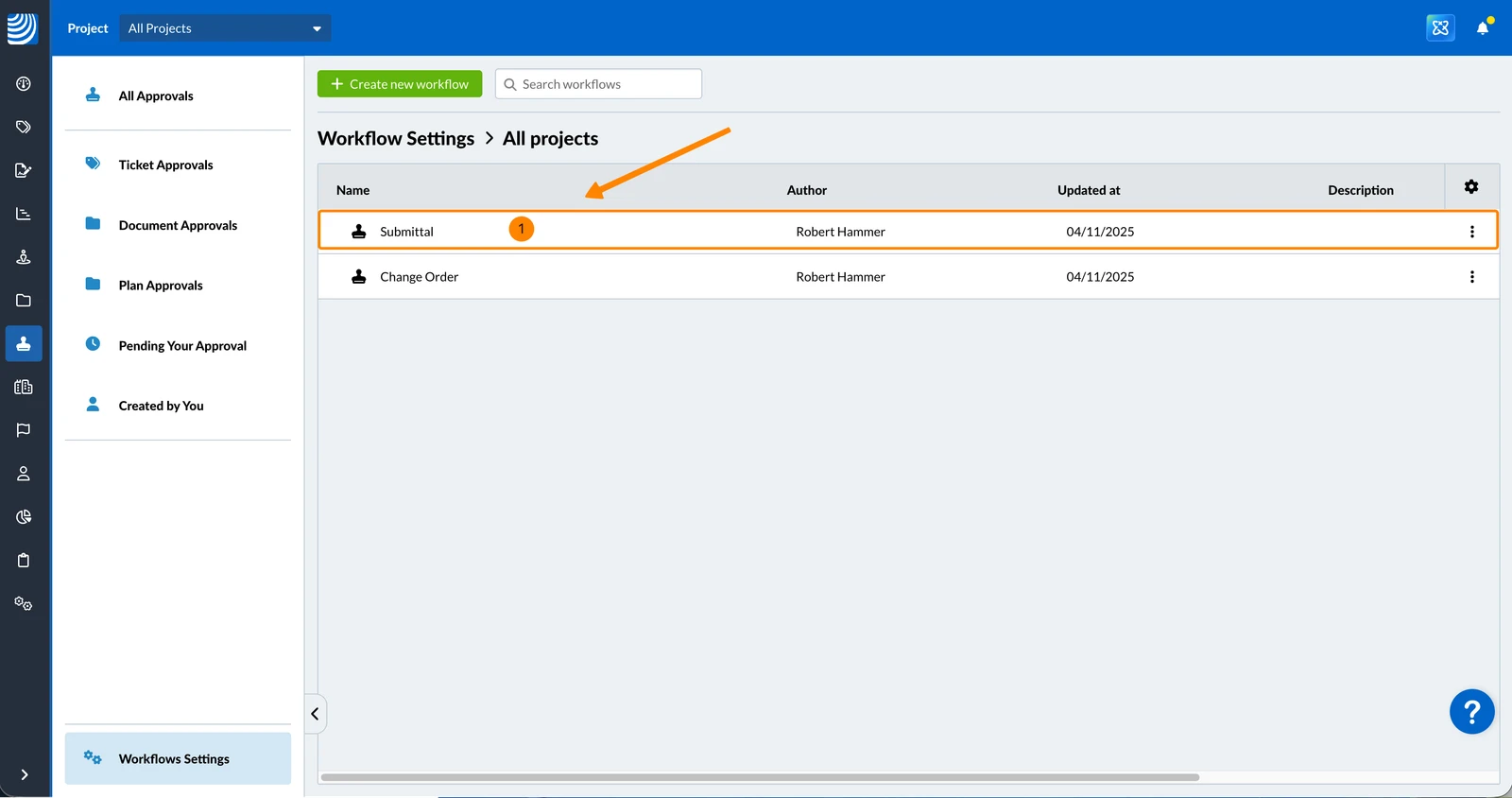
To edit an approval workflow:
- Click on the approval workflow
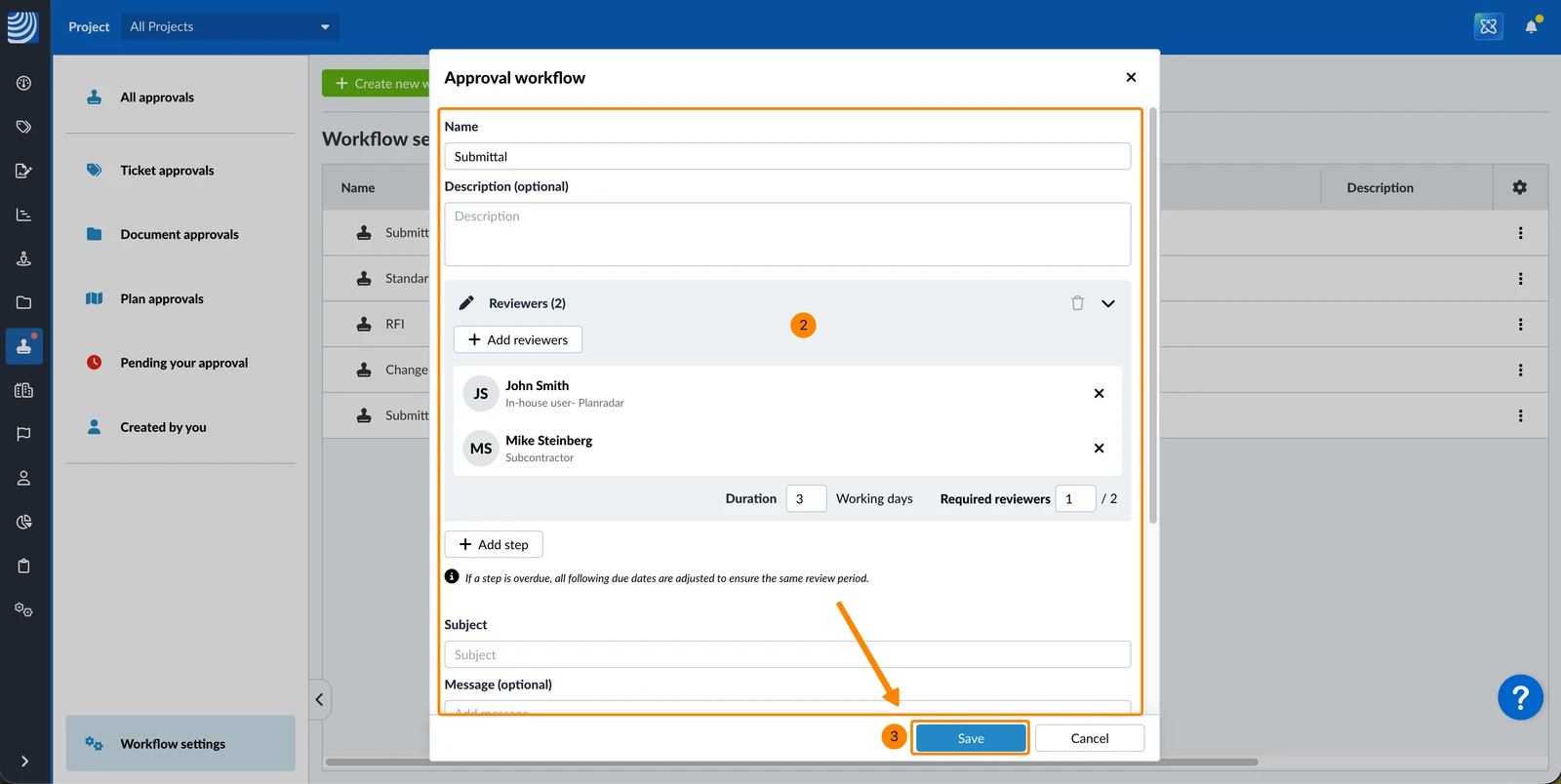
- Make your changes
- Click Save
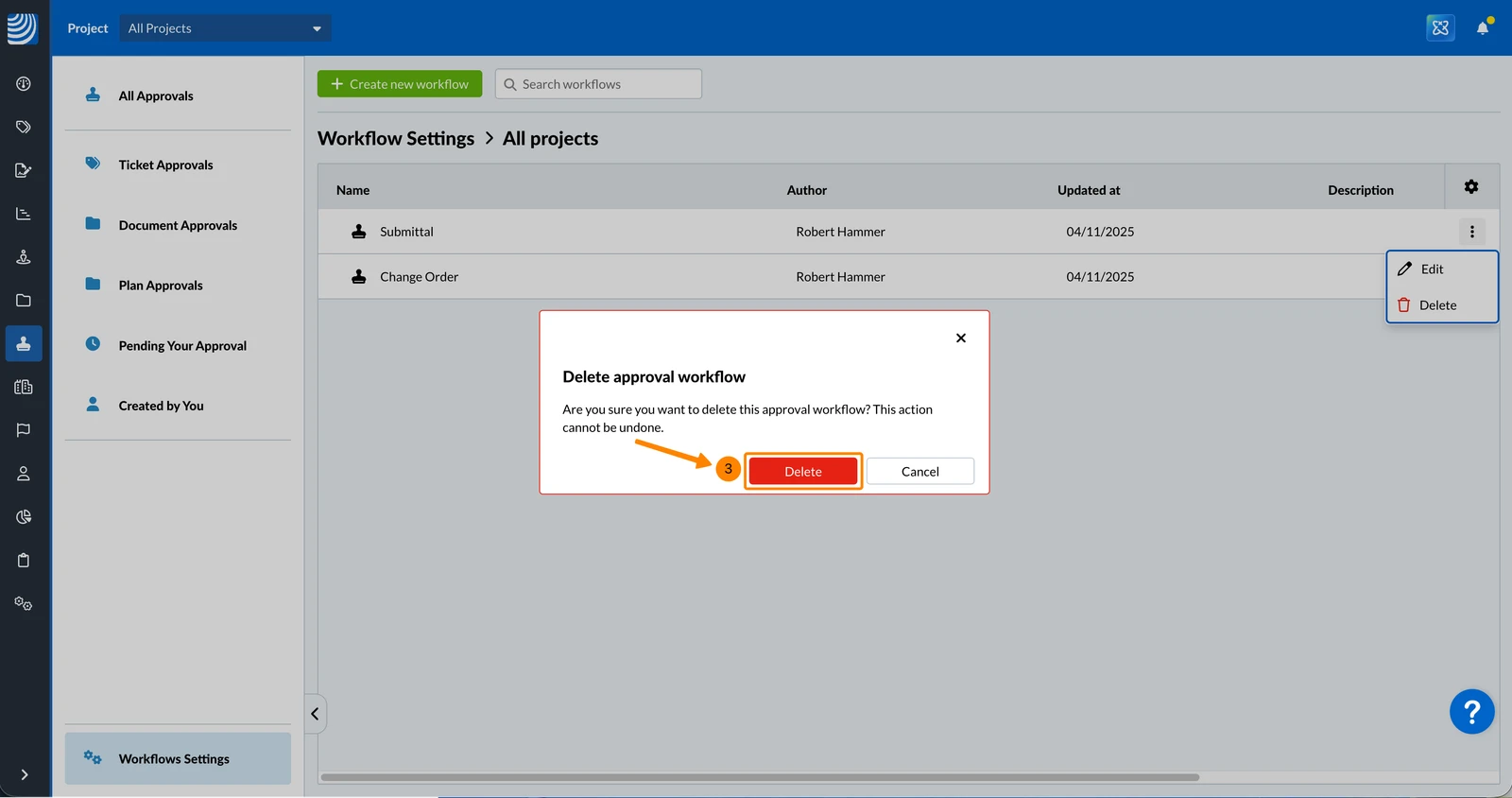
Delete an Approval Workflow
- Open the more menu of the approval workflow that you want to delete
- Click Delete
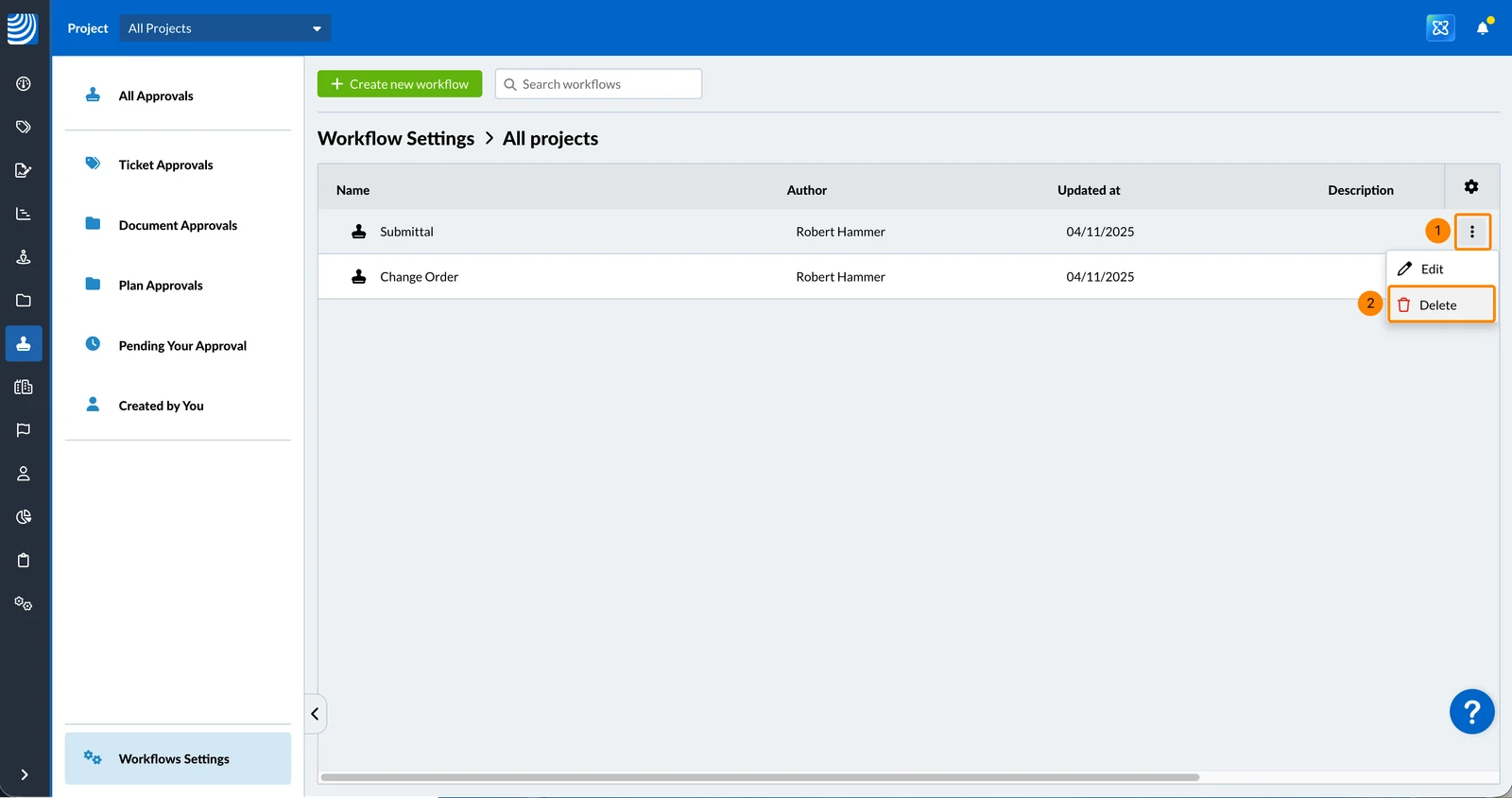
- Click Delete
Updated May 22, 2026