

 Deutsch
 Español
 Français
 Hrvatski
 Italiano
 Polski
 Português (BR)
Rename Account
Overview
You can change to name of your PlanRadar account.
The account name is usually your company's name. This name is used to identify the account and is specifically useful for users with multiple accounts to recognise to which account they want switch.
Access & Permissions
Rename Account
To rename your account:
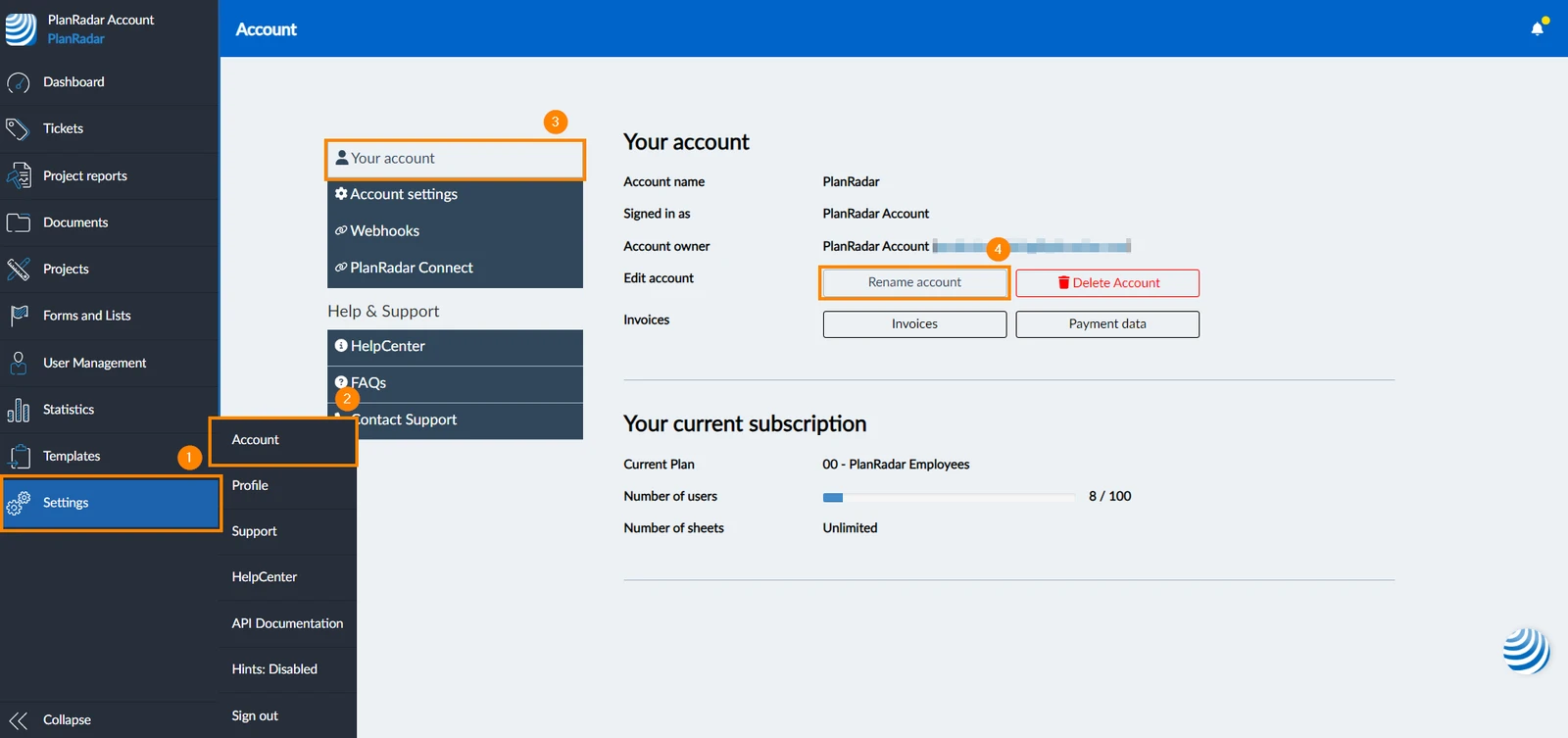
- Click Settings
- Click Accounts
- Click Your account
- Click Rename account
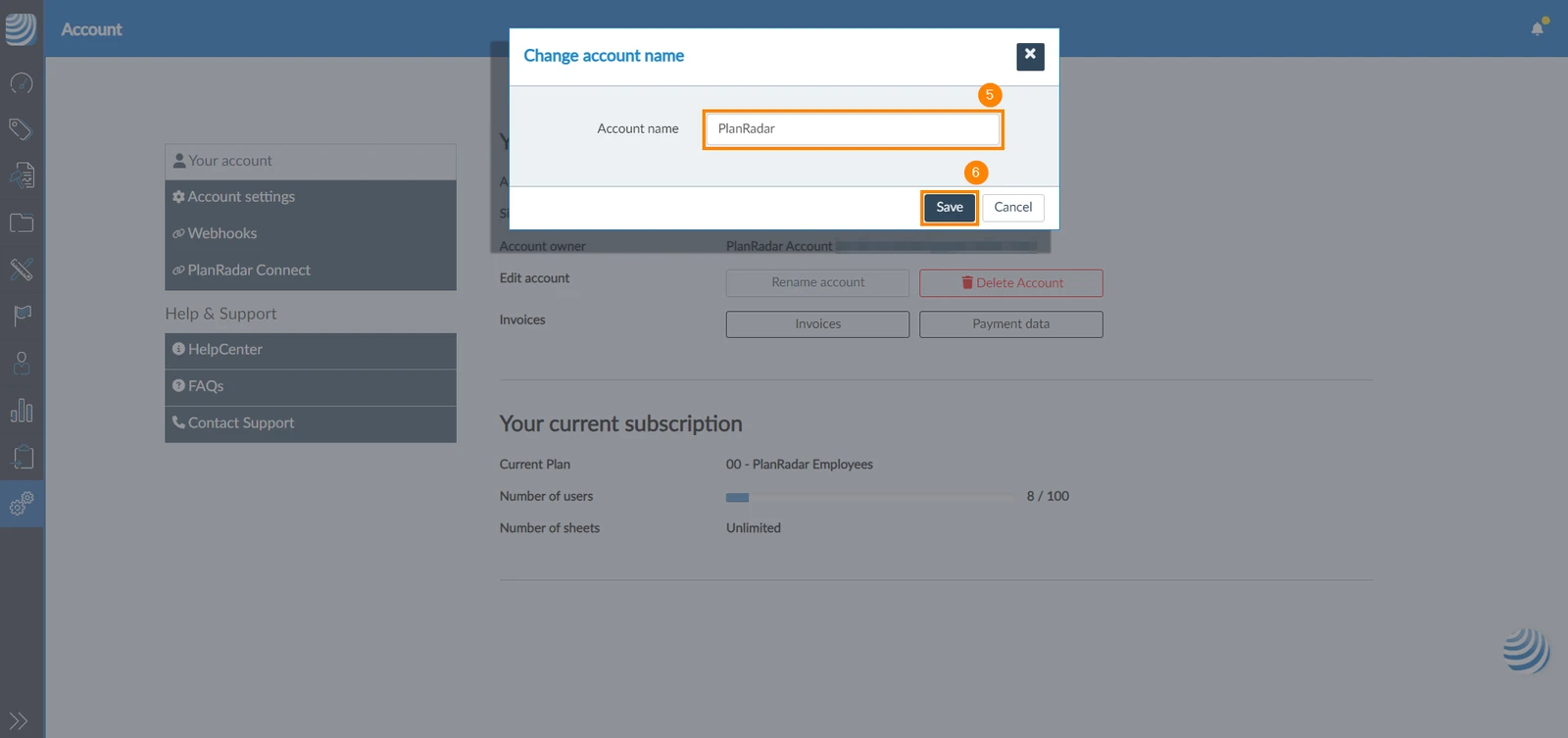
- Type the new account name
- Click Save
Updated June 20, 2026