

 Deutsch
 Español
 Français
 Hrvatski
 Italiano
 Polski
 Português (BR)
Delete your Trial Account
Overview
Learn how to delete your PlanRadar trial account.
Access & Permissions
Delete Trial Account
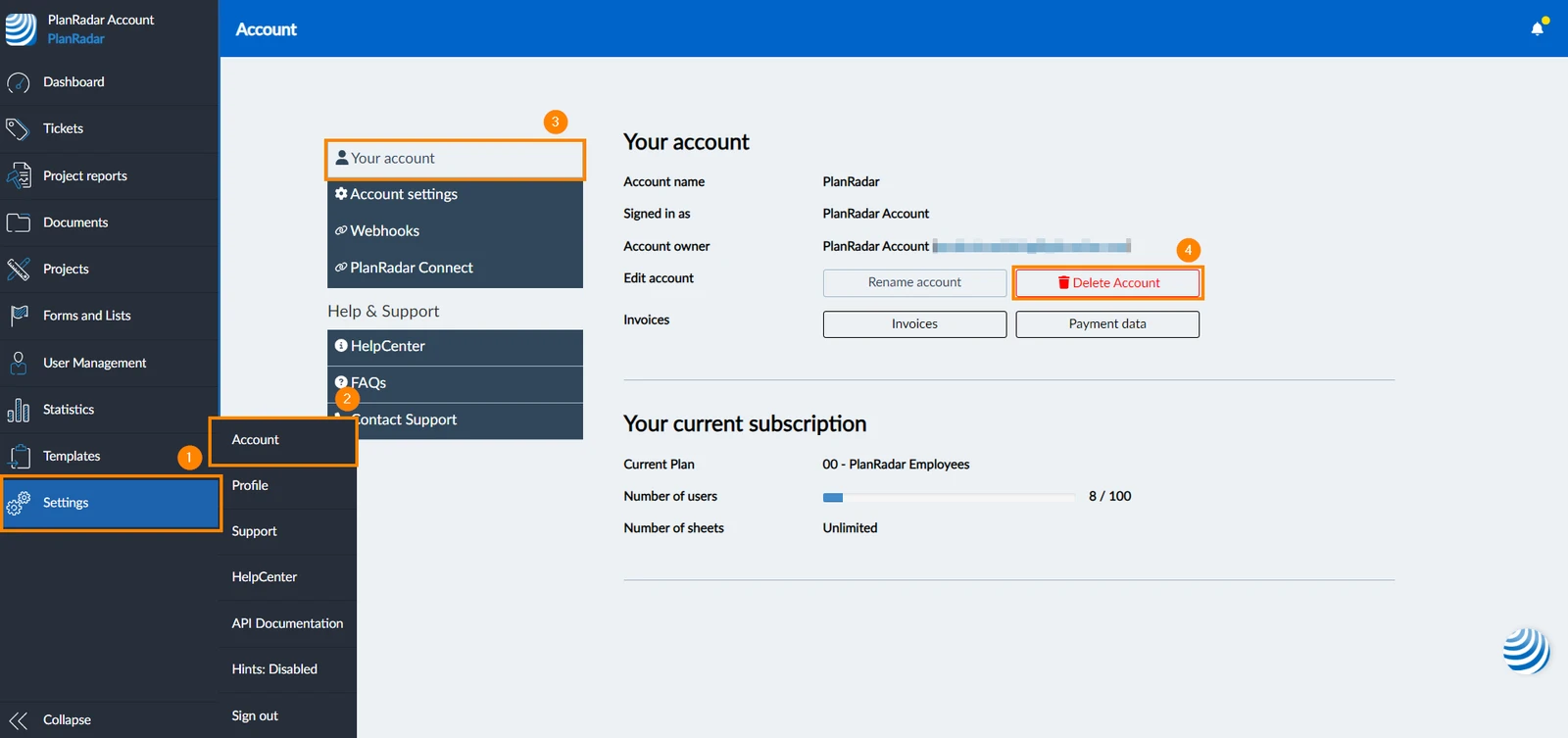
To delete a trial account:
- Click Settings
- Click Accounts
- Click Your account
- Click Delete Account
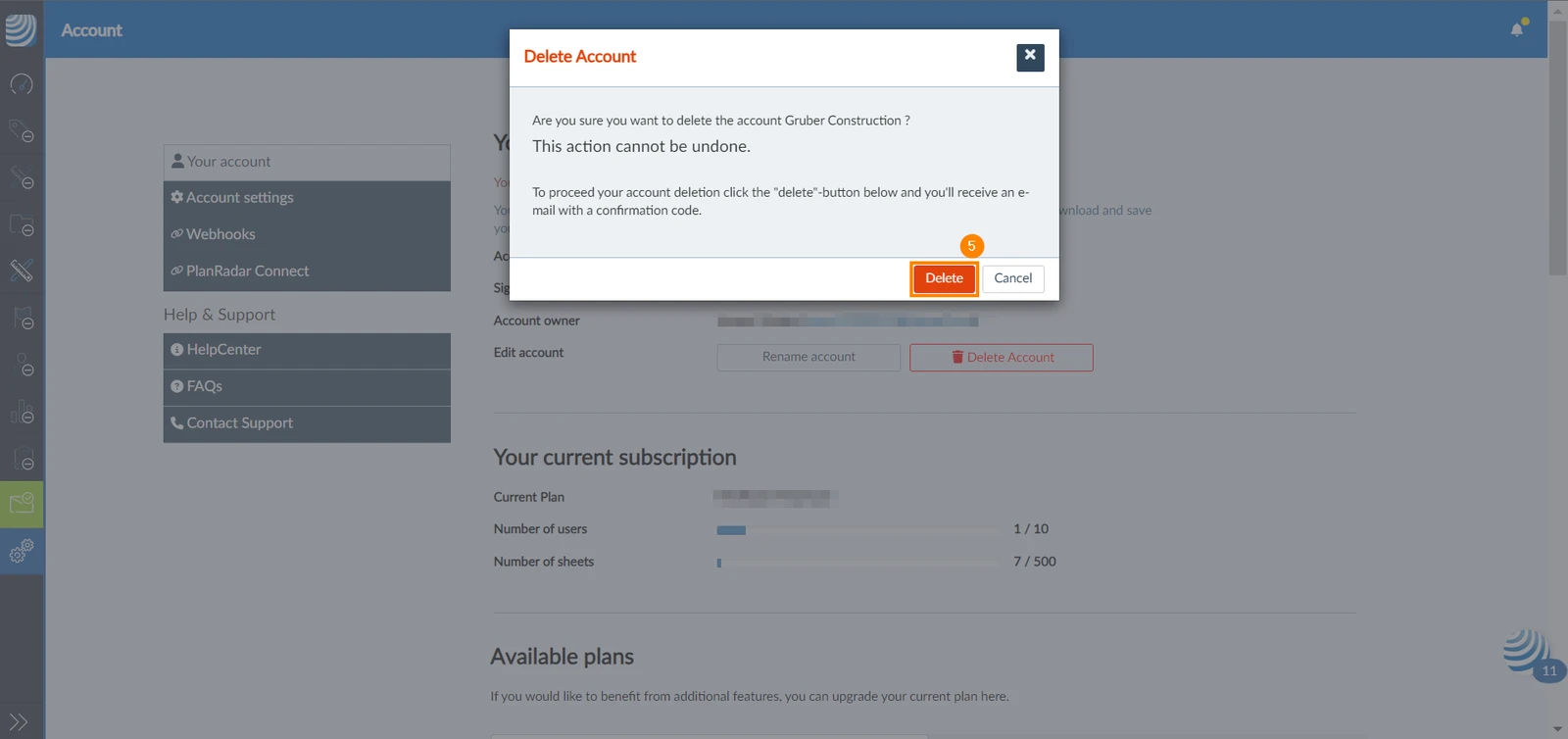
- Click Delete
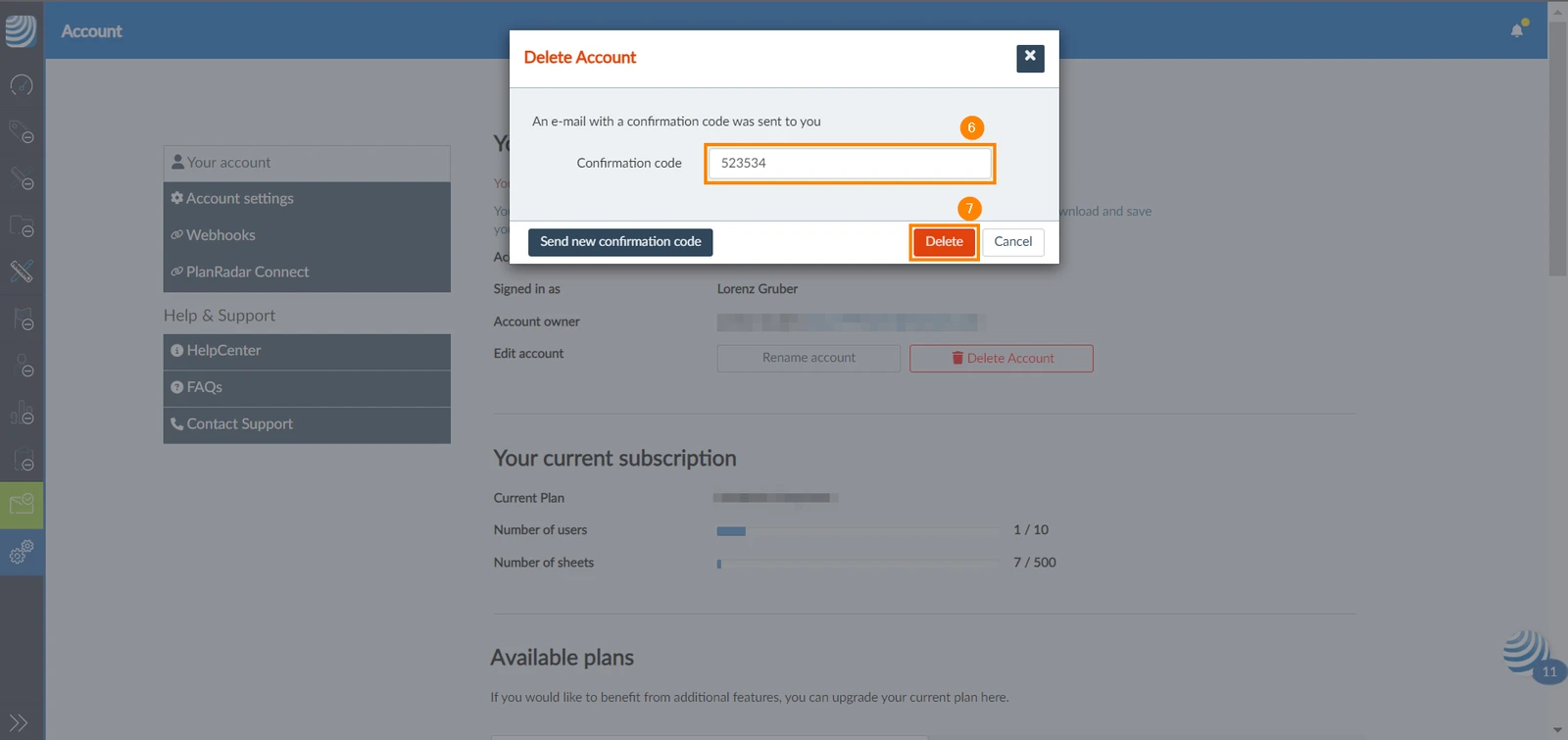
- Enter the confirmation code sent to your email
- Click Delete
Updated June 18, 2026