

 Deutsch
 Español
 Français
 Hrvatski
 Italiano
 Polski
 Português (BR)
Accounts
Overview
Learn about accounts in PlanRadar, what the account owner can do and what it means to have one user in multiple accounts.
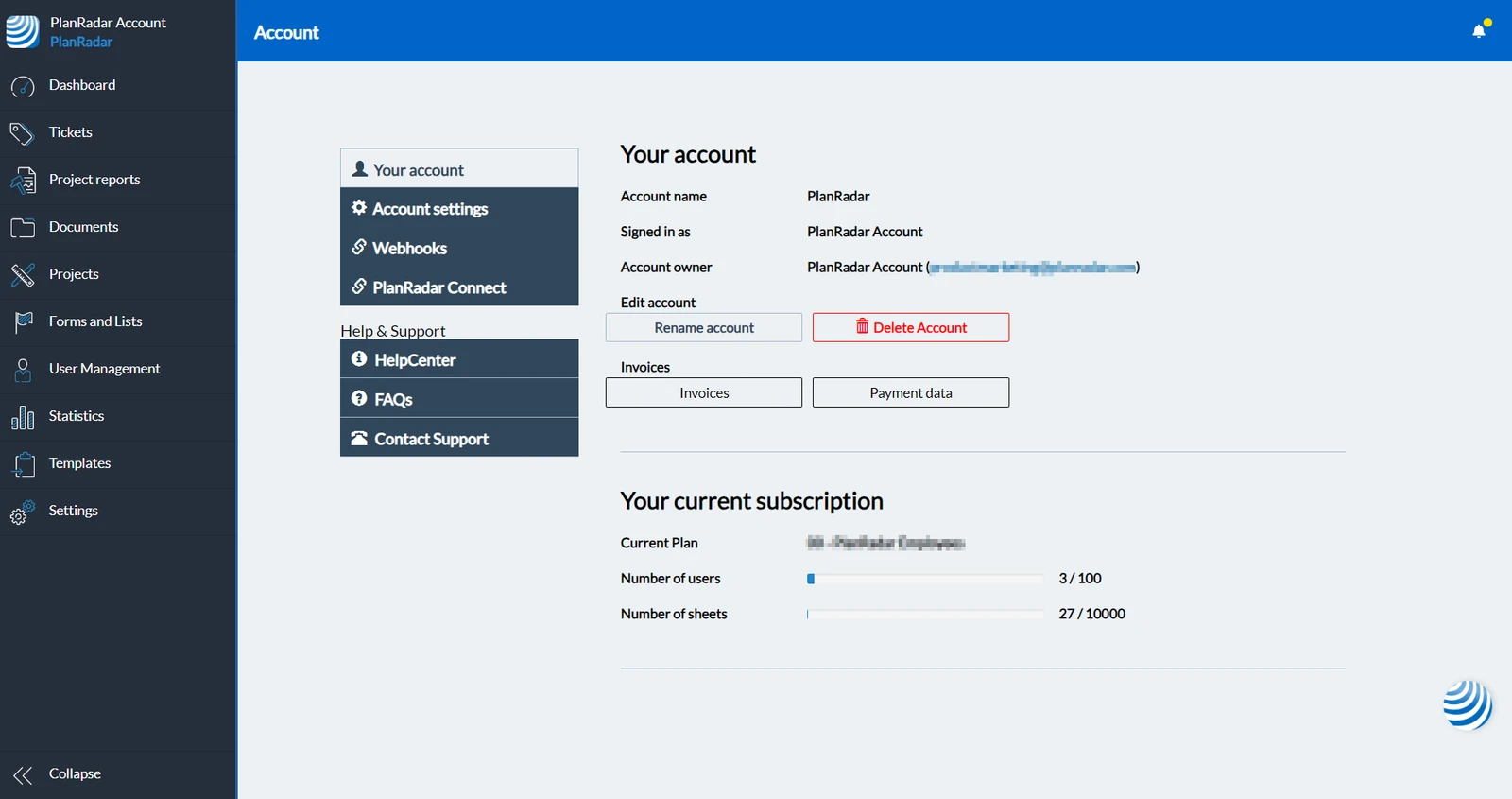
Example of the Your account page:
What is an Account?
An Account contains all your projects , ticket and other data like invited users, forms and templates.
An account is always tied to the user who created the account by registering for a 30 days PlanRadar trial. This user is called account owner.
After the trial you need a subscription plan to use your account.
Manage an Account
To manage an account you need an in-house user with the user permission 'Accounts' or you must be the account owner who always has full permissions.
One User in Multiple Accounts
It is possible to invite existing PlanRadar users to multiple accounts.
When creating or inviting a user the system checks if a user already exists with the same email address in any PlanRadar account. If the user already exists, it is not possible to create a second user with the same email address, but instead the existing user can get invited.
If the invited user already has an in-house user license in an account, the user doesn't need another payed in-house user license in other accounts.
Updated October 29, 2025