

 Deutsch
 Español
 Français
 Hrvatski
 Italiano
 Polski
 Português (BR)
Make Files Available Offline in the Mobile App
Overview
Document Management allows you to manage the plans and documents which are relevant for your projects within PlanRadar. Also see Document Management.
Use the "Make available offline" feature to ensure certain files are available even when you are offline.
Access & permissions
How to access Document Management
- Tap Documents in the main menu
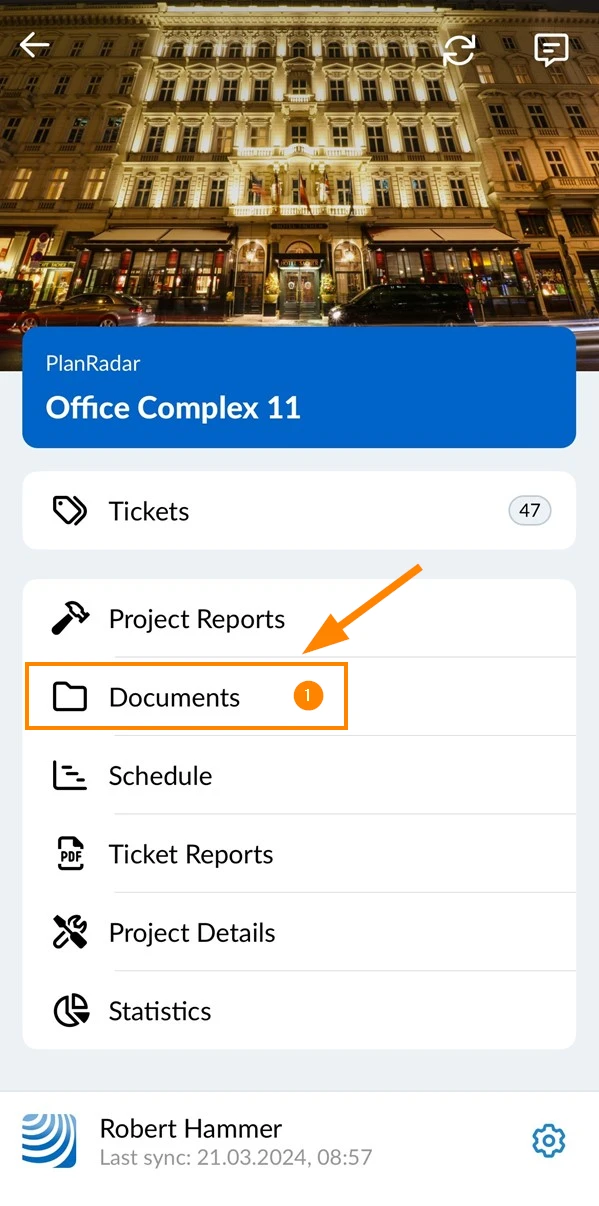
Make Files Available Offline
Single File
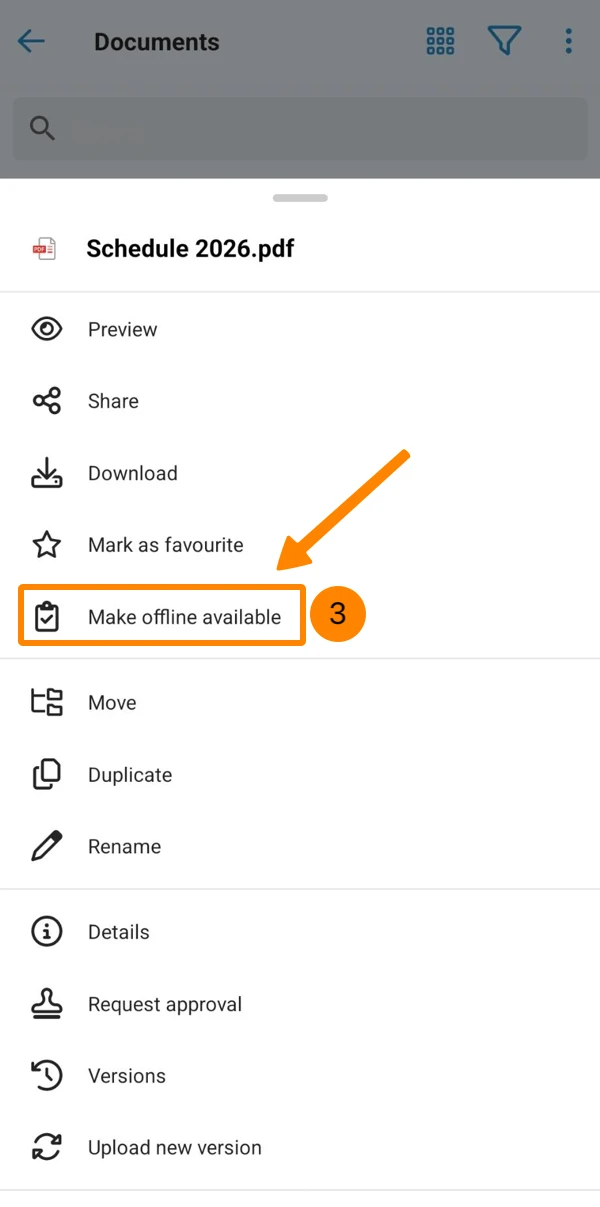
To make a single file available offline:
- Navigate to the file
- Open the More menu
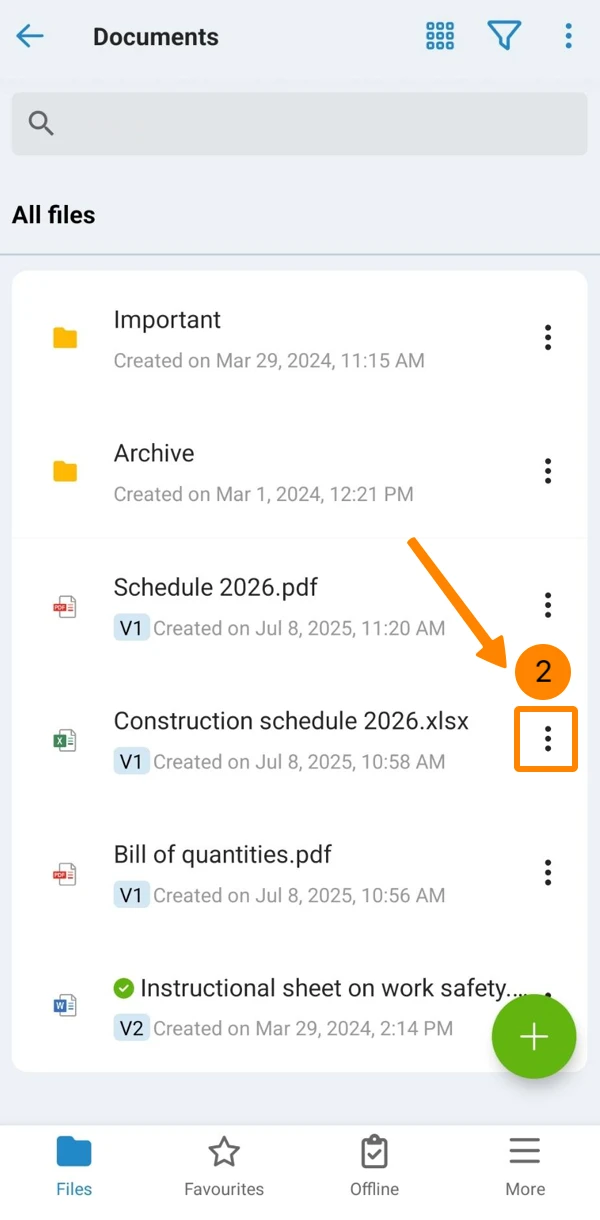
- Tap Make Offline Available
Multiple Files
To make multiple files available offline:
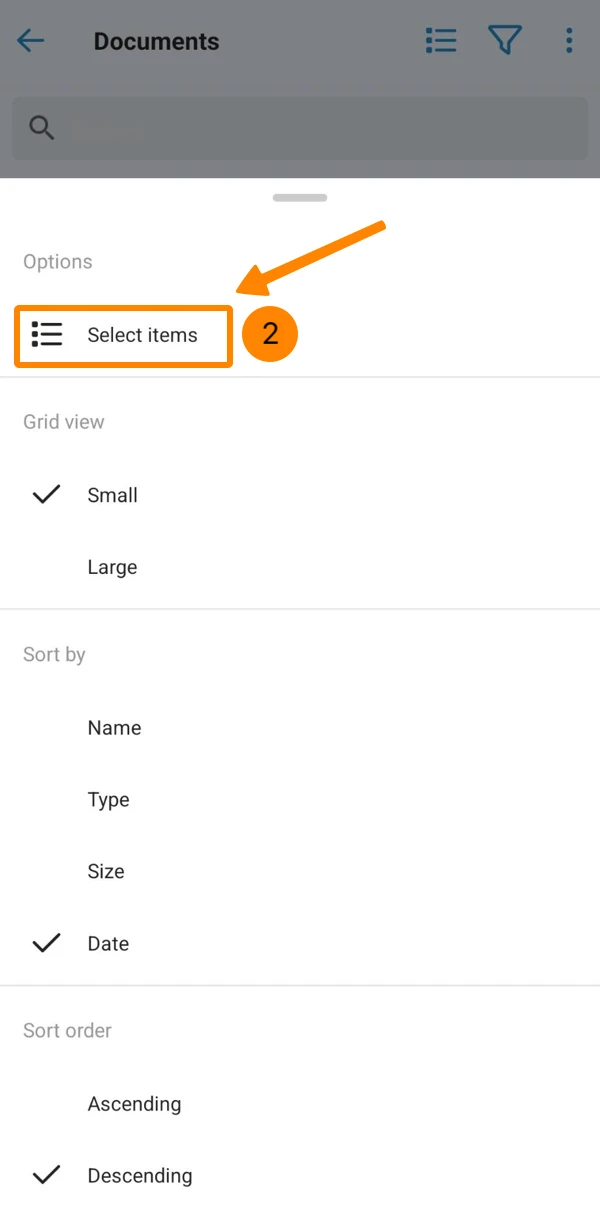
- Open the More menu
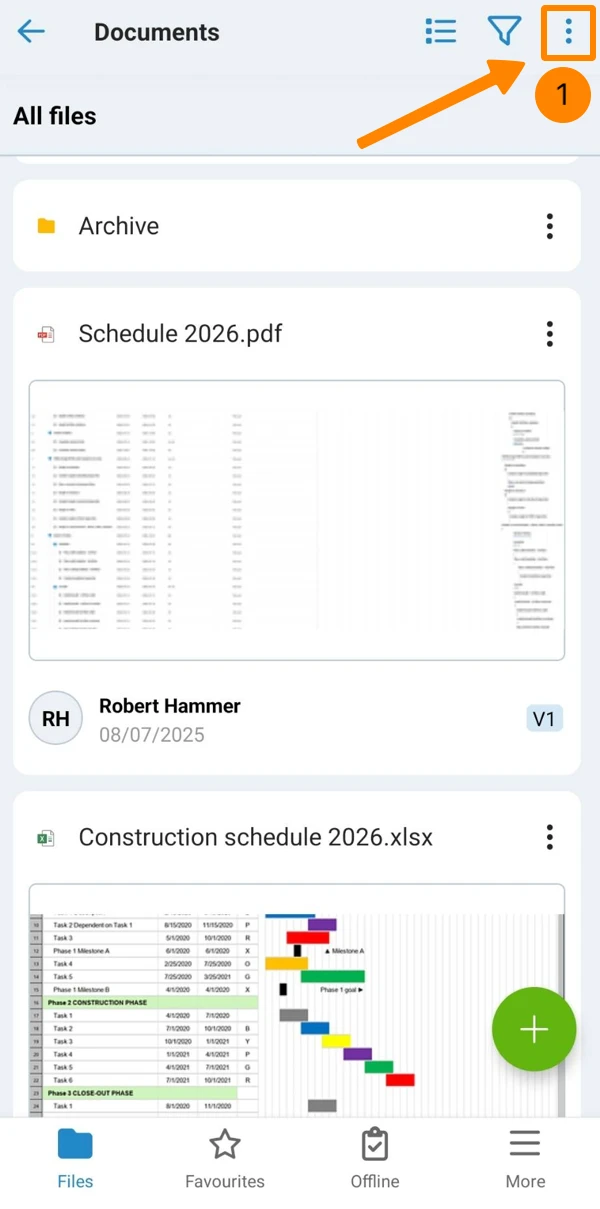
- Tap Select items
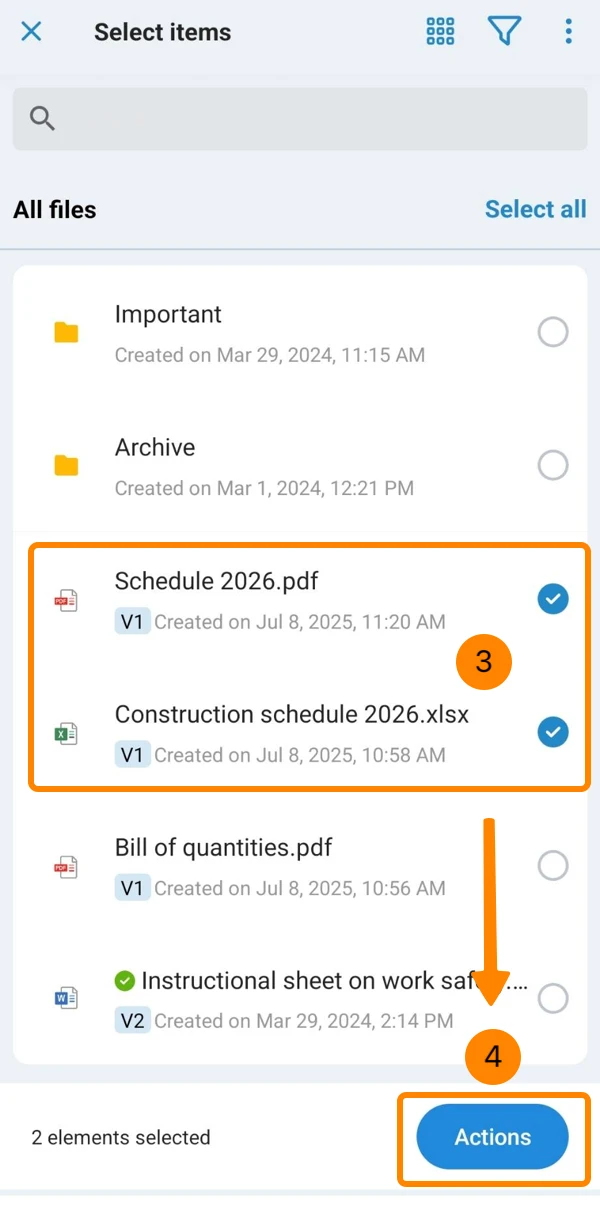
- Tap the items to select them
- Tap Actions
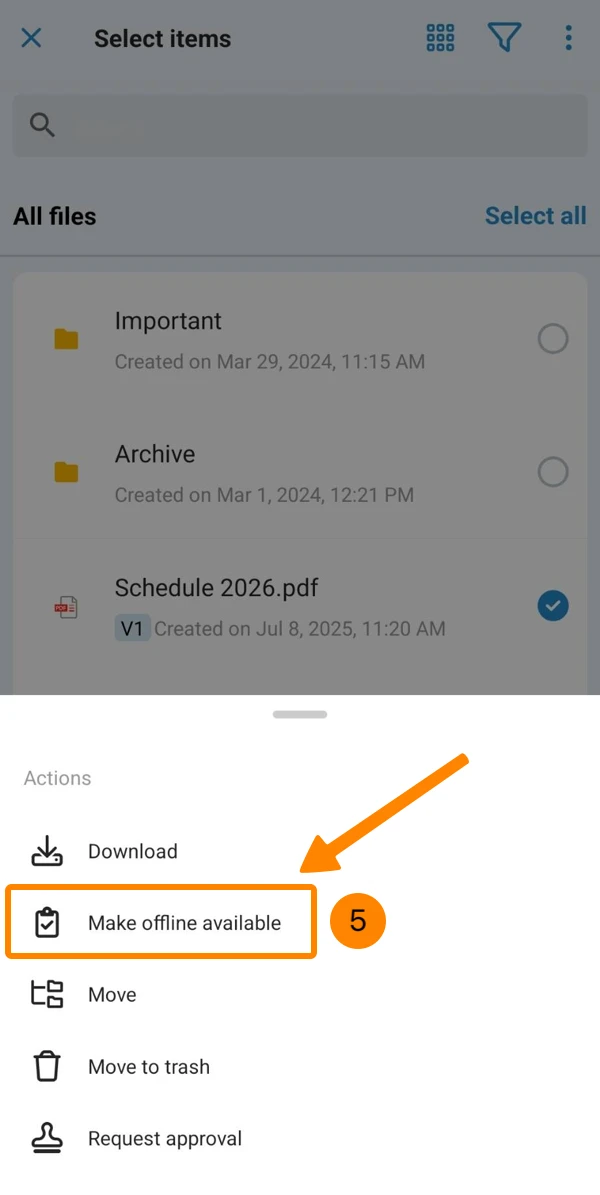
- Tap Make offline available
View "Available offline" Files
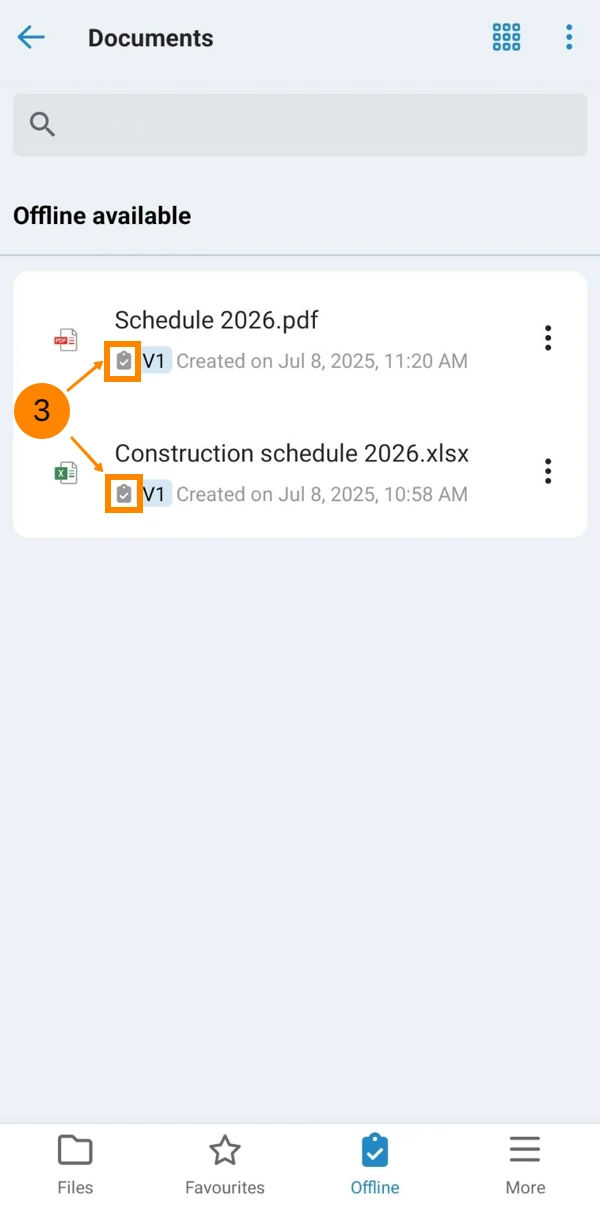
To see a list of all files that you marked as "make available offline":
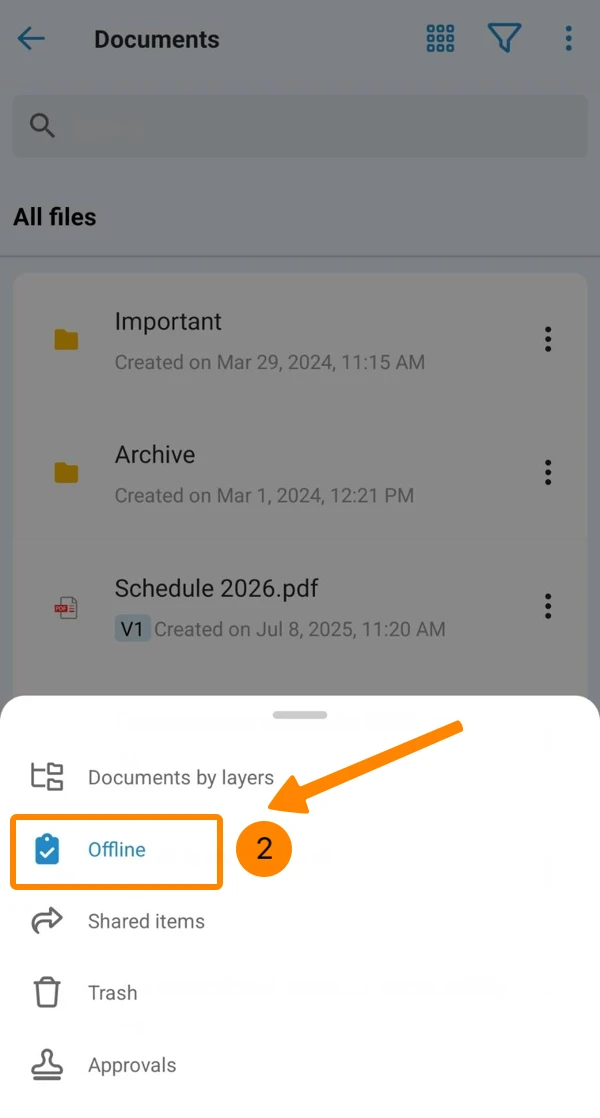
- Open the More menu
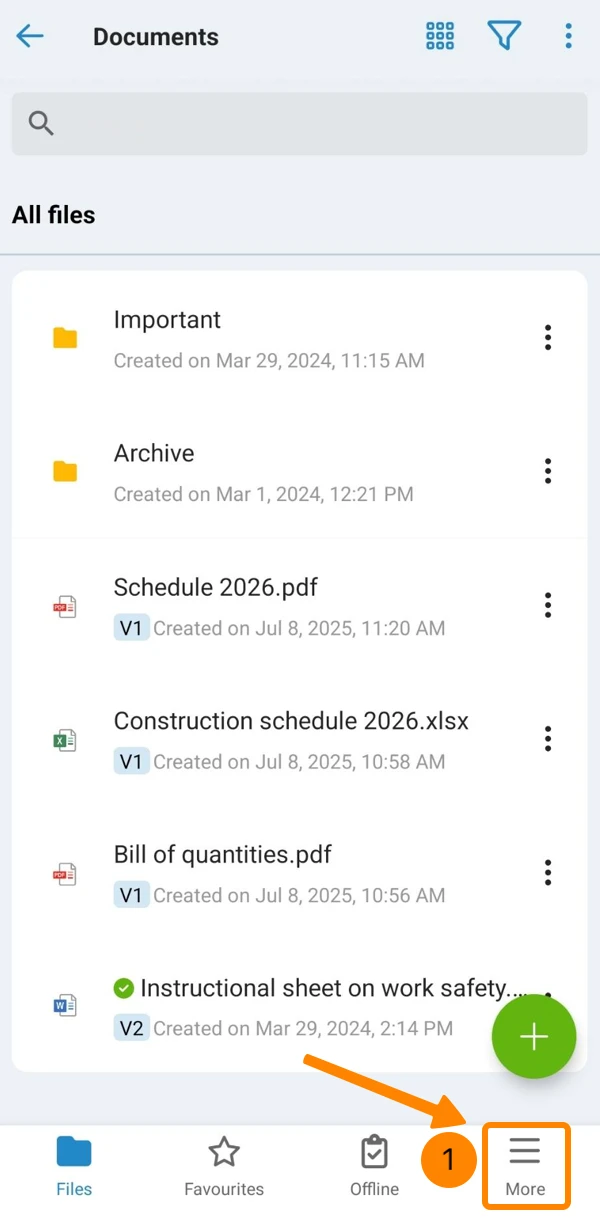
- Tap Offline
- See the icon that indicates that the file is offline available.
Updated April 27, 2026