

 Deutsch
 Español
 Français
 Hrvatski
 Italiano
 Polski
 Português (BR)
Mobile Push Notifications
Overview
If you are using the PlanRadar mobile app, you can activate push notifications in your mobile app to stay up-to-date with your project.
Activate/Deactivate Push Notifications
To activate push notifications:
- Open Settings
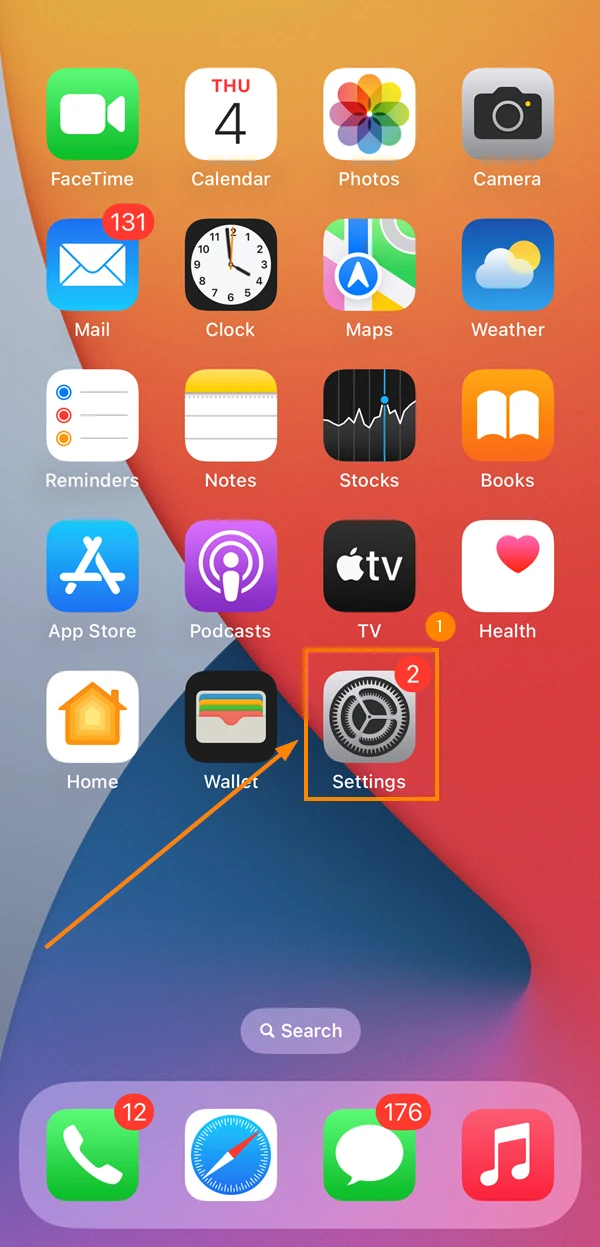
- Scroll down to the Apps section, and tap PlanRadar
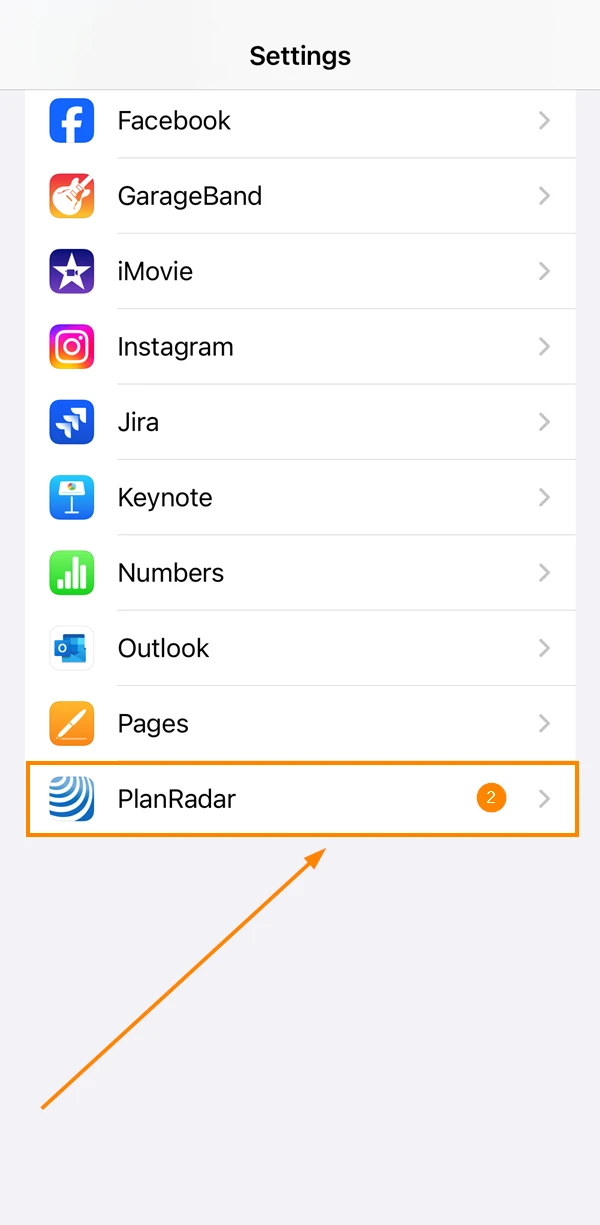
- Tap Notifications
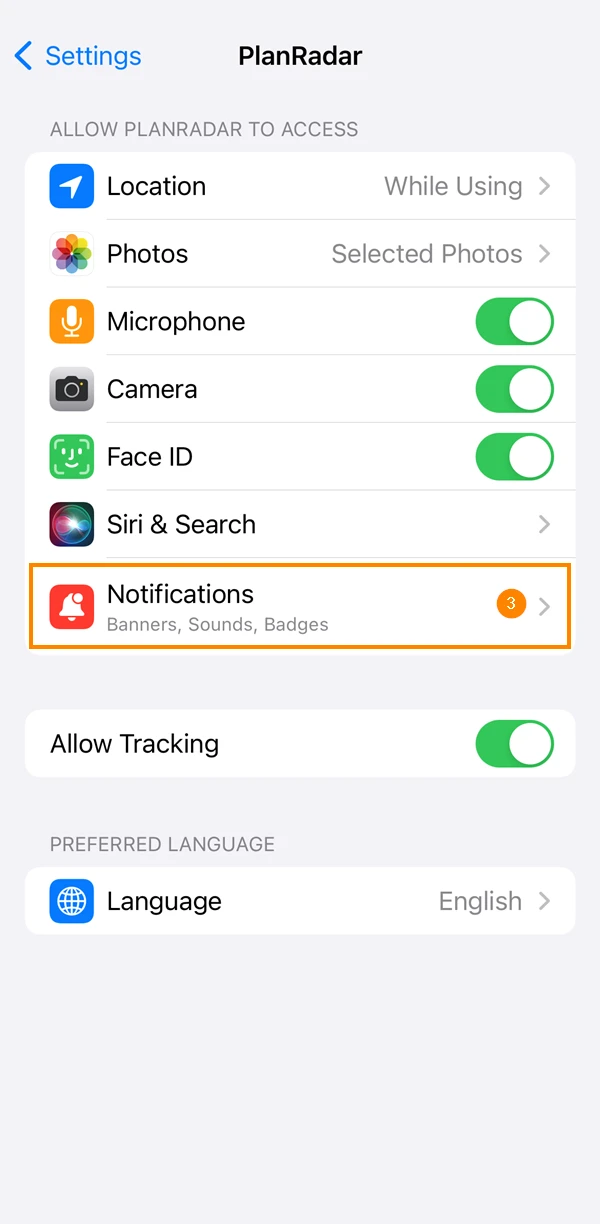
- Activate the Activate Notifications toggle
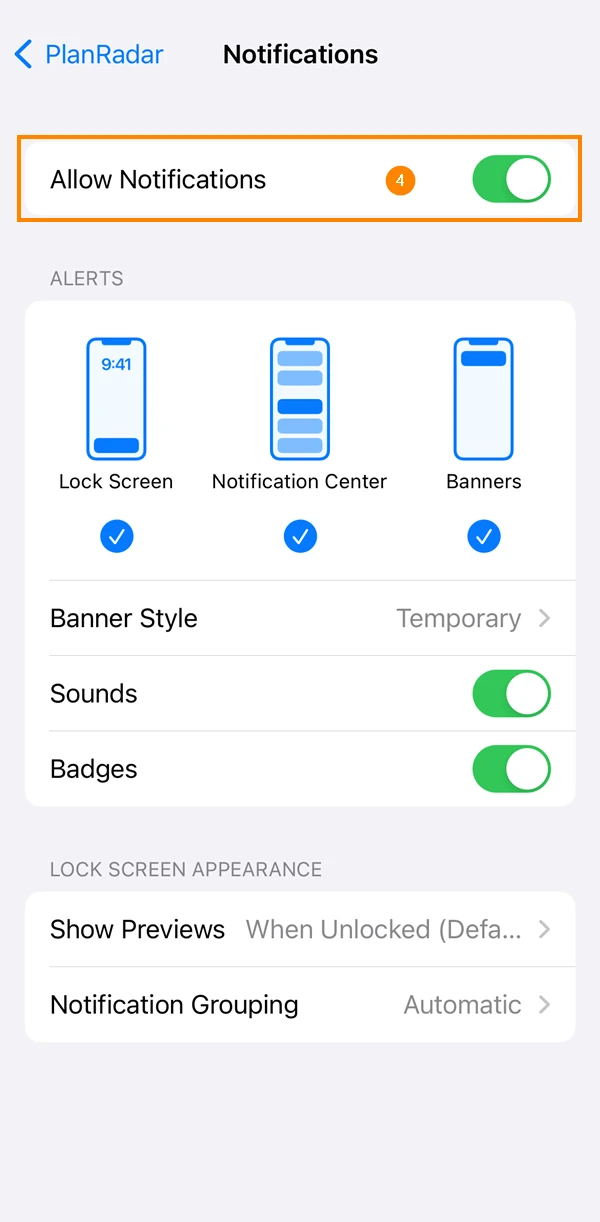
- Go to the main menu
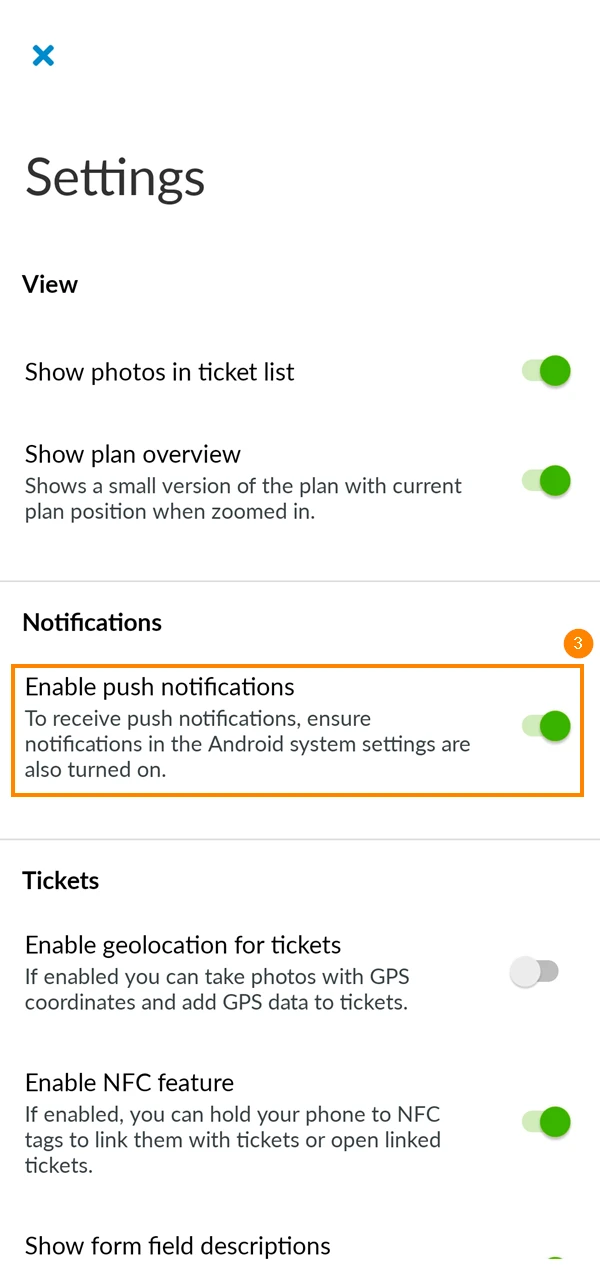
- Tap Settings
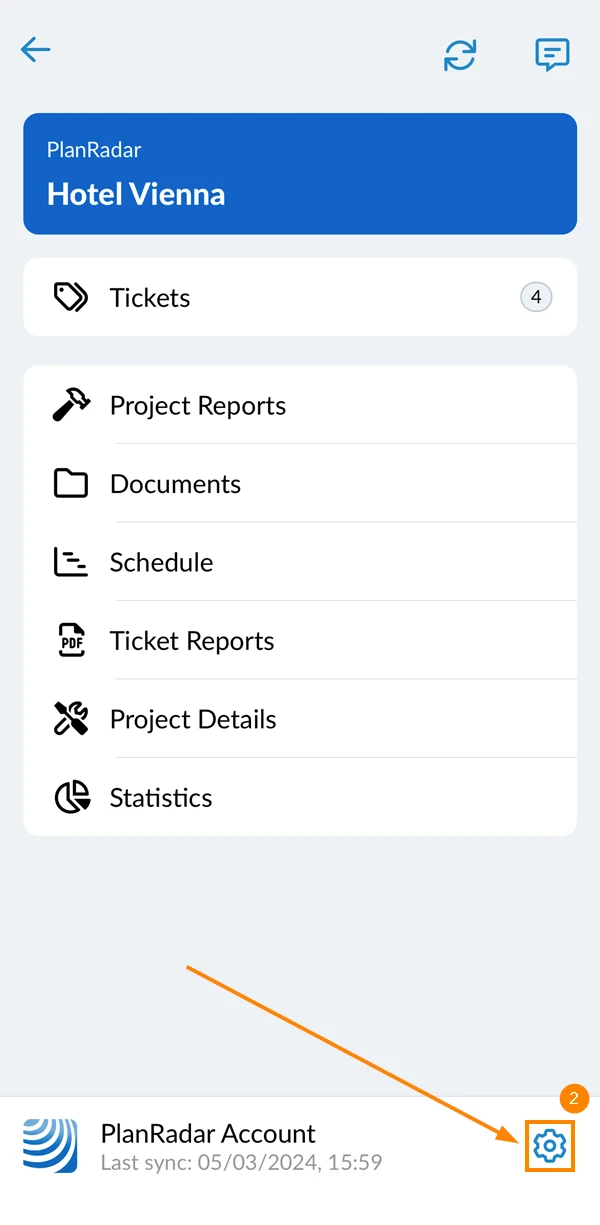
- Activate the Enable push notifications toggle
Registered Events
Certain events trigger push notifications. Below is a list of the events you get notified of:
Tickets
- Tickets created
- Comment added to ticket
- Attachment added to ticket
- Attachment updated
- Due date reminder (currently only supported on Android)
Projects
- User added to project
Plans
- Plan updates
Updated August 23, 2024