

 Deutsch
 Español
 Français
 Hrvatski
 Italiano
 Polski
 Português (BR)
Create, Edit or Delete Dependencies
Overview
When working with automatic scheduling mode, you need to create dependencies between phases and tickets to define what needs to be done first and what can be done simultaneously.
Please note that a dependency will only impact the start date of a phase/ticket if it is automatically scheduled. Dependencies can still have manually scheduled successors, however, there will not by any impact since a manual start date is never changed.
Access & permissions
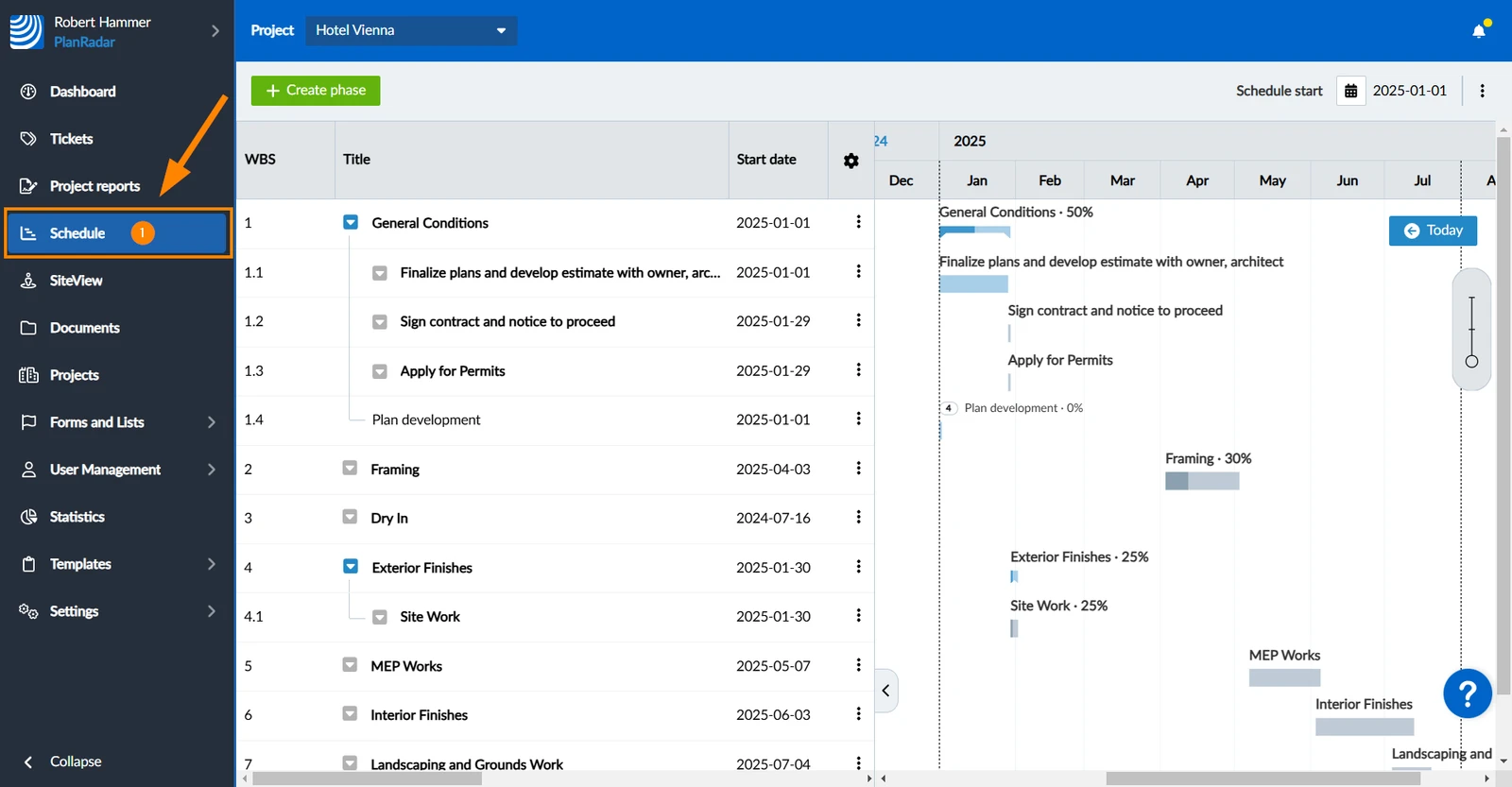
How to access Schedule
- Click Schedule
Activate Show Dependencies Setting
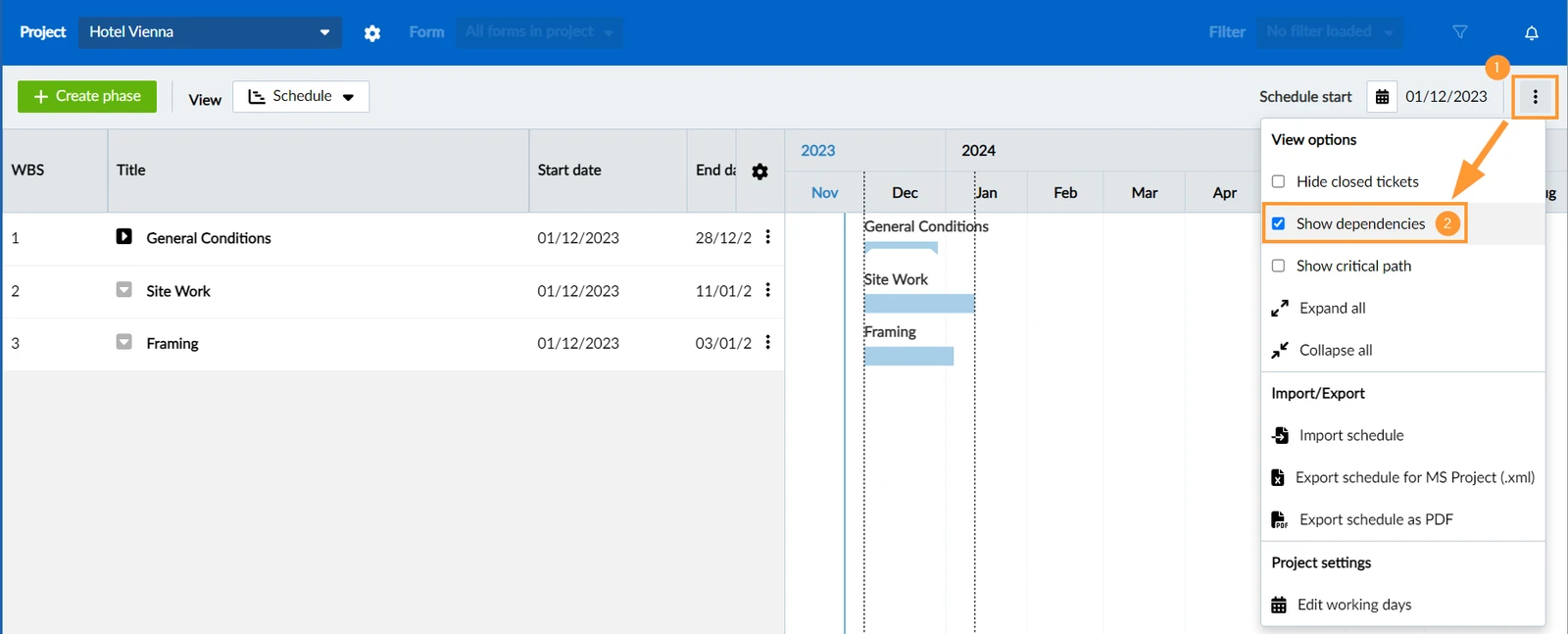
When working with dependencies, make sure the view setting Show dependencies is selected.
- Open the more menu
- Select the Show dependencies checkbox
Predecessors & Successors
A dependency is defined as a link from one phase or ticket to another dependent phase or ticket. All incoming links are called predecessors and all outgoing links are called successors of a phase or ticket. They can be shown in a column of the WBS table.
Dependency Types
PlanRadar supports four dependency types:
- Finish-to-Start
- Start-to-Start
- Finish-to-Finish
- Start-to-Finish
Finish-to-Start
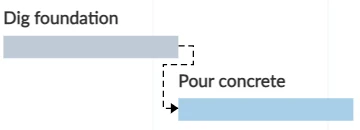
Finish-to-Start is by far the most common dependency type. It is used when a phase/ticket cannot start until a predecessor is complete.
In the following example 'Pour concrete' cannot start until 'Dig foundation' is completed.
Start-to-Start
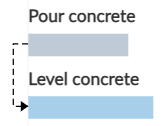
Start-to-Start is used when a phase/ticket cannot start until a predecessor has started as well.
In the following example the phase 'Level concrete' cannot start until 'Pour concrete' has started.
Finish-to-Finish
Finish-to-Finish is used when a phase/ticket cannot be completed until a predecessor is completed.
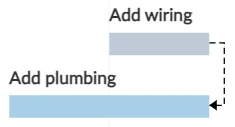
In the following example the phase 'Add plumbing' cannot be completed until 'Add wiring' is completed.
Start-to-Finish
Start-to-Finish is used when a phase/ticket cannot be completed until a predecessor has started. This type is rarely used.
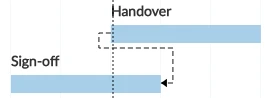
In the following example the phase 'Sign-off' cannot be completed until 'Handover' has started.
Create Dependencies
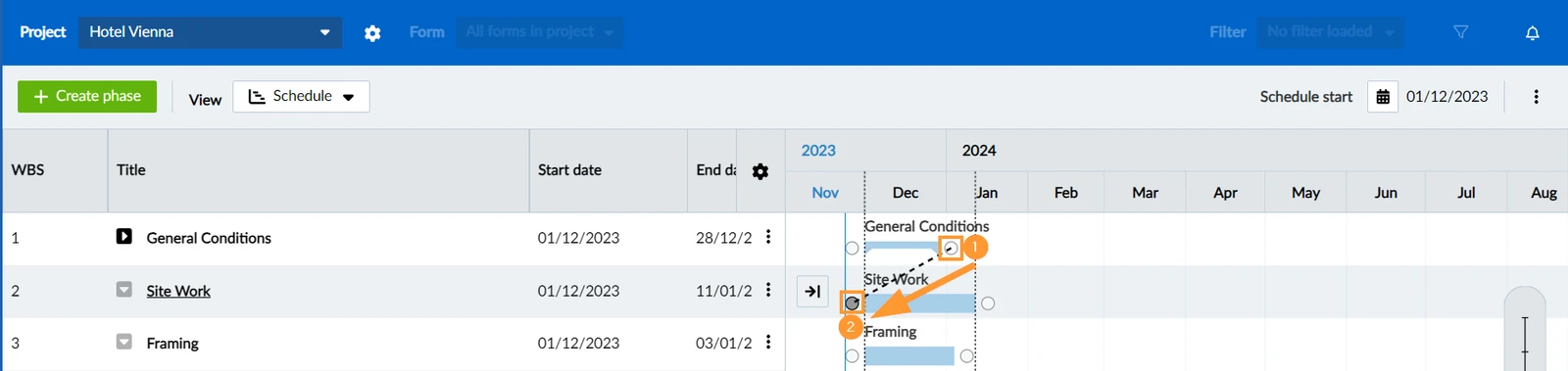
To create, for instance, a Finish-to-Start dependency:
- Hover over the bar of the predecessor in the Gantt Chart.
Click and hold the circle at the end of the phase/ticket. - Draw the line to the circle at the start of the dependent phase/ticket and release the mouse button.
View & Edit Dependencies
To view and edit a dependency:
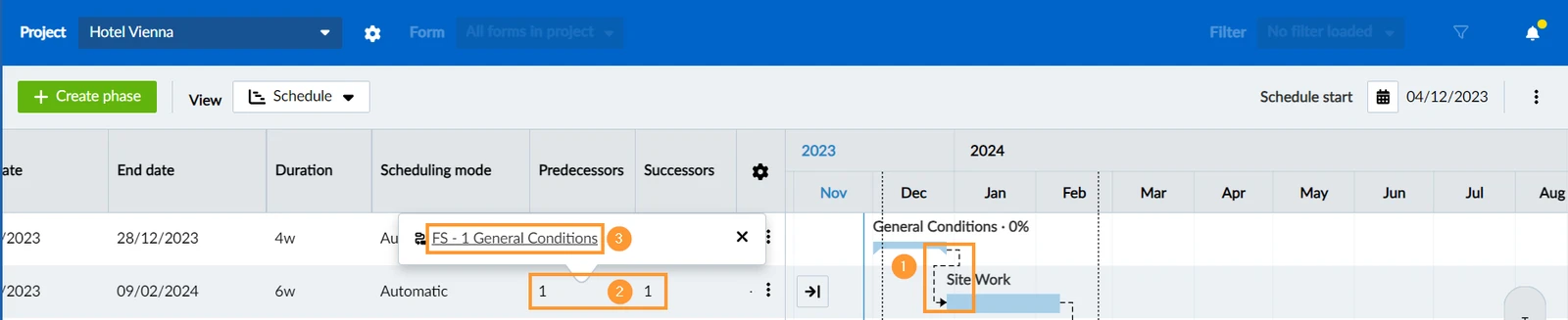
- Click on the dependency arrow in the Gantt Chart
- OR view a list of all predecessors or successors of a phase by clicking the number in the columns and
- Click on the dependency in the list.
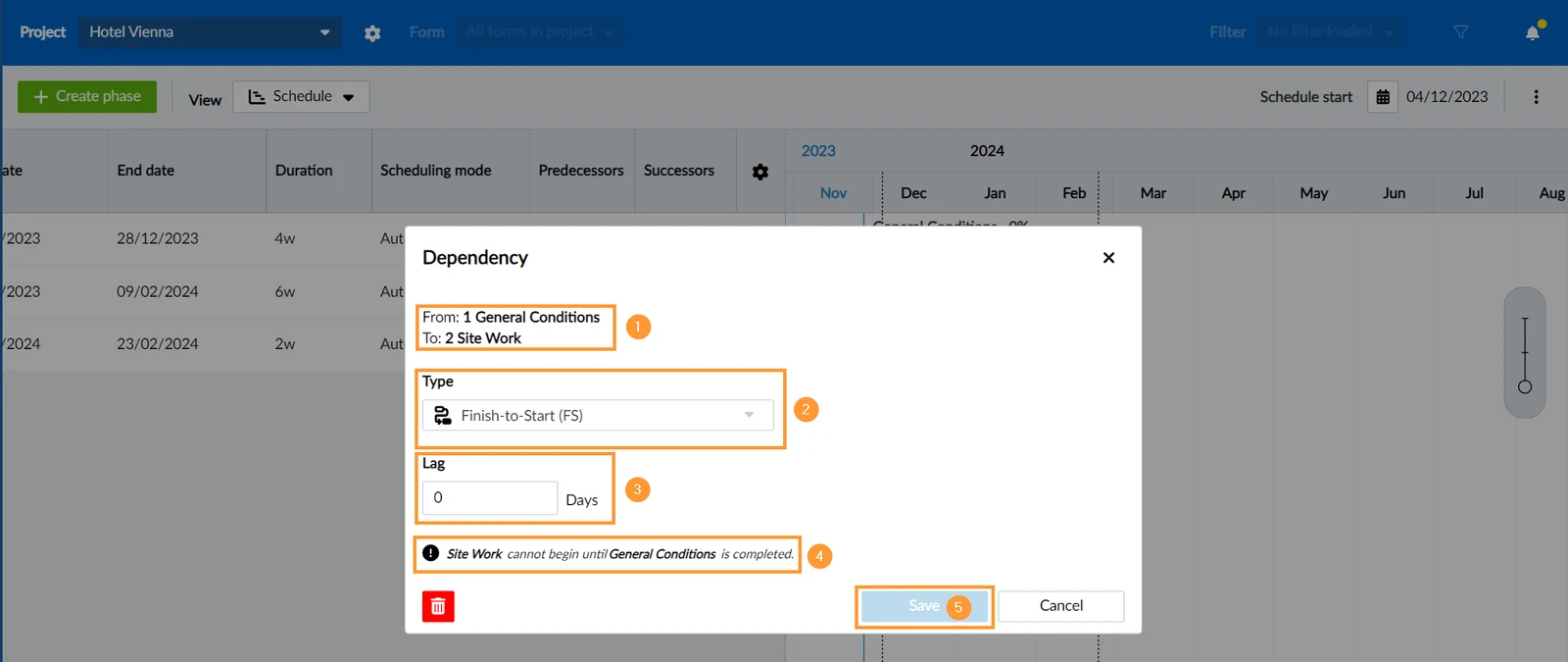
View and edit dependency details:
- From shows the originating and To shows the dependent phase/ticket.
- Type shows the dependency type which can be changed using the drop down.
- Lag allows you to schedule a buffer in working days (negative values allowed).
- View an explanation of the selected dependency type.
- Click Save to confirm any changes.
Delete Dependencies
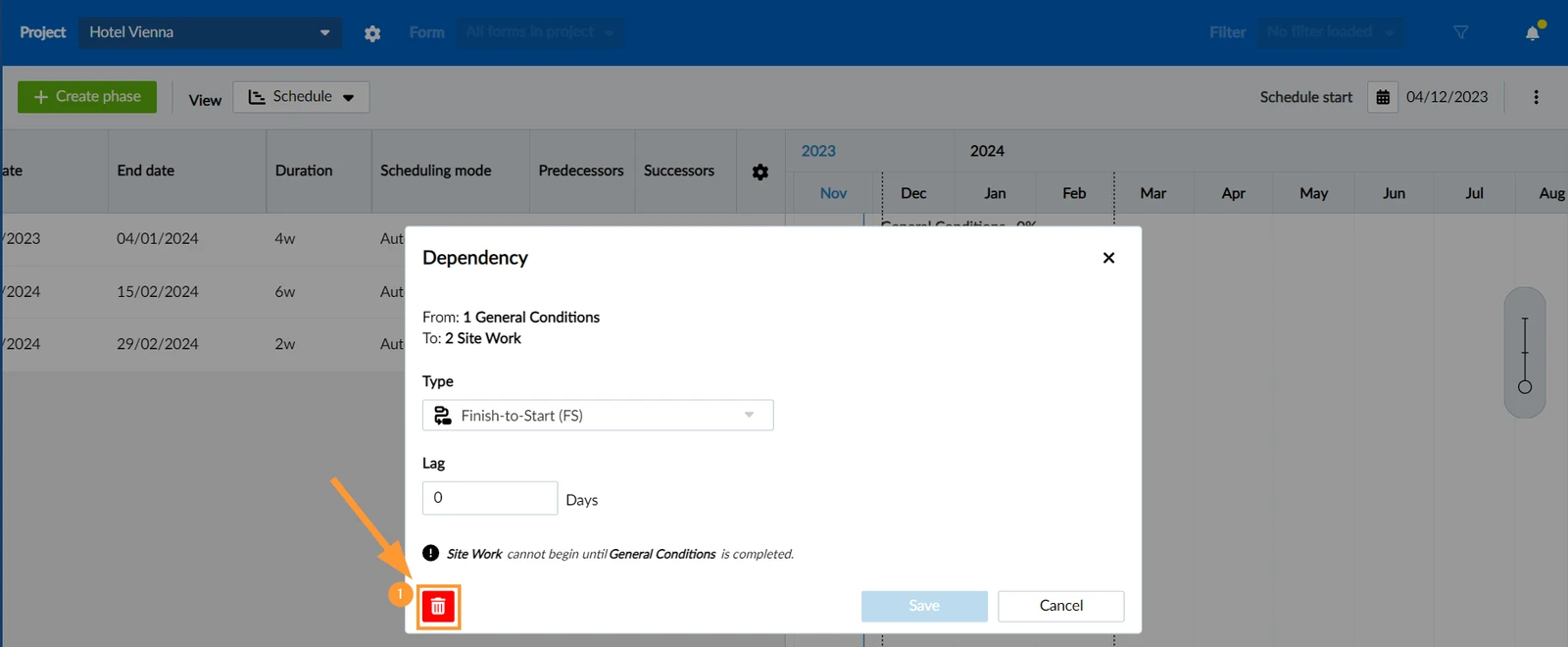
To delete a dependency, open it as described above:
- Click the delete icon.
Updated October 25, 2024