

 Deutsch
 Español
 Français
 Hrvatski
 Italiano
 Polski
 Português (BR)
Resolve Scheduling Conflicts
Overview
PlanRadar can detect and highlight scheduling conflicts that need to be fixed. It will indicate unaligned parent phases and dependencies that cannot be fulfilled when using manual scheduling mode.
Access & permissions
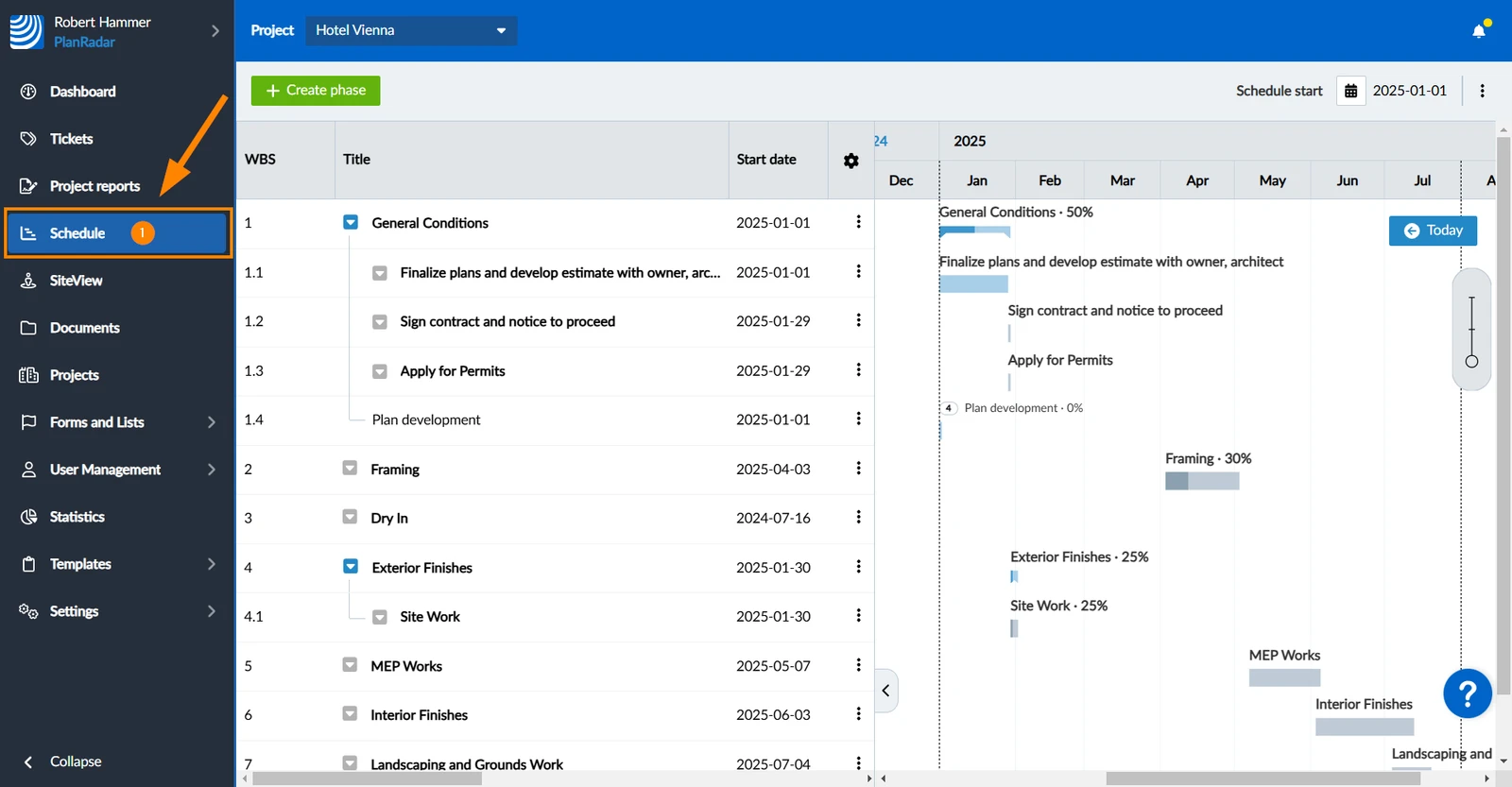
How to access Schedule
- Click Schedule
Unaligned Parent Phase
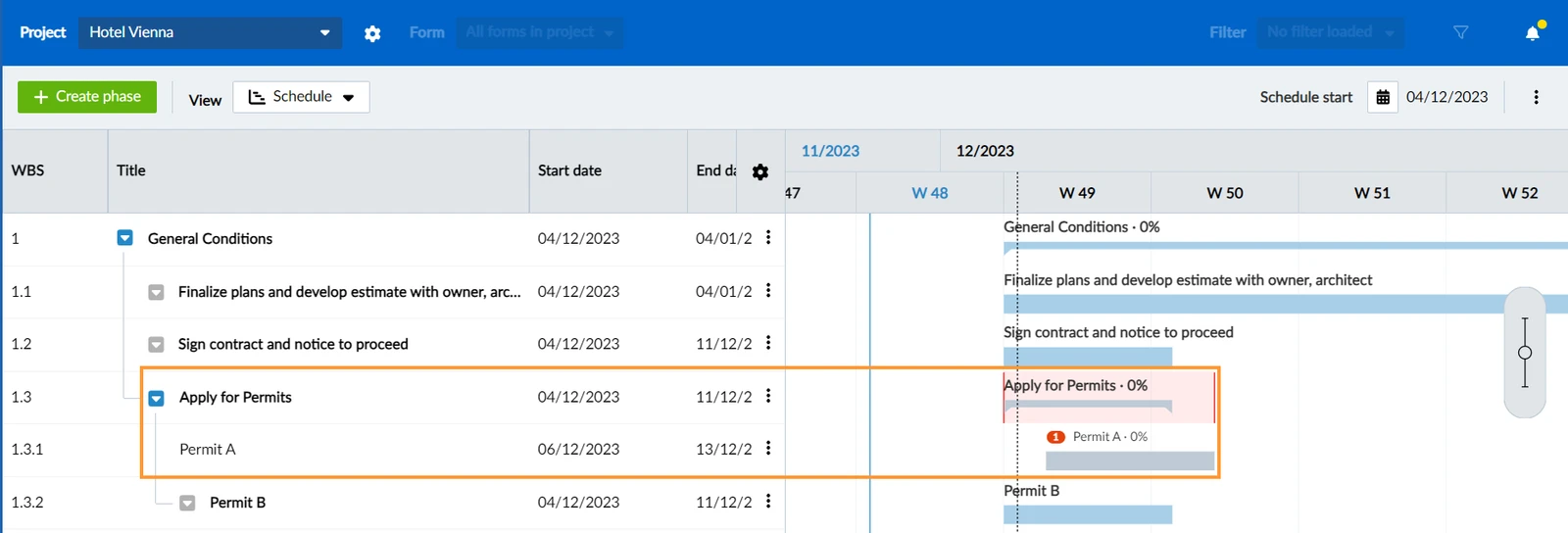
This conflict occurs if a manually scheduled phase has any sub-elements that lie outside, i.e. start earlier or end earlier. It will also occur if all its sub-elements start later or end earlier.
In this example the parent phase 'Apply for Permits' gets highlighted in red, because its end date is earlier than the end date of its sub-phase 'Permit A'.
To resolve the conflict:
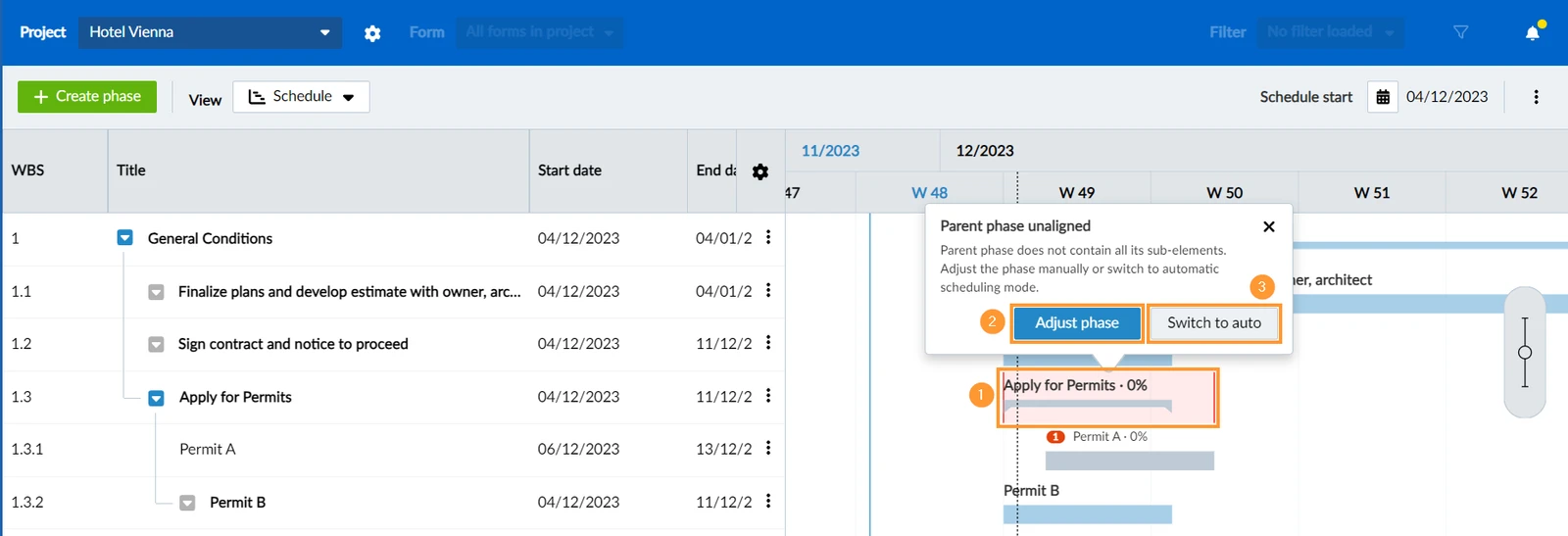
- Click on the conflict highlighted in red and choose:
- Click Adjust phase to keep the phase in manual scheduling mode and just update the start/end dates to fitt the sub-elements.
- OR Click Switch to auto to change to automatic scheduling mode which will automatically fix the issue as a consequence.
Updated October 25, 2024