

 Deutsch
 Español
 Français
 Hrvatski
 Italiano
 Polski
 Português (BR)
Add GPS Position to Tickets in the Mobile App
Overview
Add GPS position when creating or editing tickets to track geographic locations.
Access & Permissions
Allow Adding GPS Position
To be able to add GPS position to a ticket:
-
Allow adding GPS positions in the PlanRadar app.
-
Make sure that the ticket form has the option to store Geographical Location activated.
Add GPS Position to Tickets
Continue here after you Create a Ticket or View & Edit a Ticket.
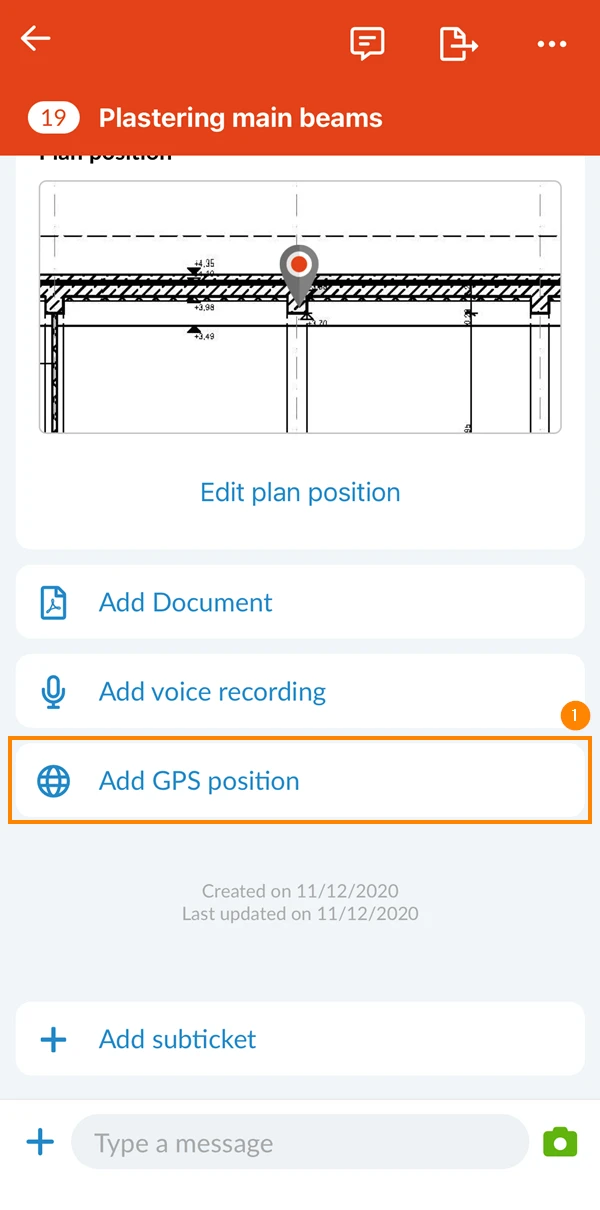
To add GPS position to a ticket:
- Tap Add GPS position
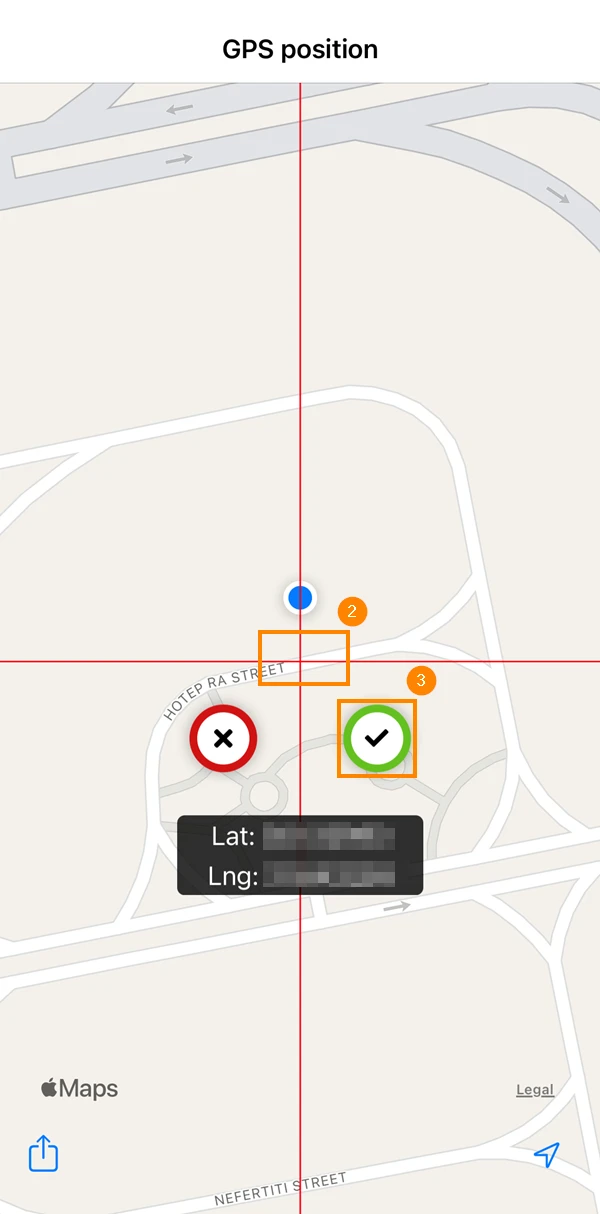
- Optional: To correct the position, pull with one finger in any direction to move the map.
- Tap ✔ to add the location
Updated October 29, 2025