

 Deutsch
 Español
 Français
 Hrvatski
 Italiano
 Polski
 Português (BR)
Use NFC Tags to Link & Open Tickets
Overview
PlanRadar integrates with Near Field Communication (NFC) technology and supports NFC tags.
You can put NFC tags on devices, inventory, tools, doors, or anything else and link them with PlanRadar tickets. Combined with all the powerful features tickets provide, this enables a wide range of use cases on-site.
Once your tickets are linked to NFC tags, project members can easily open a linked ticket by holding their mobile phone next to the NFC tag. The mobile operating system will read the tag, open the PlanRadar app, and the corresponding ticket.
Access & Permissions
Requirements
Check the hardware specifications of your devices to ensure that they support reading and writing NFC tags.
NFC tags are offered by various suppliers and must be purchased separately from a PlanRadar subscription. Please ensure to purchase NFC tags that fit the needs of your project and intended use cases. The NFC tags must be compatible with iOS and Android devices. PlanRadar works with tags that support the NFC Data Exchange Format (NDEF) and have a minimum memory of 100 bytes.
Enable NFC Feature
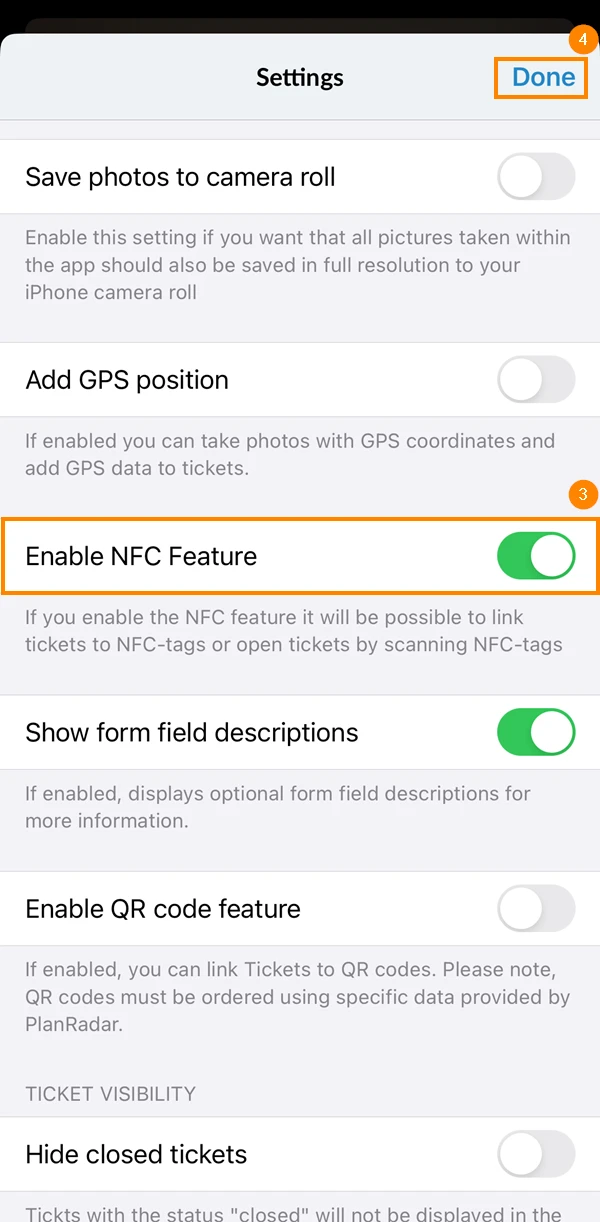
To enable the NFC feature in PlanRadar:
- Go to the main menu
- Tap Settings
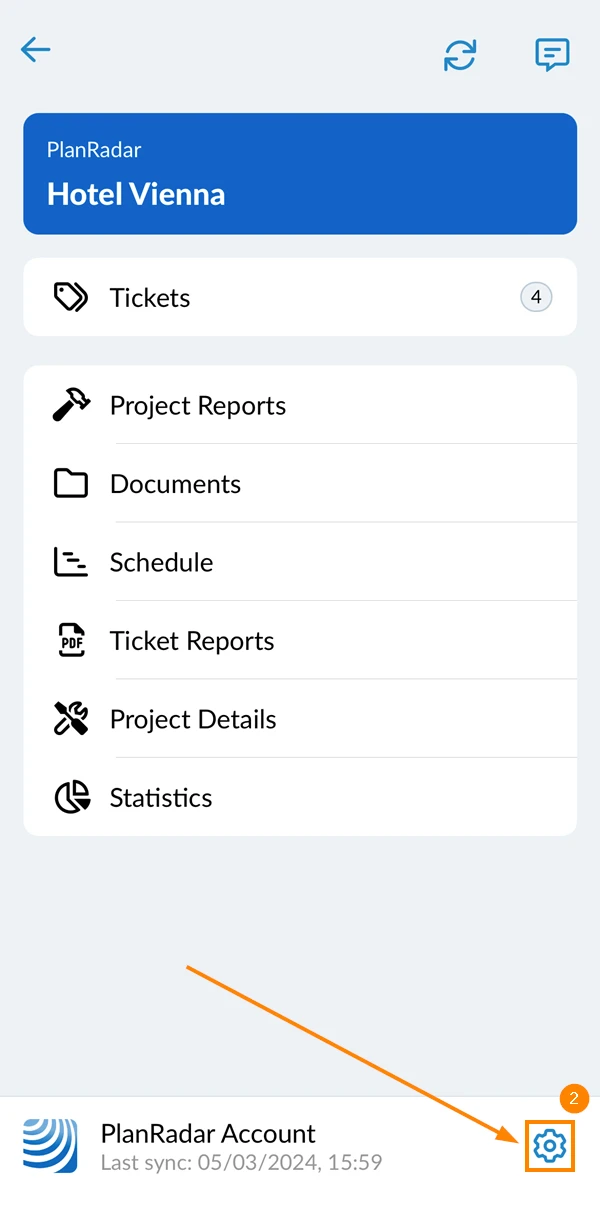
- Activate the Enable NFC Feature toggle.
- Tap Done
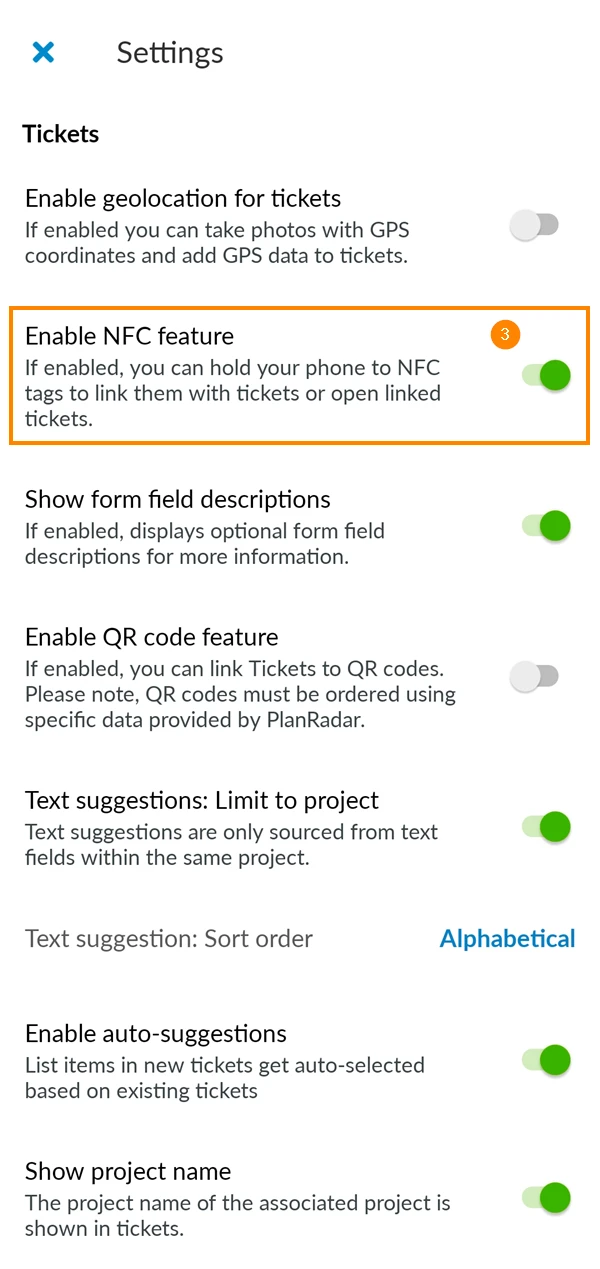
- Go to the main menu
- Tap Settings
- Activate the Enable NFC Feature toggle
Requirements for NFC tags
-
NDEF (NFC Data Exchange Format)
-
Minimum size of 100 bytes on the tags
-
Tags must be writable
Link Tickets to NFC Tags
Open a ticket as described in View & Edit a Ticket to link it.
If you want to link a new ticket, you need to save it first - see Create a Ticket.
To link a ticket to an NFC Tag:
- Tap the more menu
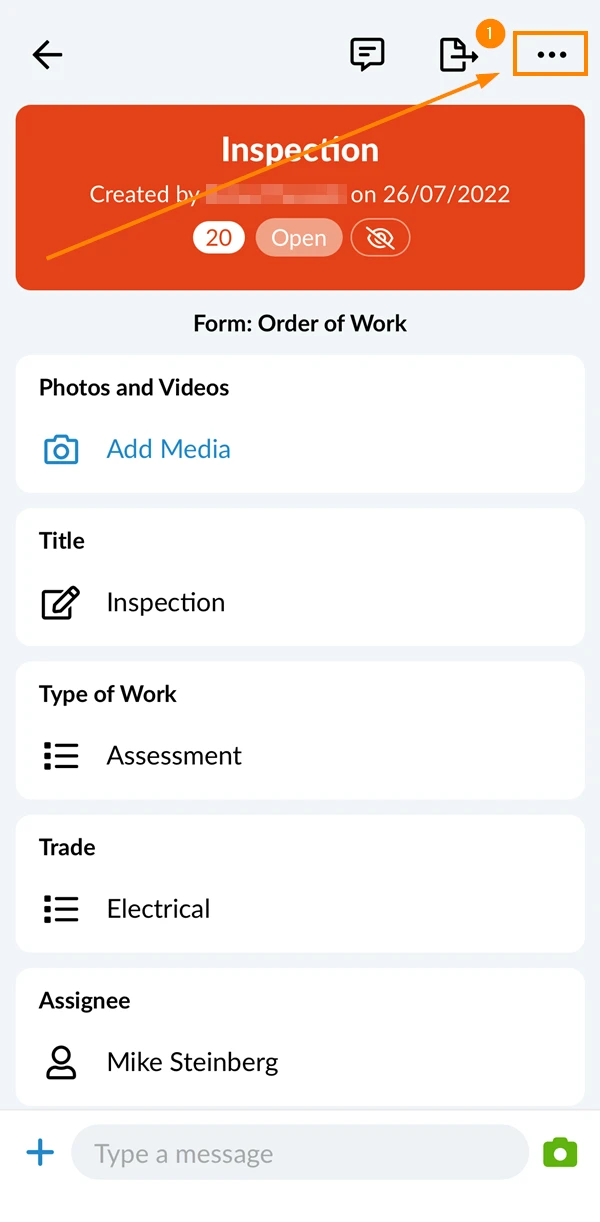
- Tap Link ticket to NFC Tag
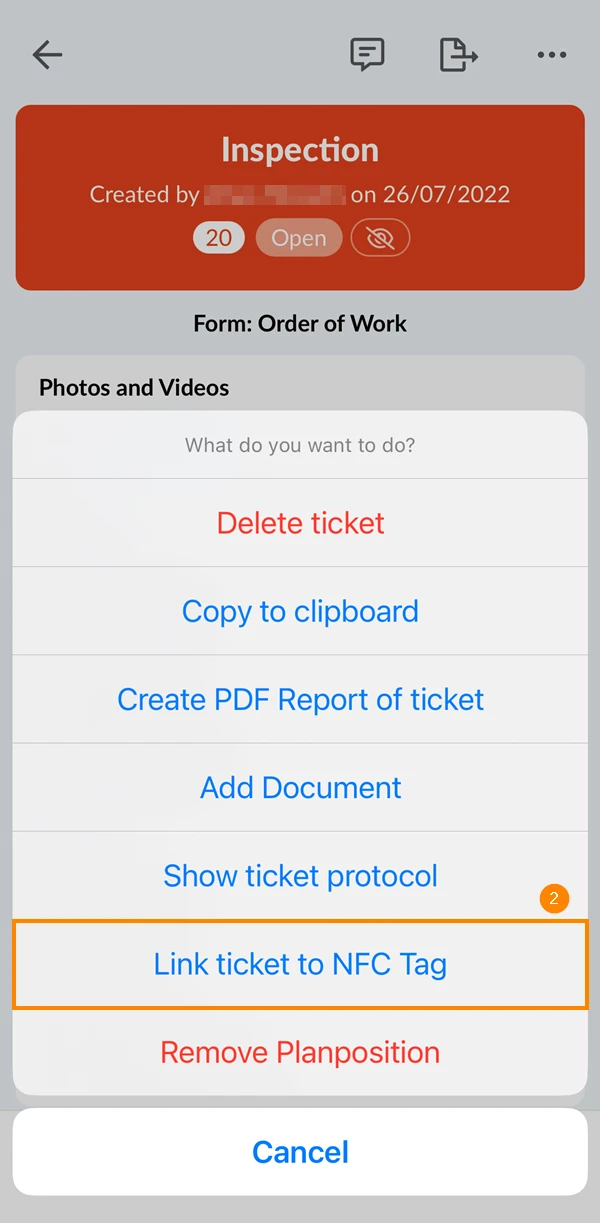
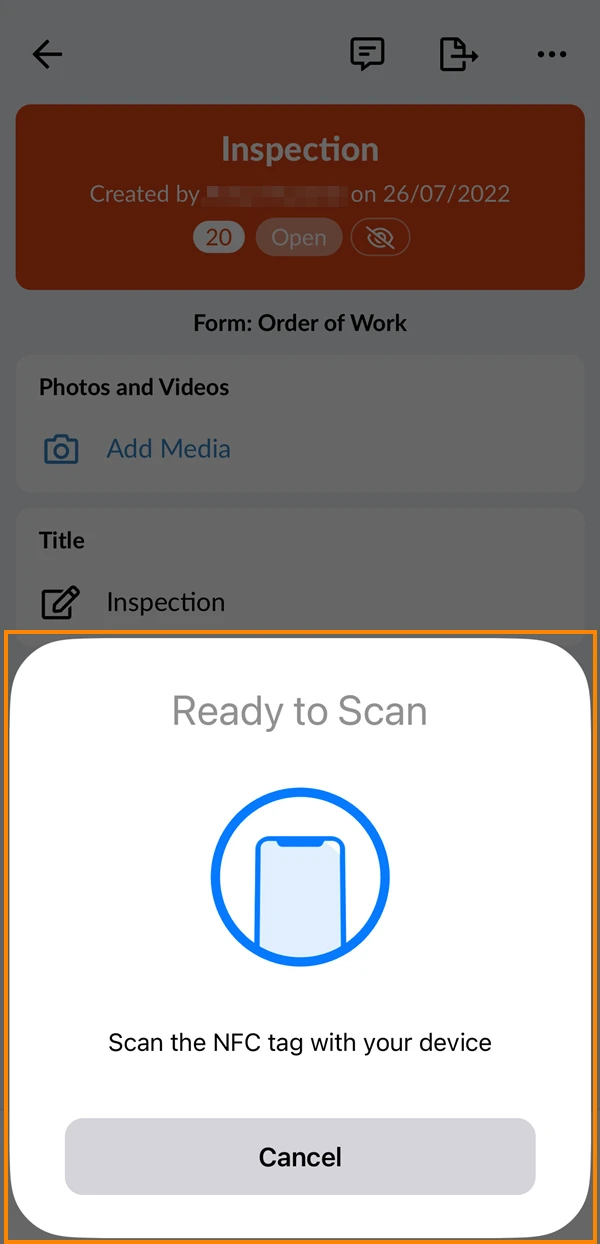
- Scan your NFC Tag
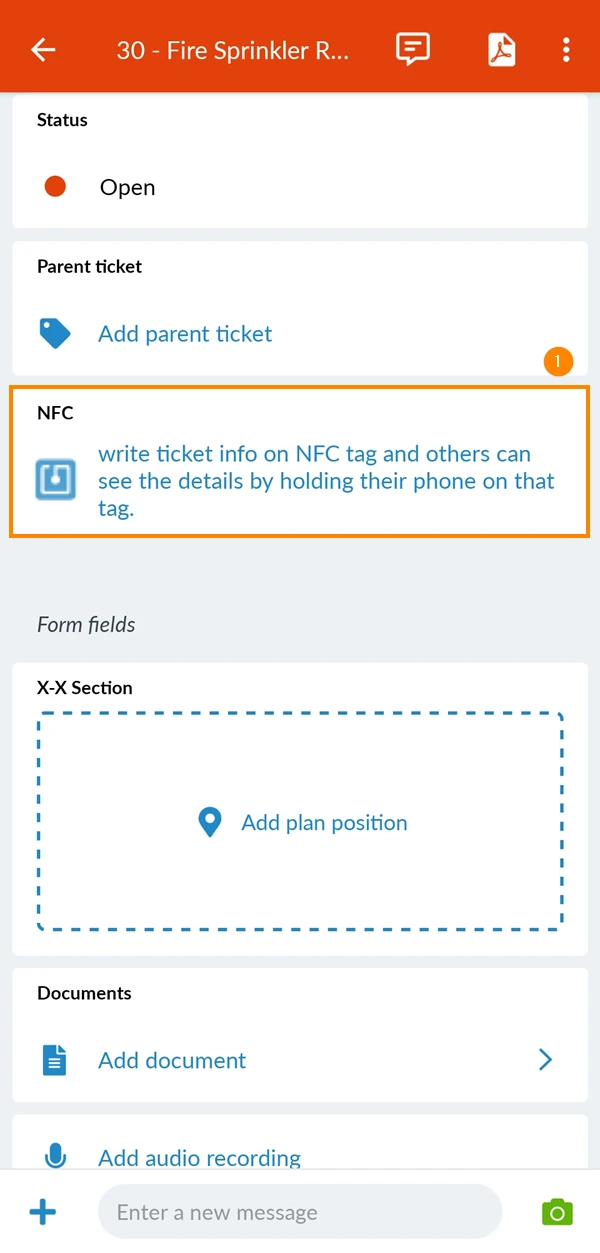
- Tap NFC
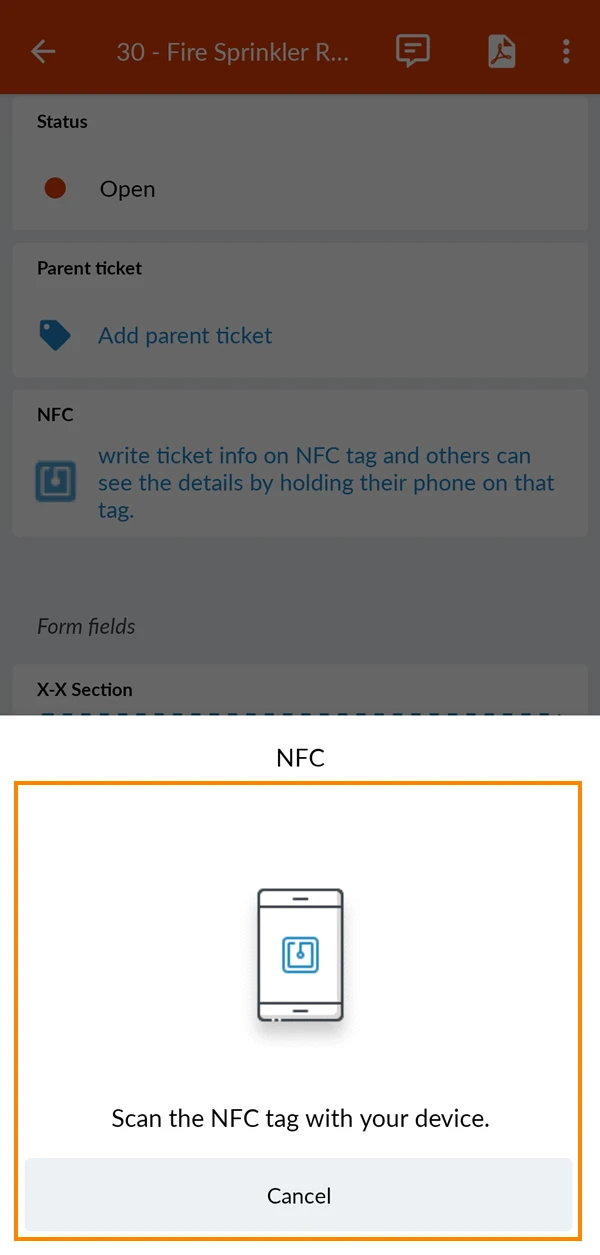
- Scan your NFC Tag
Open Tickets Using NFC Tags
To open a ticket using an NFC tag:
- Hold your device next to the NFC tag.
- An iOS notification pops up.
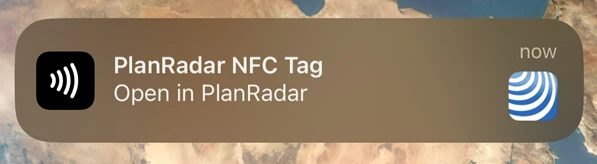
- Tap the notification to open the ticket.
- Hold your device next to the NFC tag.
- The ticket will open automatically.
Updated March 25, 2026