

 Deutsch
 Español
 Français
 Hrvatski
 Italiano
 Polski
 Português (BR)
Delete Project Reports
Overview
Depending on permissions it is possible to delete project reports.
Access & Permissions
Delete Project Reports
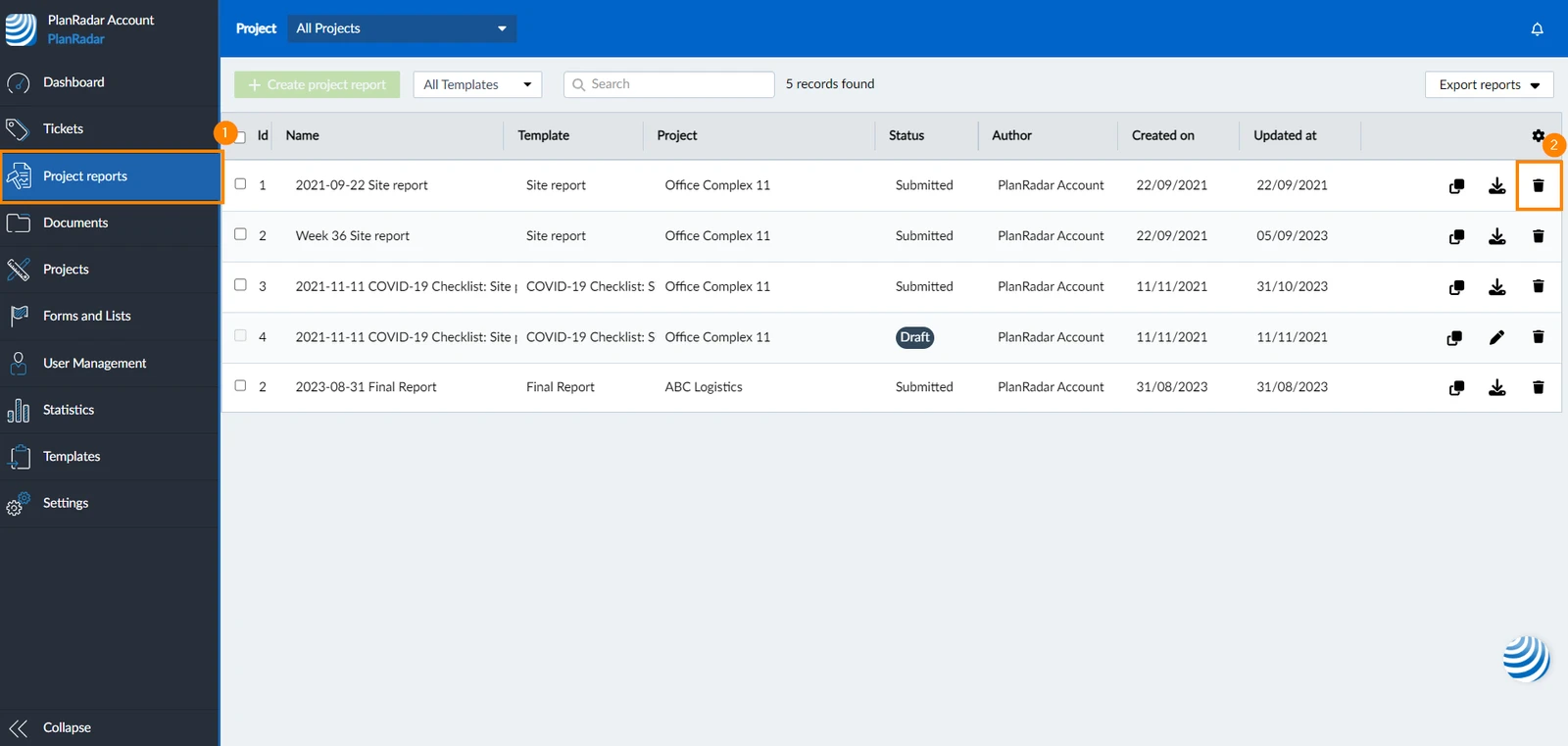
To permanently delete a project report:
- Click Project reports from the main menu
- Click the trash icon next to the report you want to delete
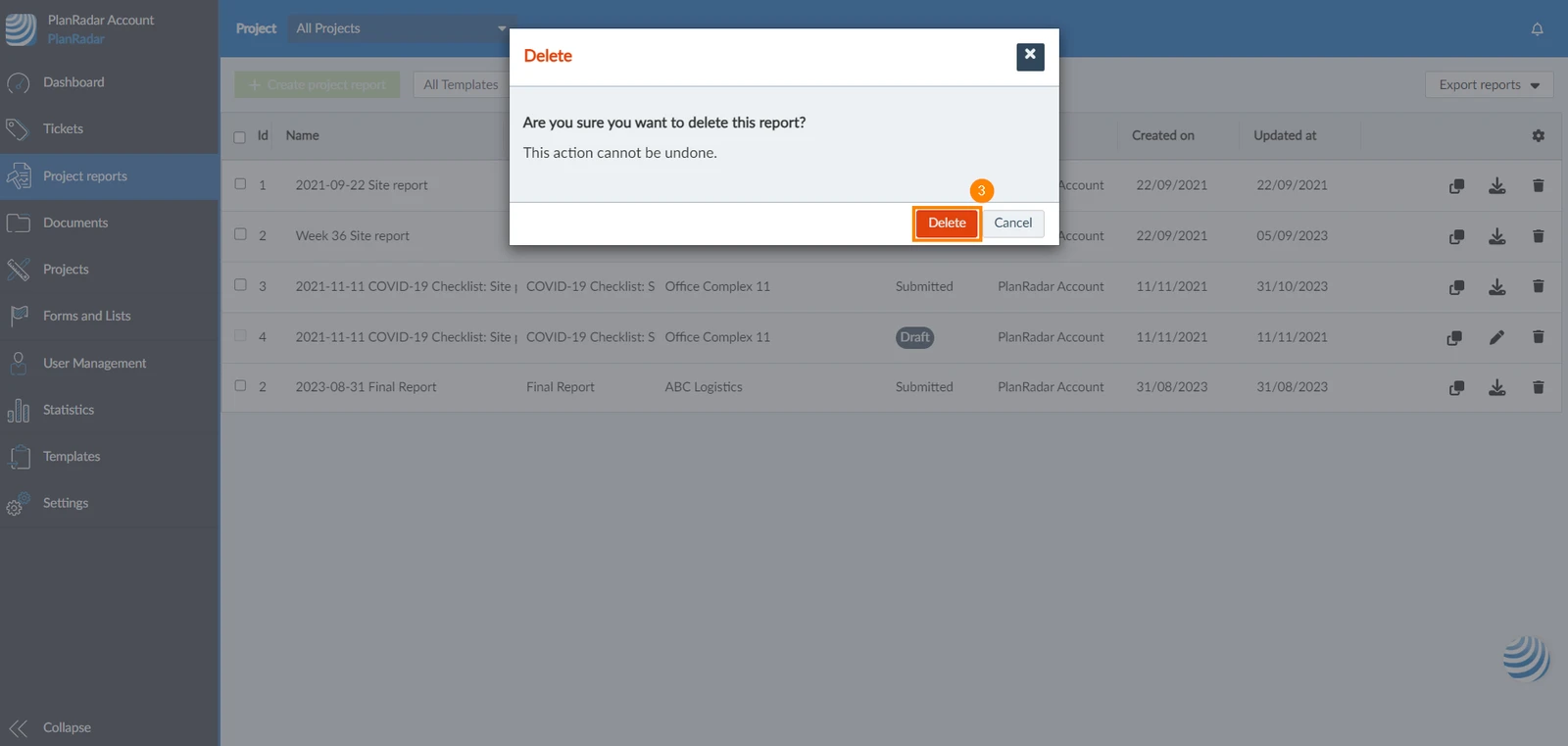
- A new window will pop up, click Delete to confirm.
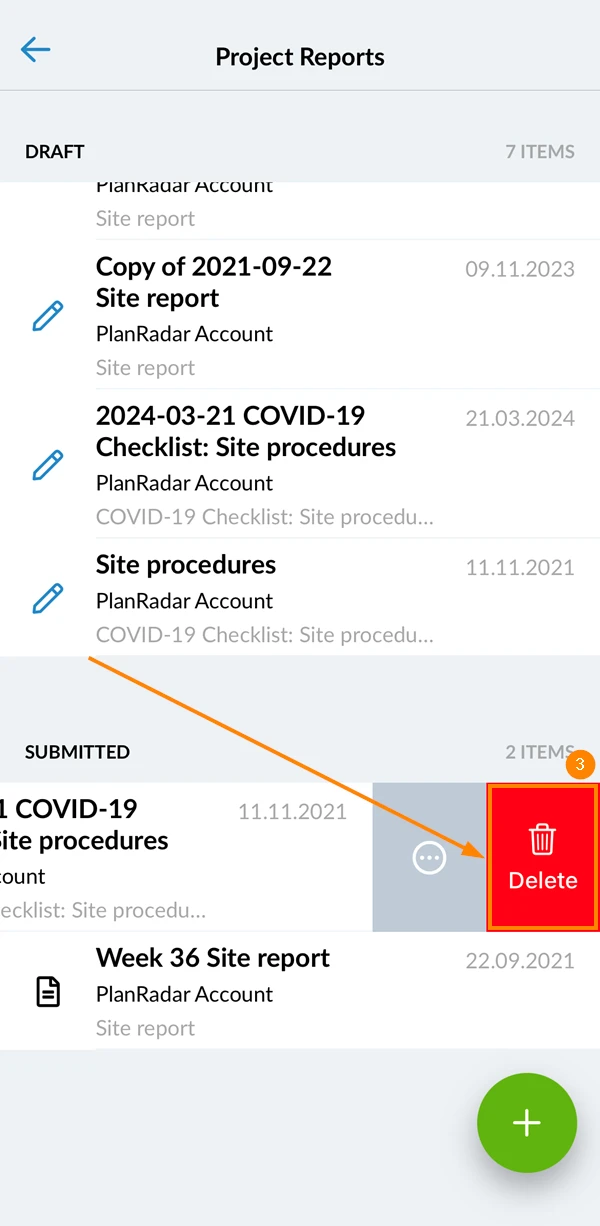
- Open Project Reports
- Slide the project report you want to delete to the left
- Tap Delete
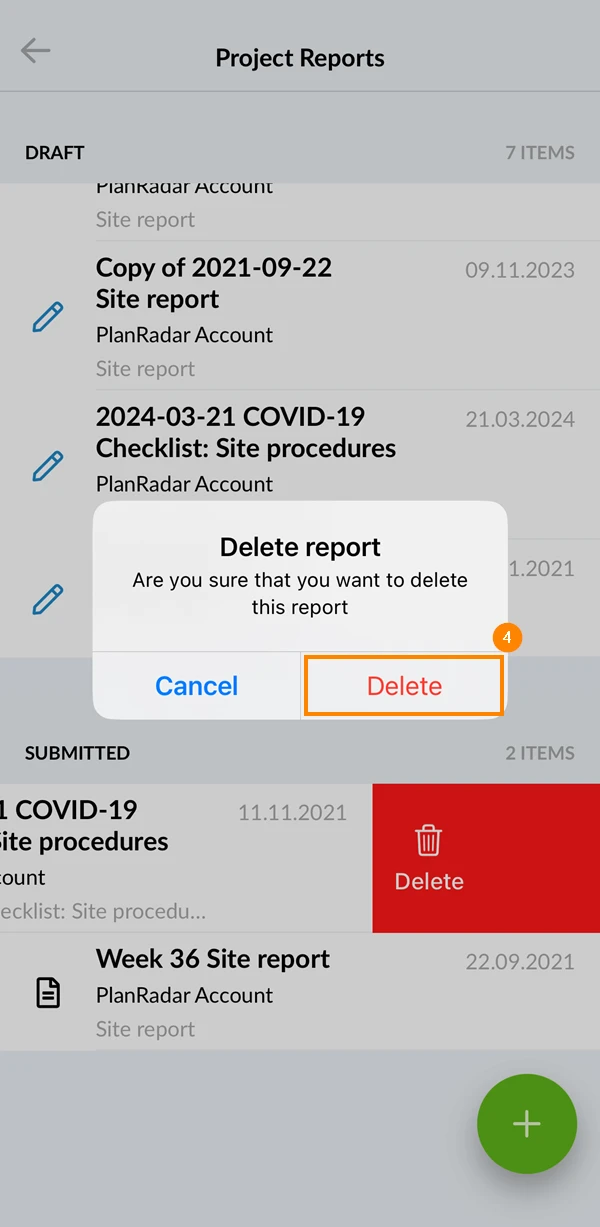
- Tap Delete to confirm the deletion of the report
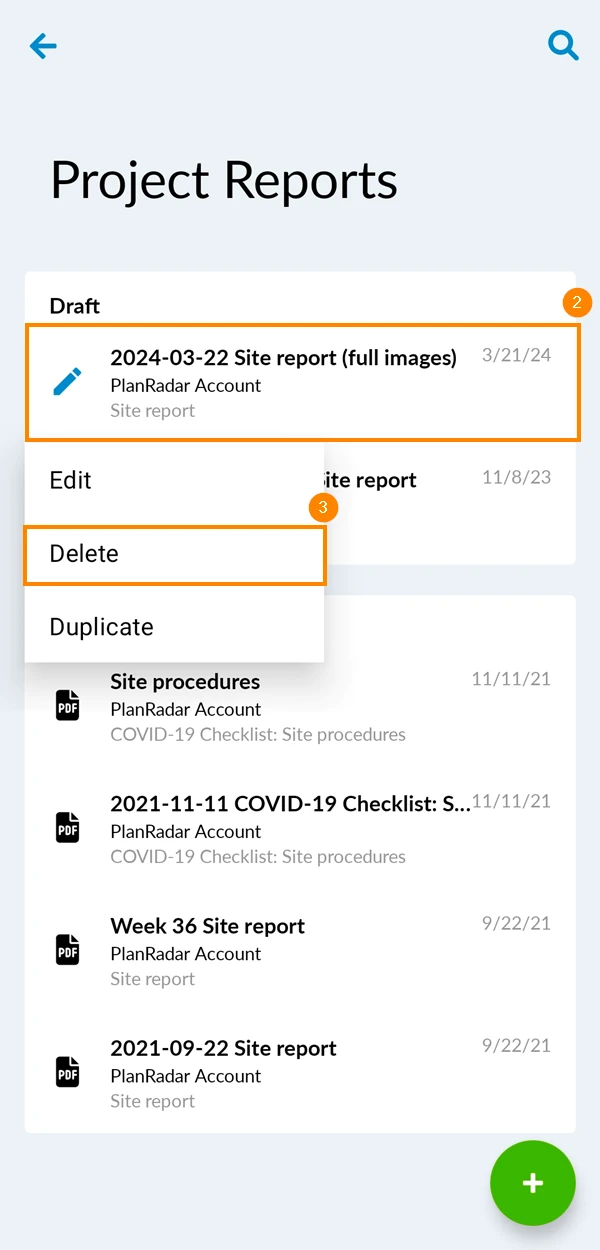
- Open Project Reports
- Tap and hold the project report you want to delete
- Tap Delete on the drop-down menu
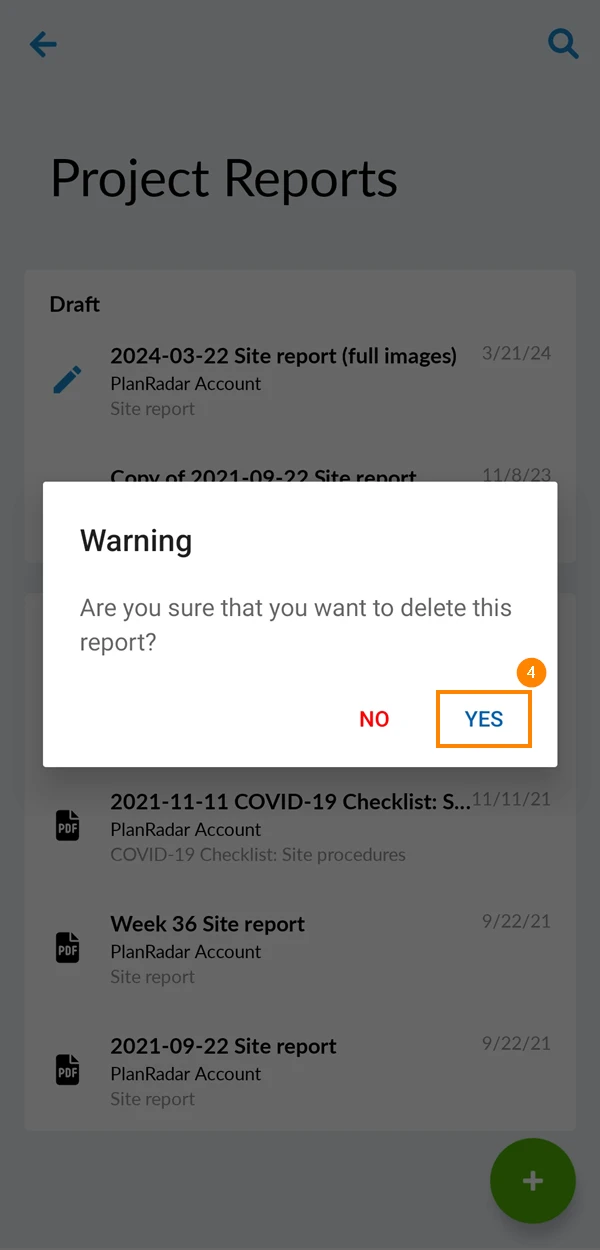
- Tap Yes to confirm
Related Articles
Updated May 26, 2026