

 Deutsch
 Español
 Français
 Hrvatski
 Italiano
 Polski
 Português (BR)
Hide Closed Tickets
Overview
Hide your closed tickets to focus on your ongoing tasks.
Hide Closed Tickets
To hide closed tickets:
-
Access Tickets
-
Click More
-
Select the Hide closed tickets check box

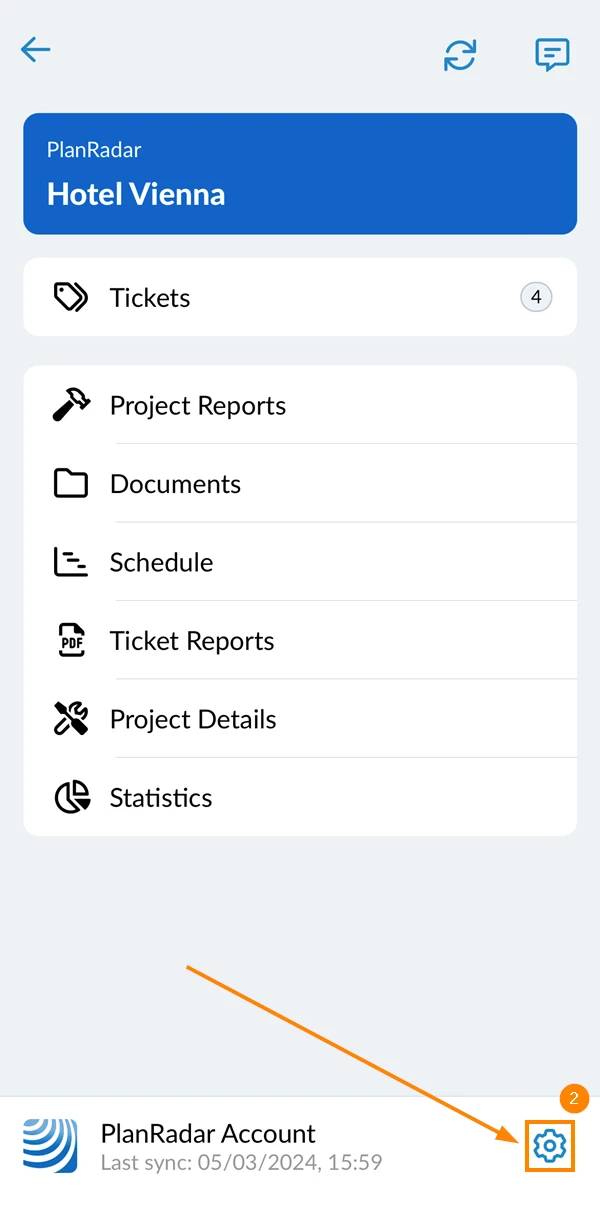
- Go to the main menu
- Tap Settings
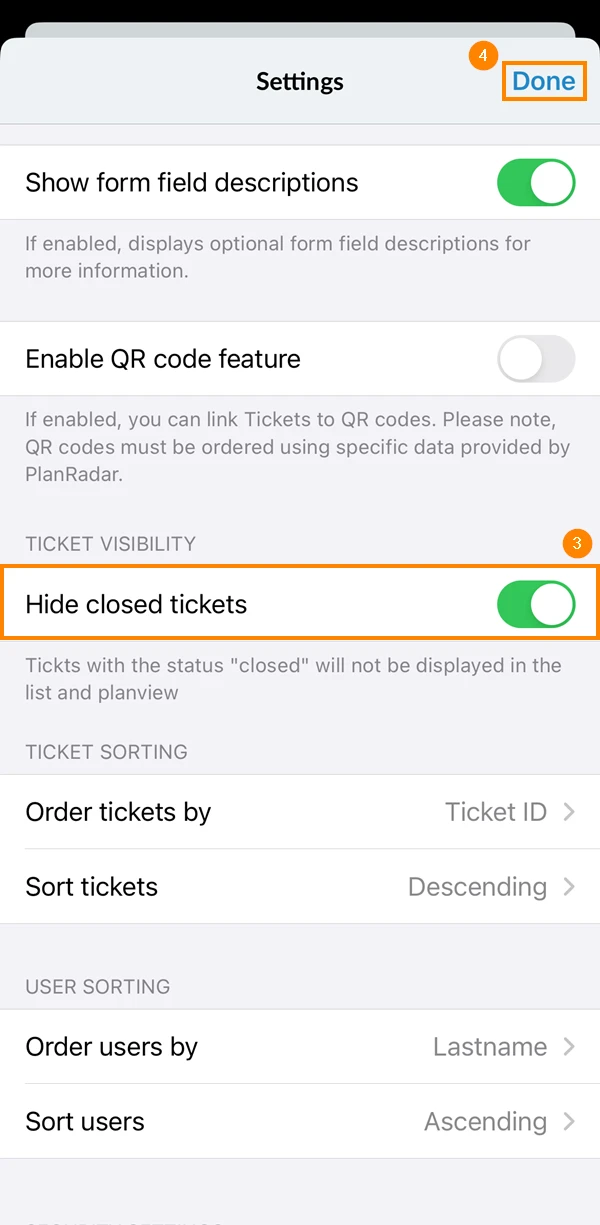
- Activate the Hide closed tickets toggle
- Tap Done
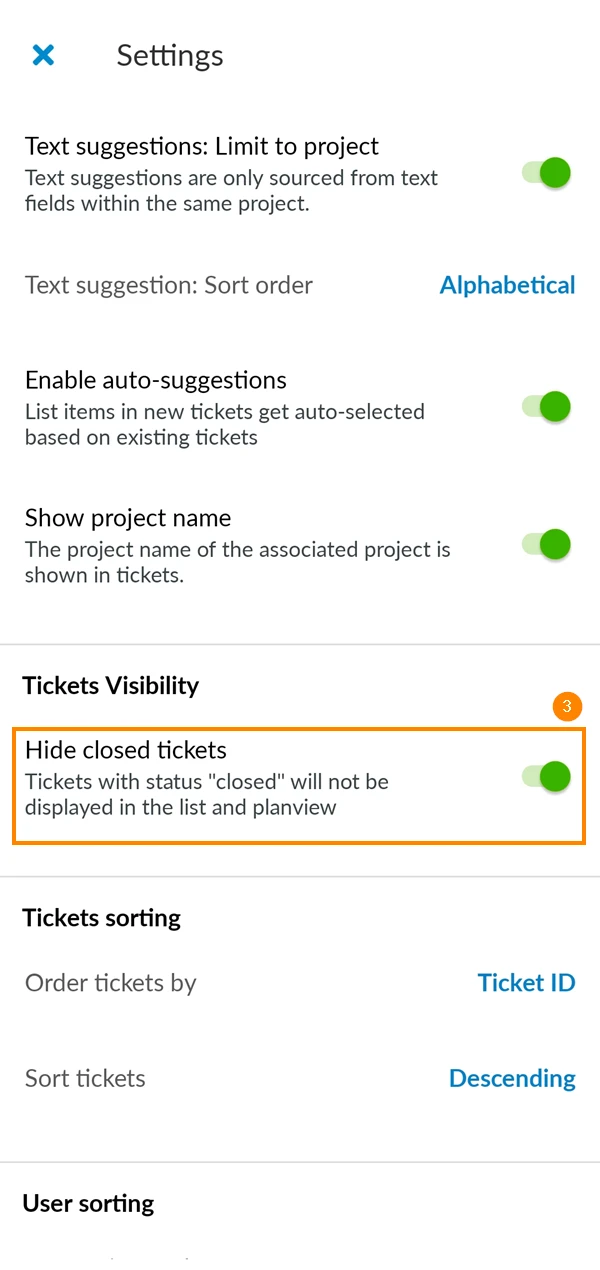
- Go to the main menu
- Tap Settings
- Activate the Hide closed tickets toggle
Related Articles
Updated May 20, 2025