

 Deutsch
 Español
 Français
 Hrvatski
 Italiano
 Polski
 Português (BR)
Track Activity on a Ticket in the Journal
Overview
You can monitor ticket activities and stay informed about all updates and changes via the ticket journal. The journal allows full evidence collection and can be essential for claim management and in case of legal disputes.
Access & Permissions
Ticket Journal Components
The journal of a ticket includes:
- Activity log: This includes any changes on the ticket info; such as, status changes, read receipts, progress updates, etc.
- Comments: The journal has a history of all the comments added to the ticket.
- Attachments: Adding and removing attachments to the ticket and creating or editing PDF markups is logged into the journal.
Access Ticket Journal
To view ticket journal:
- Open the ticket
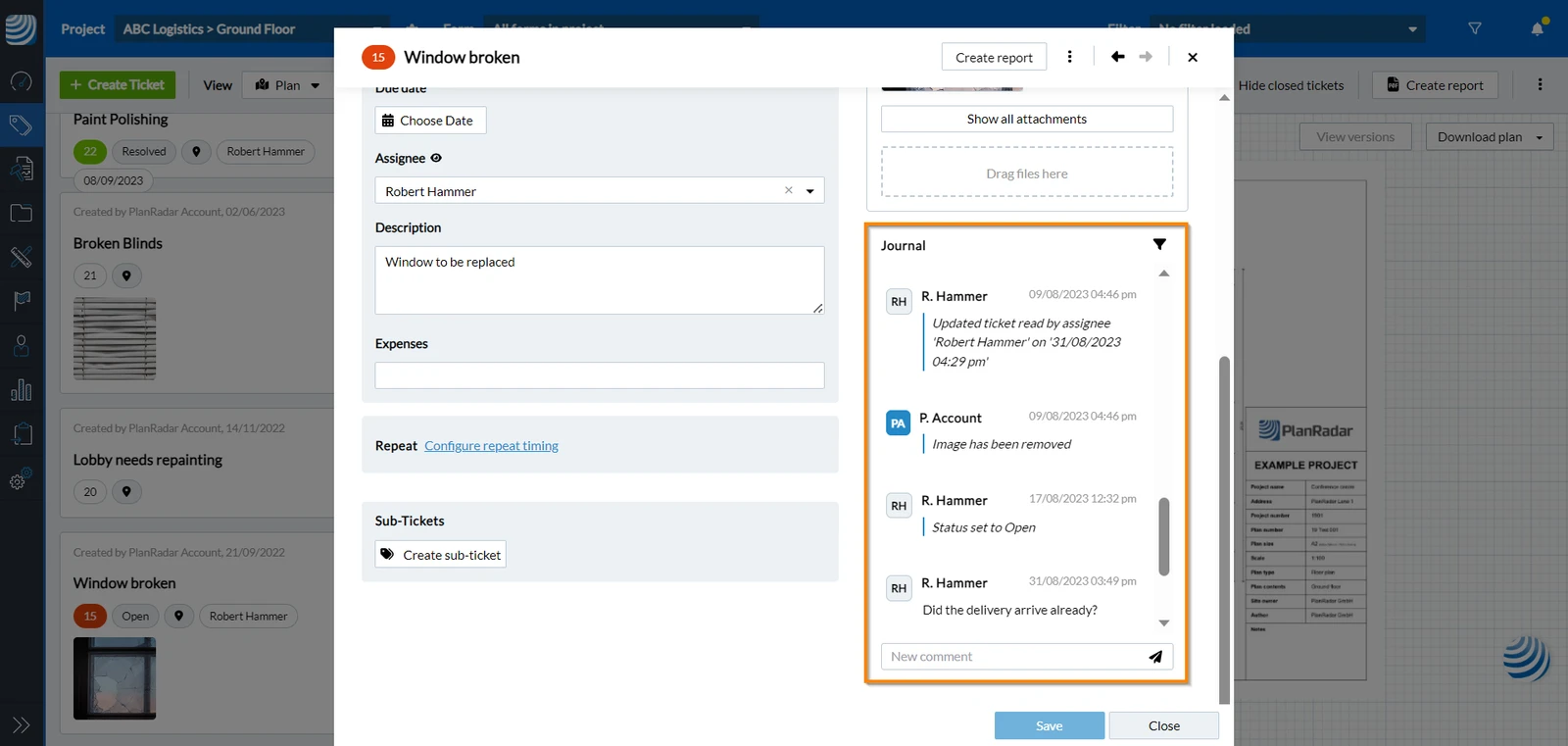
- Open the ticket
- Tap the journal icon
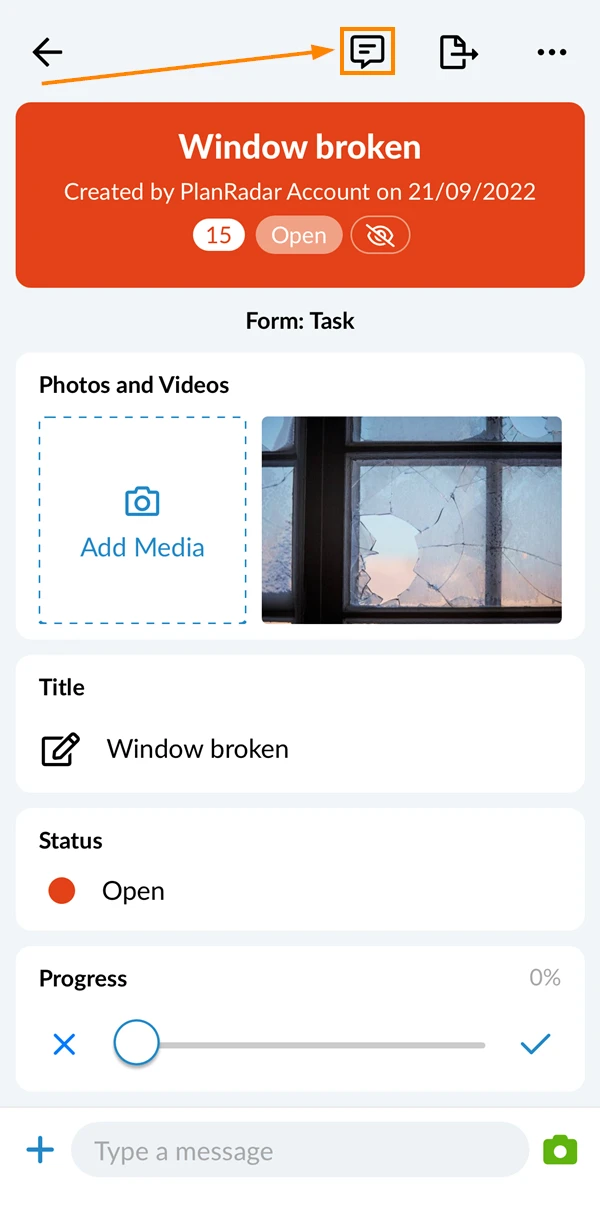
You can view a detailed journal of the ticket. To do so:
- Open the ticket
- Tap More
- Tap Show ticket protocol
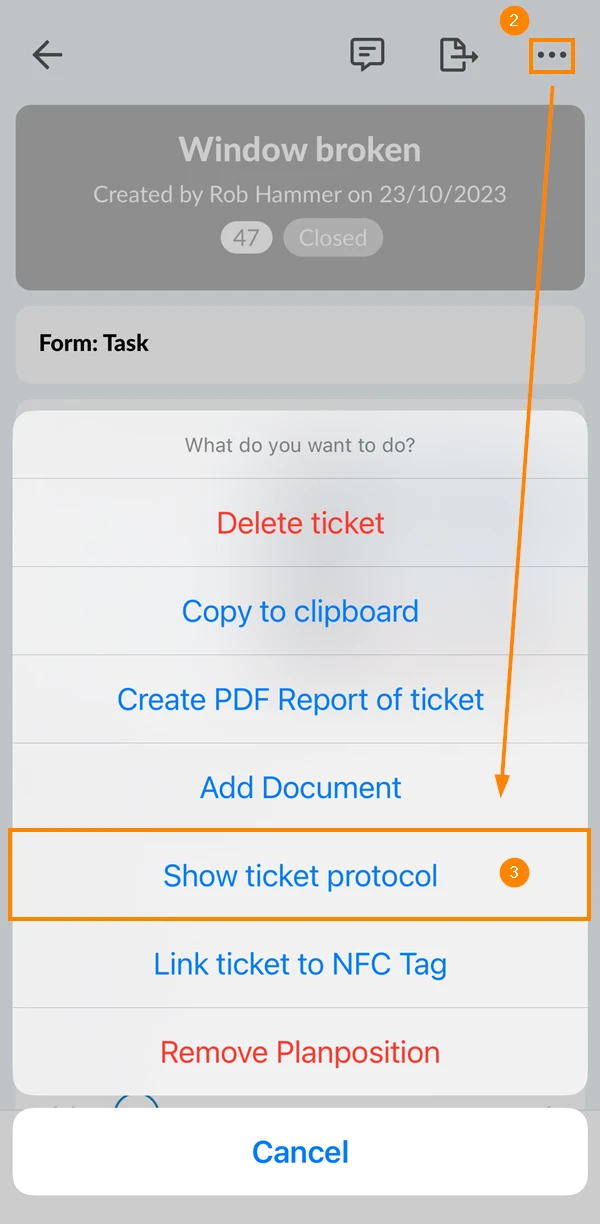
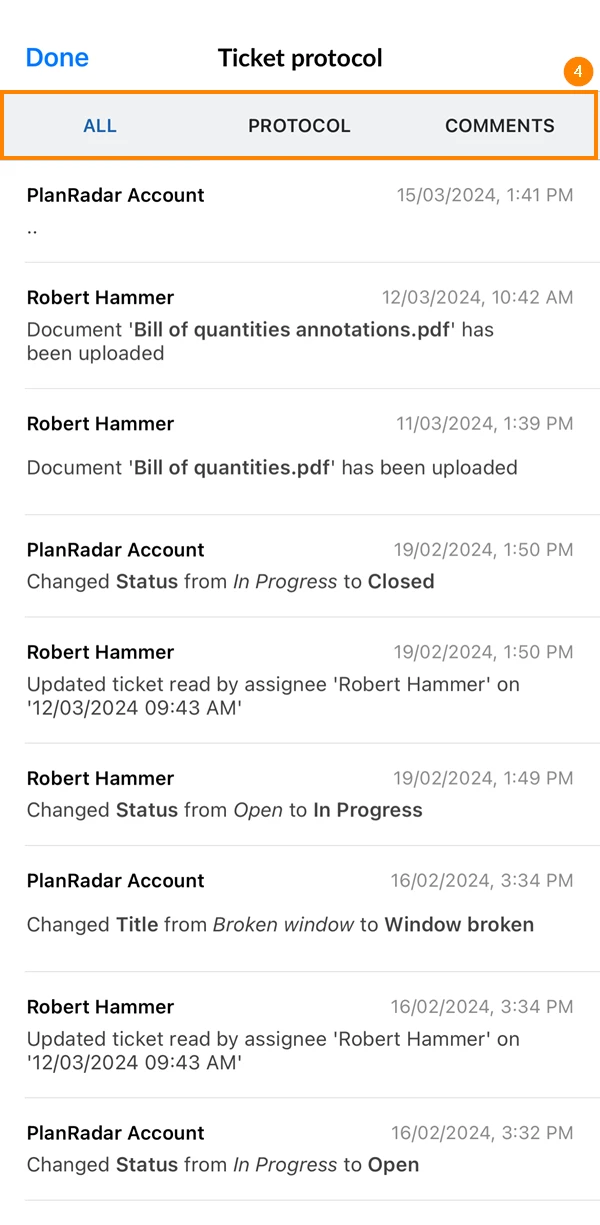
- Select one of the tabs to show ticket updates, comments, or both
- Open the ticket
- Tap the journal icon
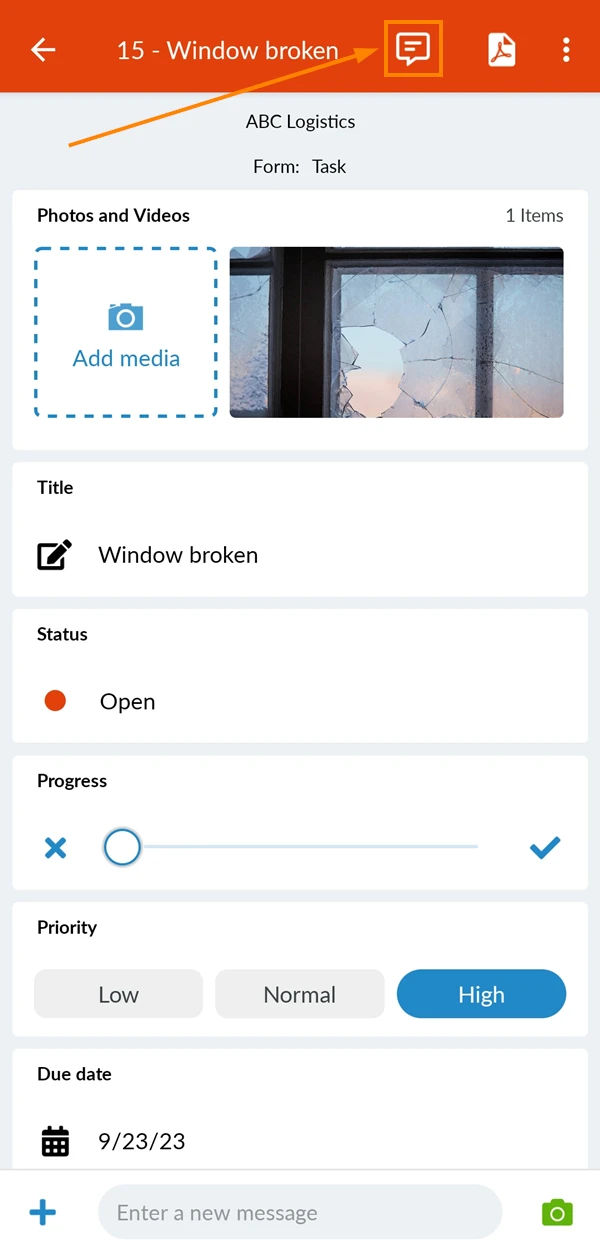
Journal Filters
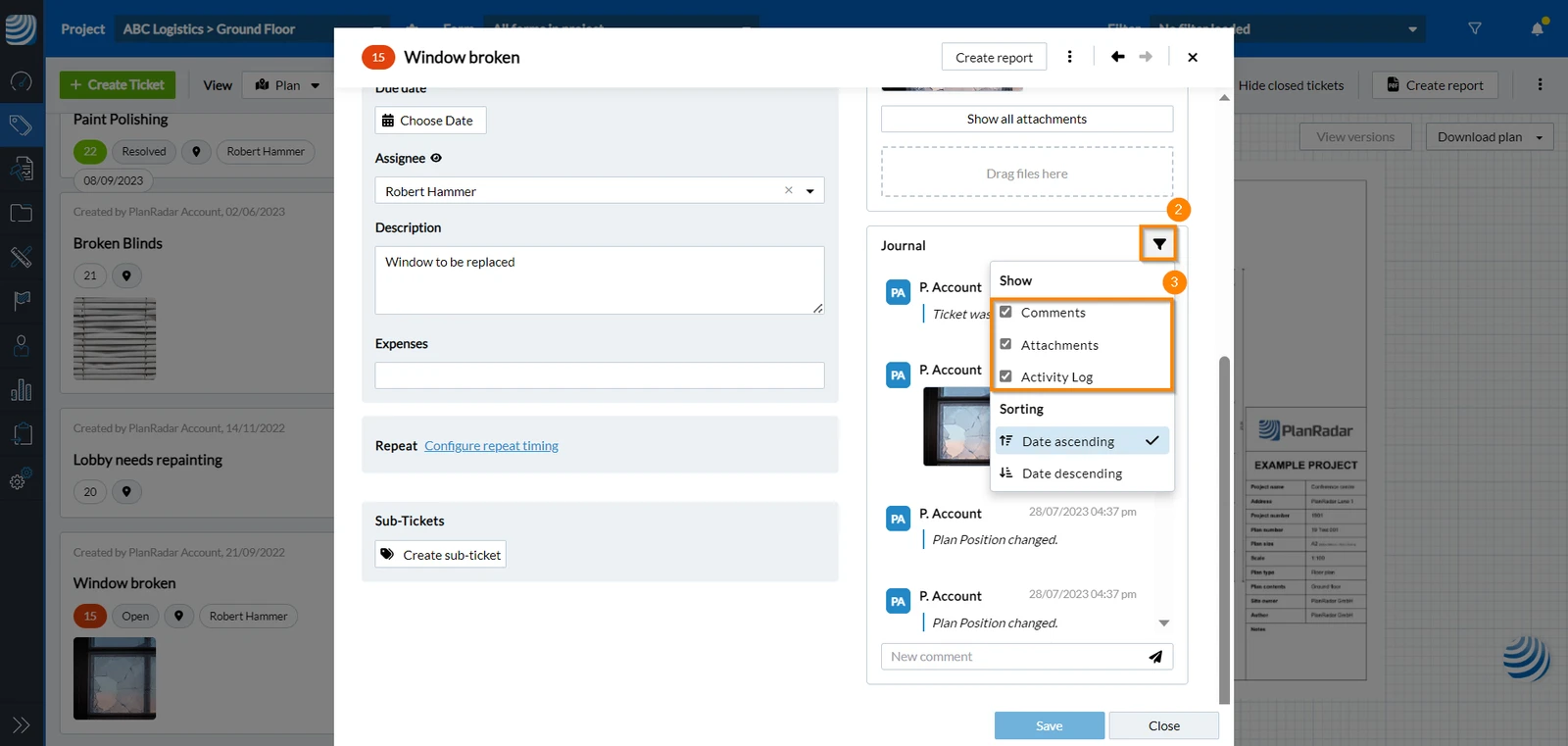
When opening the ticket journal, you can use the filter to decide what data to show. To do so:
- Open the Ticket
- Click the Filter icon
- Select/Clear the checkboxes for the components you want to show/hide
Sort Journal Entries
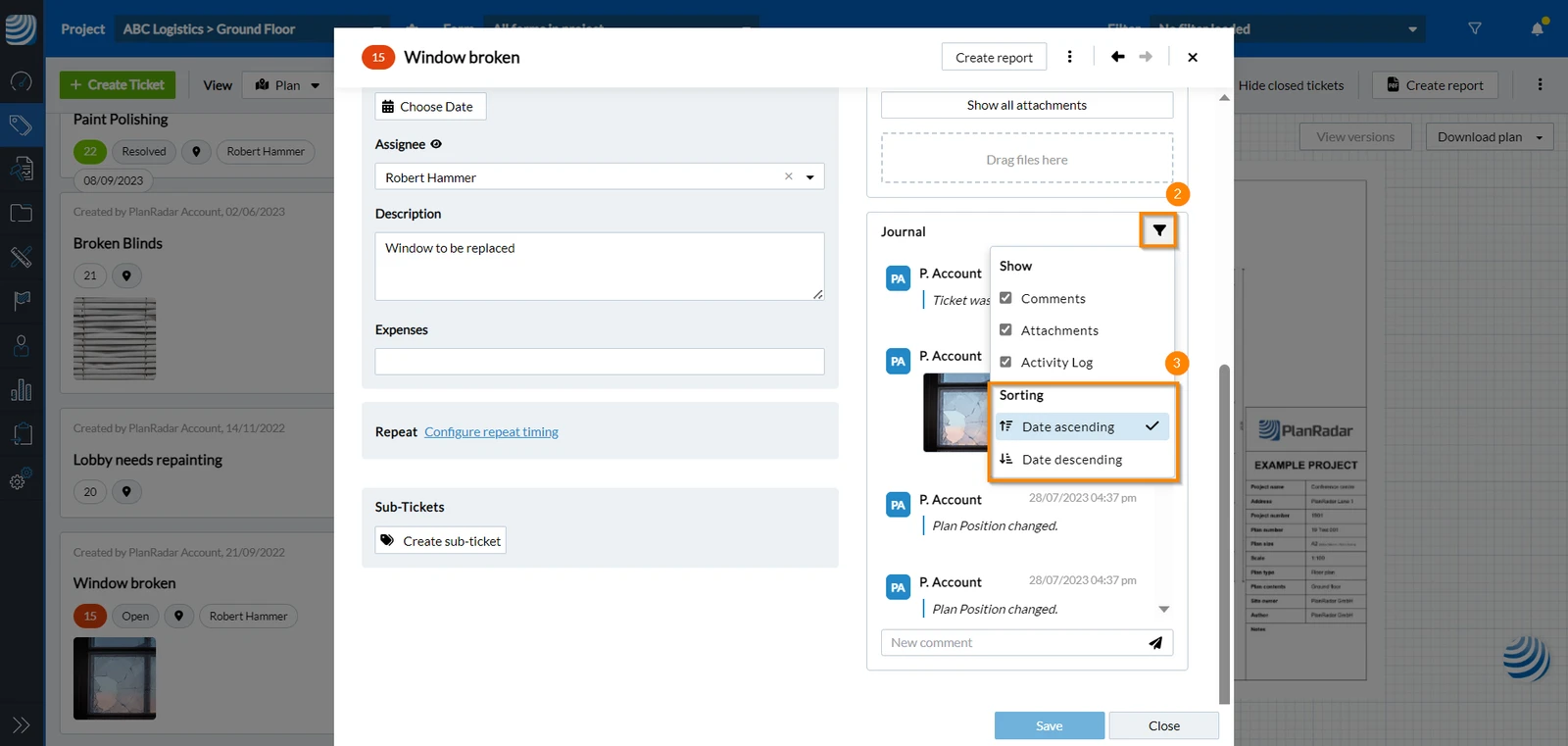
You can organize the data shown in the journal according to the date they are posted:
- Open the Ticket
- Click the Filter icon
- Select Date ascending OR Date descending
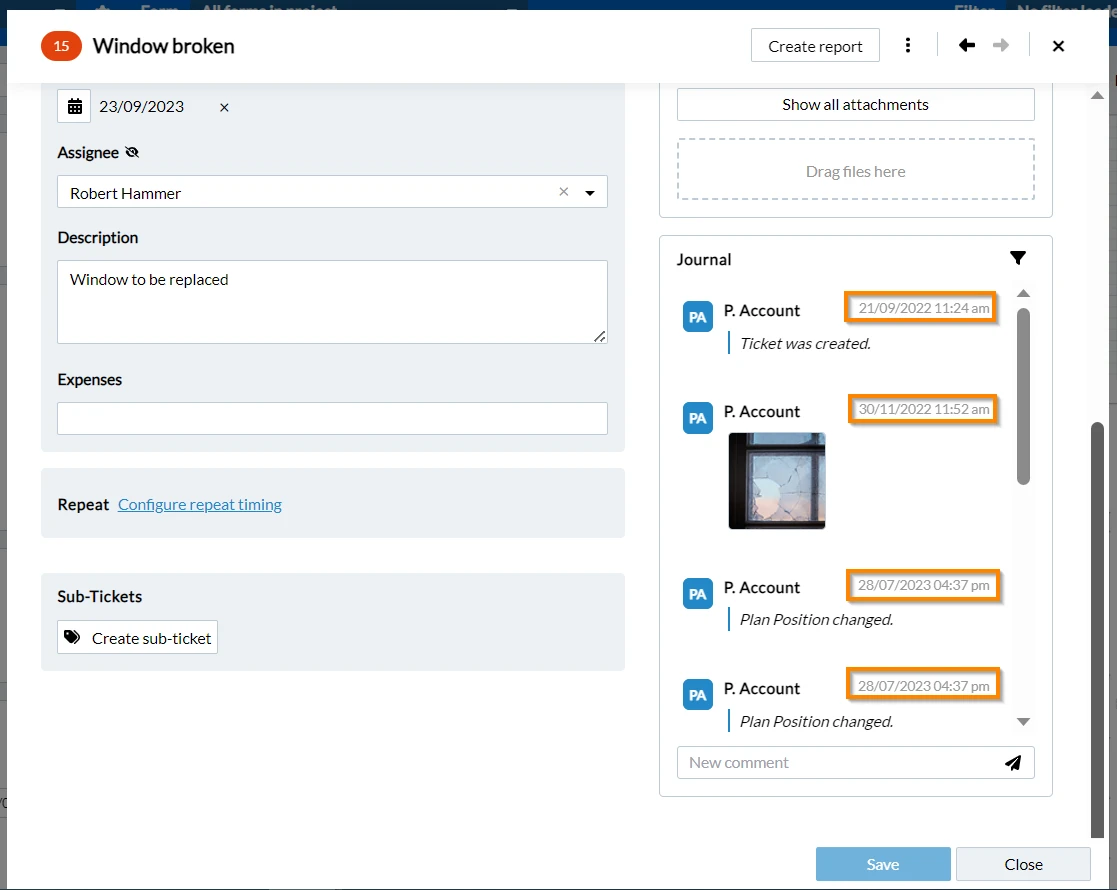
An example of a ticket journal sorted in a Date ascending order:
Updated February 20, 2026