

 Deutsch
 Español
 Français
 Hrvatski
 Italiano
 Polski
 Português (BR)
[PRC] LREC-008 | Schedule ticket export as XLS => Save it in OneDrive
1 Overview
This recipe exports ticket data as an Excel spreadsheet and stores it in a specified OneDrive folder, on a weekly schedule.
2 Access & Prerequisites
-
Connect PlanRadar and OneDrive
-
Prepare an export template and folder path
-
Integration user must have access
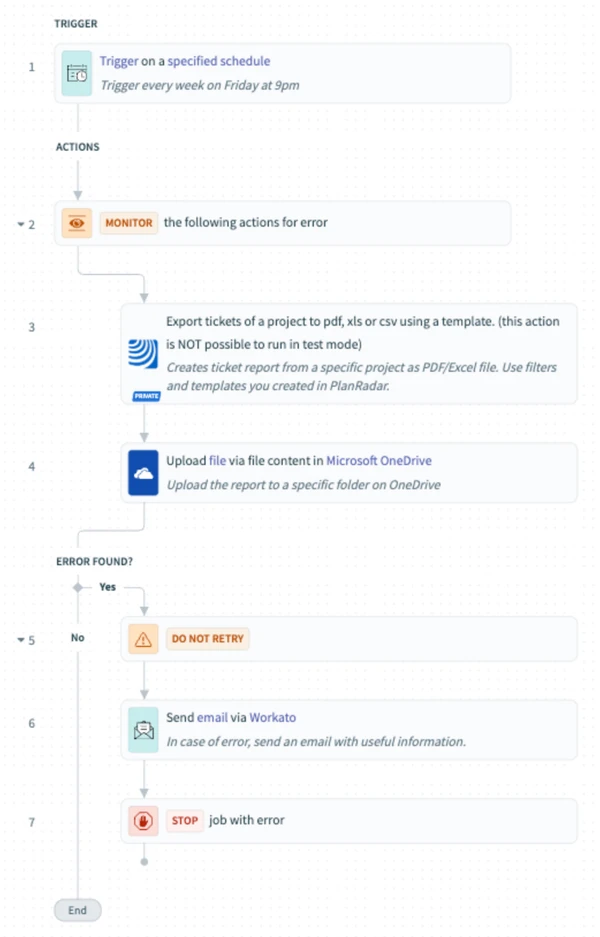
3 Use the Recipe from the Library
Search and open: [PRC] LREC-008 | Schedule ticket export as XLS ⇒ Save it in OneDrive
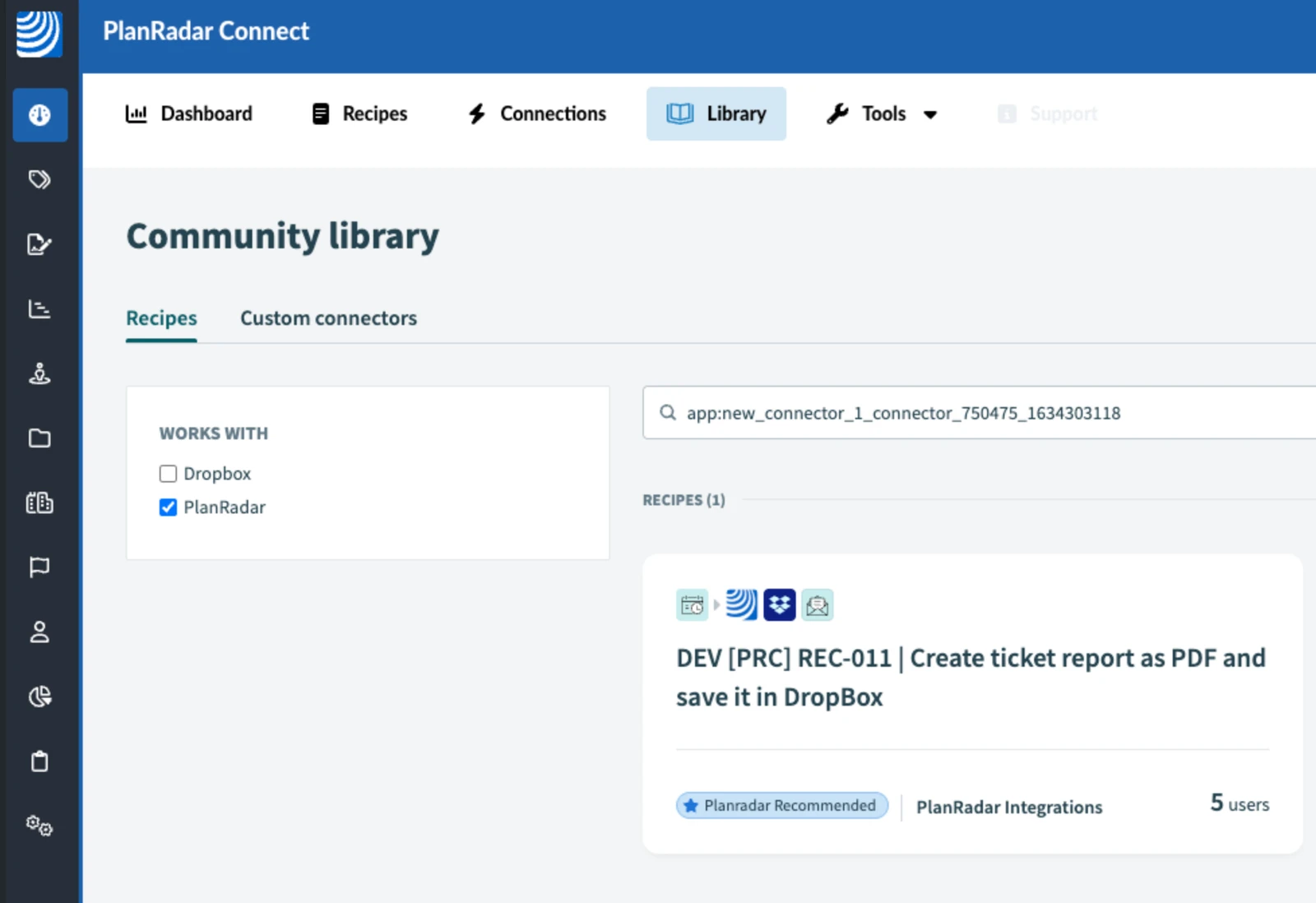
4 Configure the Recipe
-
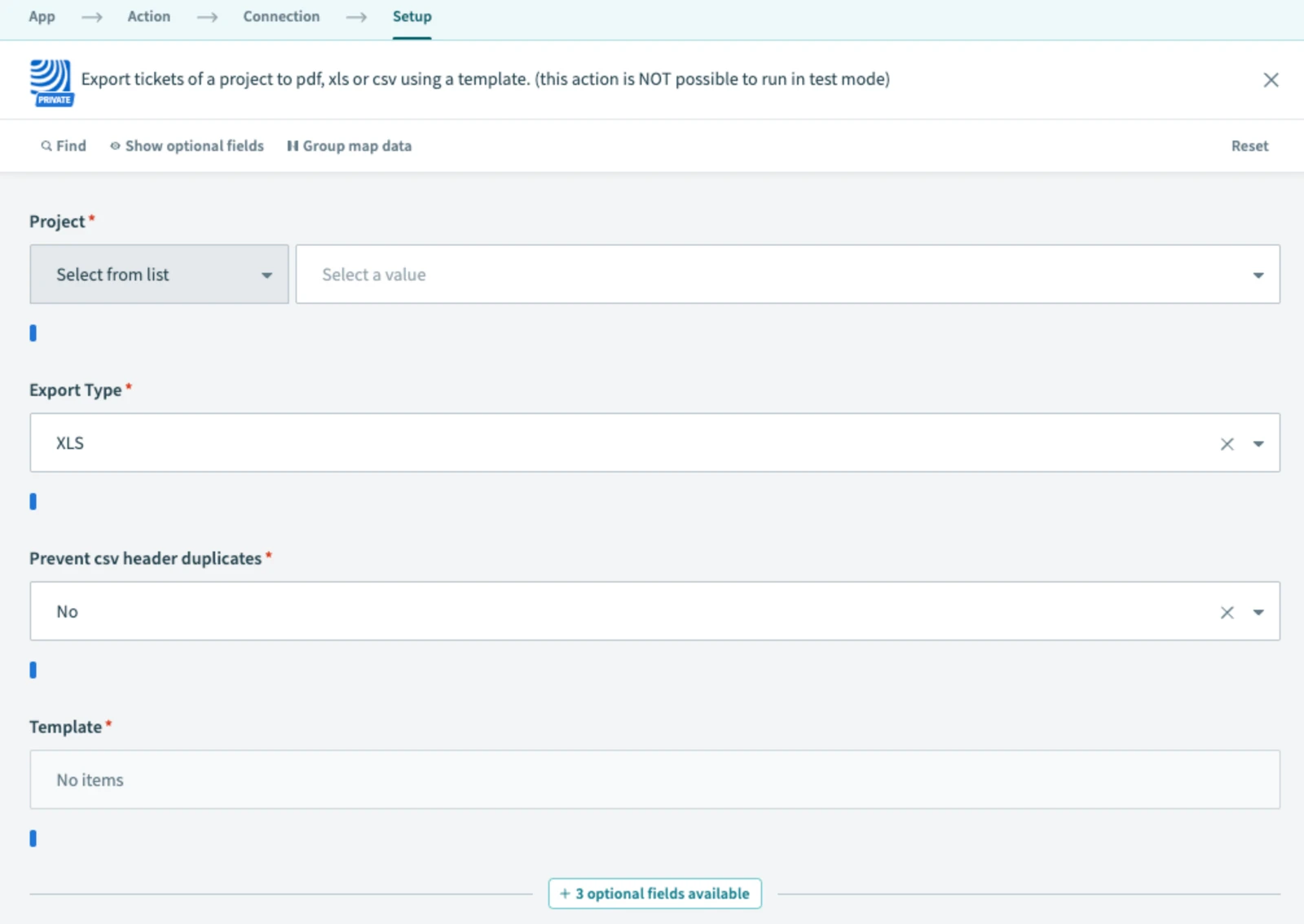
Select project and template in report step
-
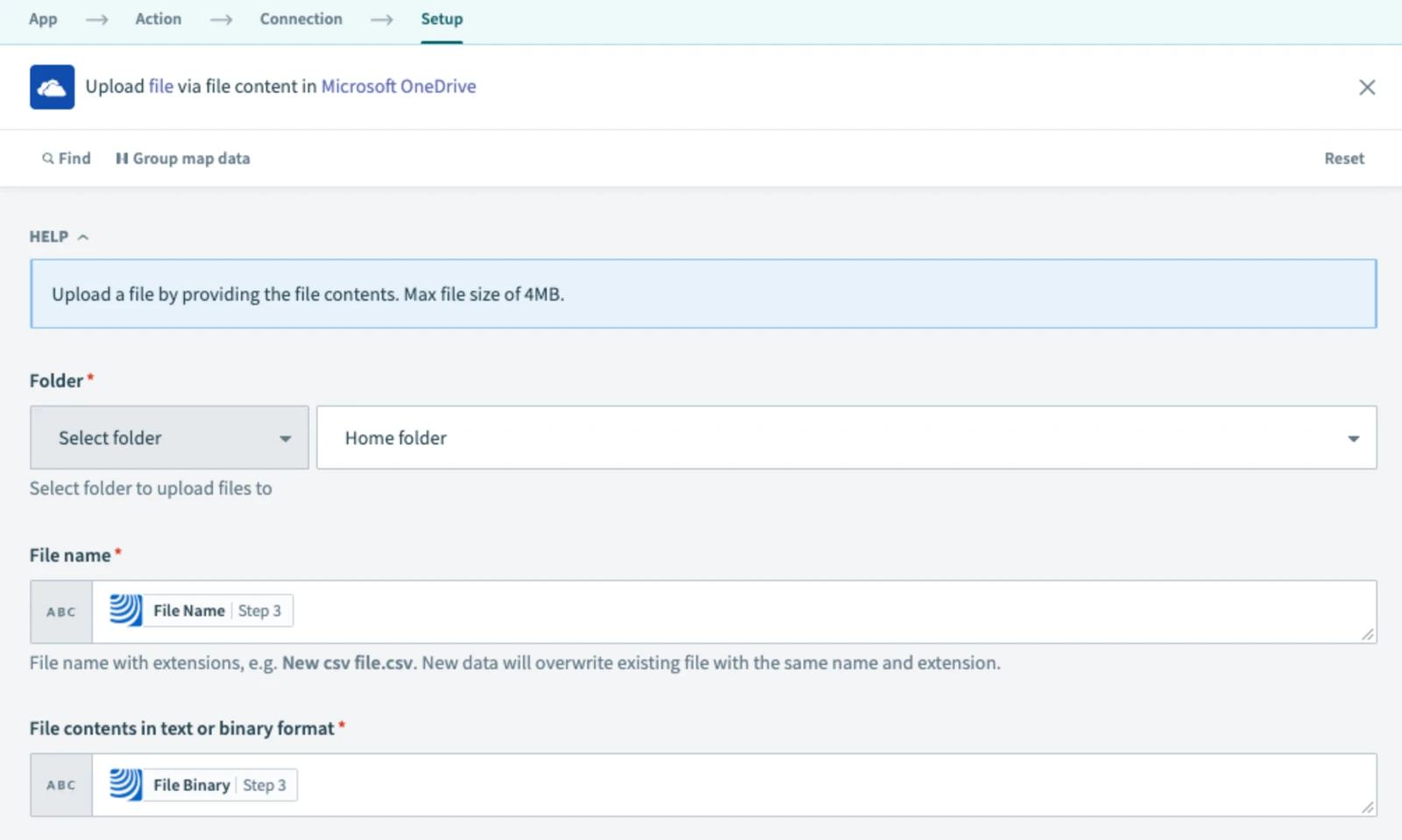
Set OneDrive folder path in upload step
-
Save, test, and start
5 What Happens Next
The XLS report is generated and uploaded to OneDrive on the selected day.
6 Further Exploration
Check the Resources tab for OneDrive tips and extensions.
Updated May 12, 2026