

 Deutsch
 Español
 Français
 Hrvatski
 Italiano
 Polski
 Português (BR)
Use Sample Recipes for PlanRadar Connect
Overview
PlanRadar Connect enables you to set up automated workflows, called recipes, that integrate your PlanRadar account with other applications.
You can get started quickly by using sample recipes for common use cases, requiring only minimal configuration to adapt them to your needs.
Access & Permissions
How to access PlanRadar Connect
- Hover over Settings
- Click Account
- Click PlanRadar Connect
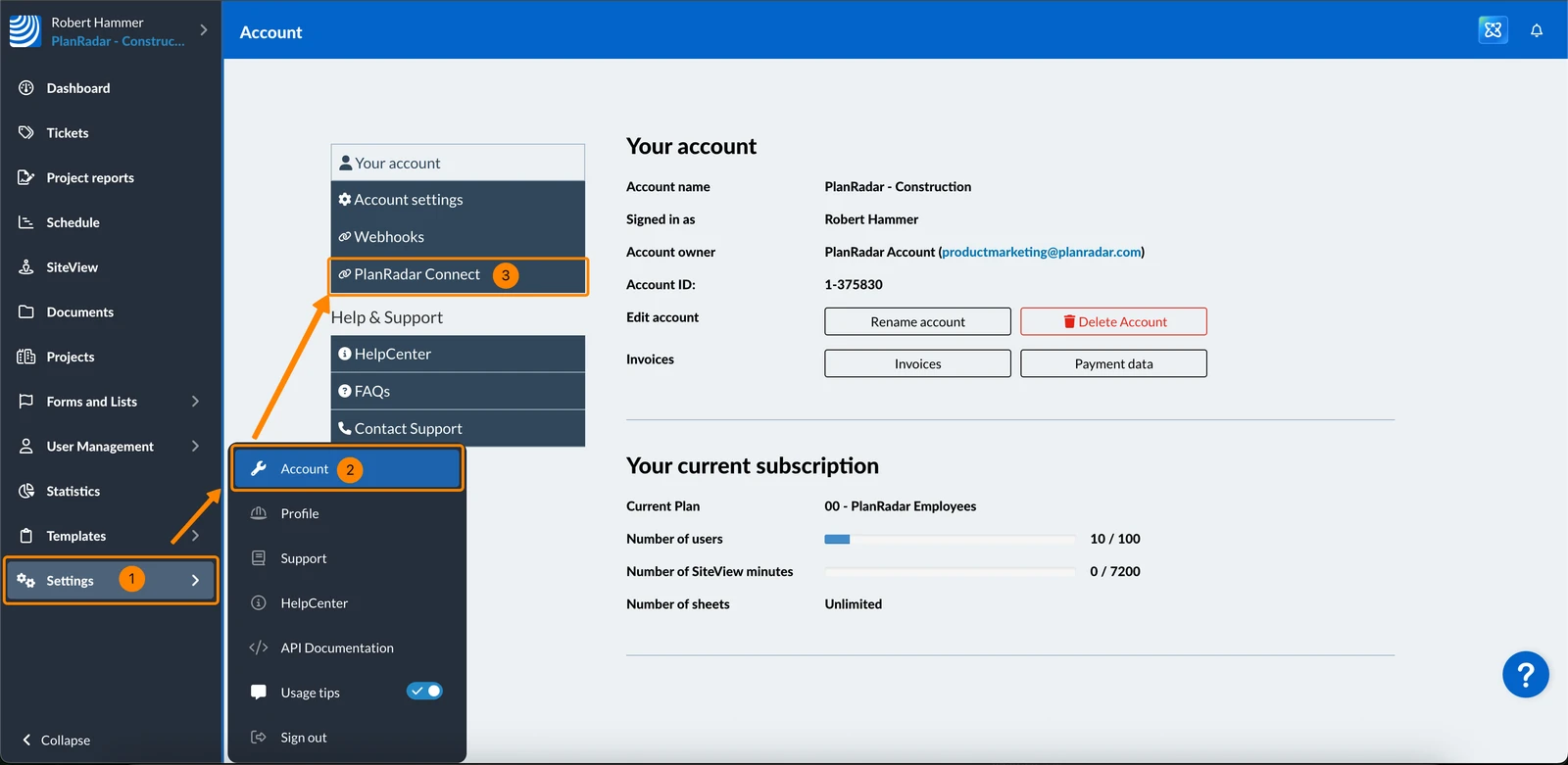
Find Sample Recipes in the Library
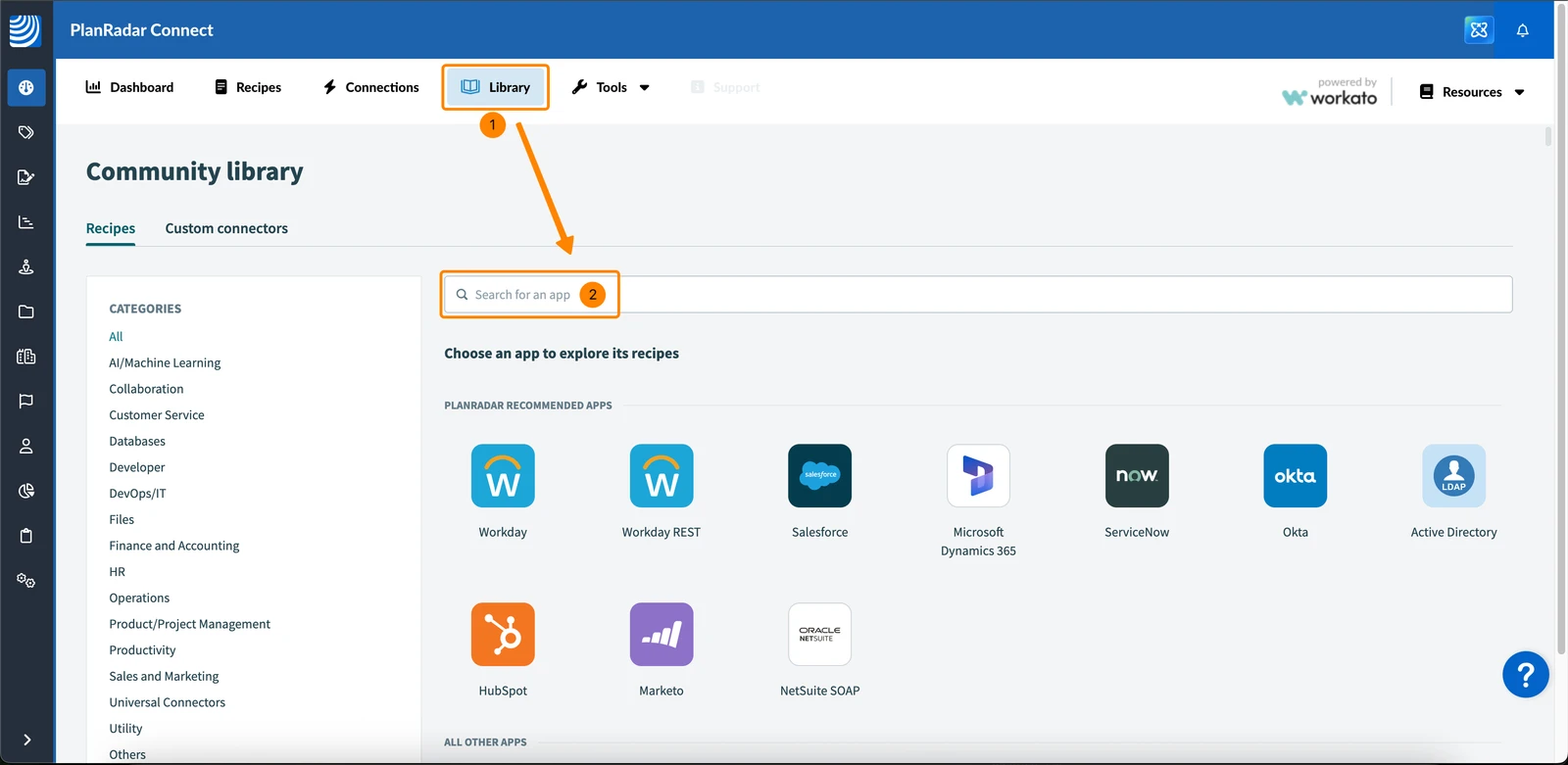
To find PlanRadar sample recipes in the Workato community library:
- Click Library
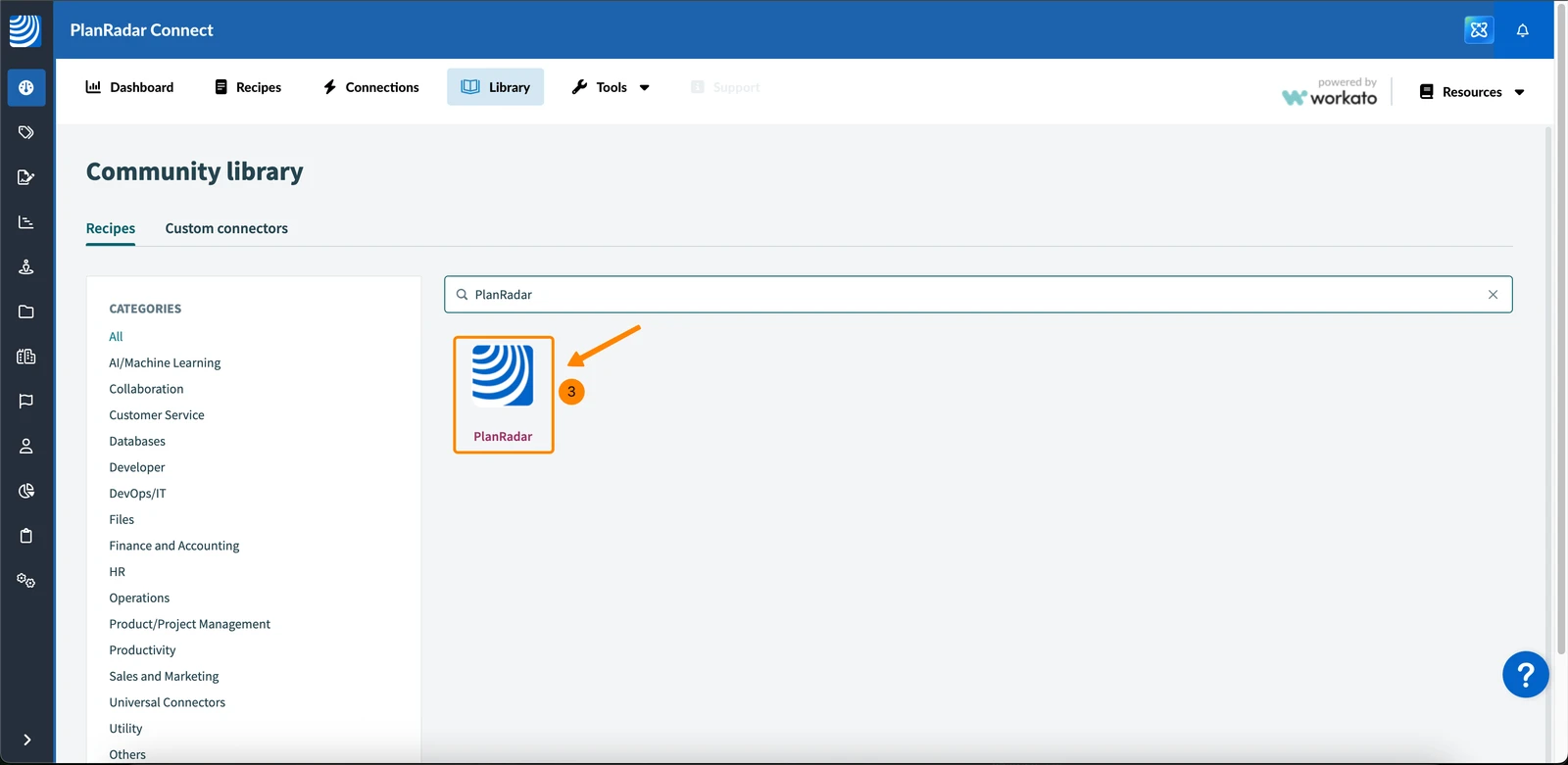
- Type PlanRadar in the search field
- Click the PlanRadar icon
- See all sample recipes provided by PlanRadar
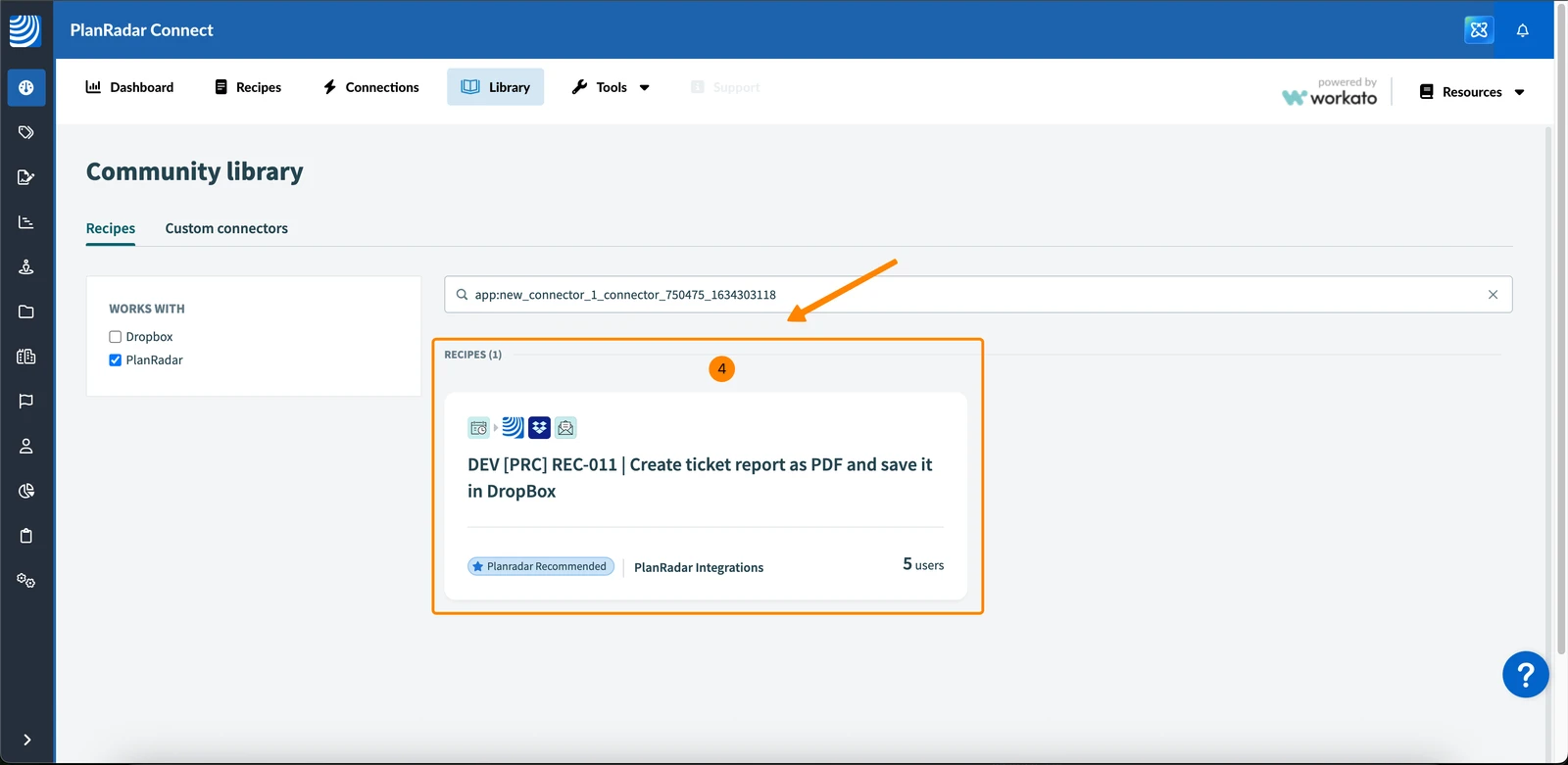
Copy a Sample Recipe to your Account
To copy a sample recipe from the community library to your workspace in your PlanRadar account:
- Click on a recipe to view it
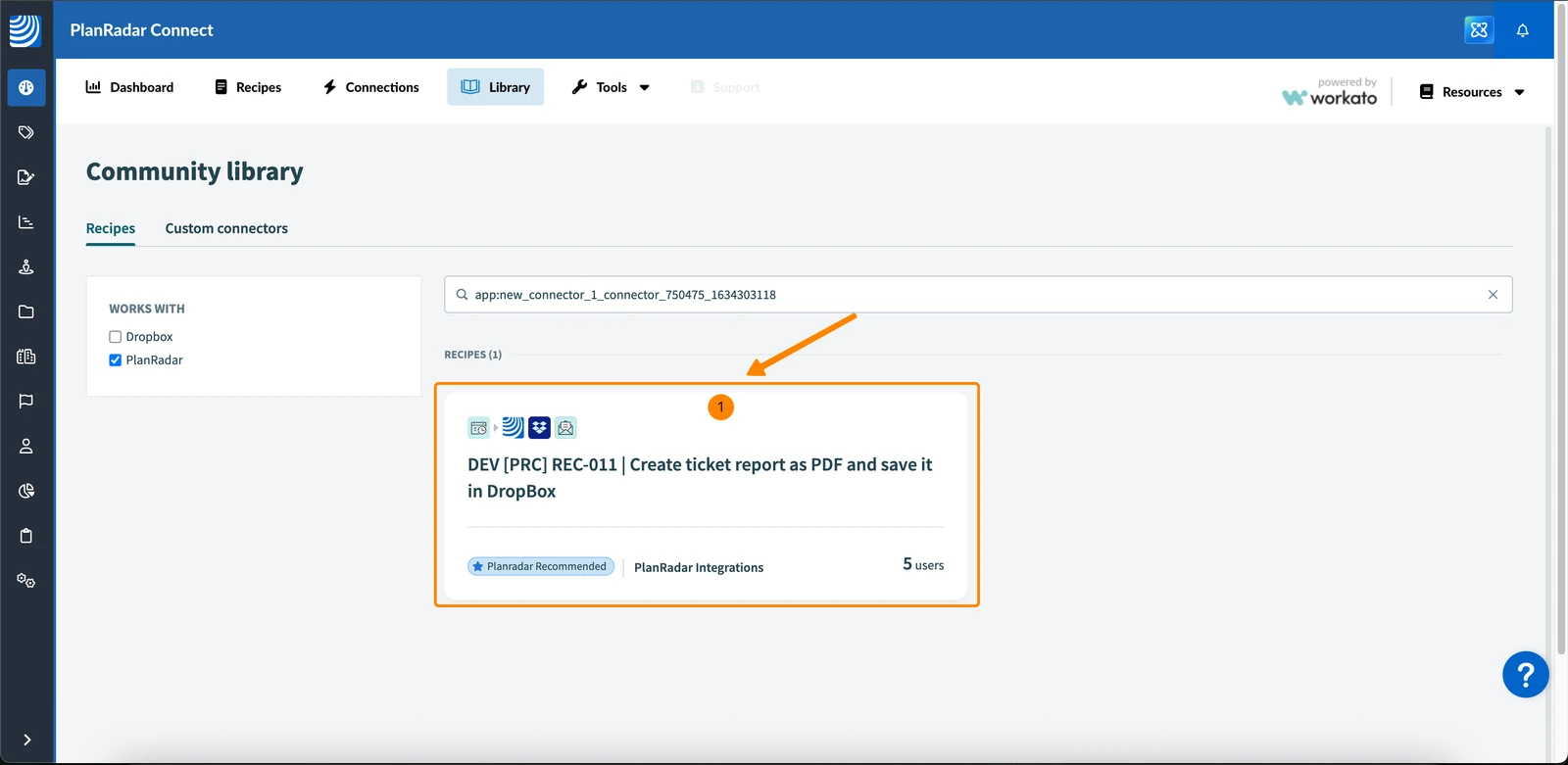
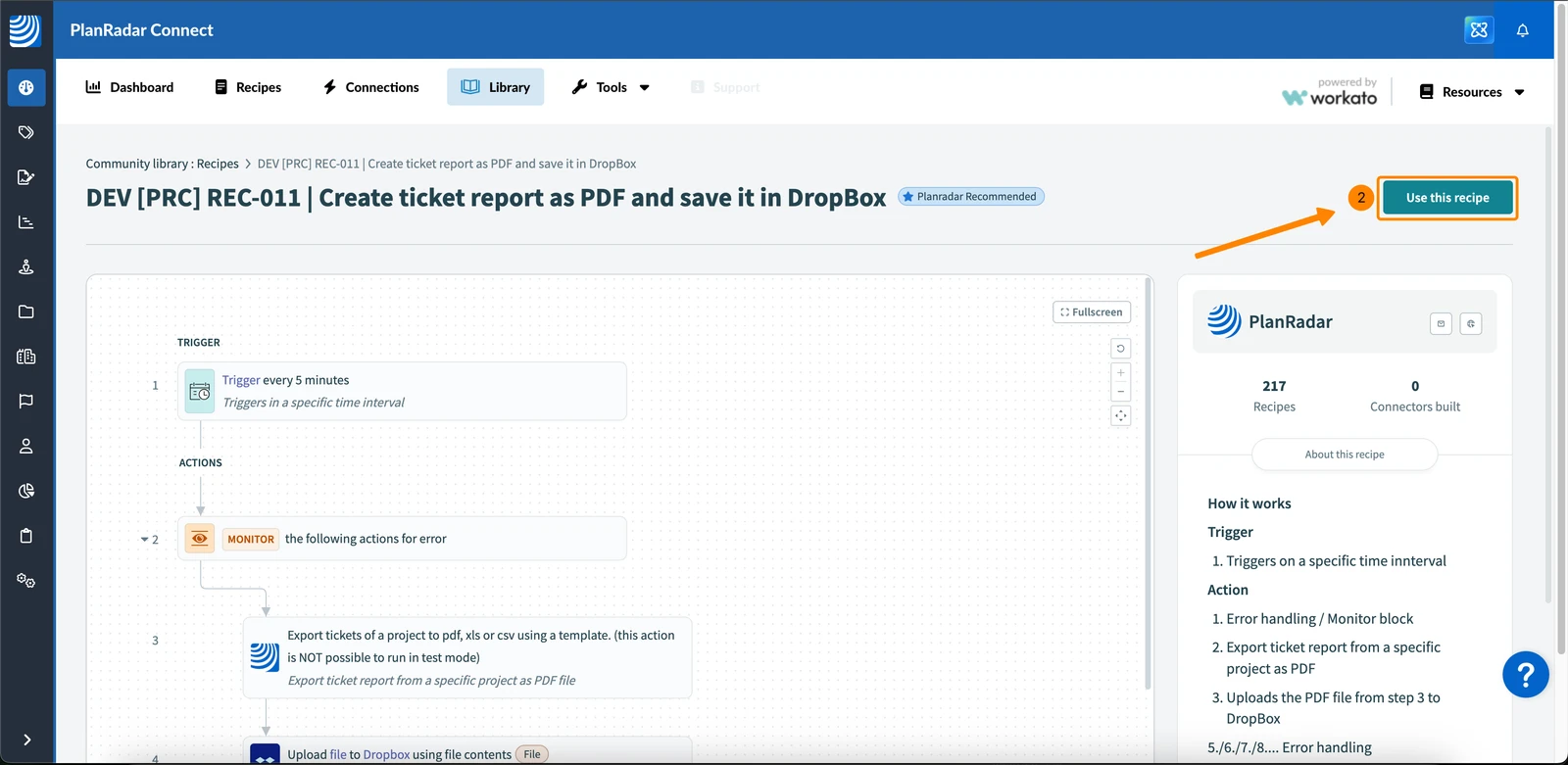
- Click Use this recipe
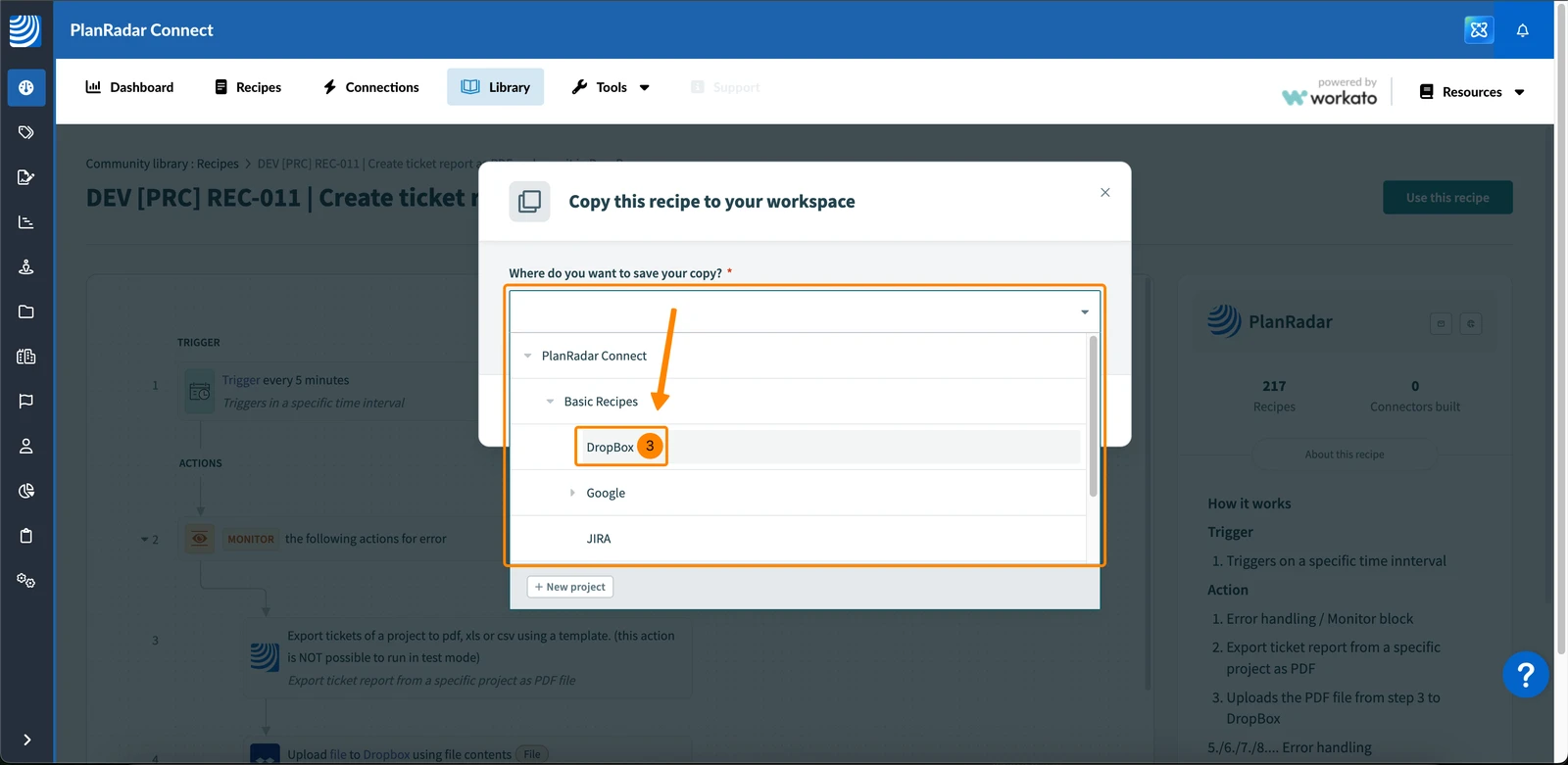
- Choose where you want to save the recipe e.g. in PlanRadar Connect > Basic Recipes > Dropbox
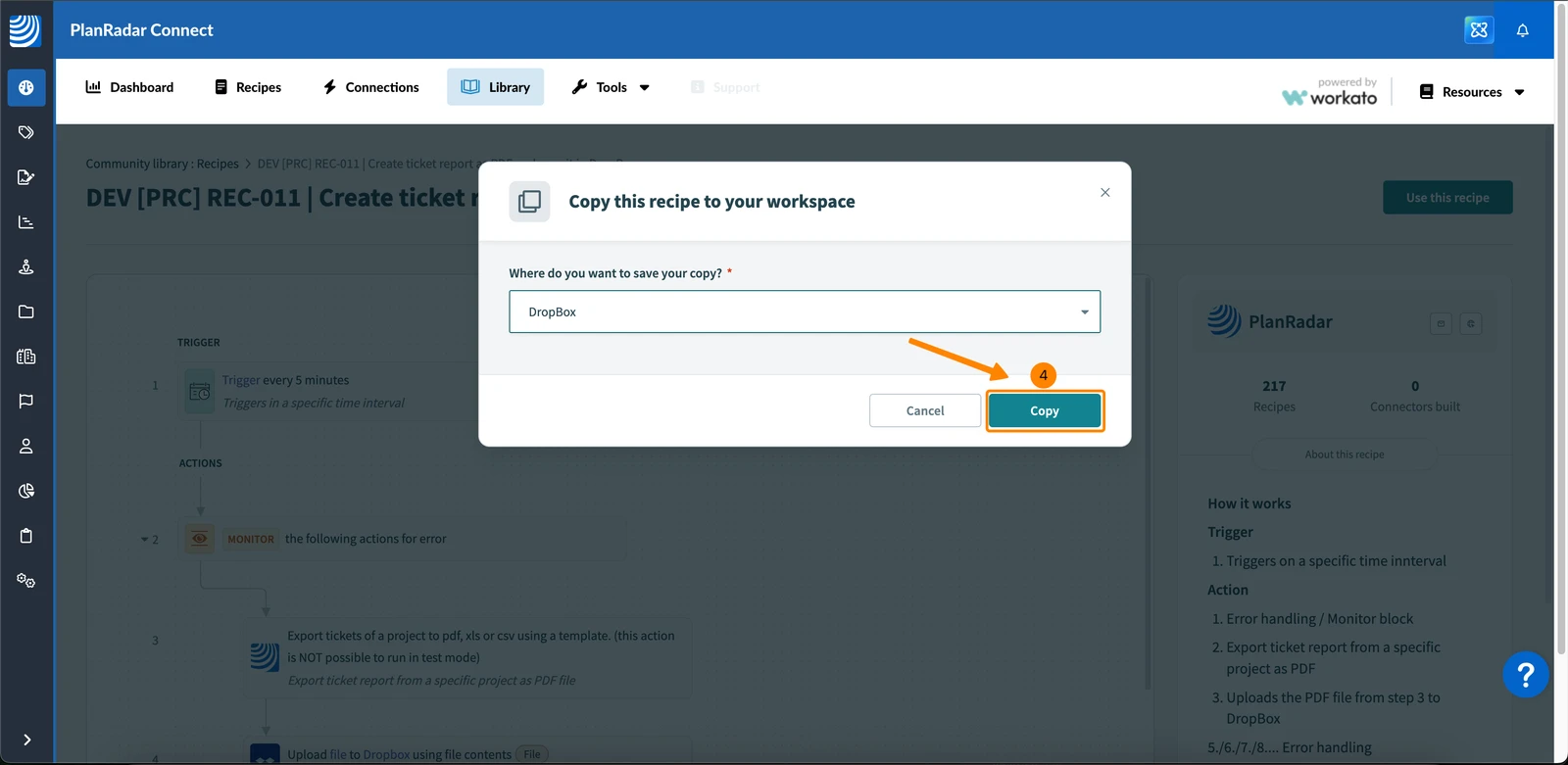
- Click Copy
- You get informed that the recipe is ready
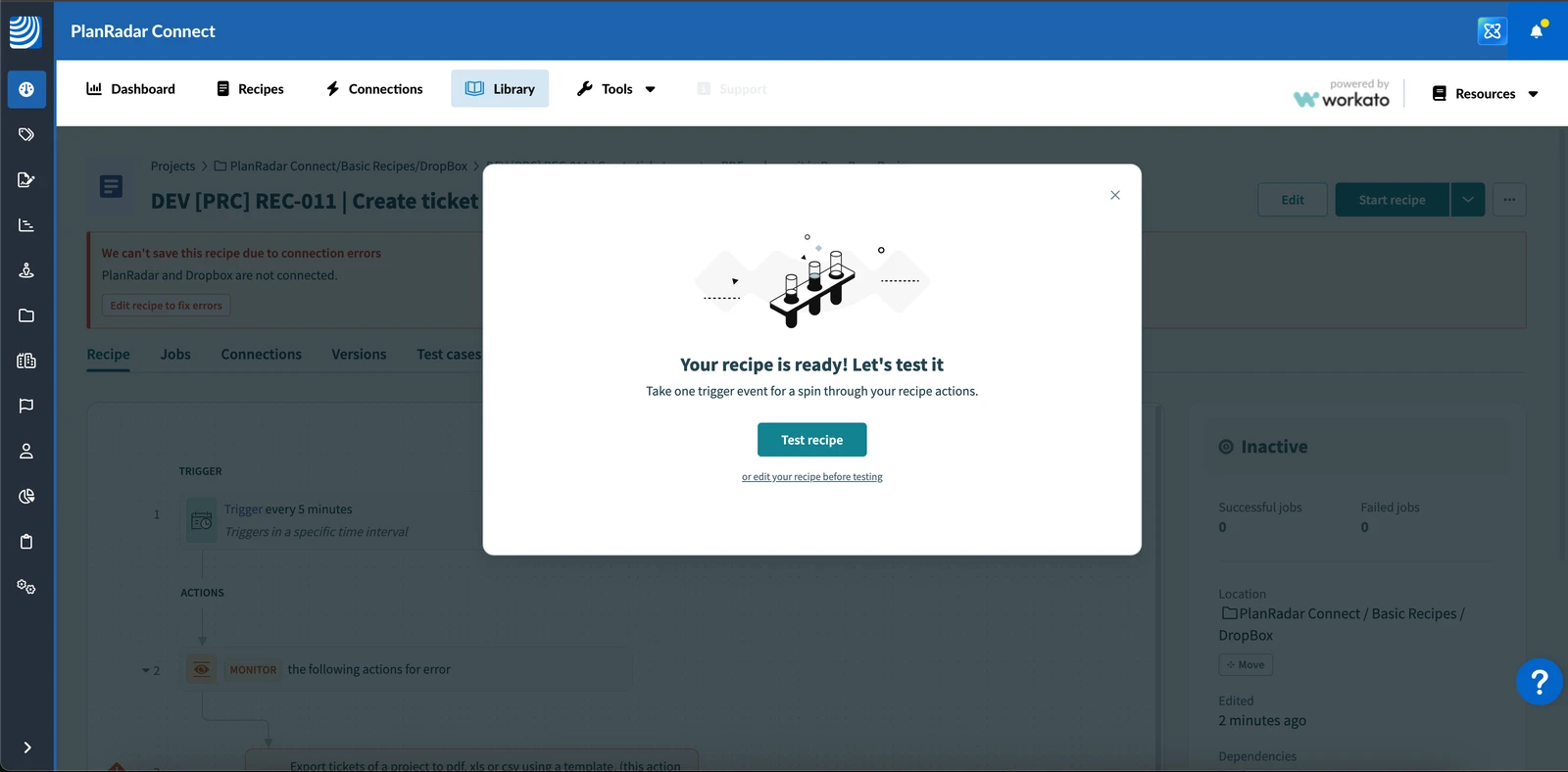
View a Recipe
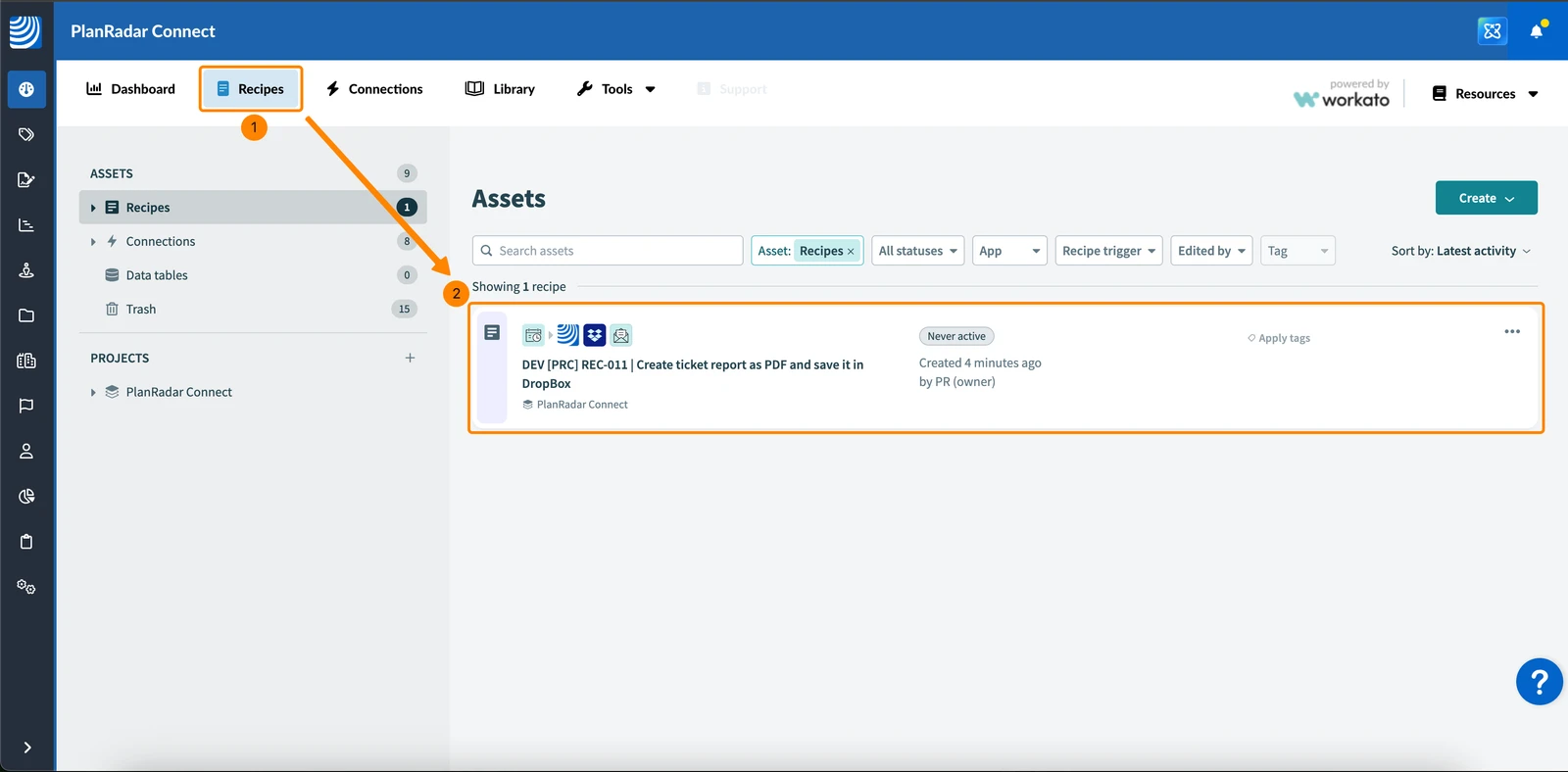
To view a recipe that is saved in your workspace:
- Click Recipes
- Click on the recipe in your list of assets
List of Sample Recipes
Here you’ll find all available sample recipes for PlanRadar Connect.
Select a recipe to view detailed steps and tips on how to tailor it to your workflow.
- [PRC] LREC-001 | Ticket report created => Send it by email
- [PRC] LREC-002 | Upload plan in GDrive => Update PlanRadar Layer
- [PRC] LREC-003 | Schedule a ticket report export => Save it in PlanRadar Documents
- [PRC] LREC-004 | Schedule ticket export as XLS => Save it in GDrive
- [PRC] LREC-005 | Project report submit => Save it in OneDrive
- [PRC] LREC-006 | Schedule ticket export as PDF => Save it in GDrive
- [PRC] LREC-007 | Schedule ticket export as PDF => Save it in Dropbox
- [PRC] LREC-008 | Schedule ticket export as XLS => Save it in OneDrive
- [PRC] LREC-009 | Upload plan in SharePoint => Update in PlanRadar Layer
- [PRC] LREC-010 | Project report submit => Save it in PlanRadar Documents
- [PRC] LREC-011 | Ticket created => Create a subticket
- [PRC] LREC-012 | Ticket created => Add attachment from PlanRadar Documents
- [PRC] LREC-013 | Ticket created => Assign it to a specific user
Updated May 12, 2026