

 Deutsch
 Español
 Français
 Hrvatski
 Italiano
 Polski
 Português (BR)
[PRC] LREC-009 | Upload plan in SharePoint => Update in PlanRadar Layer
1 Overview
Uploads from SharePoint folders are automatically sent to PlanRadar and saved as Layer plans.
2 Access & Prerequisites
-
Connect SharePoint and PlanRadar
-
Identify the source SharePoint folder
-
Ensure correct permissions
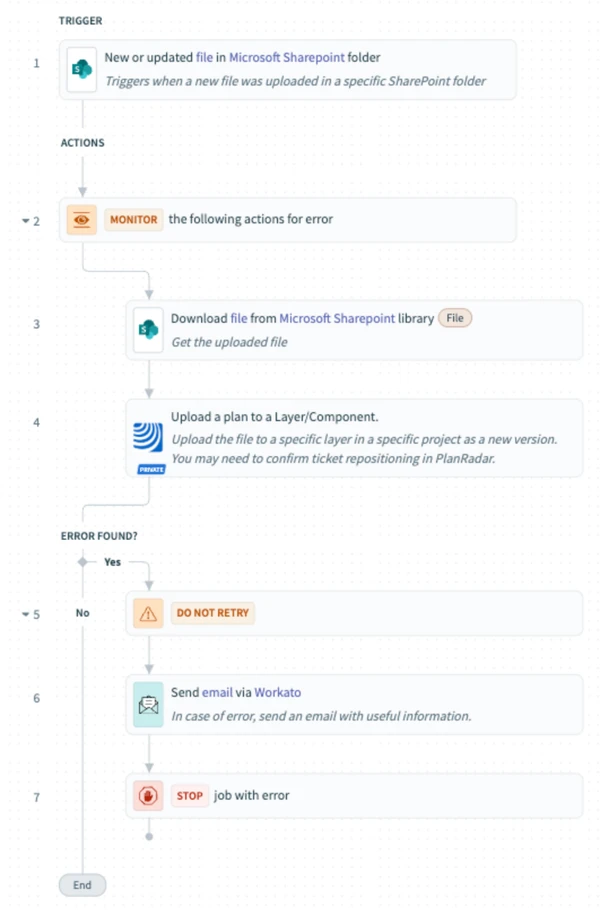
3 Use the Recipe from the Library
Use: [PRC] LREC-009 | Upload plan in SharePoint ⇒ Update in PlanRadar Layer
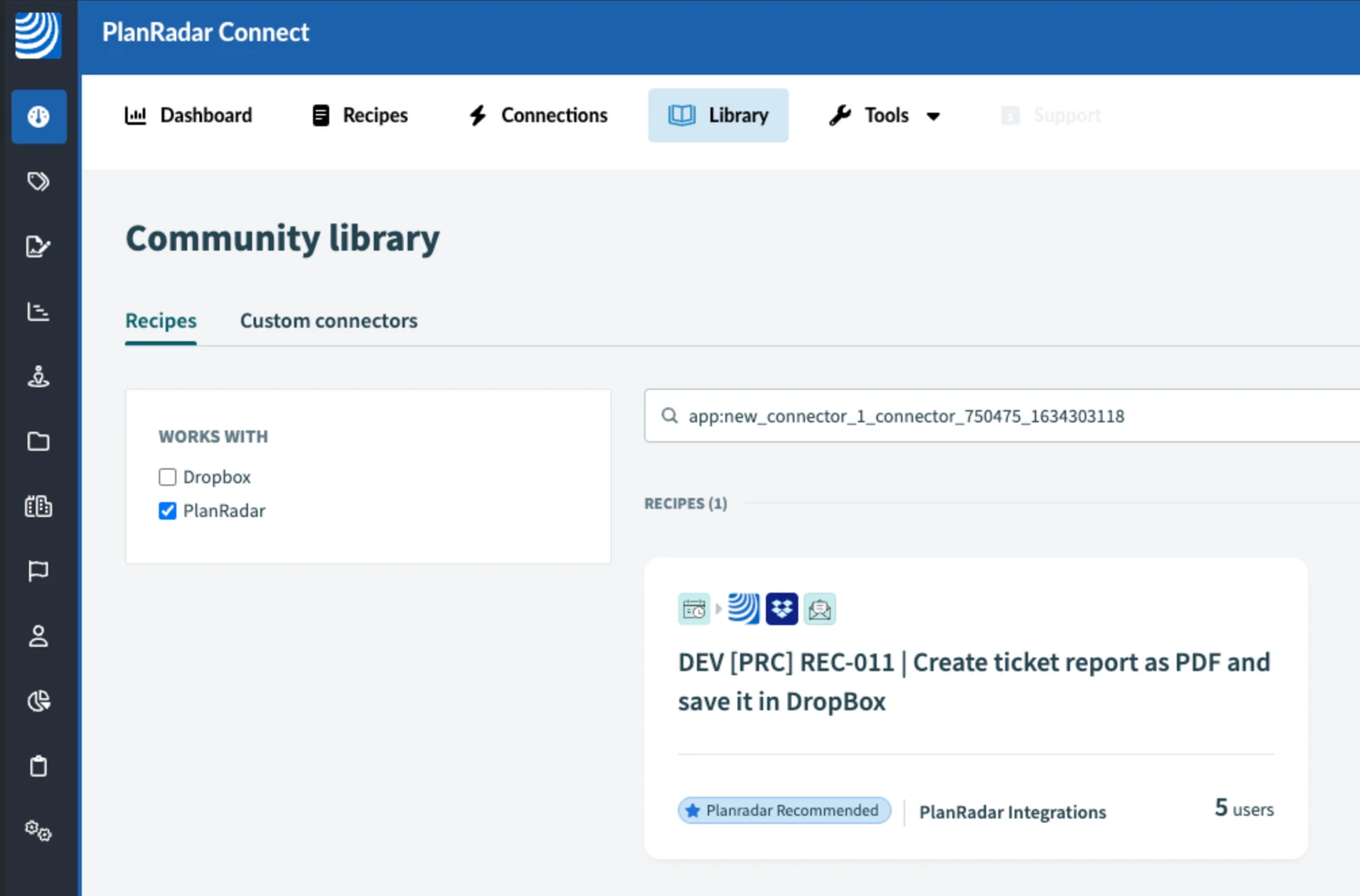
4 Configure the Recipe
-
Configure download from SharePoint
-
Map to destination PlanRadar layer
-
Test and activate
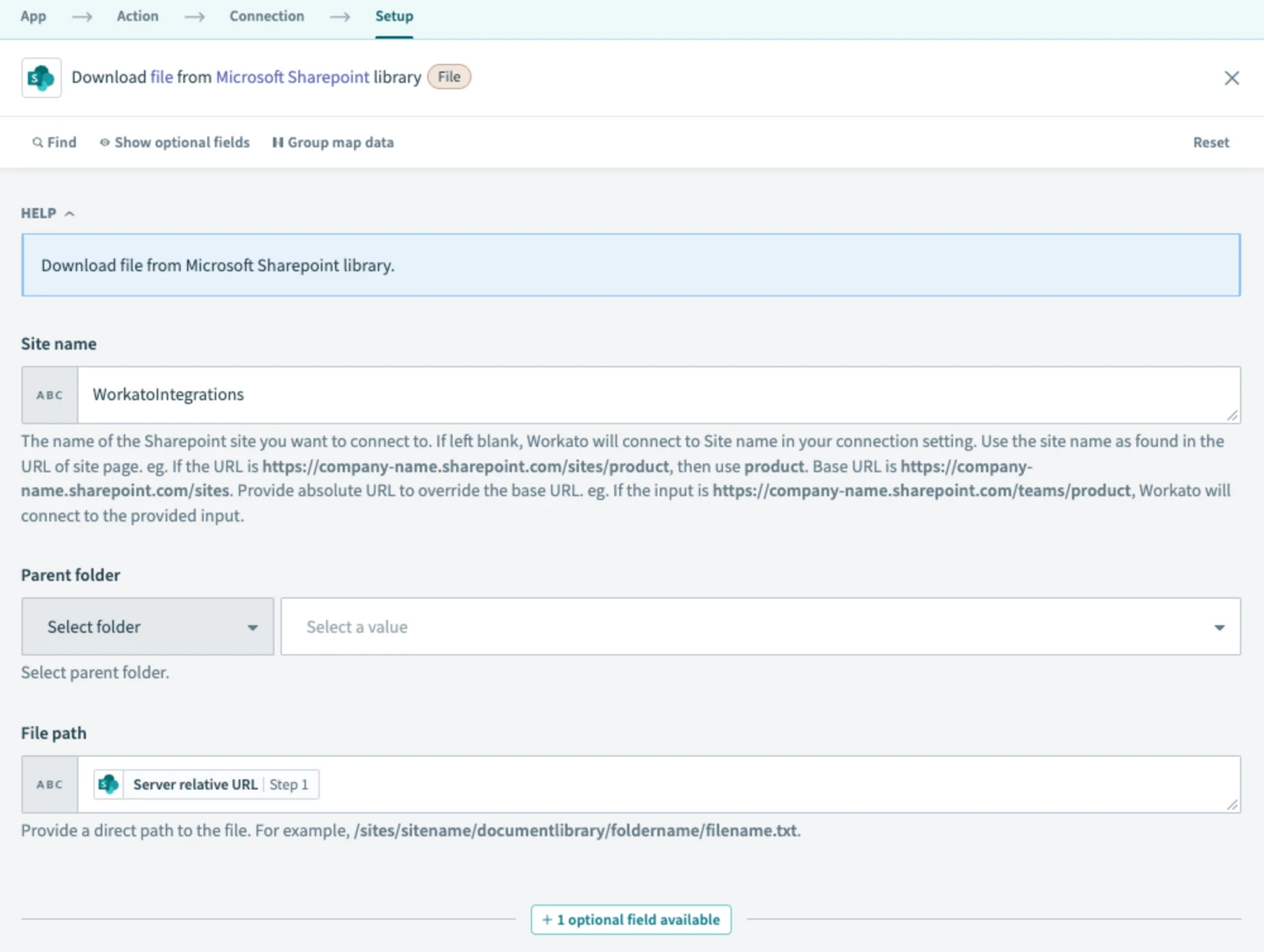
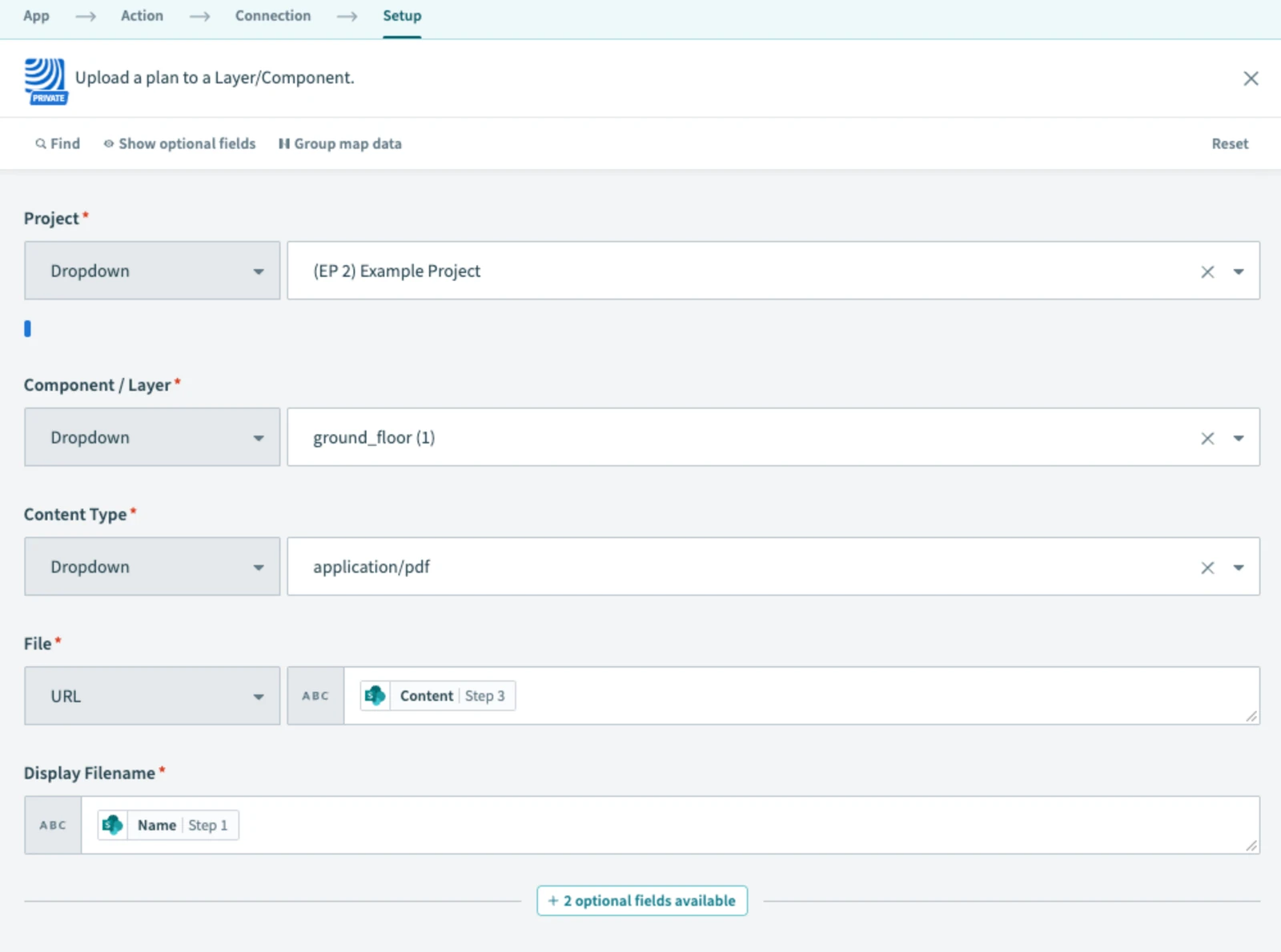
5 What Happens Next
Each SharePoint file update pushes a new version into PlanRadar.
6 Further Exploration
Explore file automation in the Resources tab.
Updated June 16, 2026