

 Deutsch
 Español
 Français
 Hrvatski
 Italiano
 Polski
 Português (BR)
View Read Receipts of Tickets
Overview
Verify whether the assignee of your ticket has already viewed it.
Access & Permissions
Check Read Receipts
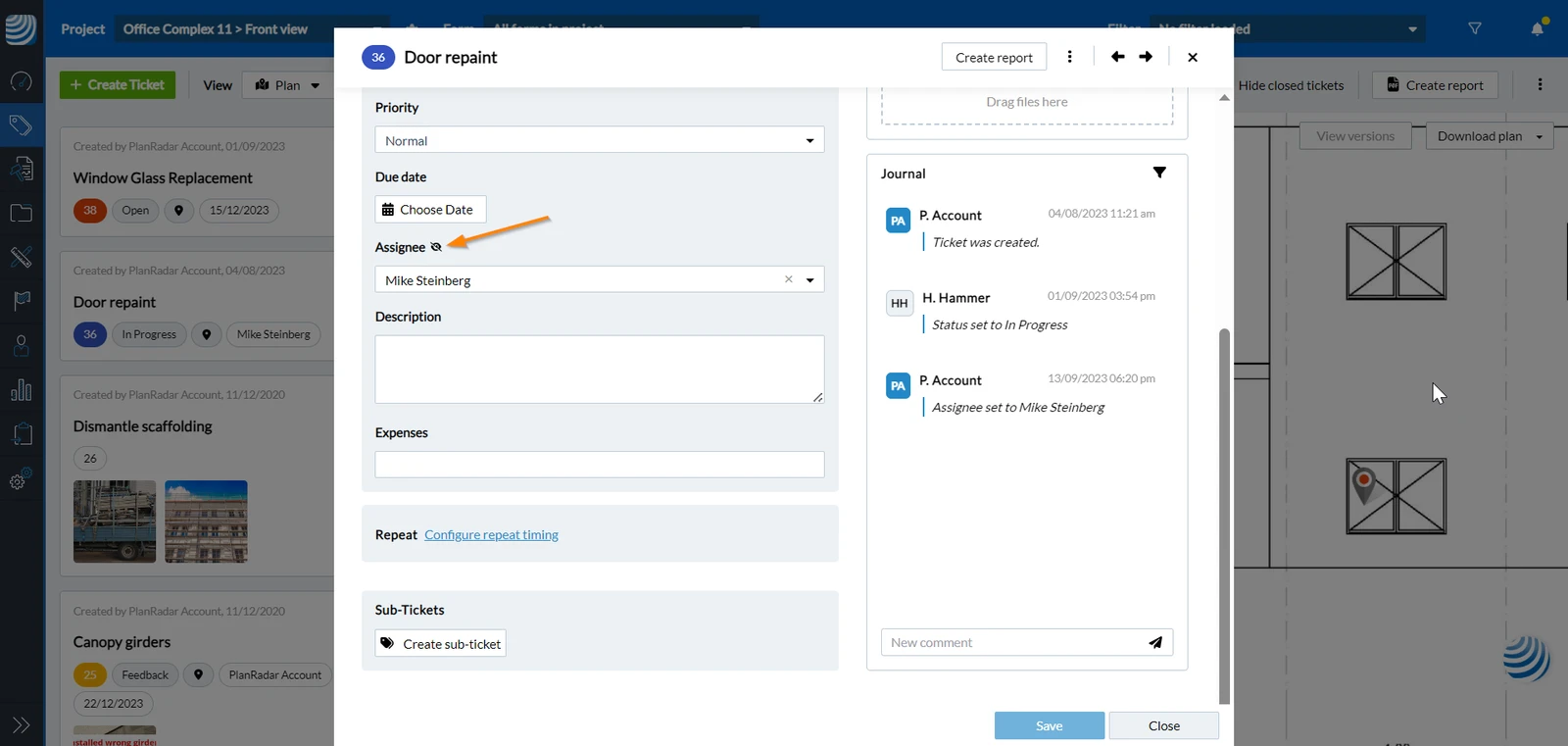
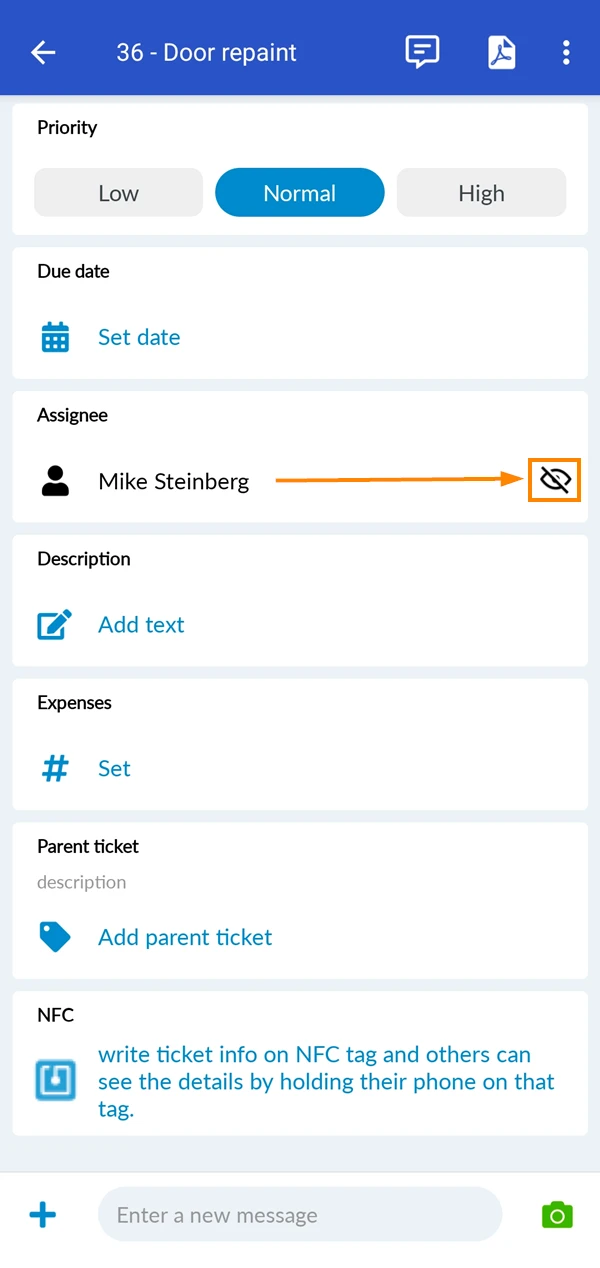
To view read receipts:
- Open the ticket
- See the eye symbol next to the assignee field
- Open the ticket
- See the eye symbol next to the assignee field
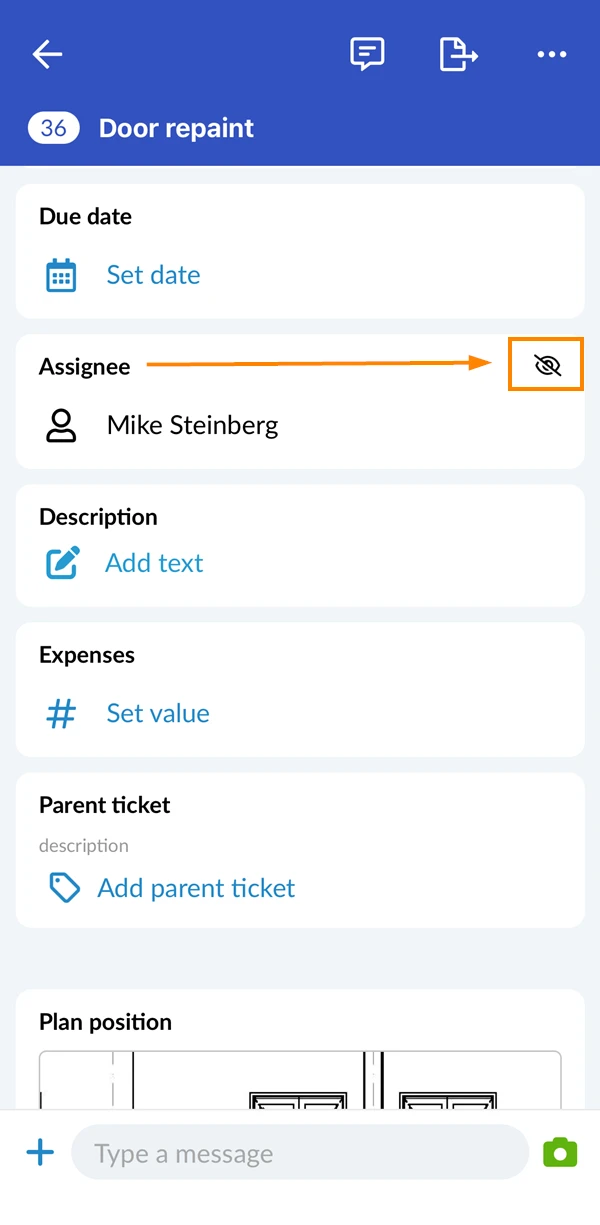
- Open the ticket
- See the eye symbol next to the assignee field
Enable/Disable Read Receipts
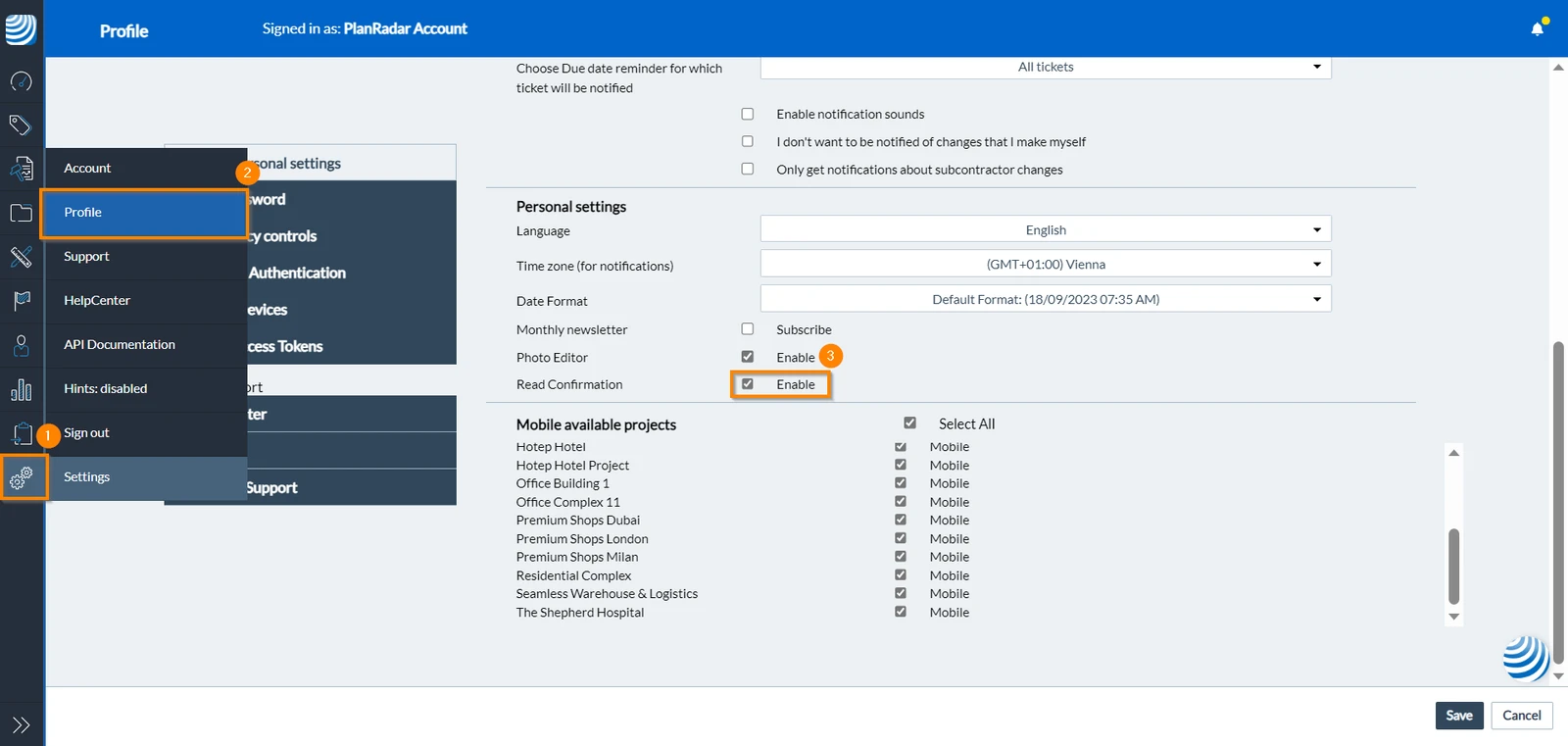
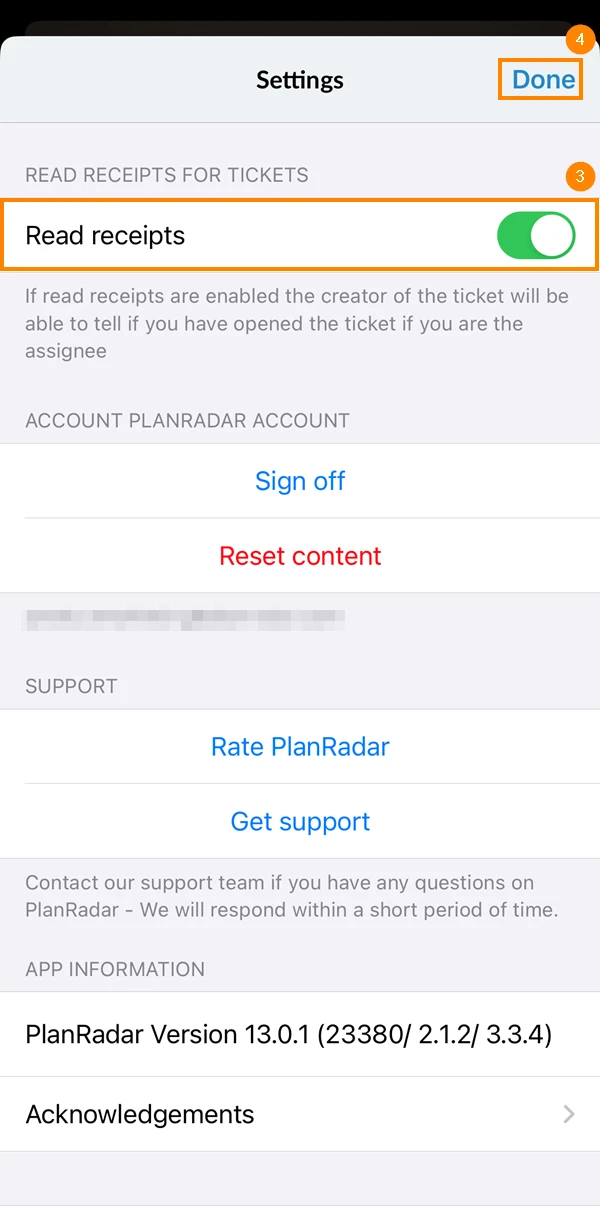
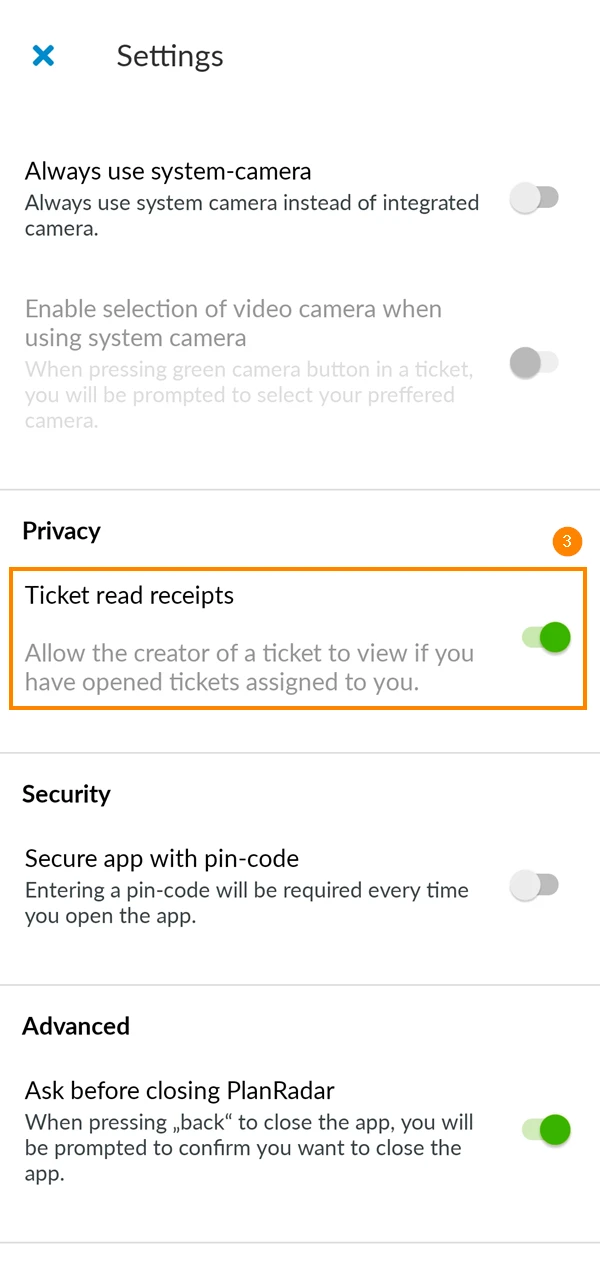
For privacy reasons, users can enable/disable the read receipts of the tickets assigned to them. To do so:
- Click Settings
- Click Profile
- Select/Clear the Read Confirmation checkbox
- Go to the main menu
- Tap Settings
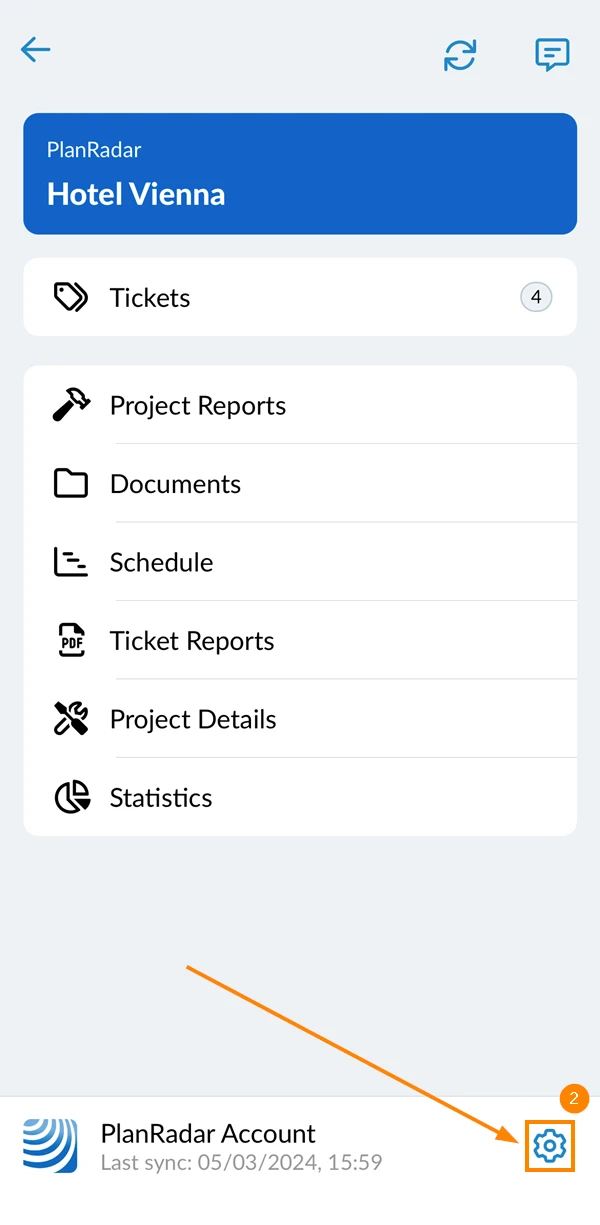
- Activate the Read receipts toggle
- Tap Done
- Go to the main menu
- Tap Settings
- Activate the Ticket read receipts toggle
Updated May 20, 2025