

 Deutsch
 Español
 Français
 Hrvatski
 Italiano
 Polski
 Português (BR)
Quick Edit Tickets in Plan View in the Webapp
Overview
Use quick edit to change a ticket's status, priority, due date, or assignee in plan view without opening the ticket.
Access & Permissions
Quick Edit Tickets in Plan View
To quickly edit a ticket in plan view:
- Click Tickets
- Select Plan in the View drop-down menu
- Click the pin of the ticket you want to edit
- Click Quick edit
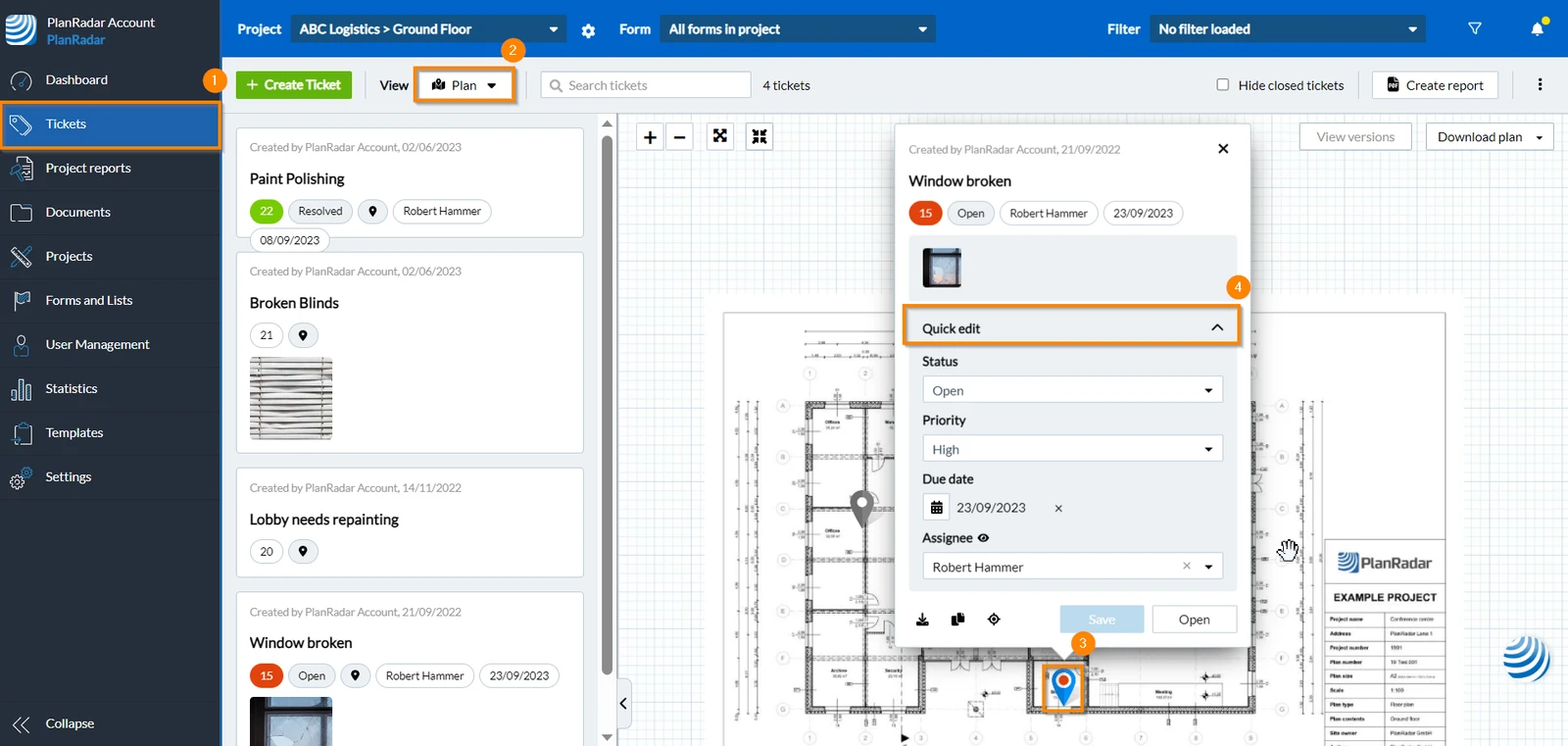
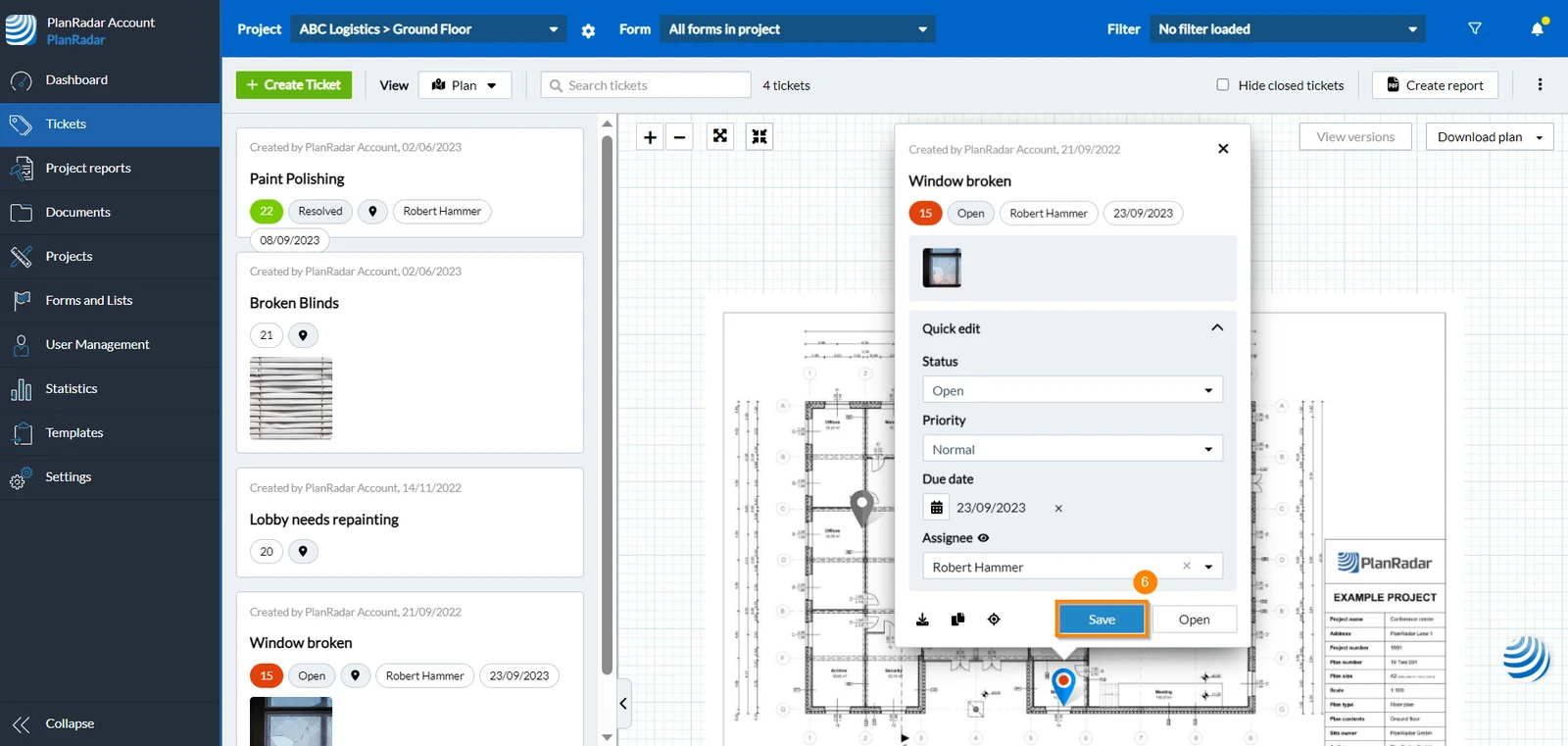
- Change ticket's status, priority due date and/or assignee.
- Click Save
Related Articles
Set, Change or Remove the Plan Position of a Ticket
Updated May 27, 2026