

 Deutsch
 Español
 Français
 Hrvatski
 Italiano
 Polski
 Português (BR)
Edit Multiple Tickets at once in the Webapp
Overview
Use bulk edit to apply the same changes to multiple tickets.
Access & Permissions
Available only in Webapp.
Edit Multiple Tickets
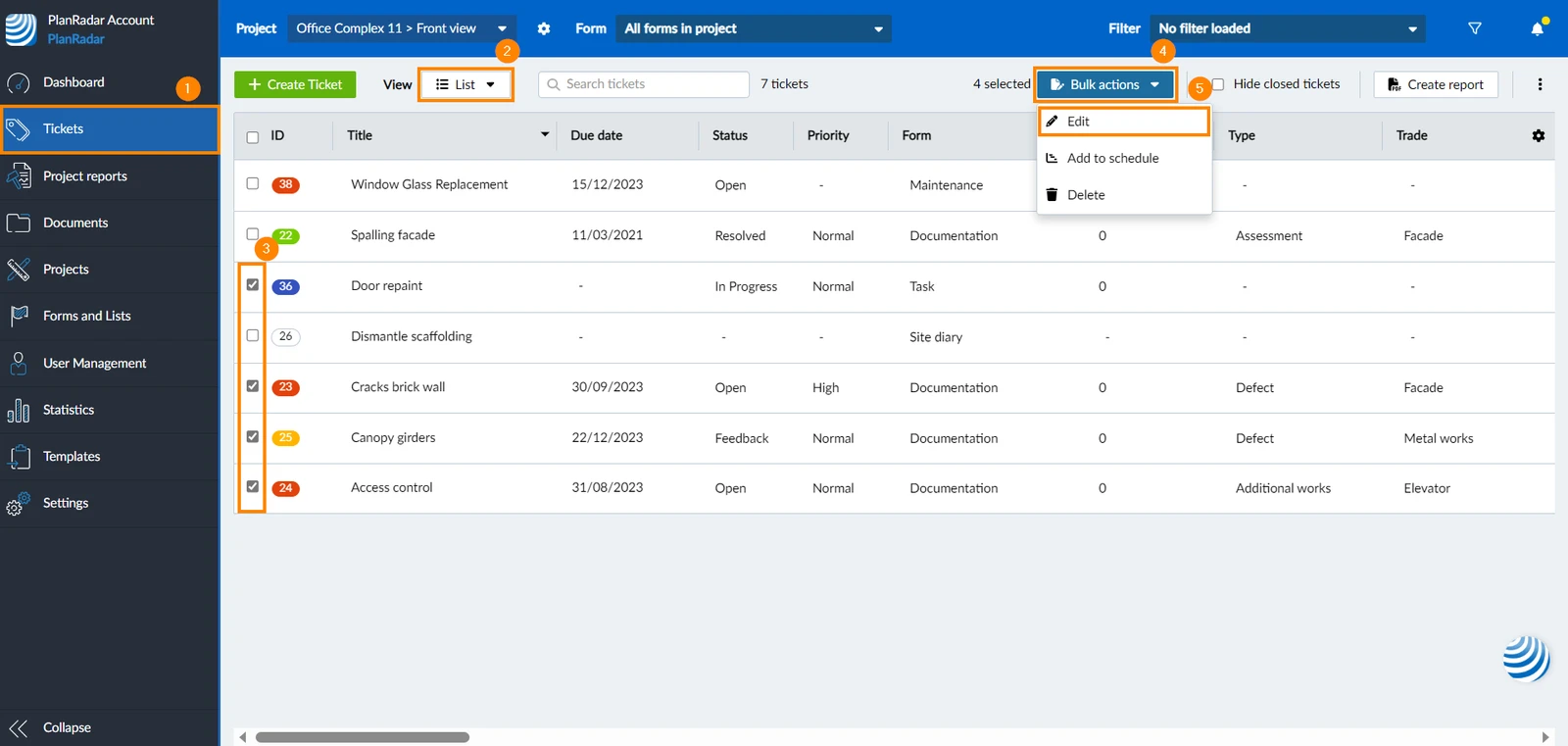
To edit multiple tickets at once:
-
Click Tickets
-
From the view drop-down menu, click List
-
Select the checkboxes of the tickets you want to edit
-
Click Bulk actions
-
Click Edit
-
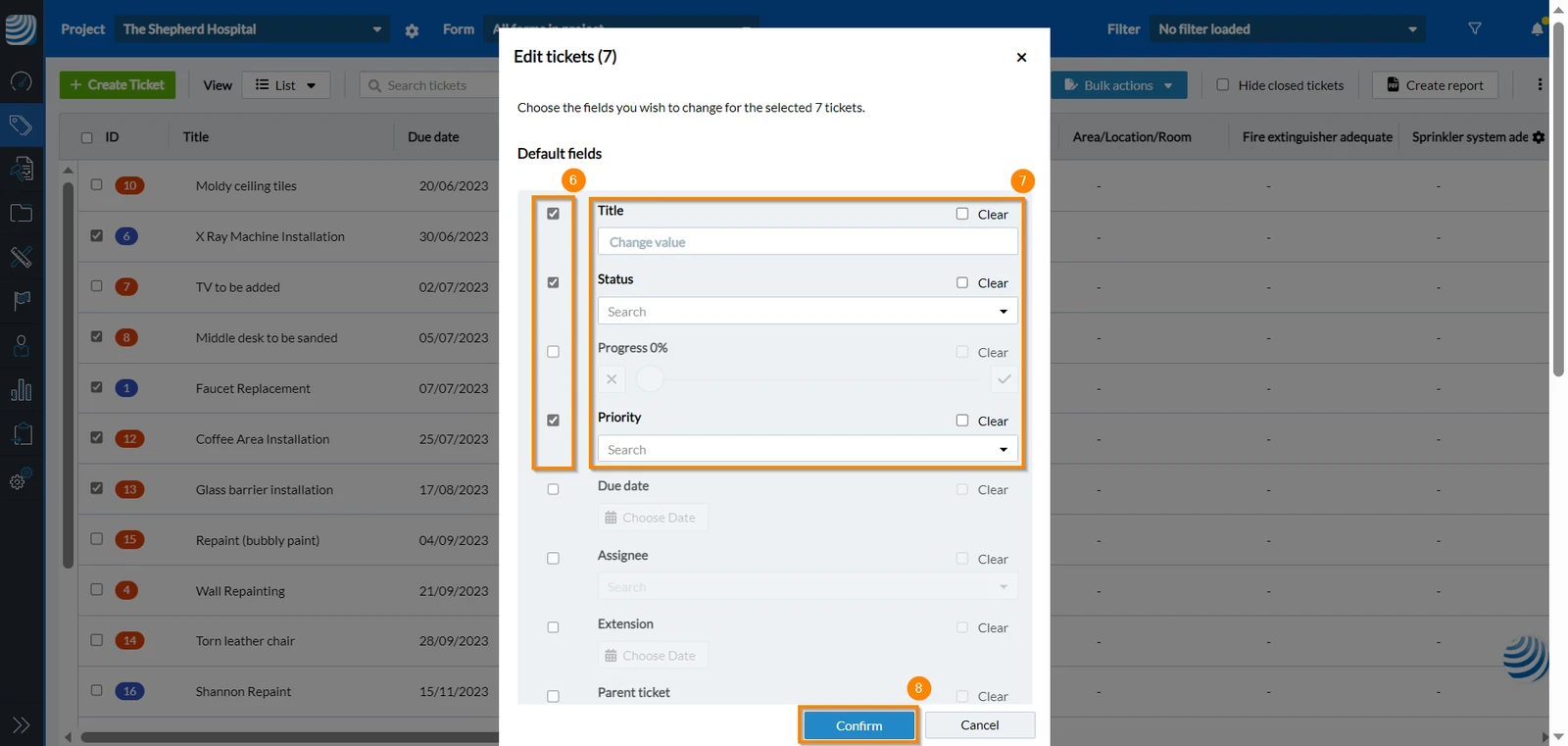
Select the check box of the field/s you would like to edit
-
Make your edits
-
Click Confirm

Clear Certain Fields of Multiple Tickets
To clear the same fields of multiple tickets:
- Click Tickets
- From the view drop-down menu, click List
- Select the checkboxes of the tickets in which you want to clear some fields
- Click Bulk actions
- Click Edit
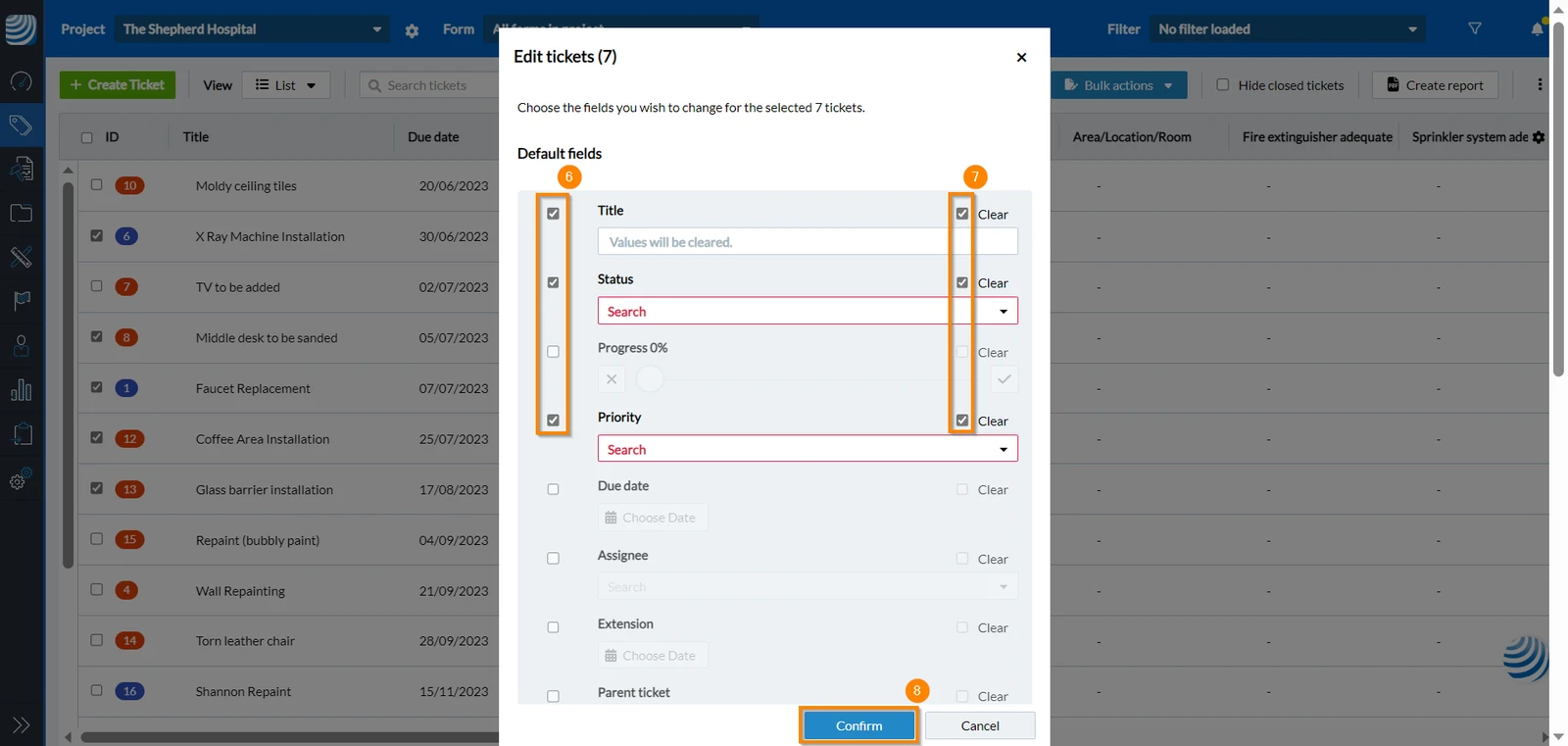
- Select the checkboxes of the field/s you want to clear
- Select the Clear checkbox
- Click Confirm

Related Articles
Updated May 19, 2026