

 Deutsch
 Español
 Français
 Hrvatski
 Italiano
 Polski
 Português (BR)
RFI Example: Overview
About RFIs
What is an RFI?
A Request for Information (RFI) is a formal communication used in construction and engineering projects to clarify details, resolve uncertainties, and ensure all stakeholders work with the same information.
Characteristics of an RFI
- Formal communication tool – Provides a structured way to clarify project information.
- Traceable record – Ensures accountability with a documented question–answer trail.
- Role-based workflow – Involves requester, coordinator, and responders with clearly defined responsibilities.
- Linked to project documentation – References specific drawings, contracts, or specifications for precision.
Importance of RFIs
- Prevents miscommunication between project stakeholders.
- Avoids costly mistakes and rework by resolving uncertainties early.
- Supports timely decision-making, helping keep the project on schedule.
- Provides a legal and contractual record of clarifications and instructions.
Regional Terminology
While the concept of an RFI is widely recognized, it may appear under different names depending on local regulations, industry standards, or contractual frameworks.
Examples: Technical Queries (TQs), Clarification Requests, or Project Queries.
Regardless of the term, the purpose remains the same: to create a formal, traceable request for project information.
Overview and Workflow
Roles
- Requester: Creates the RFI ticket, fills in the request details and assigns it to the RFI coordinator.
(In this example, the requester is a subcontractor with an in-house user license.) - Coordinator: Reviews requests and responses, manages assignments, and keeps statuses and due dates updated and remindes responders directly if they don't react in time on due date notification emails.
(In this example, the coordinator is a general contractor who owns the PlanRadar account and manages the project.) - Responders: Provide answers by their due dates and return the RFI to the coordinator.
(In this example, answers are requested from two predefined parties: designer and investor.)
Workflow
If the request and responses are clear, the process flows in one direction.
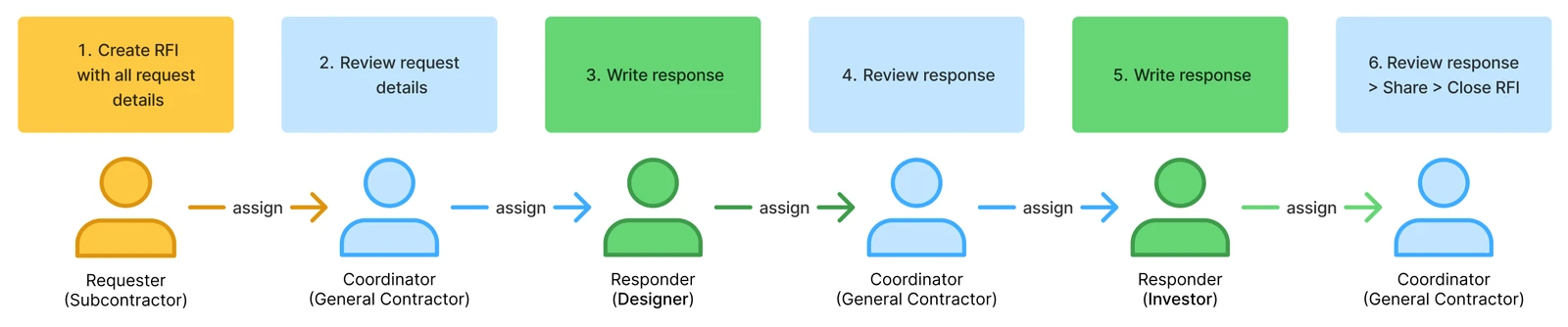
- If clarification is needed during the process, add comments and reassign the ticket.
- Each step is explained in detail in RFI Example: Workflow in Practice.
Ticket Form Fields
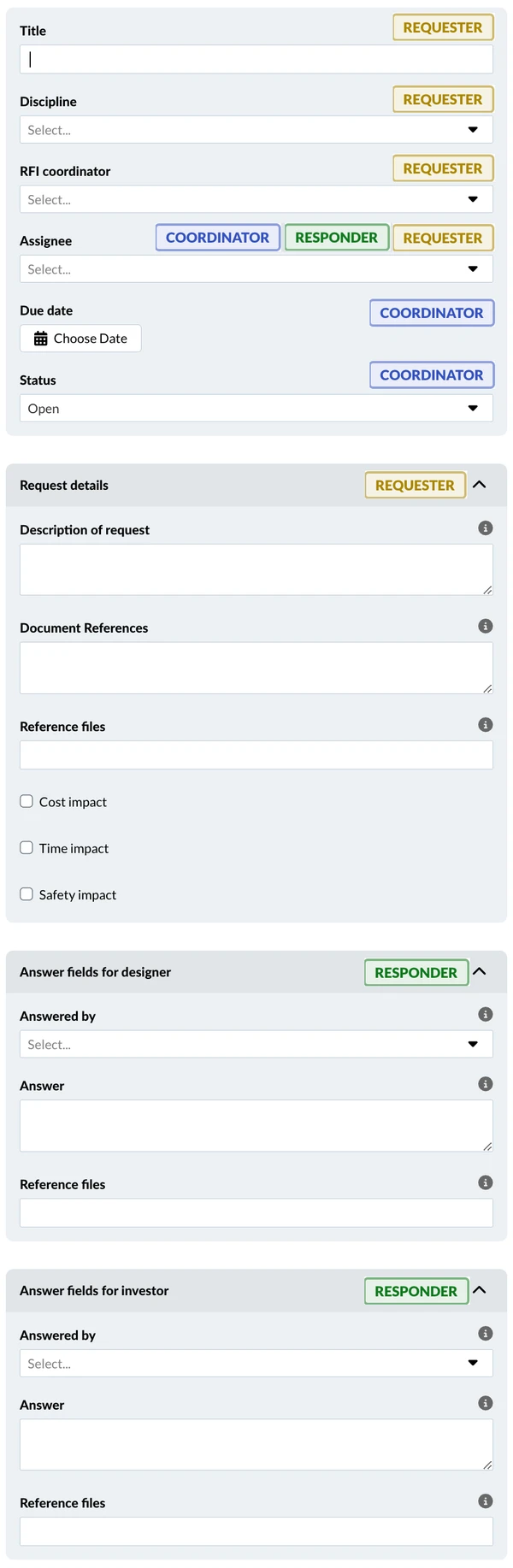
The following table shows all the fields and their field groups, their field types that are selected when creating the form, the roles who edit those fields and a short description about the purpose.
| Field name | Field type | Edited by | Purpose |
| Title | Default | Requester | Short description of the issue |
| Discipline | List | Requester | Categorise the RFI by discipline/trade |
| RFI Coordinator | User | Requester | Designated person (known to the requester) |
| Assignee | Default | All* | Who is responsible for action (ball in court) |
| Due date | Default | Coordinator | updated when assigned to each responder |
| Status | Default | Coordinator | 'In progress' when responding then 'Closed' |
| Request details | Group | Requester | Filled when the RFI ticket is created |
| Description of request | Long text | Requester | Explain issue/questions/suggestions |
| Document references | Long text | Requester | Refer to a section in a contract for example |
| Reference files | Attachment | Requester | Upload files related to the request |
| Cost impact | Checkbox | Requester | Select if the issue has cost impact |
| Time impact | Checkbox | Requester | Select if the issue has time impact |
| Safety impact | Checkbox | Requester | Select if the issue has safety impact |
| Answer fields for designer | Group | Responder 1 | Respond to request by first party (designer) |
| Answered by | User | Responder 1 | Select the user who provides the answer |
| Answer | Long text | Responder 1 | Official answer on how to handle the issue |
| Reference files | Attachment | Responder 1 | Upload files to support the written answer |
| Answer fields for investor | Group | Responder 2 | Respond to request by second party (investor) |
| Answered by | User | Responder 2 | Select the user who provides the answer |
| Answer | Long text | Responder 2 | Official answer on how to handle the issue |
| Reference files | Attachment | Responder 2 | Upload files to support the written answer |
Coloured labels show which role will edit which fields:
Numbering Sequence
The RFI form automatically gets a numbering sequence to quickly identify each official RFI in the project (e.g. RFI-1, RFI-2, RFI-3,...). This ensures each RFI can be referenced in meetings, reports, and project correspondence.
This is an addition to the ticket ID that PlanRadar always assigns to each ticket in a project independent of the used form.
Notification Settings
Ensure that all participants have email notifications enabled. To ensure a fast process, emails should be sent instantly rather than as a daily digest.
Steps to manage RFIs in PlanRadar
The following articles explain each step to set up and process this example RFI:
- RFI Example: Setup – Configure the form and set permissions for fields and user roles.
- RFI Example: Workflow in Practice – Fill in request details. Gather the answers. Manage the workflow.
Extended or Alternative Workflows
(Maybe REMOVE this section until we have articles with content to link)
In addition to this example standard RFI, we provide additional articles that explain possible extensions or alternatives to this workflow:
- Example Advanced RFI - Concept and Workflow covering more fields with limited visibility to allow separate communication only between Coordinator and Requester as well as Coordinator and Reviewer(s).
- Flexible RFIs forms with conditionally visible form fields for different responders.
- Optional Fields for RFIs (type of request, receivers, creator, official answer...)
- Ticket revisions for multi-round requests
(REMOVE because revisions feature is not yet ready for dev)
Additional Possibilities
Processing RFIs in PlanRadar tickets offers additional possibilities and benefits:
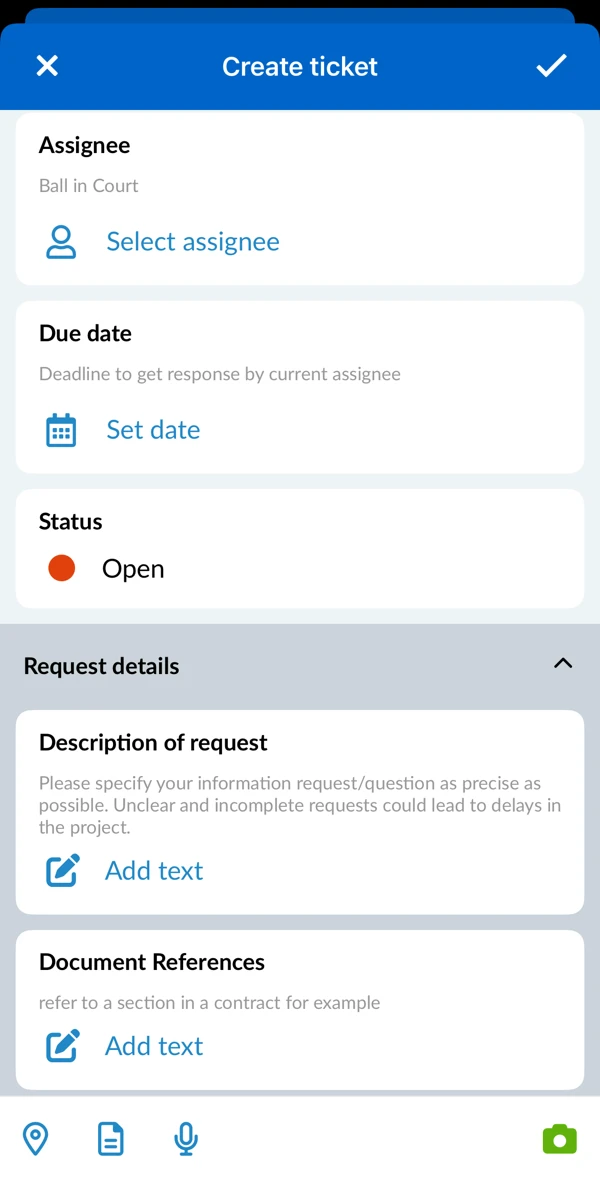
- Create and process RFI tickets anywhere with the PlanRadar mobile app.
Read more in Create a Ticket.
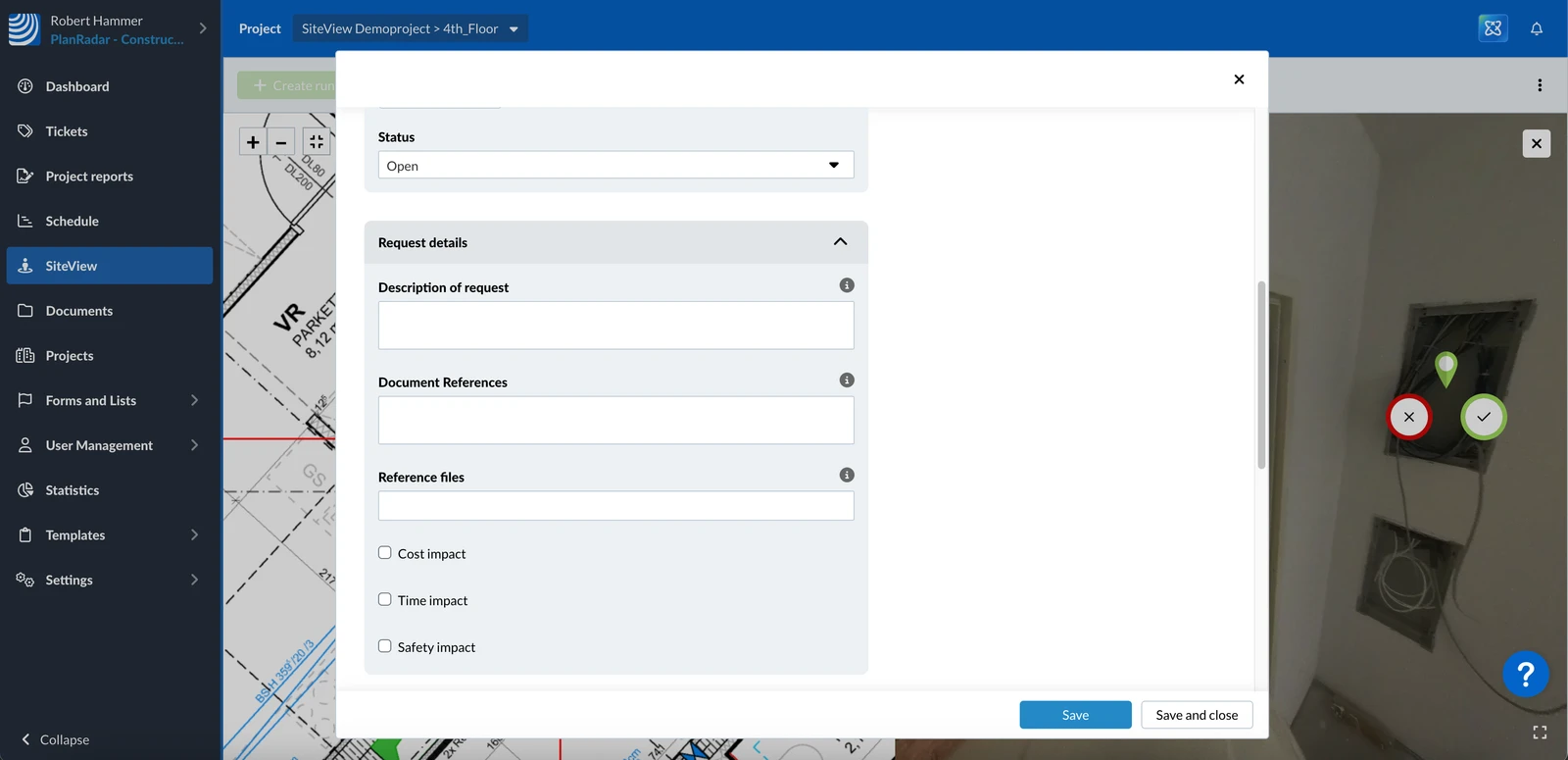
- Place the RFI ticket on a plan or even on a 360° image of a SiteView run
Read more in Set, Change or Delete the Plan Position of a Ticket and in Add Tickets to 360° Images in the Webapp.
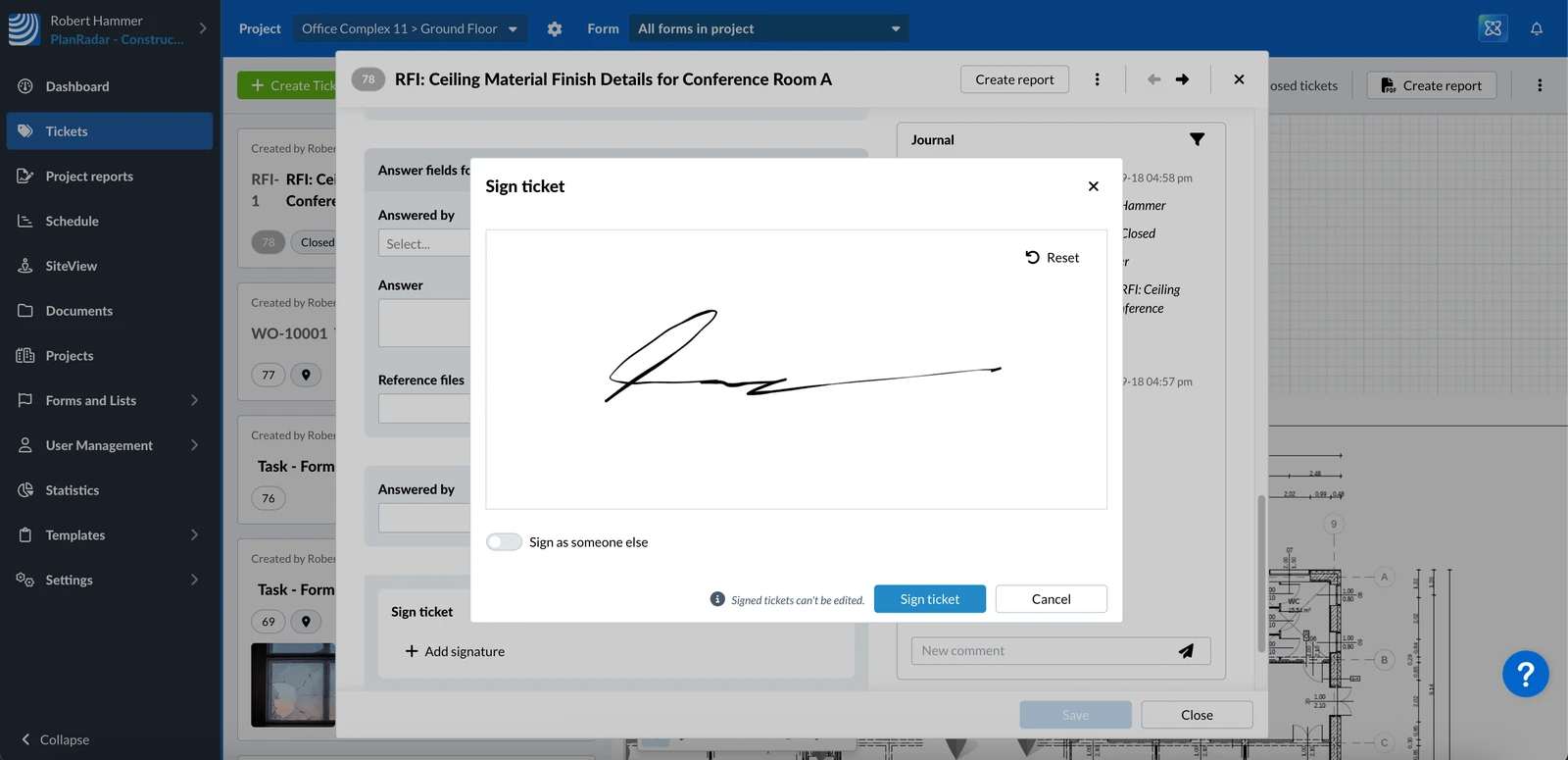
- Officially confirm a processed RFI with signatures.
Read more in Sign a Ticket.
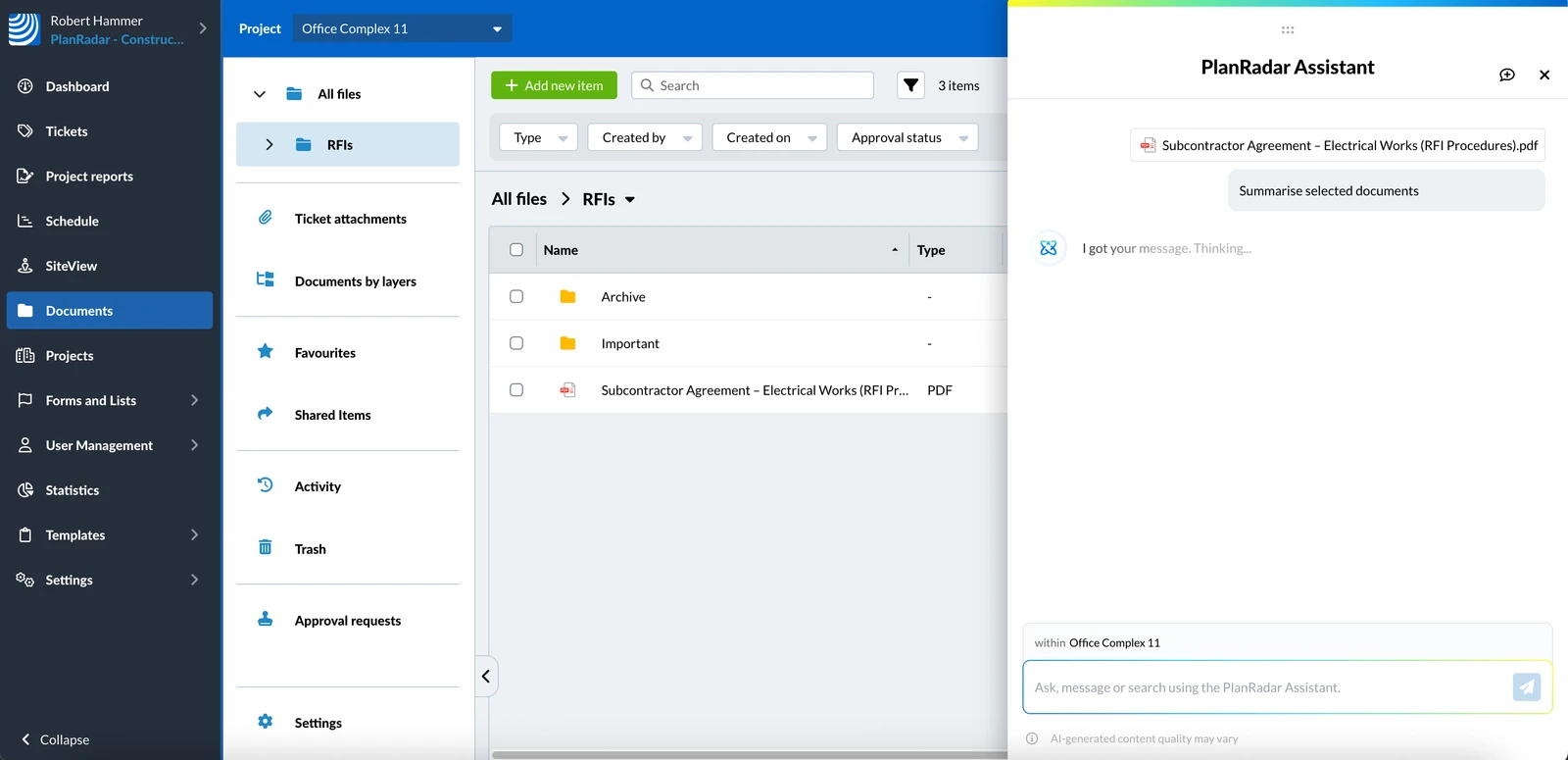
- The PlanRadar Assistant can help to get documents insights which can speed up the RFI process without compromising privacy.
Read more in Get Documents Insights in the Webapp.
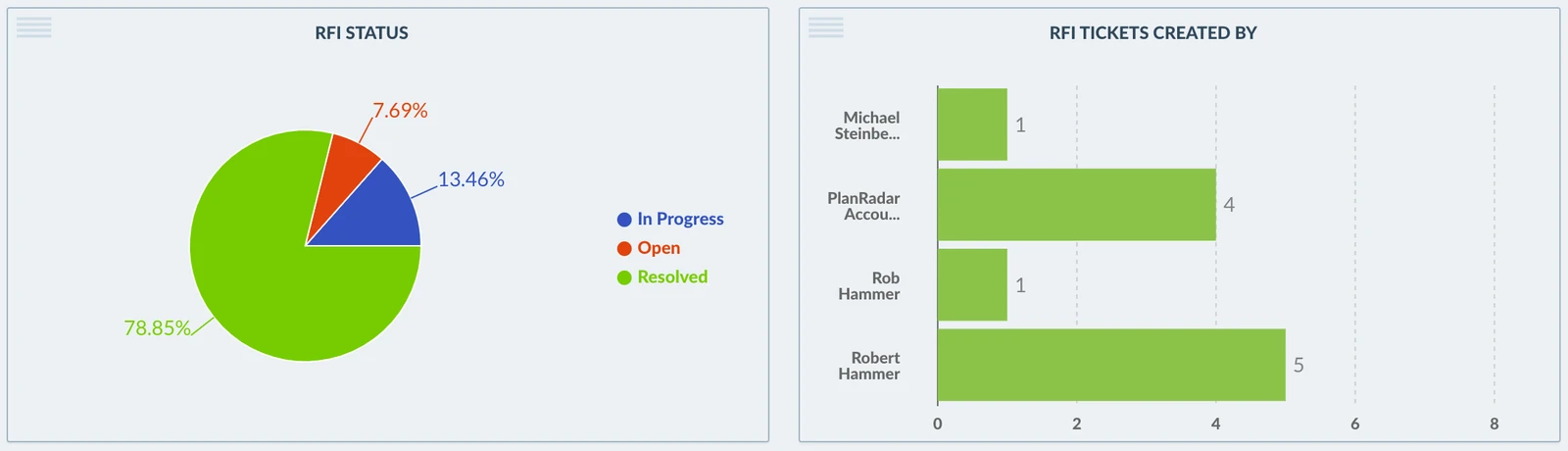
- Get insights about your RFIs with statistics.
Read more in Statistics.
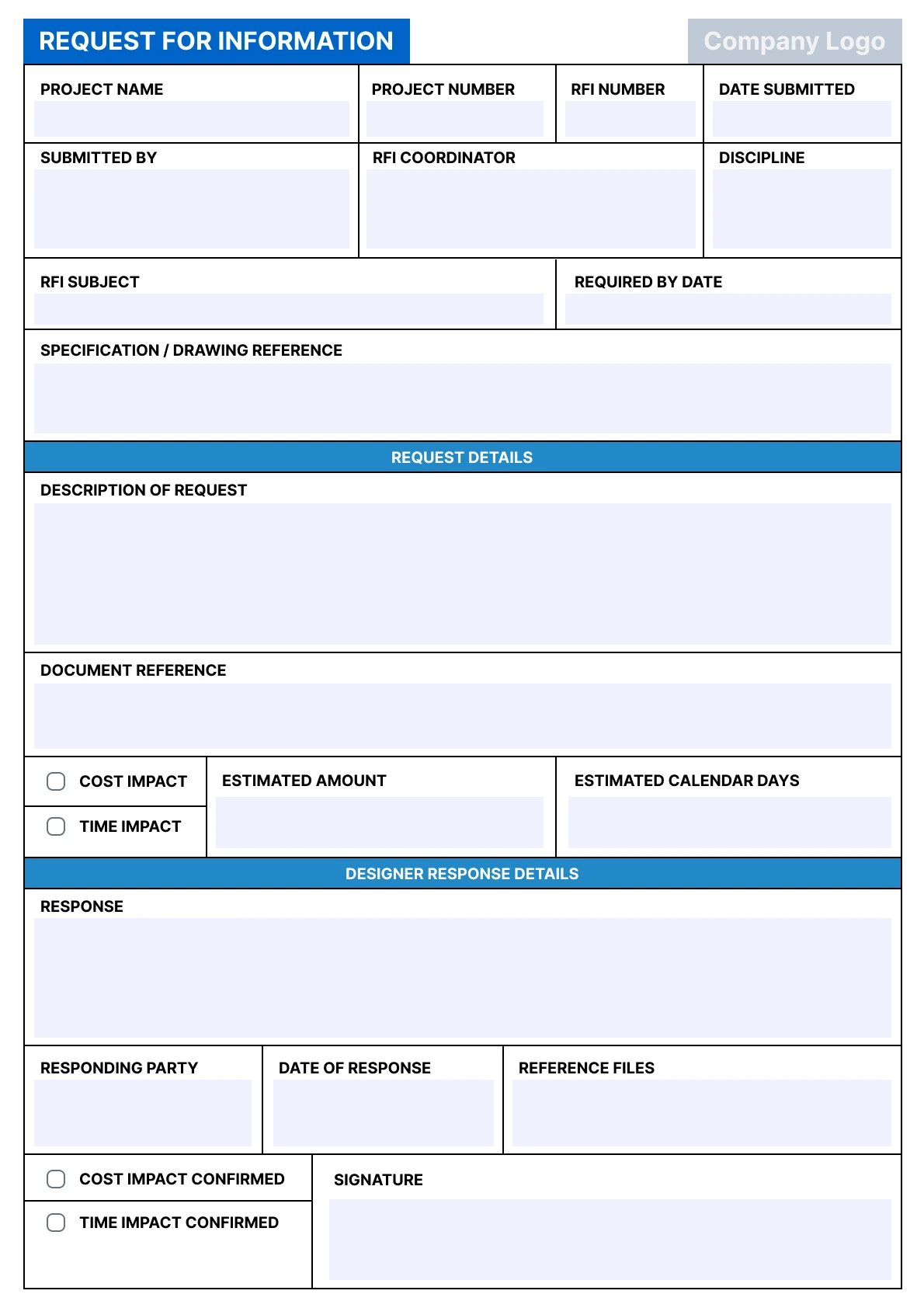
- Create PDFs or Excel files to summaries and share processed RFIs by creating ticket reports.
Read more in Ticket Reports.
- Use PlanRadar Connect or Open APIs for automations like generating PDF reports of RFIs and save them in PlanRadar Documents or other cloud storage services or share them by email.
Updated February 13, 2026