

 Deutsch
 Español
 Français
 Hrvatski
 Italiano
 Polski
 Português (BR)
SiteView Video Recording Time
Overview
After you Activate SiteView in the Webapp, you will get 60 minutes of video recording time free of charge.
To create runs after the initial 60 minutes have been used, you will need to purchase a SiteView video recording time contingent. This is linked to your annual PlanRadar subscription.
Purchase a Time Contingent
You can subscribe to a contingent of video recording time for SiteView runs, which is renewed with your annual subscription cycle. You can increase the contingent at any time.
View Number of SiteView Minutes
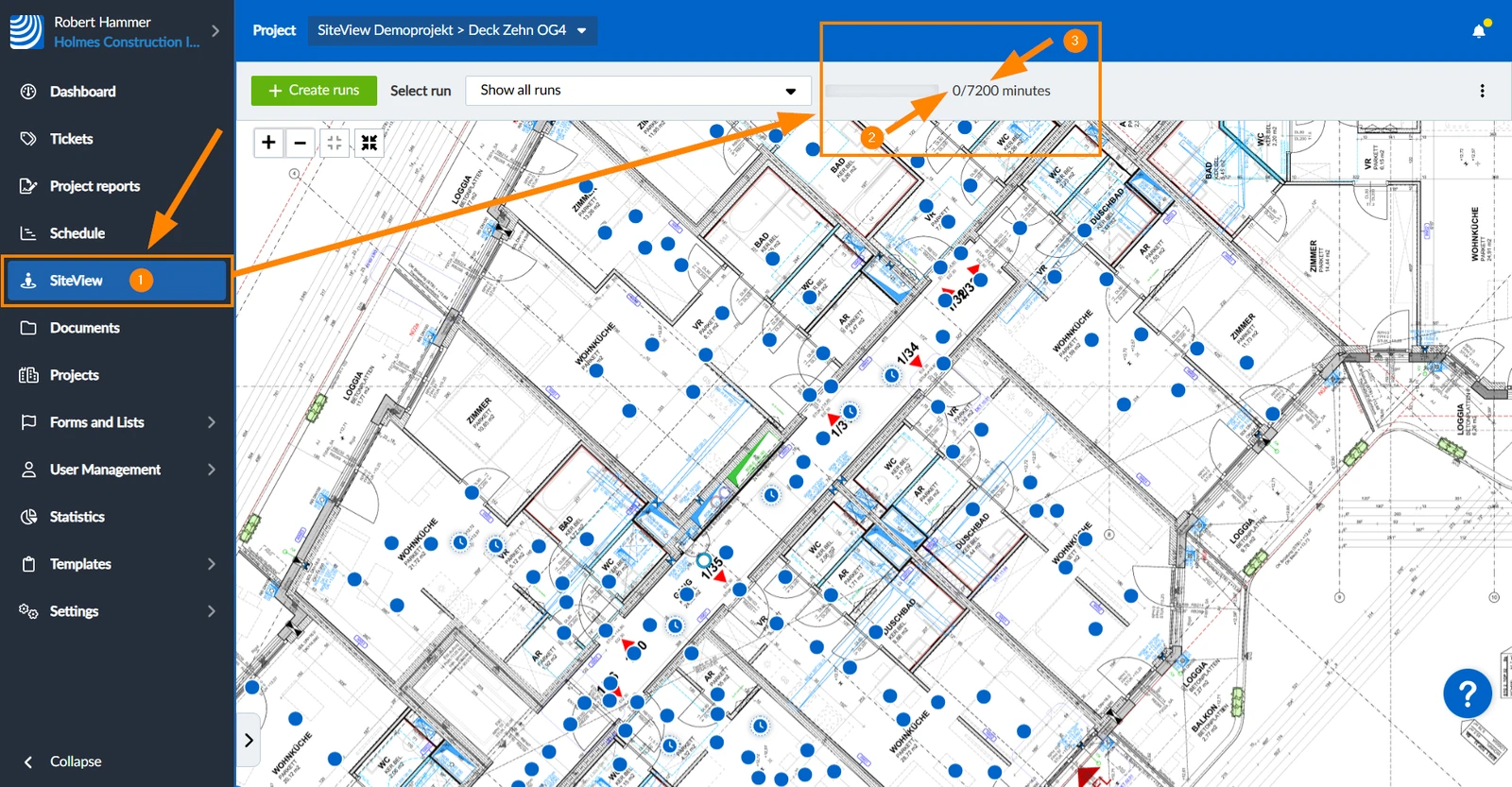
In SiteView
Anyone with access to the SiteView feature can see it there.
To view the number of used and total SiteView minutes in SiteView:
- Click SiteView
- See the number of used minutes
- See the number of total minutes**
**
In Account Page
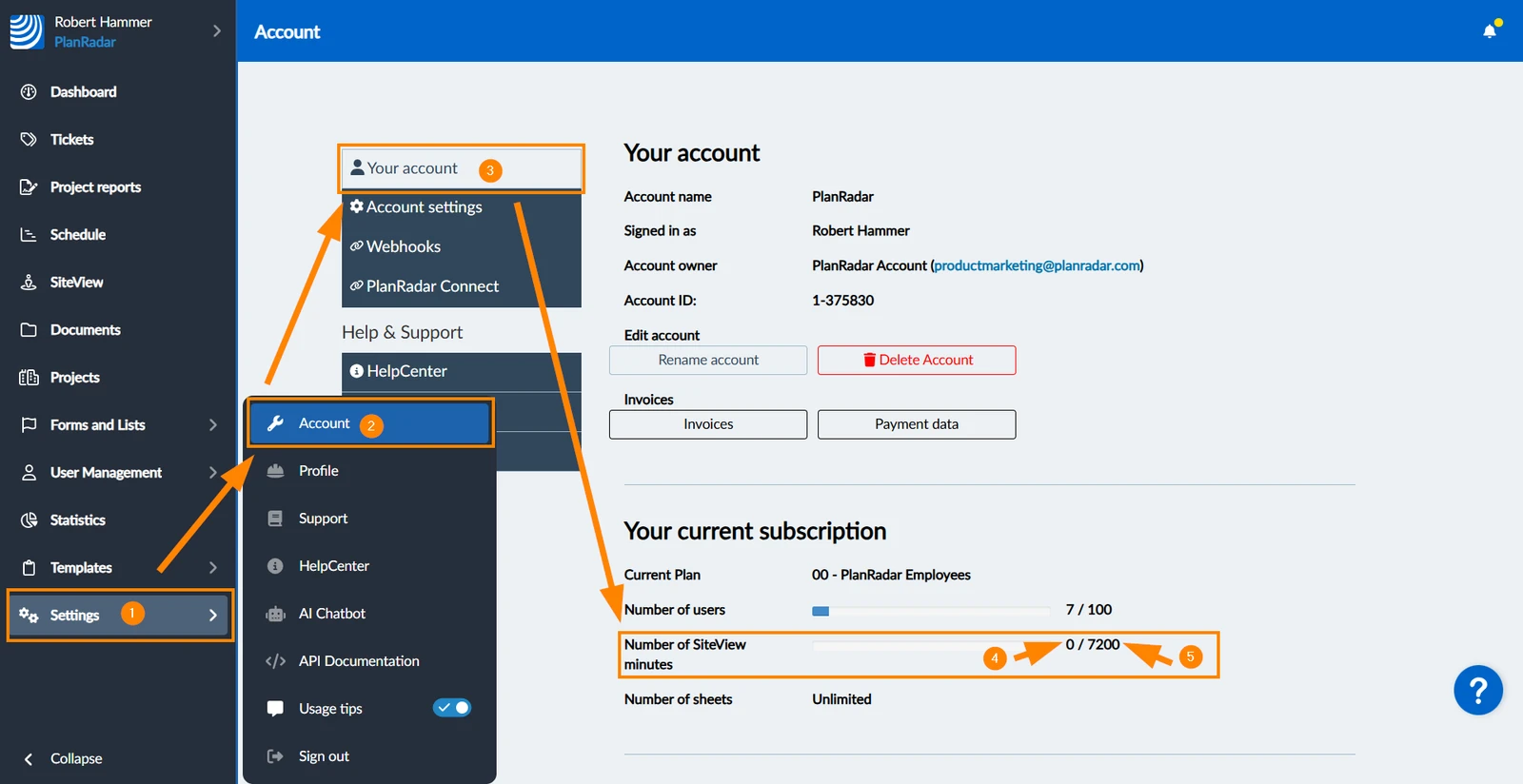
For the account owner and in-house users with the 'Account' user permission it is also visible in the accounts page.
To view the number of used and total SiteView minutes in your account page:
- Hover over Settings
- Click Account
- Click Your account
- See the number of used minutes
- See the number of total minutes
Updated August 13, 2025