Before you can start using or testing the SiteView feature it needs to get activated for your PlanRadar account.
Access & Permissions
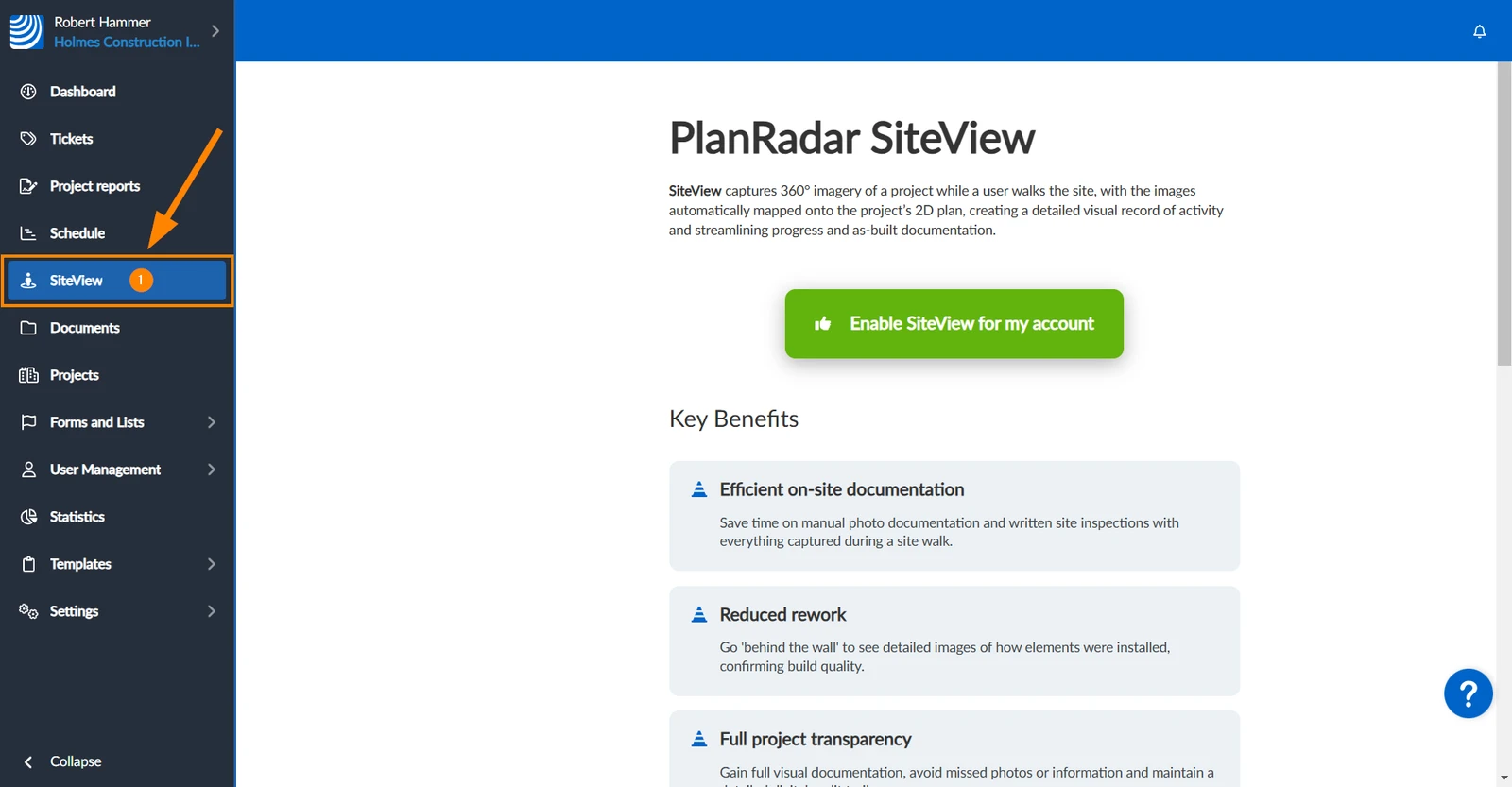
How to access SiteView
Click SiteView 

Request Activation
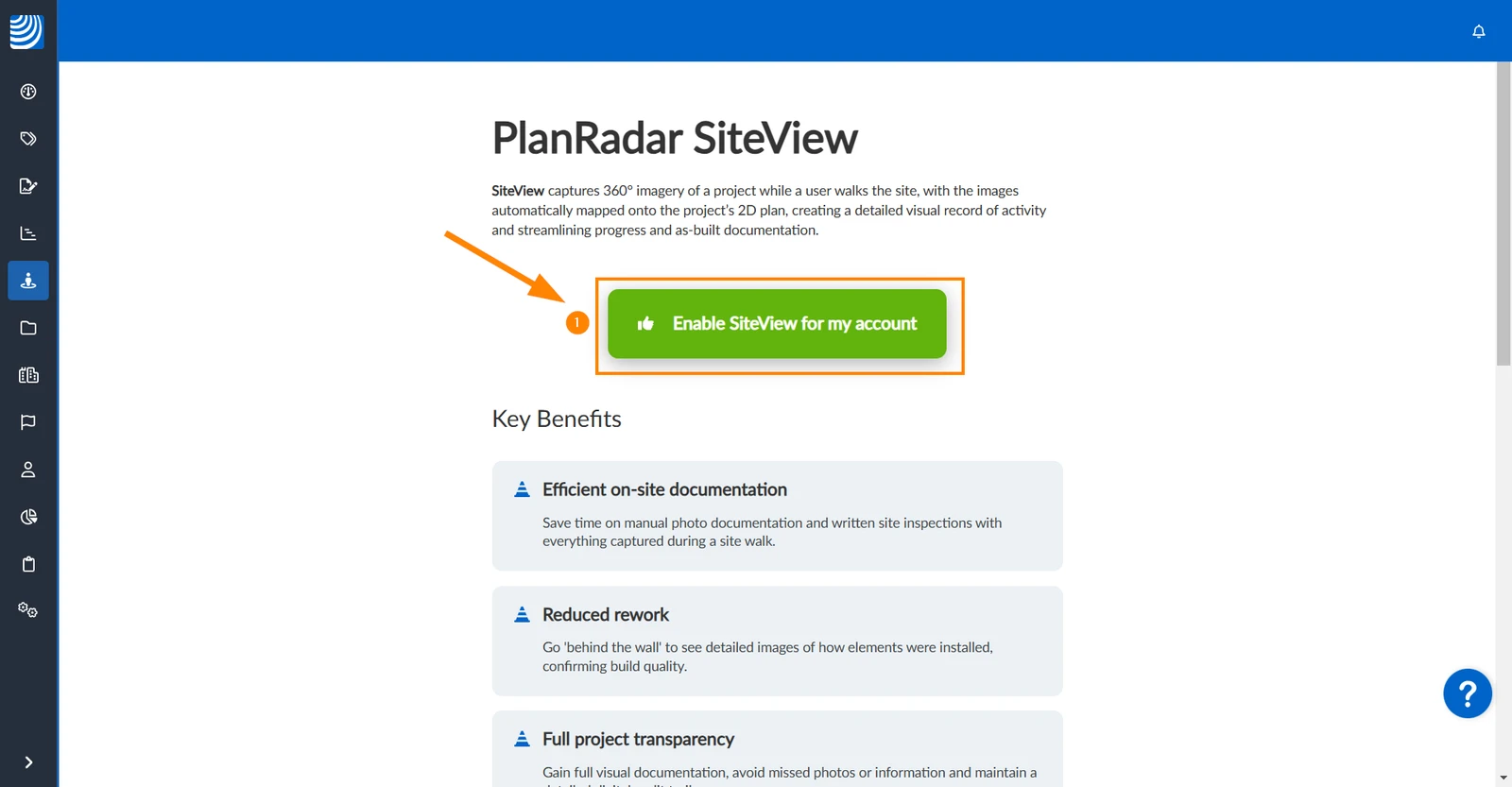
To request activation of SiteView:
Click Enable SiteView for my account
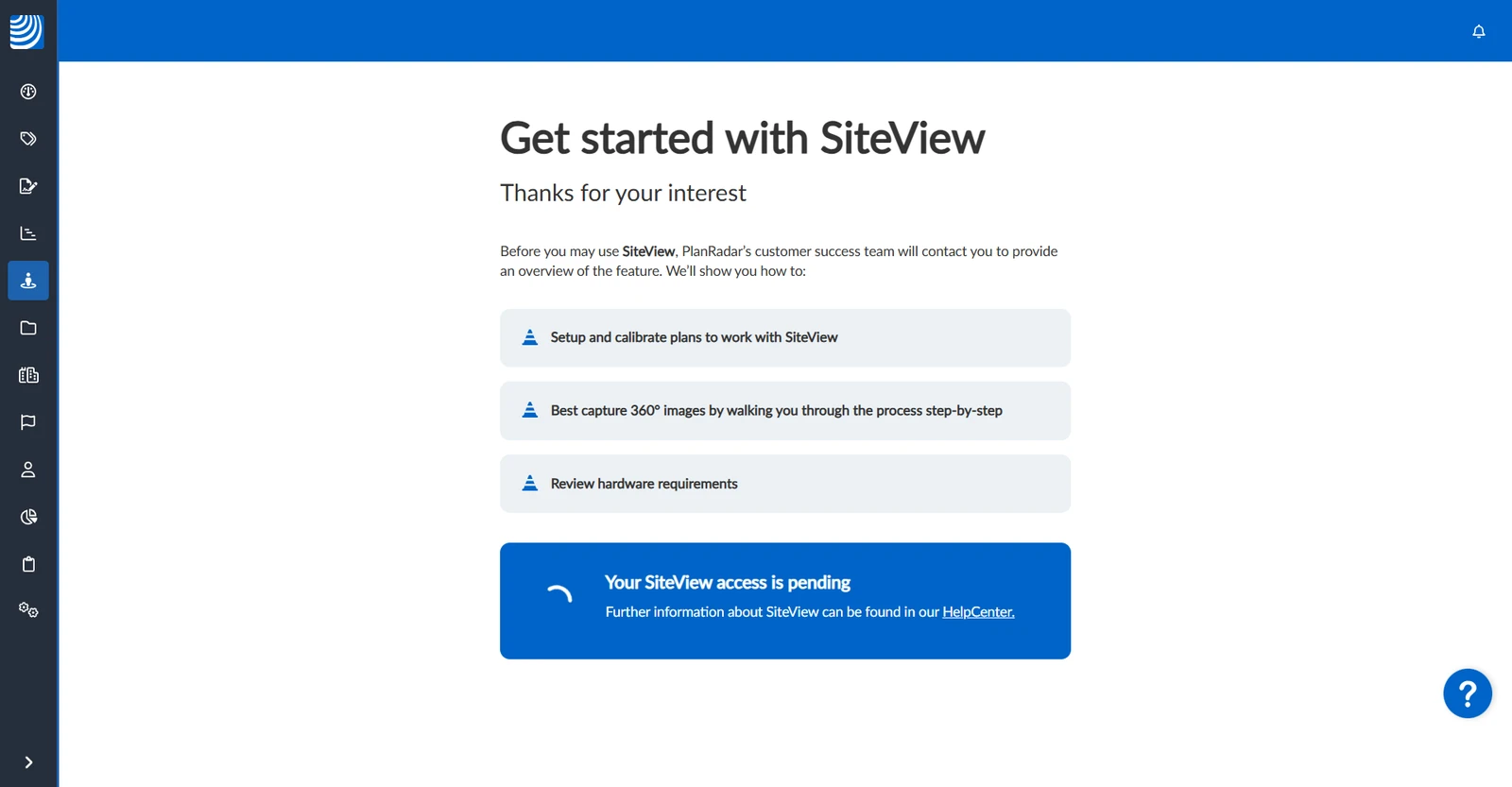
The confirmation of your SiteView activation request will be displayed.
Access the Demo Project
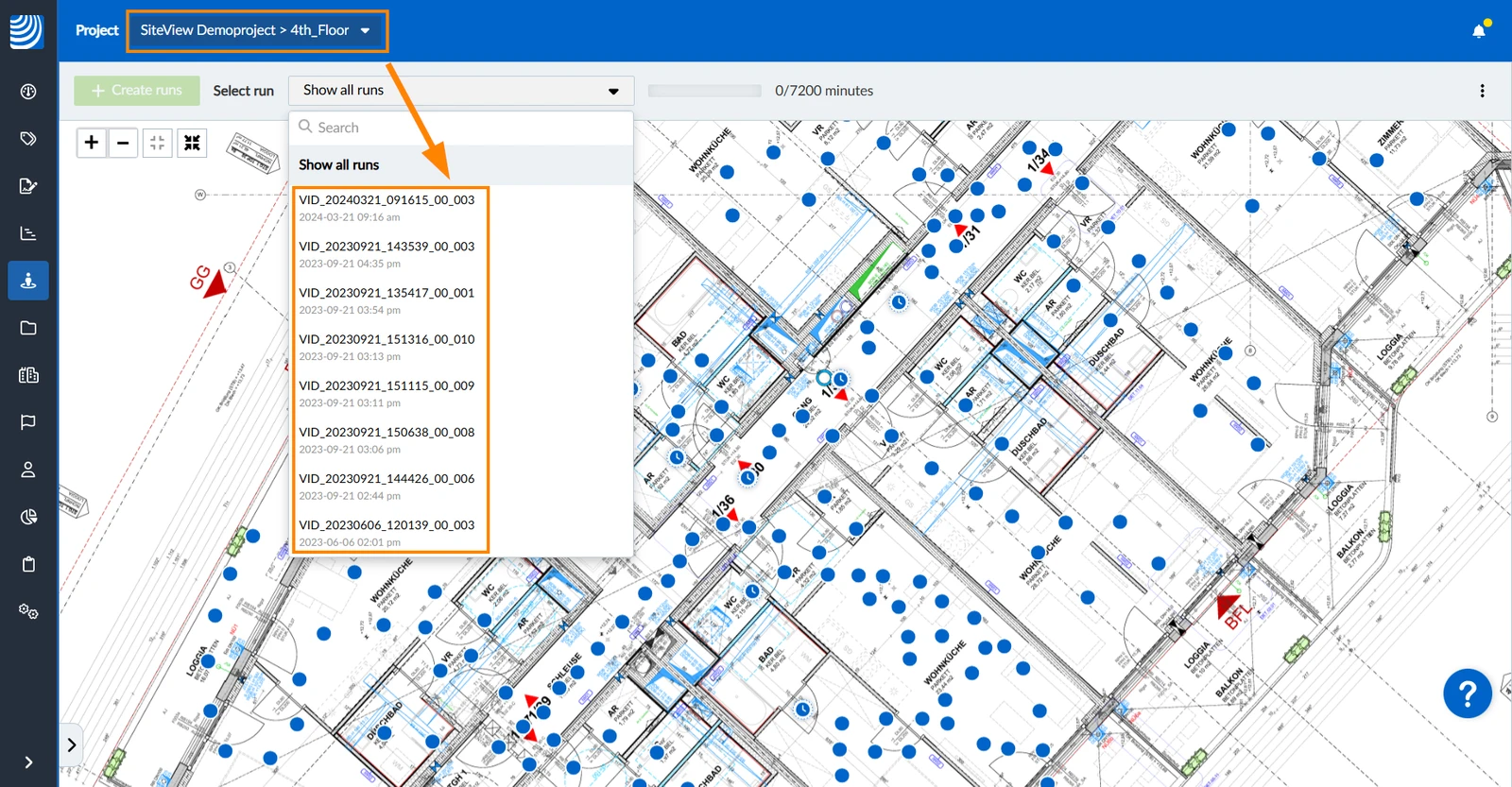
Upon activation, the 'SiteView Demoproject' is automatically added to your PlanRadar account so that you can explore the feature without any hardware or new recordings.
The demo project contains a calibrated plan with runs and 360° images from a real construction site.
Test SiteView
Upon activation, you will get 60 minutes of video recording time free of charge.


 Deutsch
 Español
 Français
 Hrvatski
 Italiano
 Polski
 Português (BR)