

 Deutsch
 Español
 Français
 Hrvatski
 Italiano
 Polski
 Português (BR)
Configure Working Days in the Webapp
Overview
Configure workdays of the week and add public holidays for a project. They are used for more realistic calculations for:
- Schedules - for your automated phases.
- Approval requests - for due date or duration.
Access & permissions
Edit Working Days
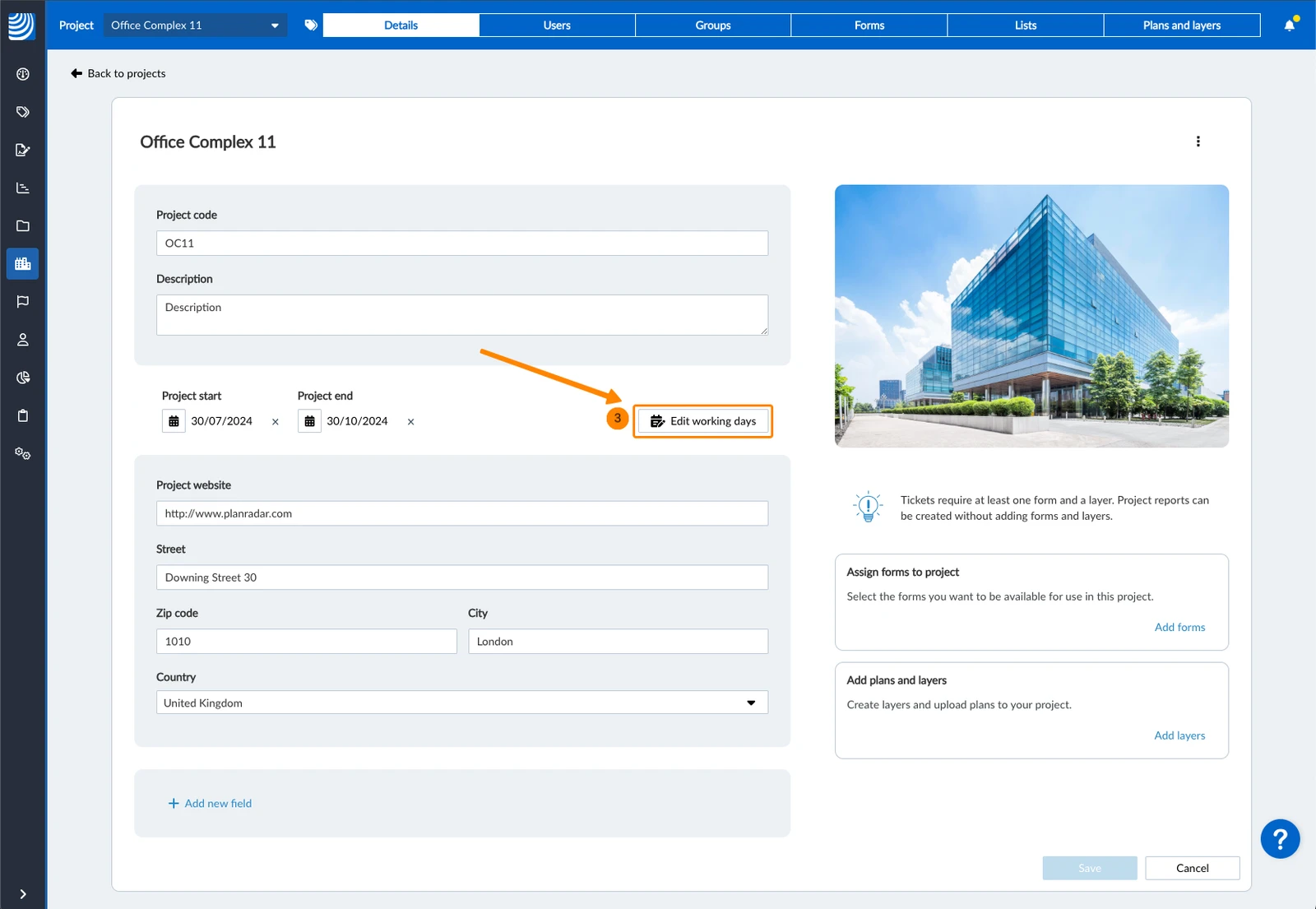
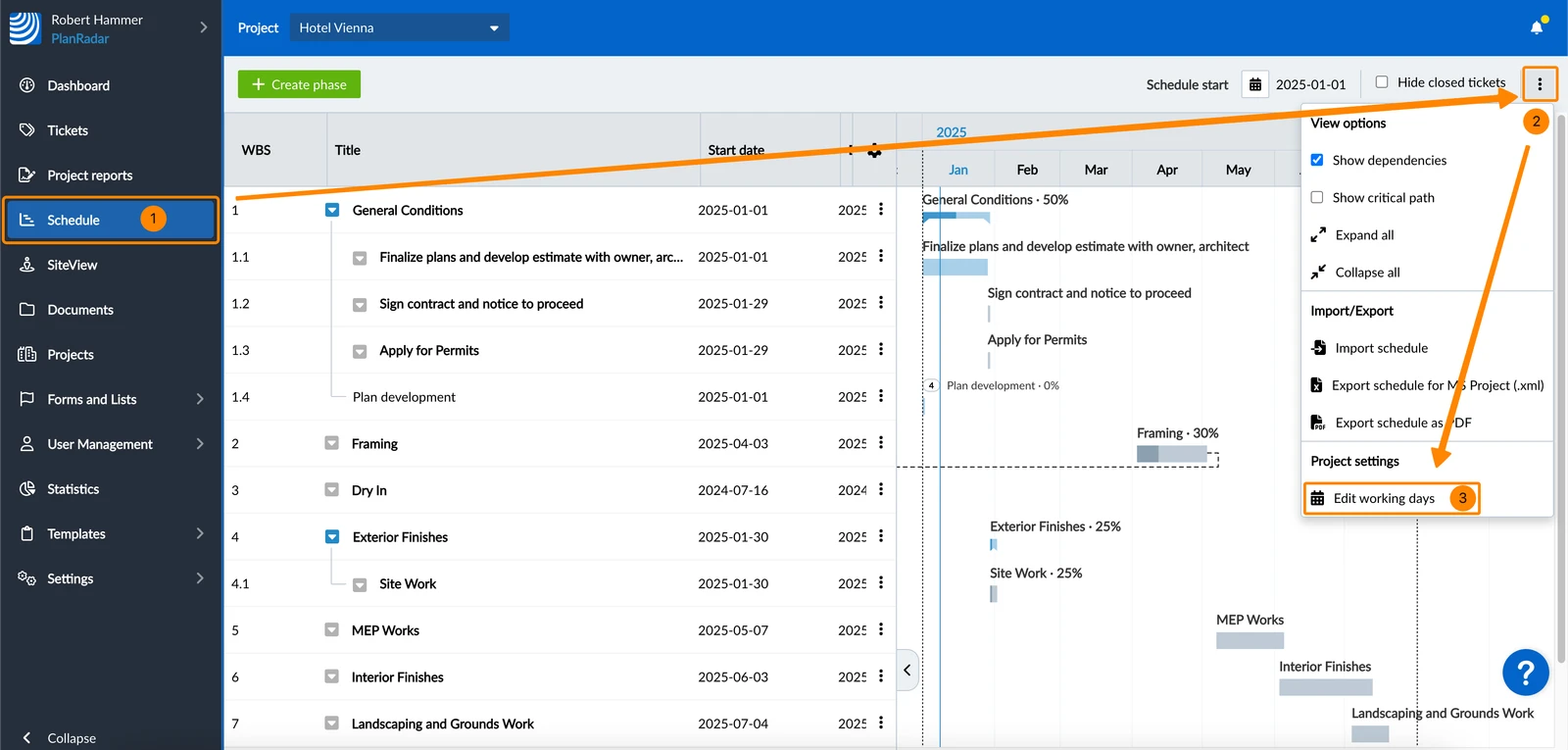
Working days are defined per project. You can access the settings either in project details or in Schedules.
A In project details:
- Click Projects
- Open the project
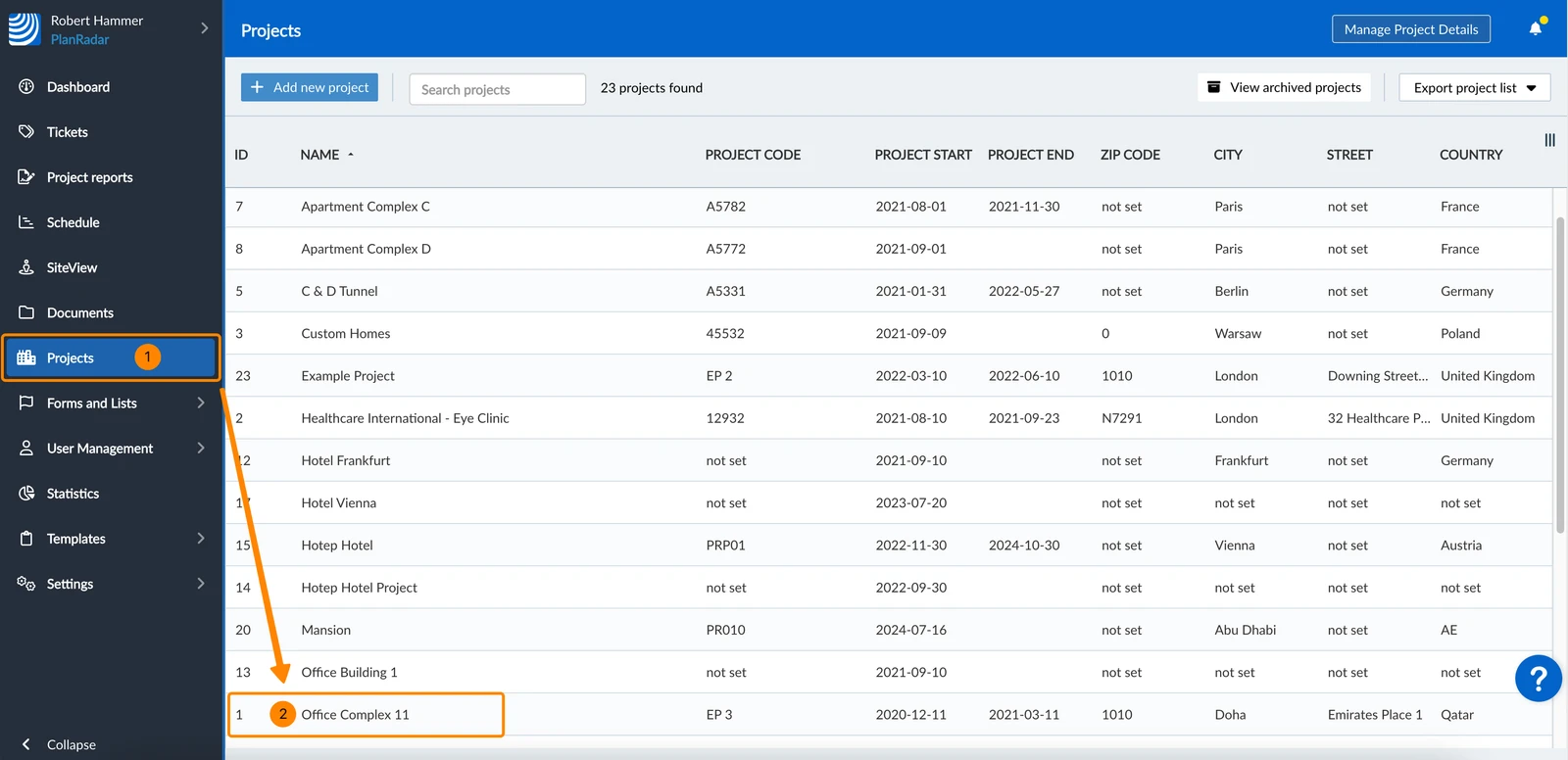
- Click Edit working days
B In Schedules:
- Click Schedule
- Open the more menu
- Click Edit working days
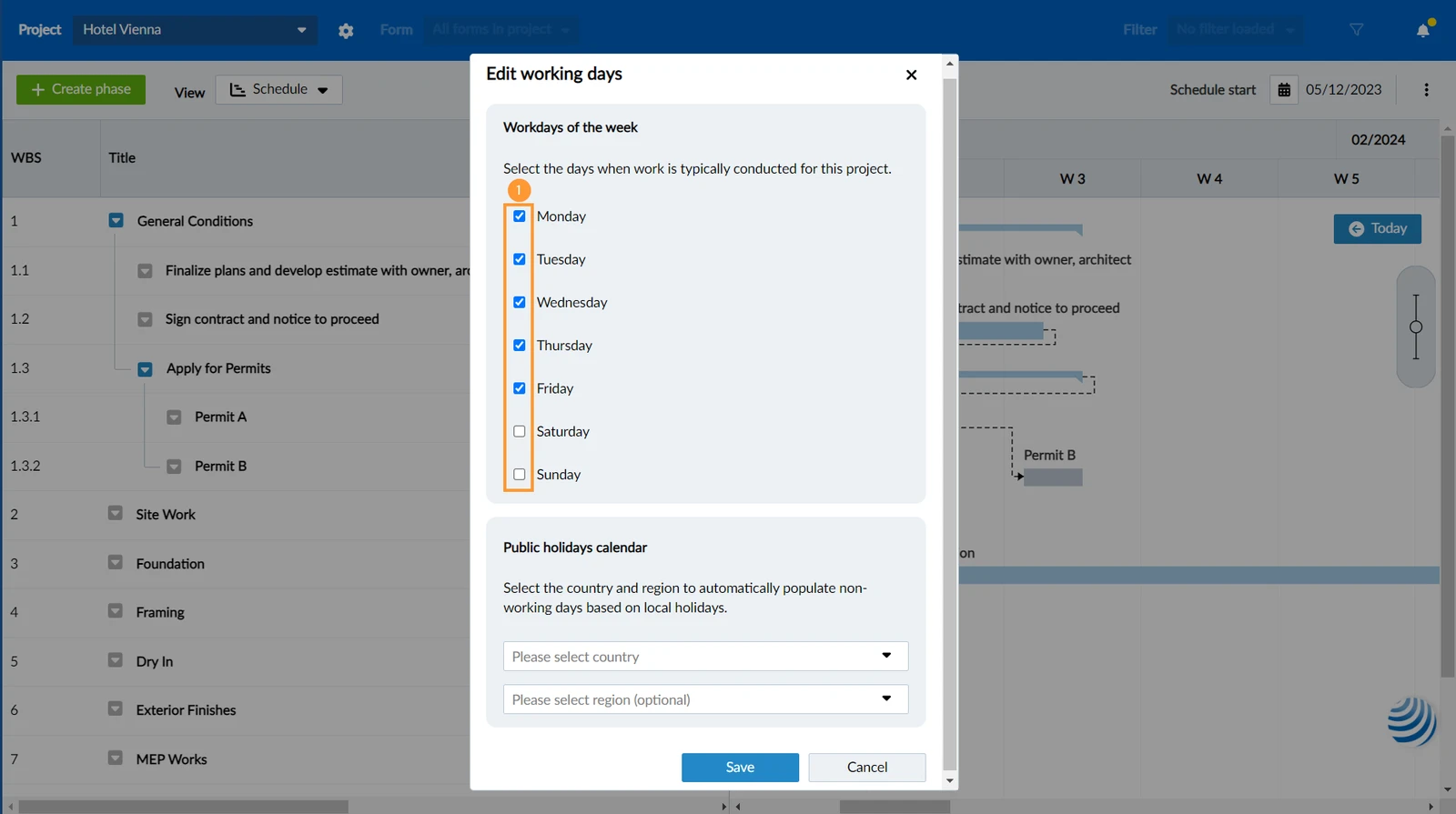
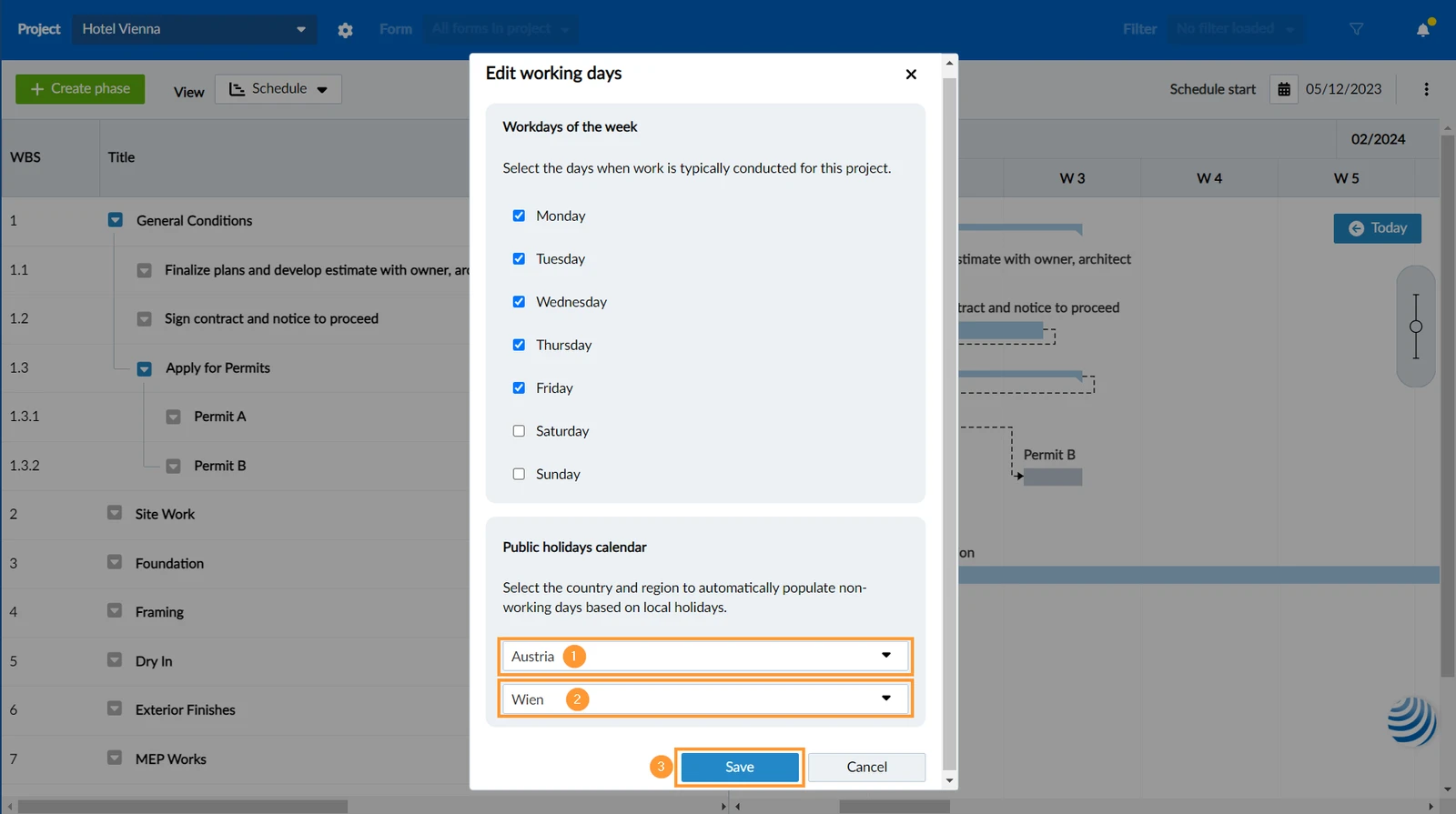
Define Workdays of the Week
To define the usual workdays of the week:
- Select or clear the check boxes for each weekday
Select Country for Public Holidays
Next and last step to define the working days of a project:
- Select the country of the project
- Select the region (list is displayed in the language of the selected country)
- Click Save
Updated May 24, 2026