

 Deutsch
 Español
 Français
 Hrvatski
 Italiano
 Polski
 Português (BR)
Delete Projects in the Webapp
Overview
Delete a project with all its related data like tickets, project reports, plans, layers and project specific data.
Access & Permissions
How to access Projects
- Click Projects
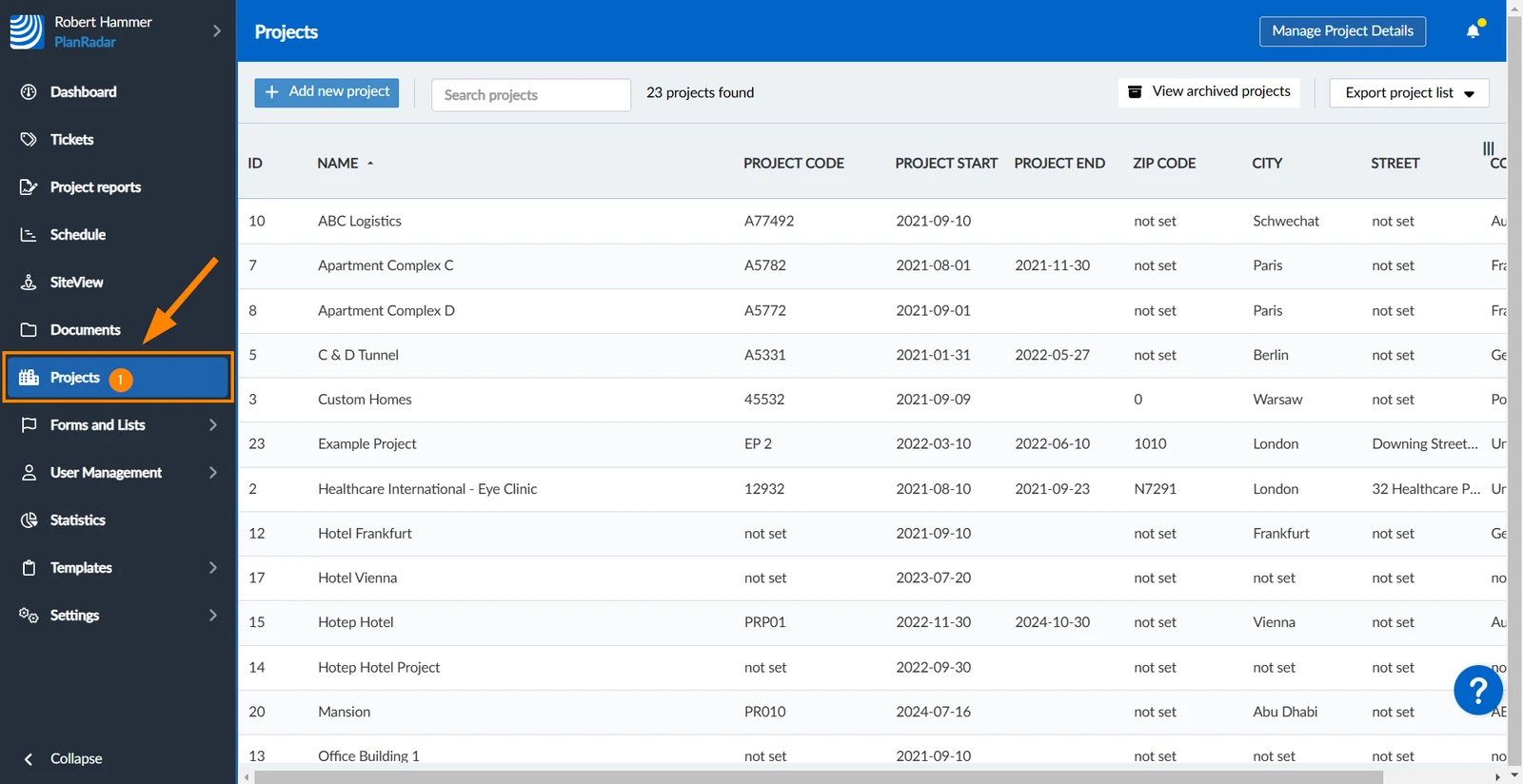
Delete a Project
To delete a project:
- Select the project
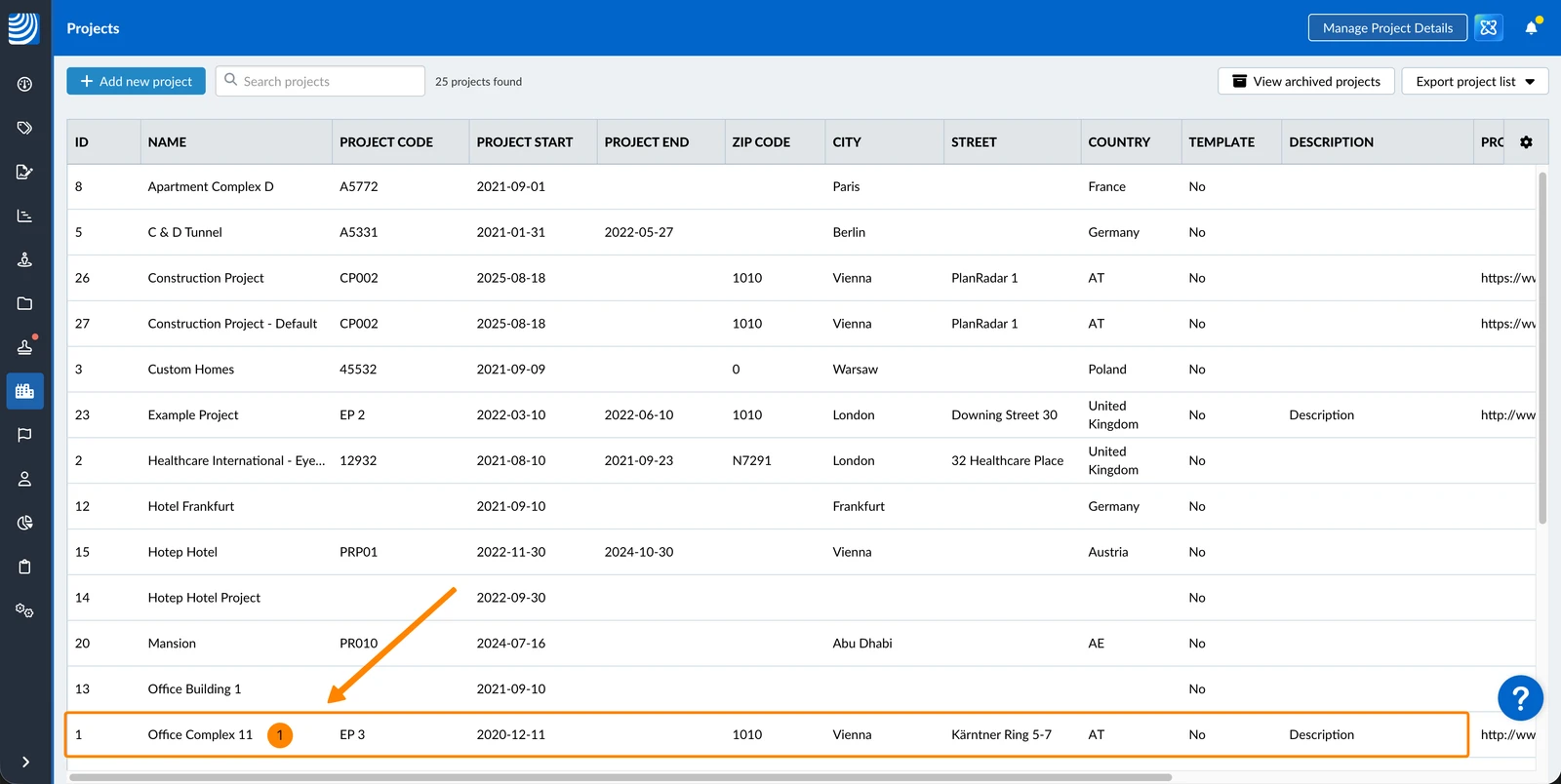
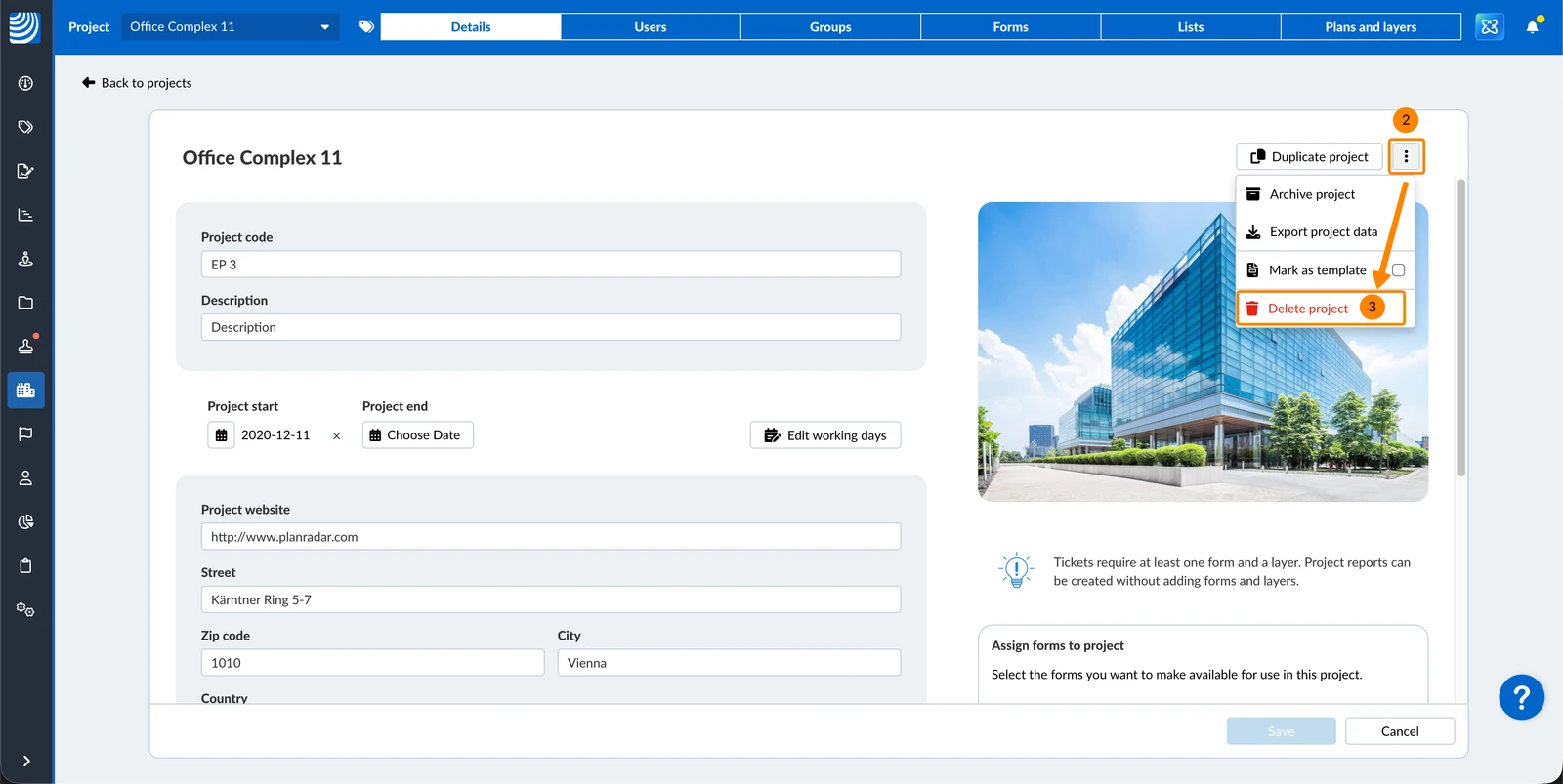
- Open the more menu
- Click Delete project
- Click Confirm
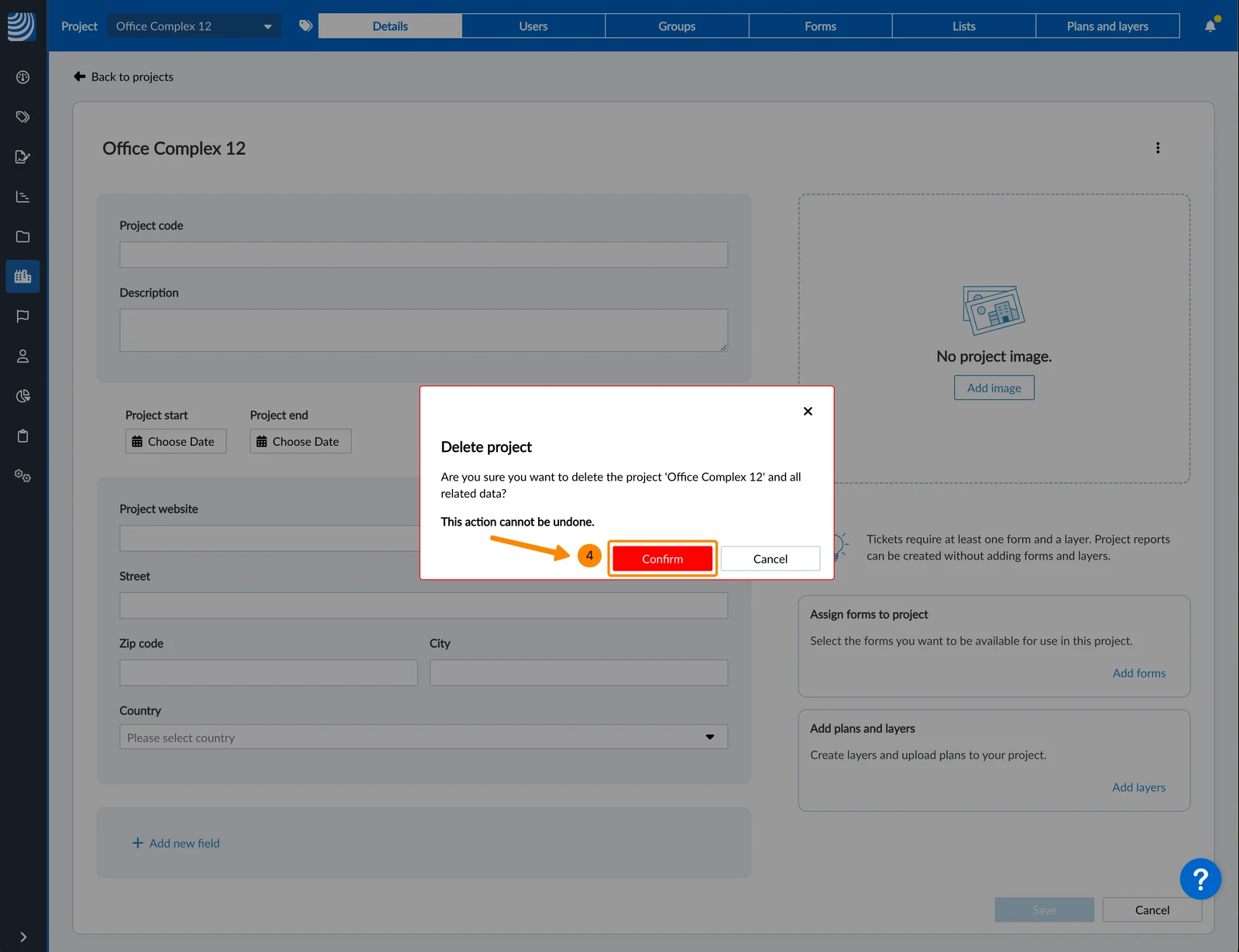
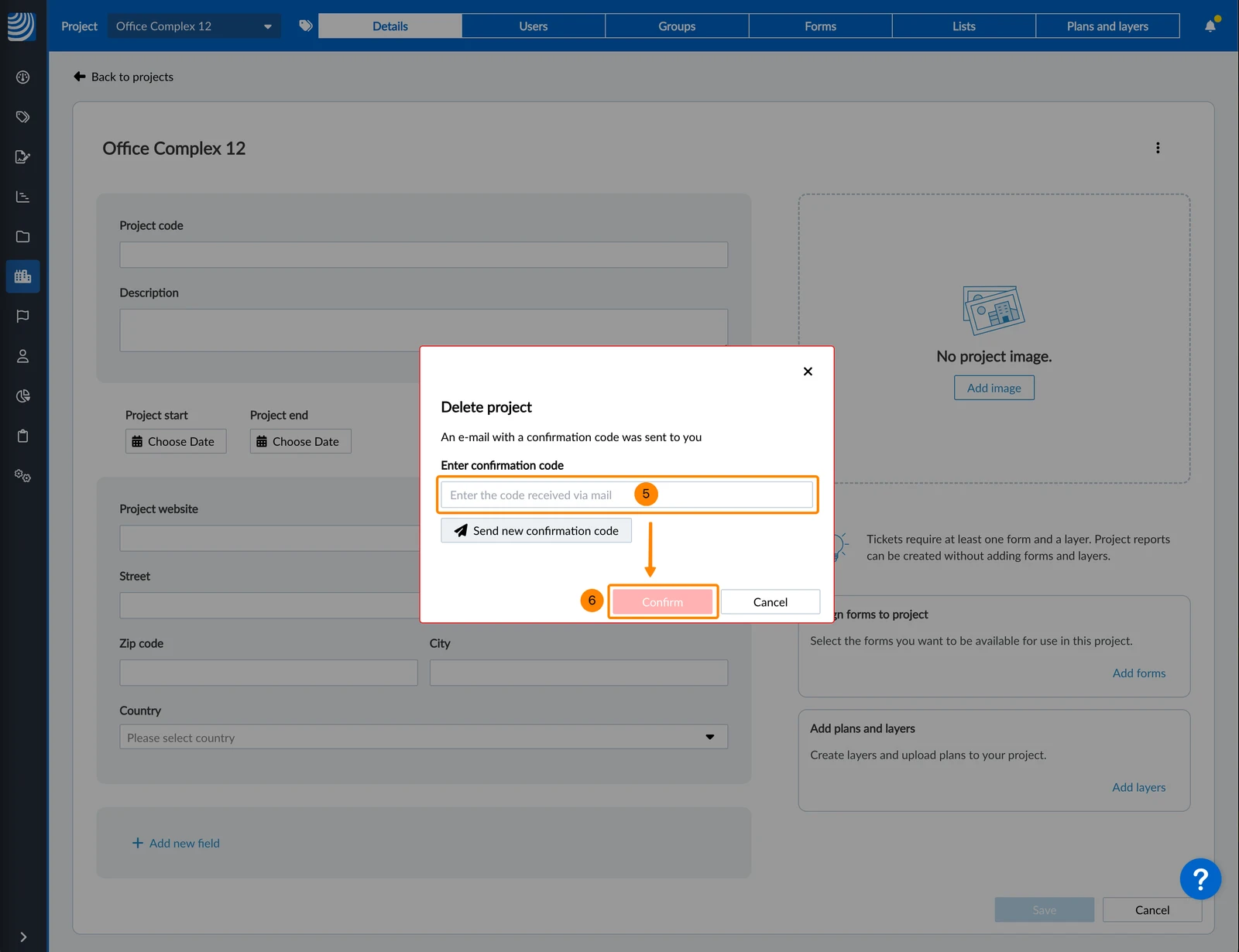
- An email with a deletion confirmation code will be sent to your email. Enter the code.
- Click Confirm
Updated June 18, 2026