

 Deutsch
 Español
 Français
 Hrvatski
 Italiano
 Polski
 Português (BR)
Use Sub-Tickets
Overview
Manage bigger tasks with sub-tickets by linking them to their respective parent ticket.
Access & Permissions
Sub-Tickets & Parent Tickets
Any ticket can become a sub-ticket of another ticket, making the other one the parent ticket. A sub-ticket can use a different form than its parent and can be located on a different layer within the same project. A parent ticket can not be a sub-ticket at the same time.
Sub-tickets are listed at the bottom of a ticket.
Parent Ticket Field
Sub-tickets must use a form with the Parent ticket field assigned. If a project has no such forms, the Create sub-ticket button is hidden.
Create a New Sub-Ticket
To create a new sub-ticket:
- Open a ticket or create and save a new one
- Scroll down to the the Sub-Tickets section
- Click Create sub-ticket
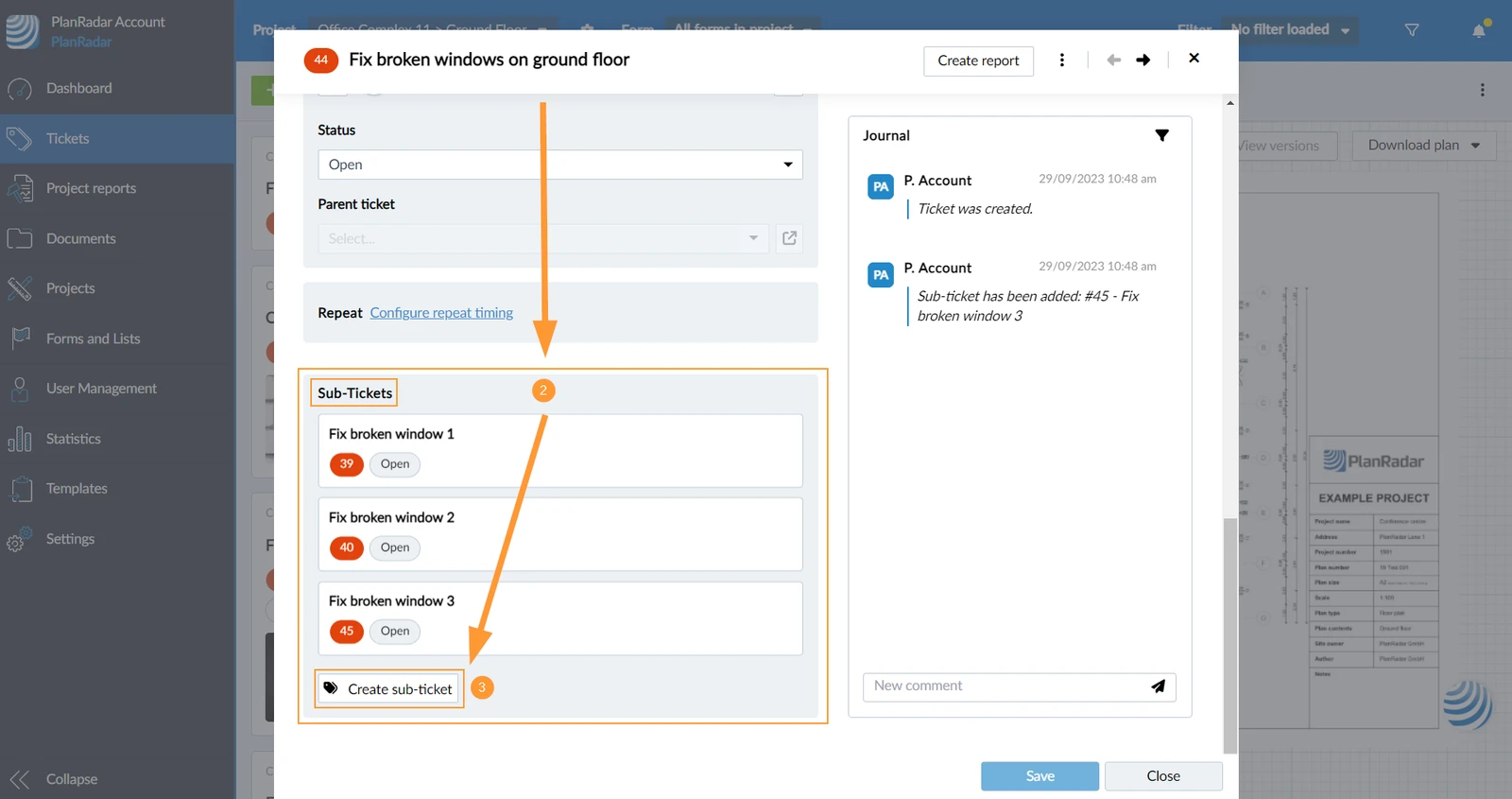
- Fill in the Form of a Ticket and save it.
- Open a ticket or create and save a new one
- Scroll down to the Subtickets section
- Tap + Add subticket
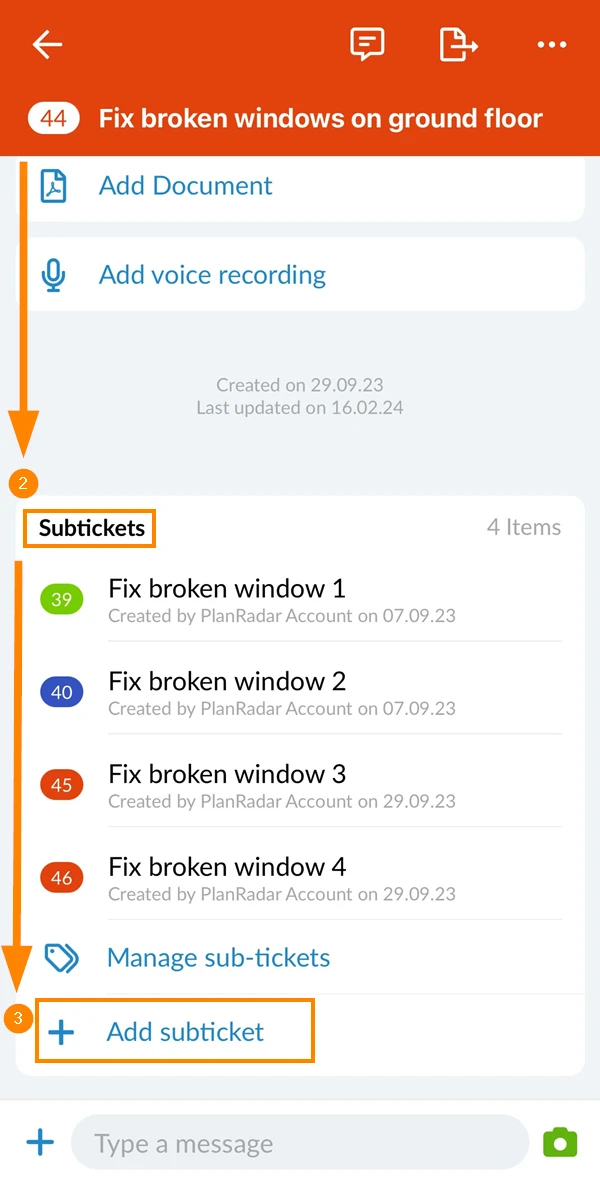
- Tap Create sub-Ticket
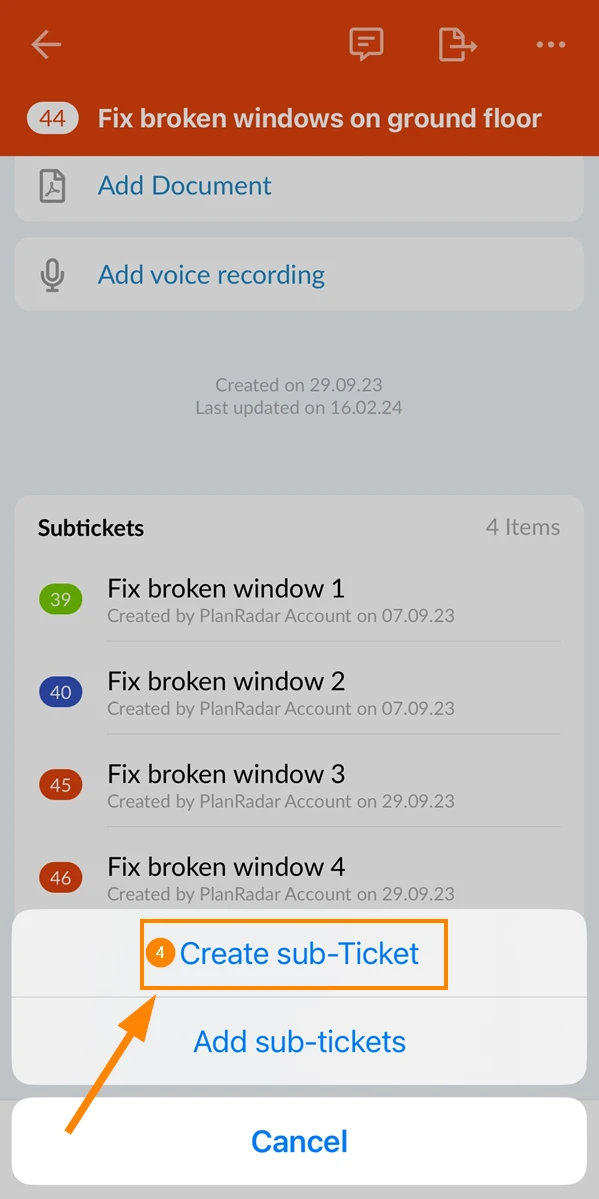
- Fill in the Form of a Ticket and save it.
Add Existing Tickets as Sub-Tickets
To add one or multiple existing tickets as sub-tickets:
- Open a ticket or create and save a new one
- Scroll down to the Subtickets section
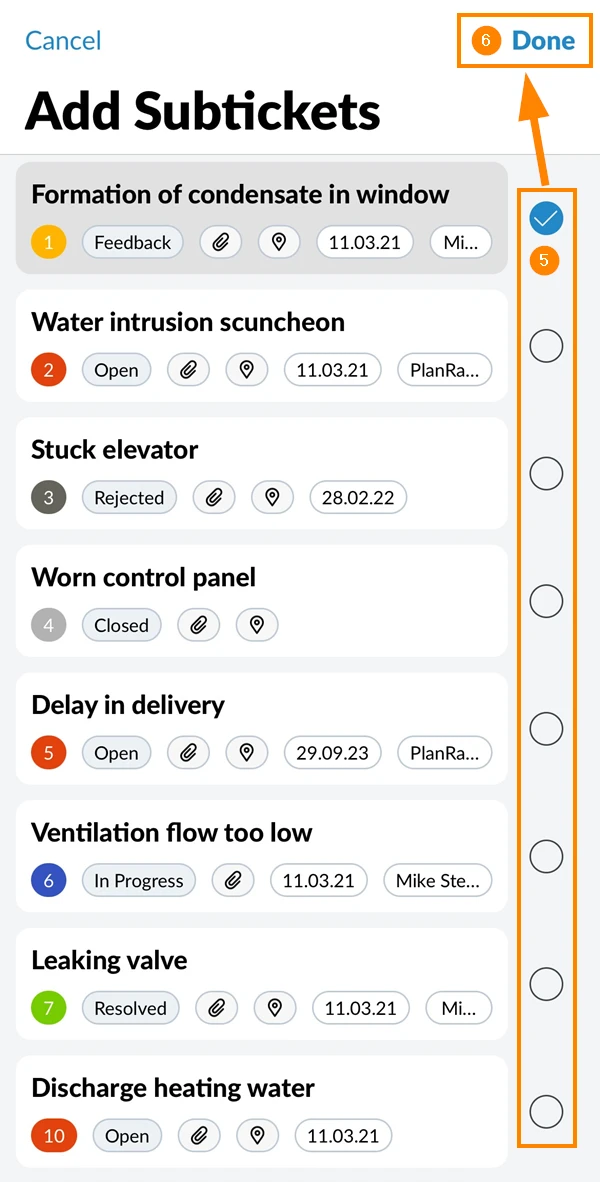
- Tap + Add subticket
- Tap Add sub-tickets
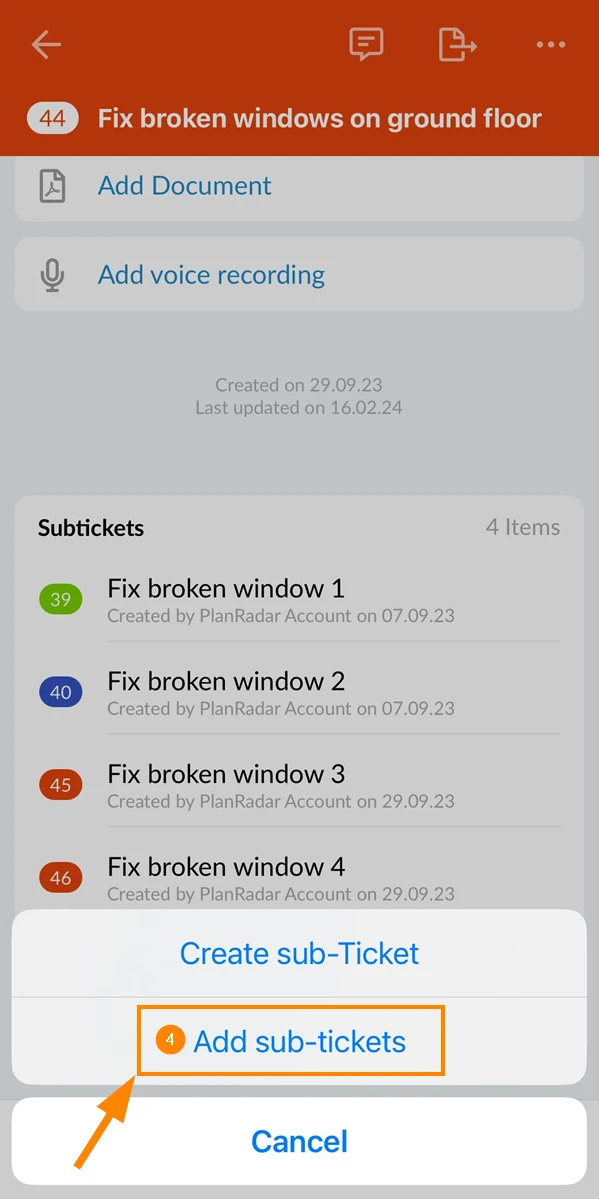
- Select the checkboxes for the tickets you want to add
- Tap Done
****
Turn a Ticket into a Sub-Ticket
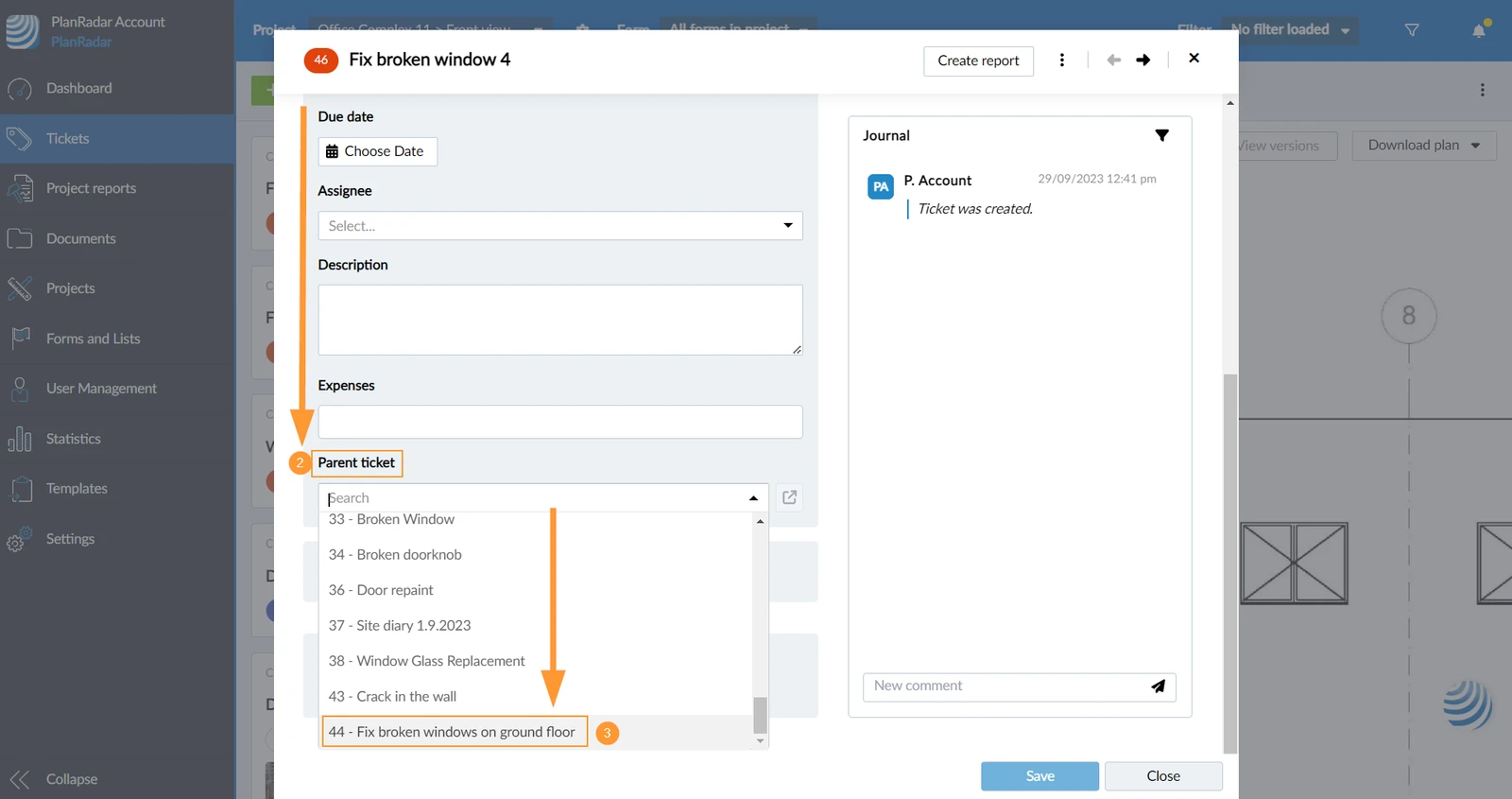
To turn a ticket into a sub-ticket:
- Open a ticket or create and save a new one
- Scroll down to Parent ticket field
- Select the parent ticket from the drop-down
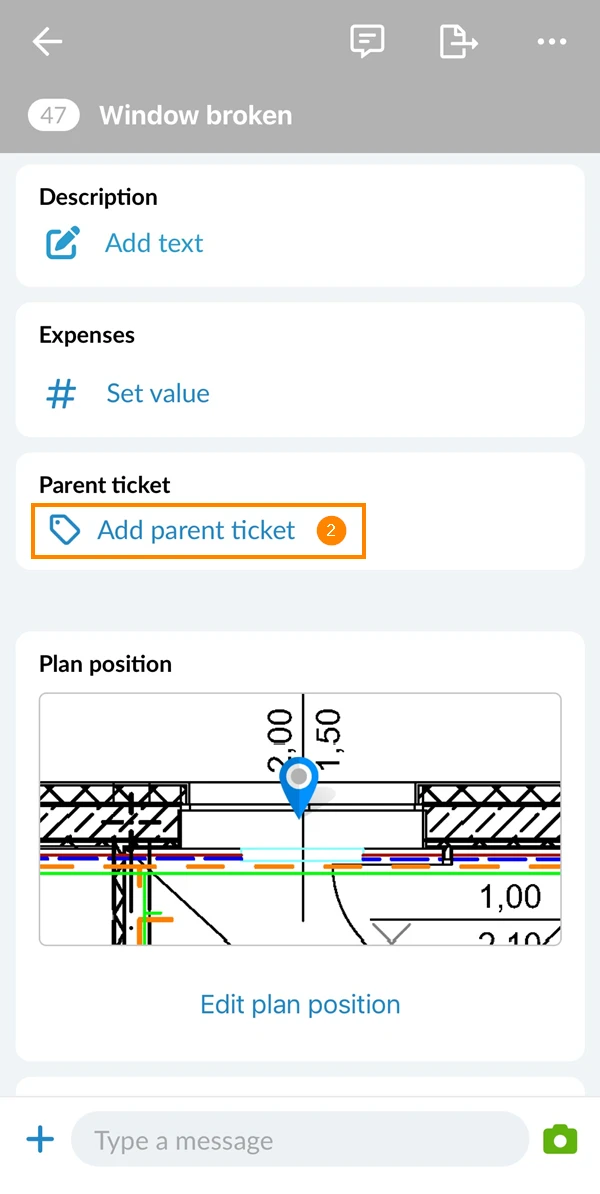
- Open a ticket or create and save a new one
- Scroll down to Parent ticket field
- Tap Add parent ticket
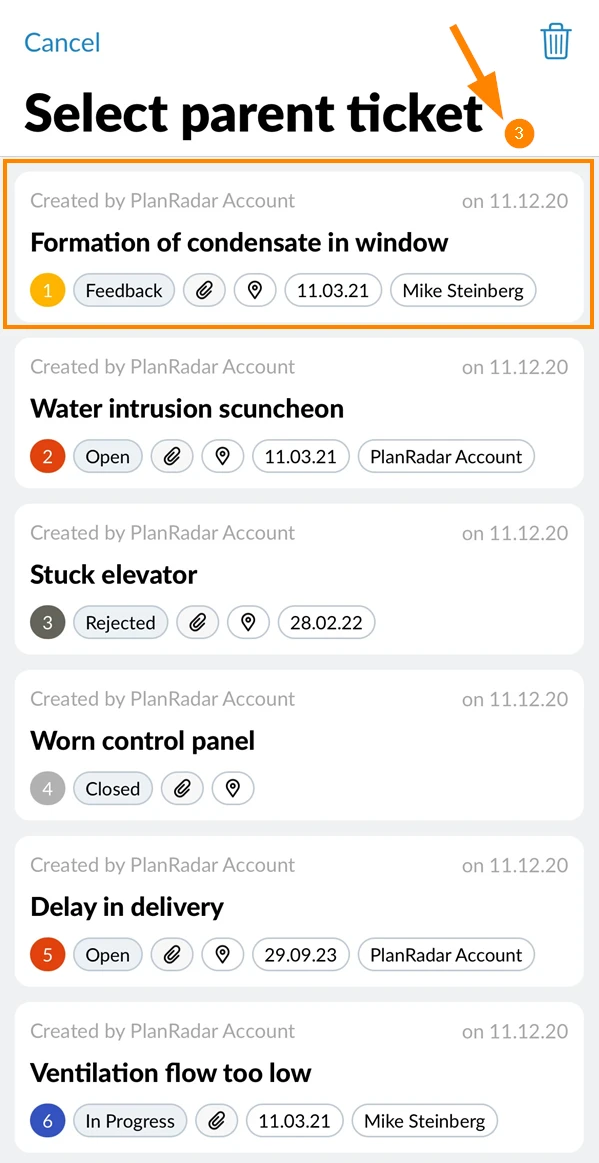
- Tap on the ticket that should become the parent ticket
Open Parent Ticket
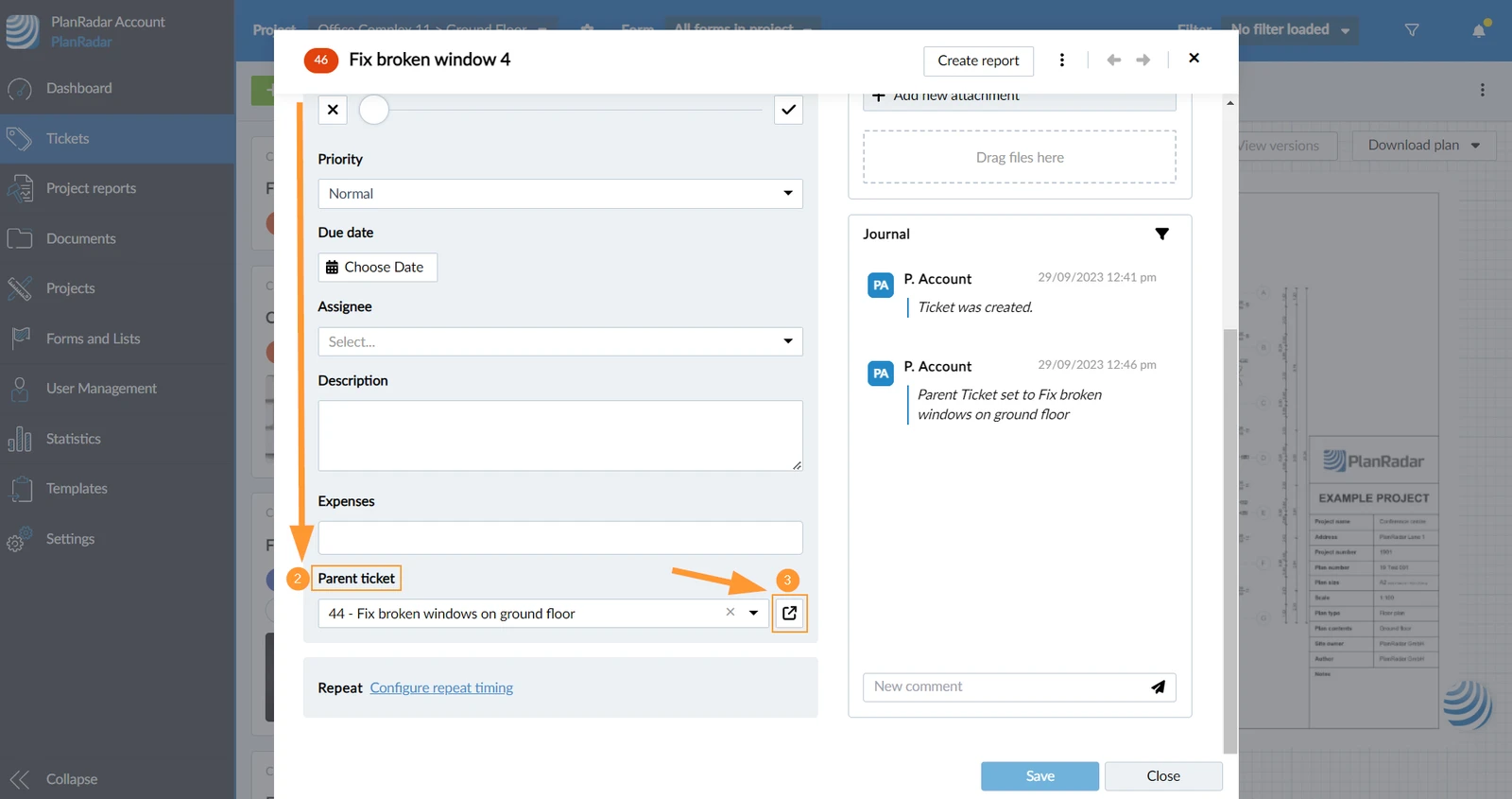
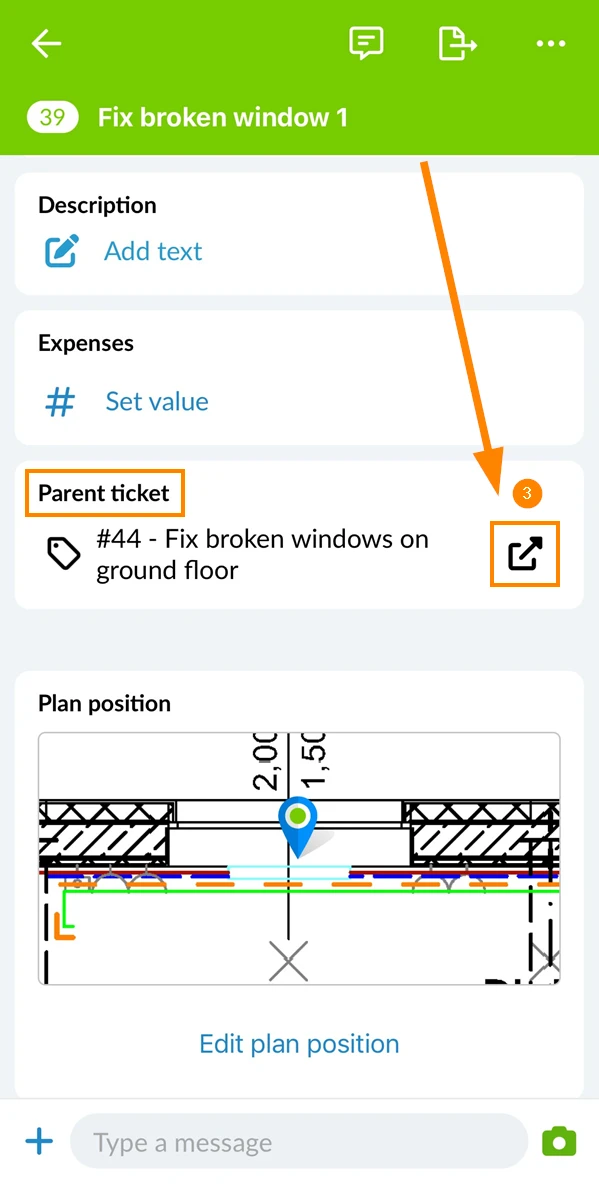
To open a parent ticket from within a sub-ticket:
- Open a sub-ticket
- Scroll down to the Parent ticket field
- Click the Open parent ticket icon
- Open a sub-ticket
- Scroll down to the Parent ticket field
- Tap the Open parent ticket icon
View & Open Sub-Tickets
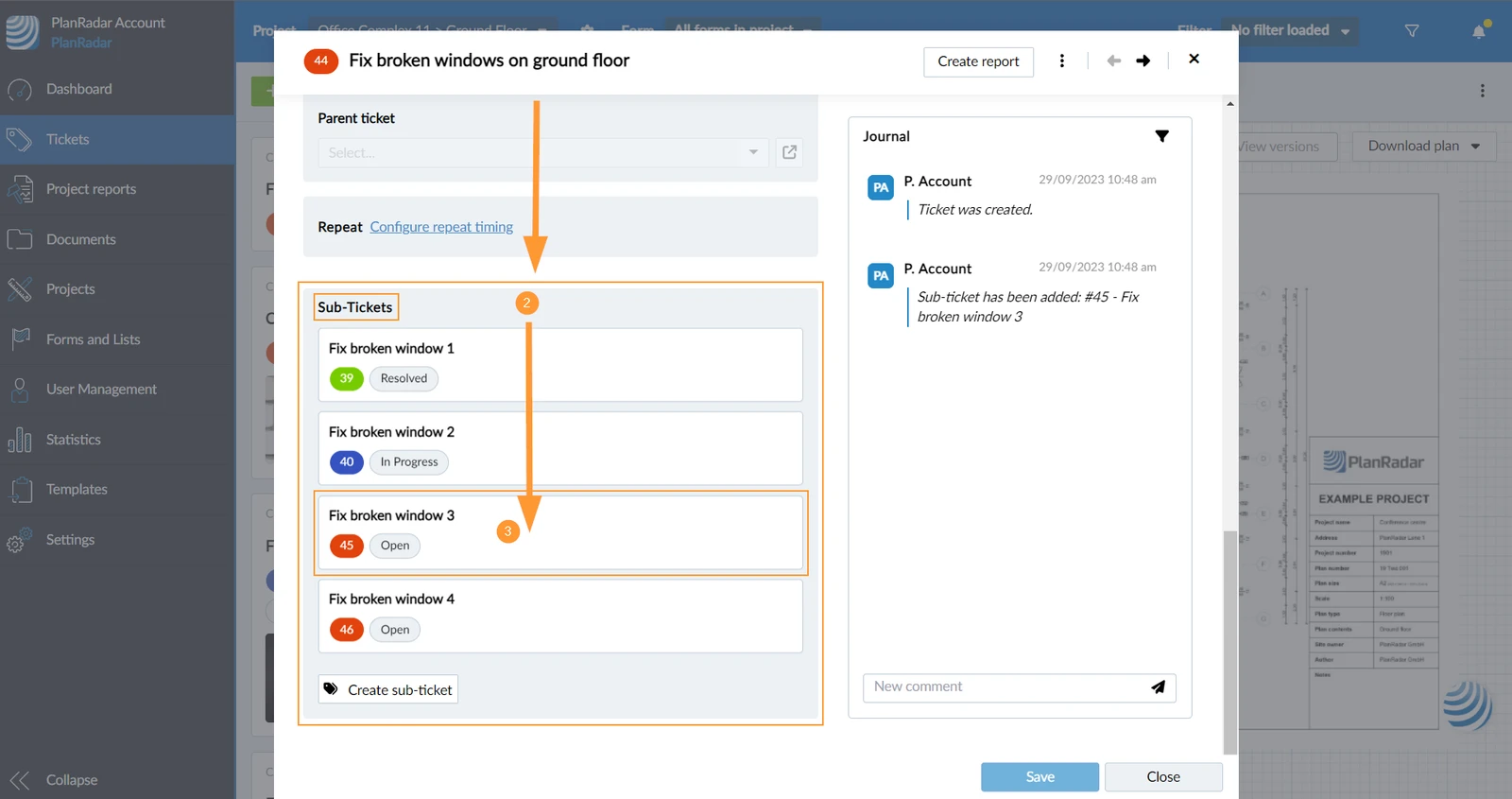
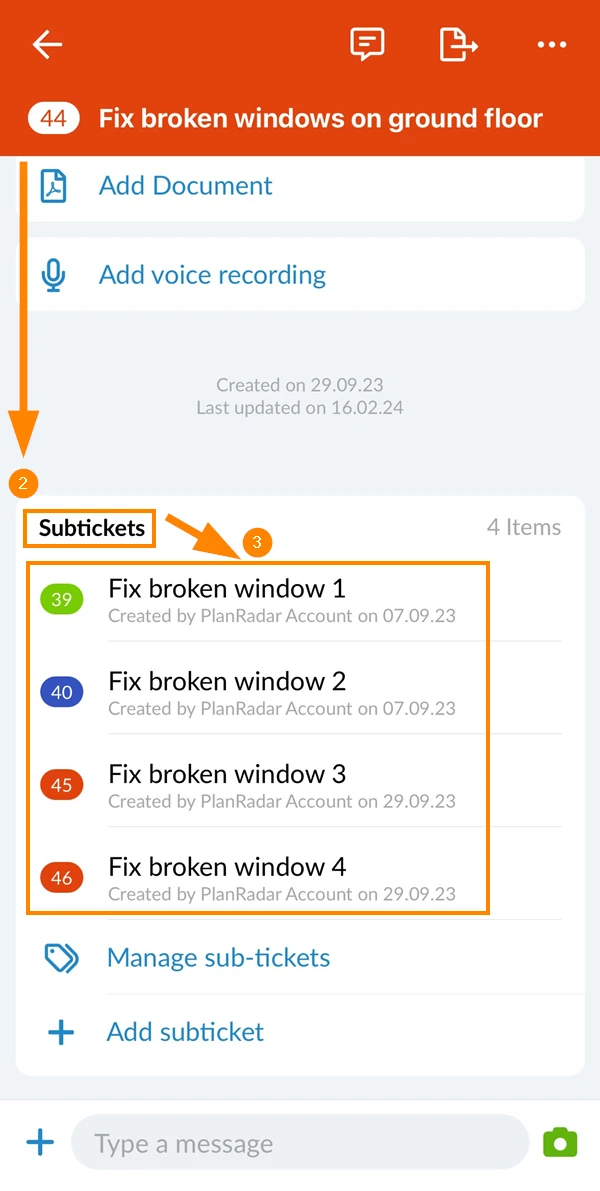
To view and open the sub-tickets of a parent ticket:
- Open a parent ticket
- Scroll down to the Sub-Tickets section
- View list of all sub-tickets (title, id, status)
- Click on a sub-ticket to open it
- Open a parent ticket
- Scroll down to the Subtickets section
- Tap on the sub-ticket to open it
See Sub-Tickets in List View
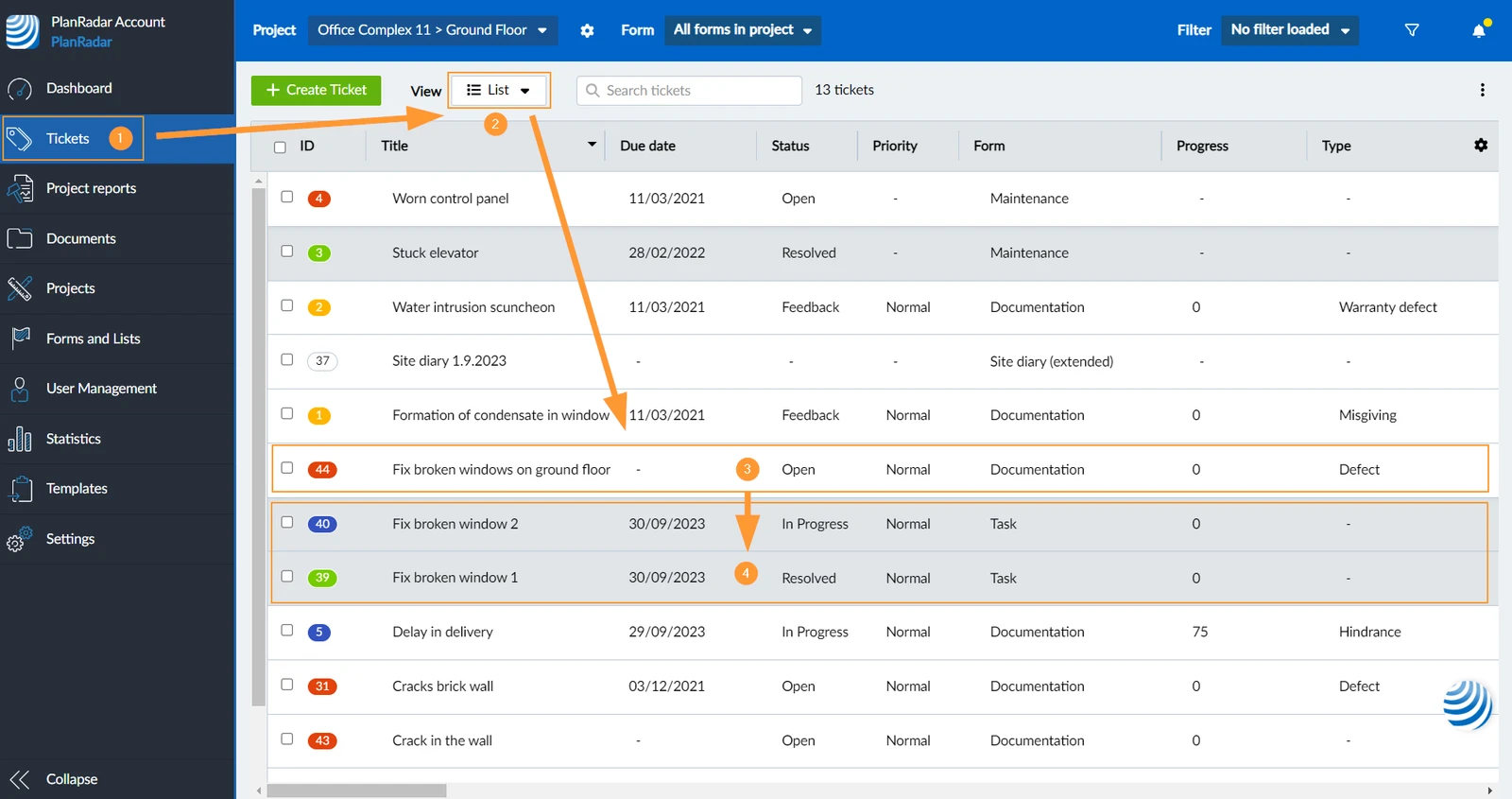
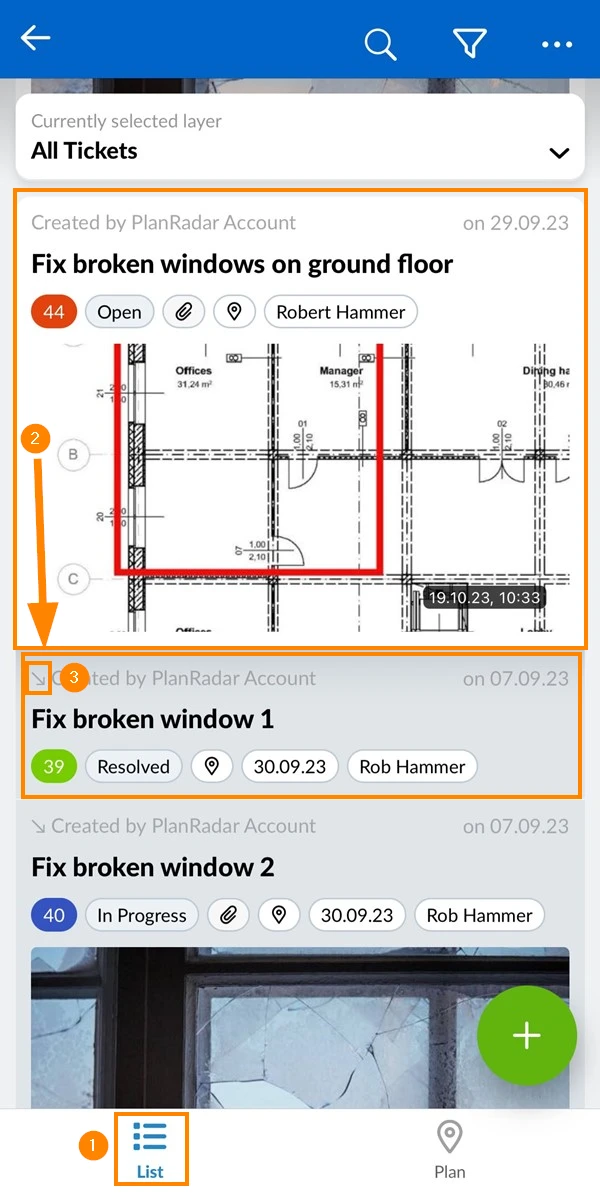
To see sub-tickets under their parent ticket in the ticket list view:
- Click Tickets
- In View drop-down select List
- See the parent ticket e.g. Fix broken window on ground floor
- Sub-tickets have a grey background and are listed below their parent ticket
e.g. Fix broken window 1 (and 2)
- In tickets List view
- See the parent ticket e.g. Fix broken window on ground floor
- Sub-tickets have a grey background with a little arrow and are listed below their parent ticket
e.g. Fix broken window 1 (and 2)
Updated June 2, 2026