

 Deutsch
 Español
 Français
 Hrvatski
 Italiano
 Polski
 Português (BR)
Forms
Overview
Learn about forms in PlanRadar and how forms relate to tickets.
What is a Form?
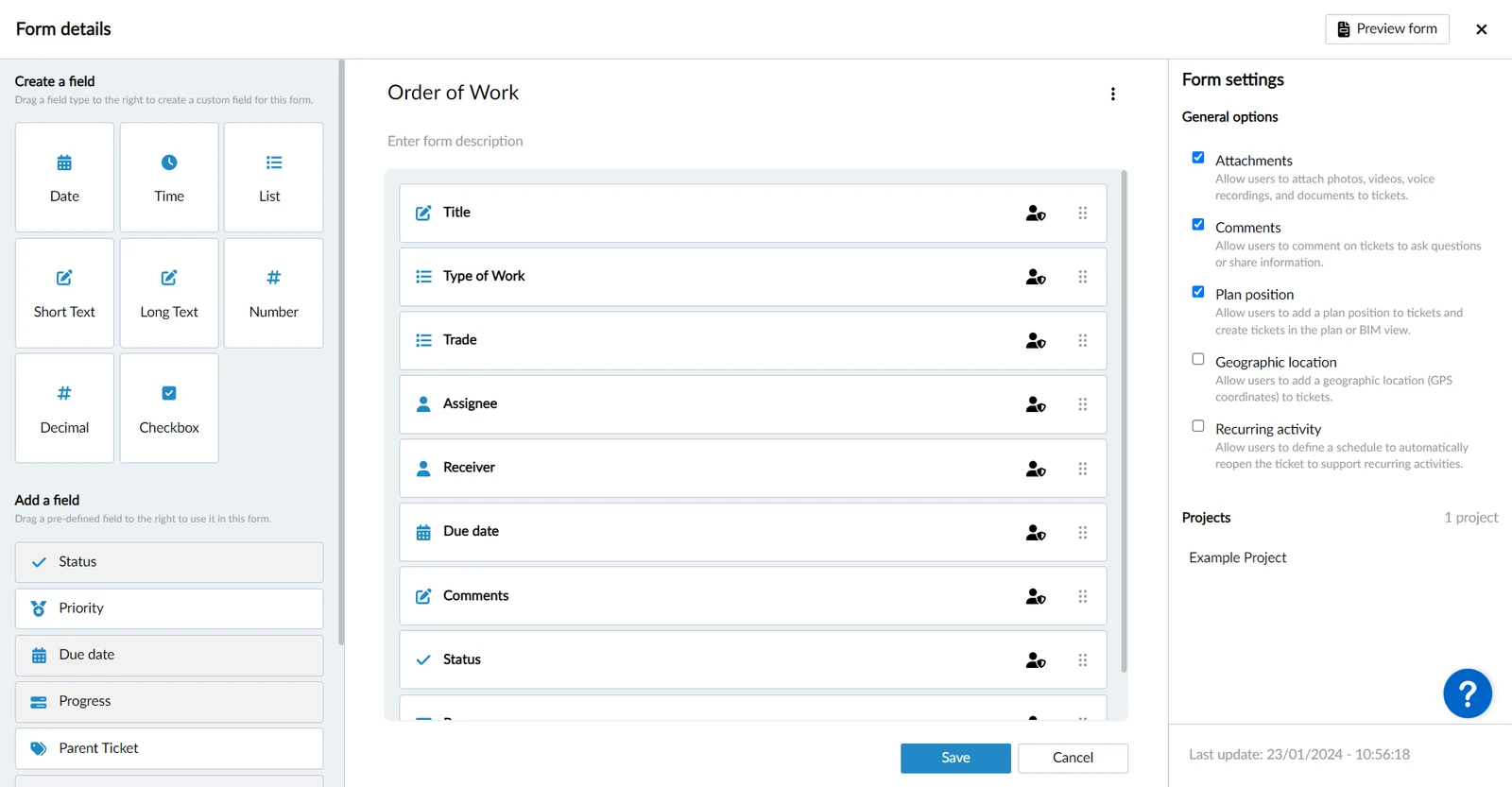
A form defines the input fields and other information that can be captured with tickets. You can create forms that are tailored to your specific use cases and processes.
Example of form builder for the 'Order of Work' form:
Create Forms
Creating and editing forms is only possible in the Webapp.
With the form builder you define which fields you want to use and their order.
You can also define which user role can view or edit each field when working with tickets.
Field Types
There are two types of fields available:
- Predefined fields: These have special functionality and cannot be changed. For example, they include a ticket's title, assignee, status and priority.
- Custom fields: You can define the field title and a data type, including dates, text, numbers, checkboxes and lists.
Form Options
- Attachments
- Comments
- Plan position
- Geographic location
- Recurring activity
Add Forms to Projects
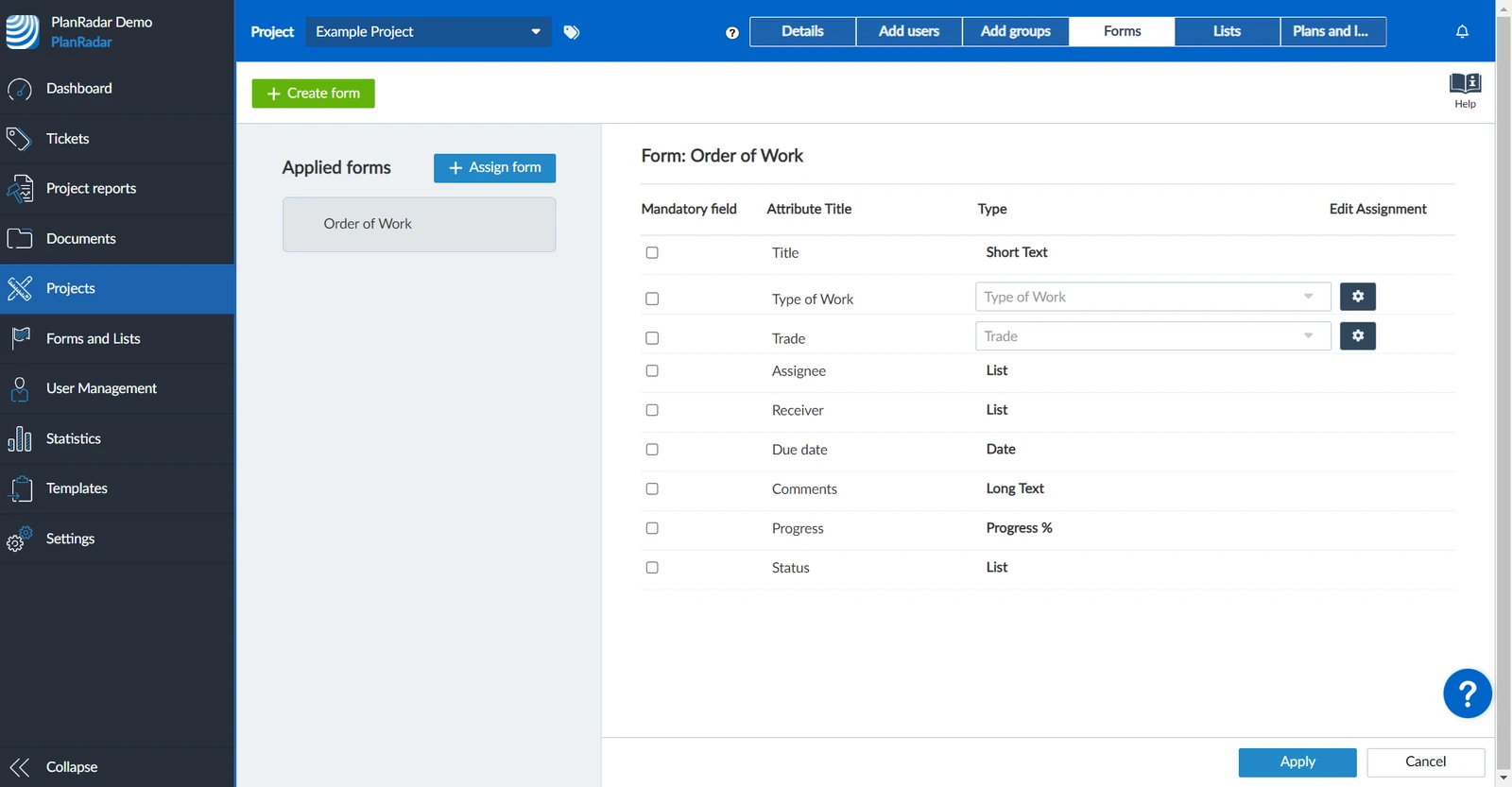
Each form can be used in multiple projects. First you create the form and then access the project > forms and add the form to your project.
Example of managing forms of a project:
Updated June 11, 2026