

 Deutsch
 Español
 Français
 Hrvatski
 Italiano
 Polski
 Português (BR)
Edit Field Permissions
Overview
When you Create & Edit Forms, you can define which roles can view or edit individual fields.
Access & Permissions
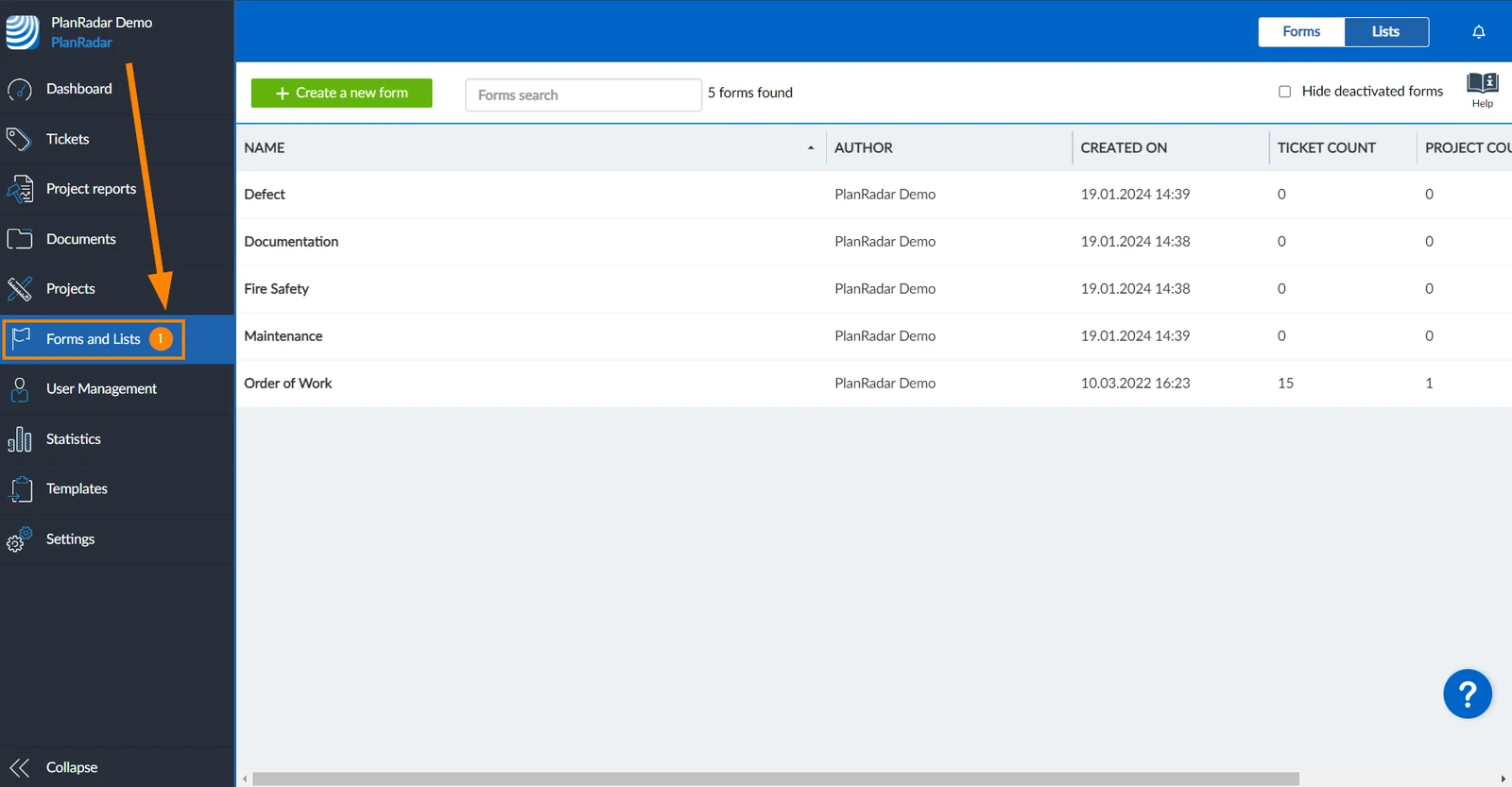
How to access Forms
-
Click Forms and Lists
Enable Custom Field Permissions
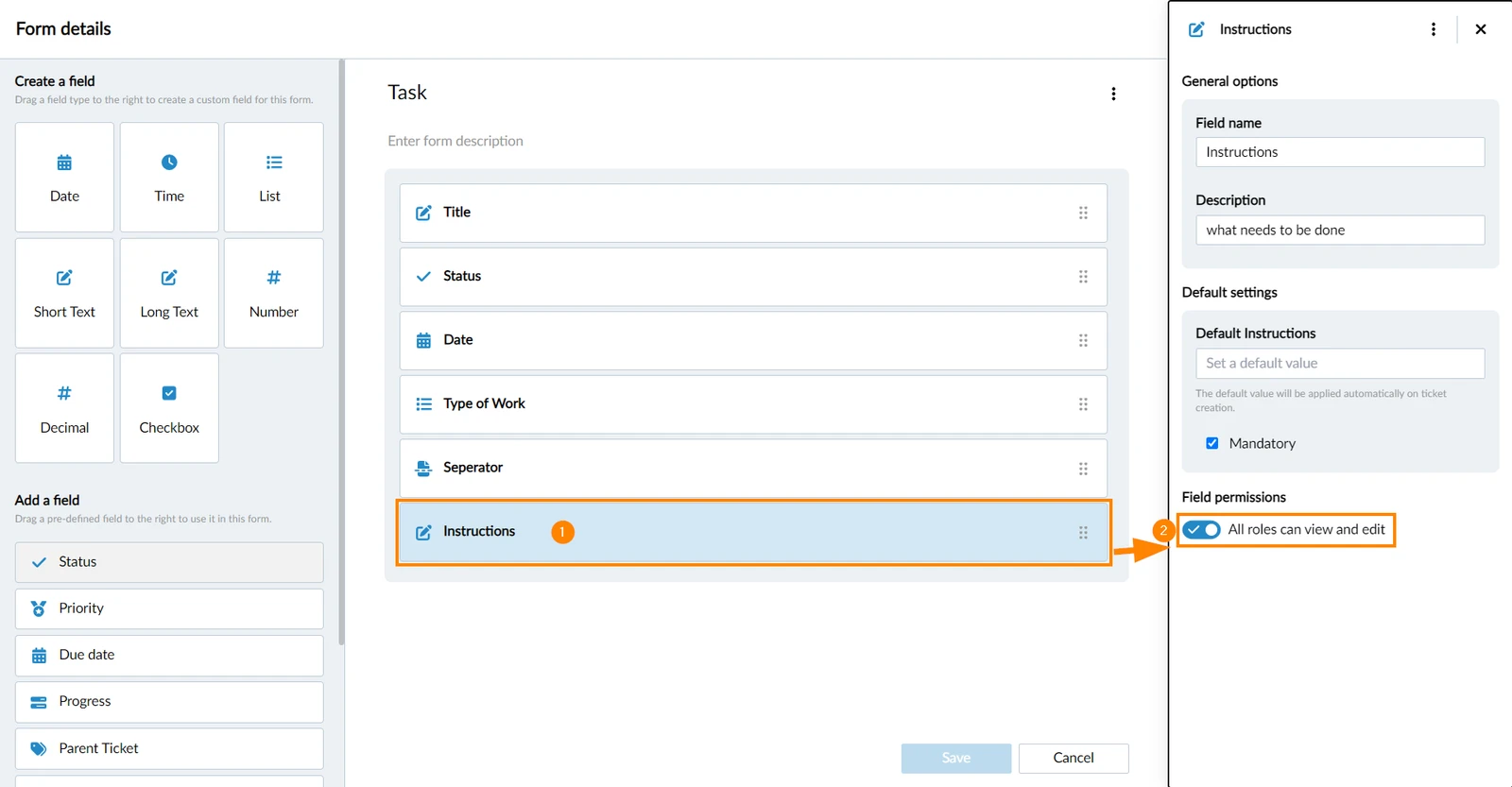
New fields have the All roles can view and edit toggle activated by default. This means that all available roles in the project can view and edit this form field, including roles that are created/added later.
To enable custom permissions for a field, open a form (see Create & Edit Forms for details).
- Click on the field to open the field properties
- Deactivate All roles can view and edit toggle
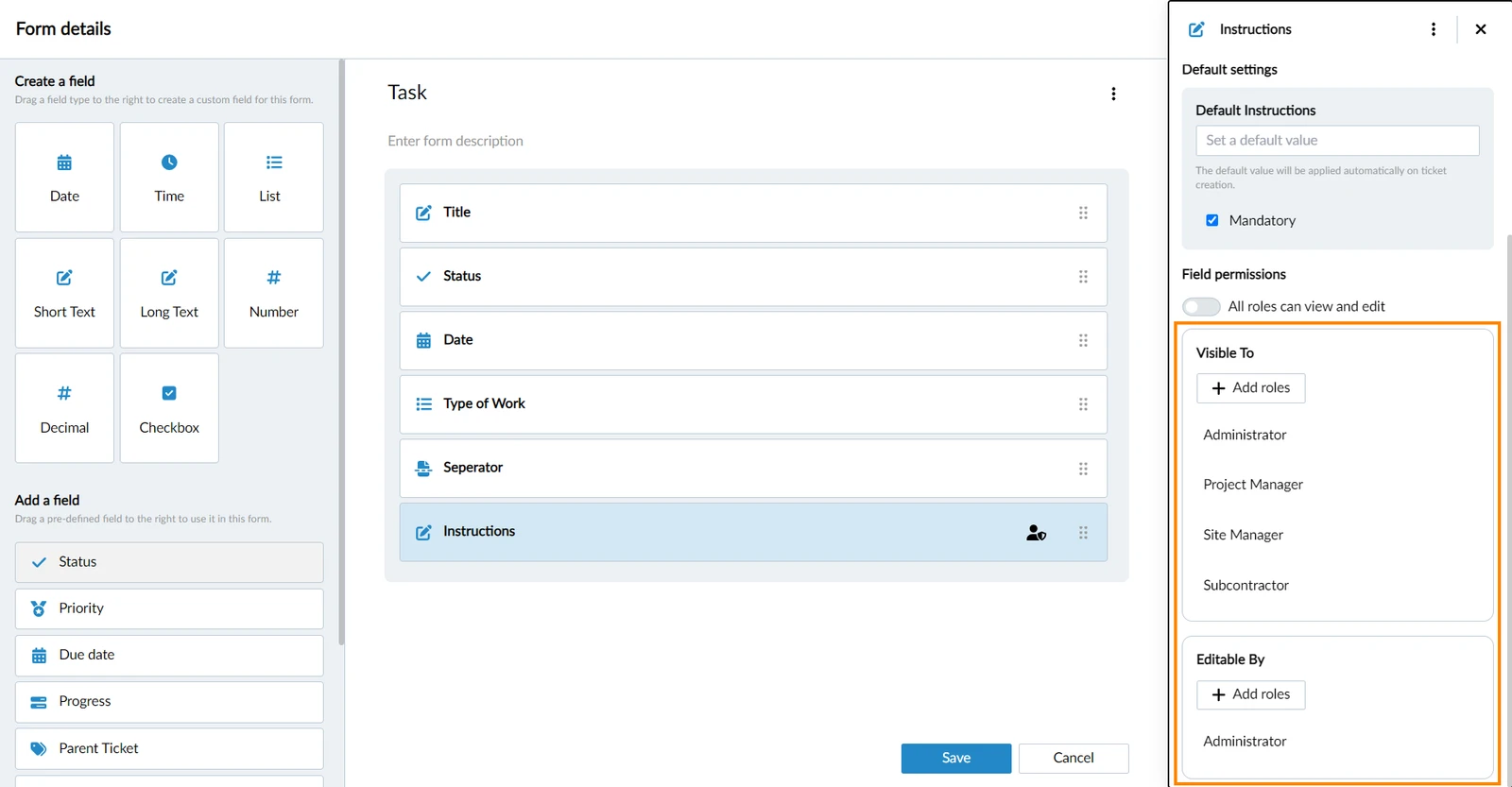
All the roles that had access before deactivating the toggle are listed under Visible To and Editable By:
Restrict Field Permissions for Subcontractors
All roles refers to all roles that in-house users can have. Read more in Permissions and in User Types.
The subcontractor user type cannot have a role, but it is still listed like a role here to allow restricting view and edit permissions for fields. This way you can:
- Revoke their view permissions for any field.
- Revoke their edit permissions for the status, progress, and custom attachment fields.
But for subcontractors you cannot grant edit permission for any other fields.
Set Custom Field Permissions
Add a Role
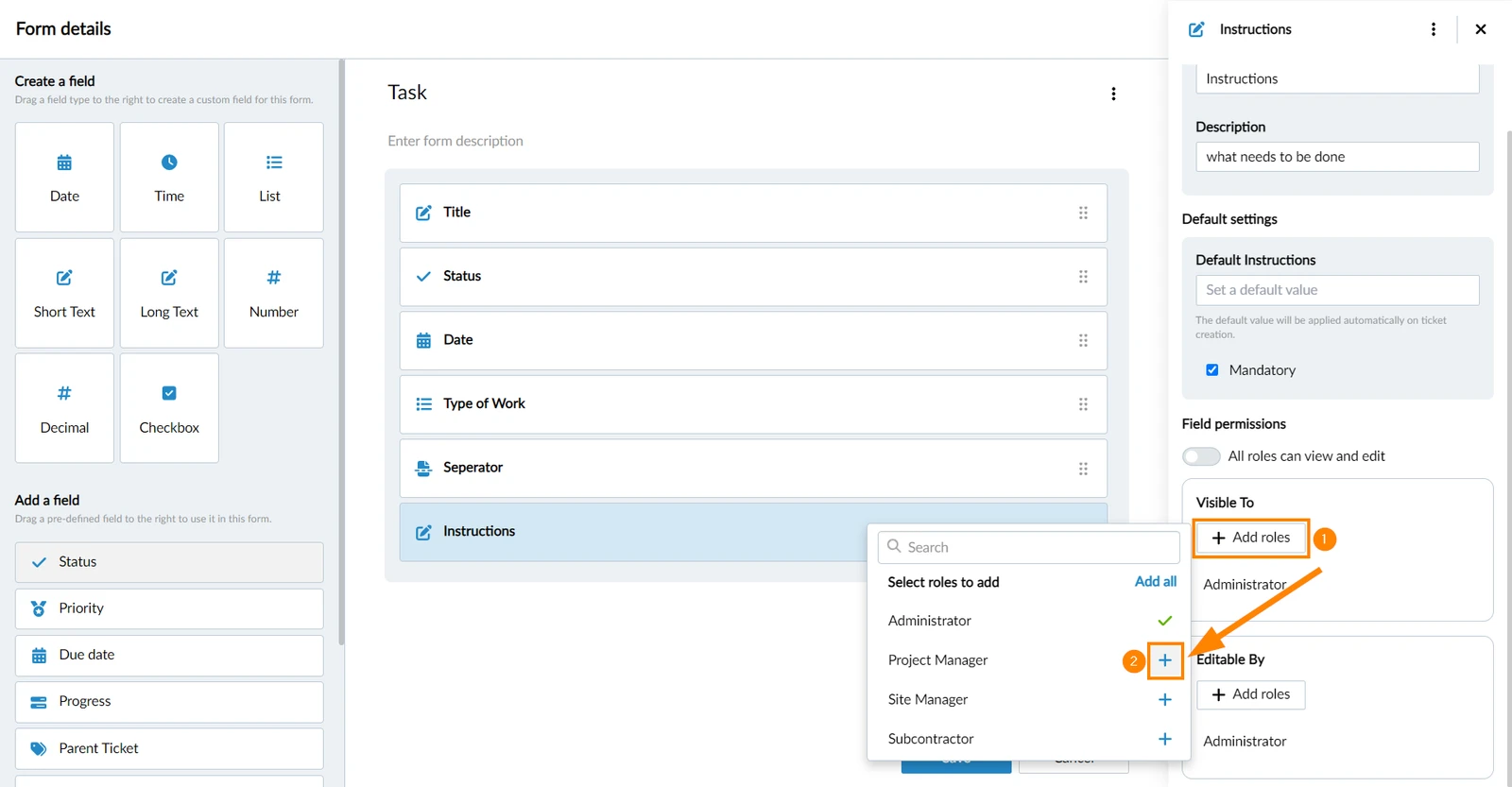
To add a role:
- Click + Add roles
- Click + next to the role
Remove a Role
To remove a role:
- Hover over the role in Visible To or Editable By
- Click the remove icon
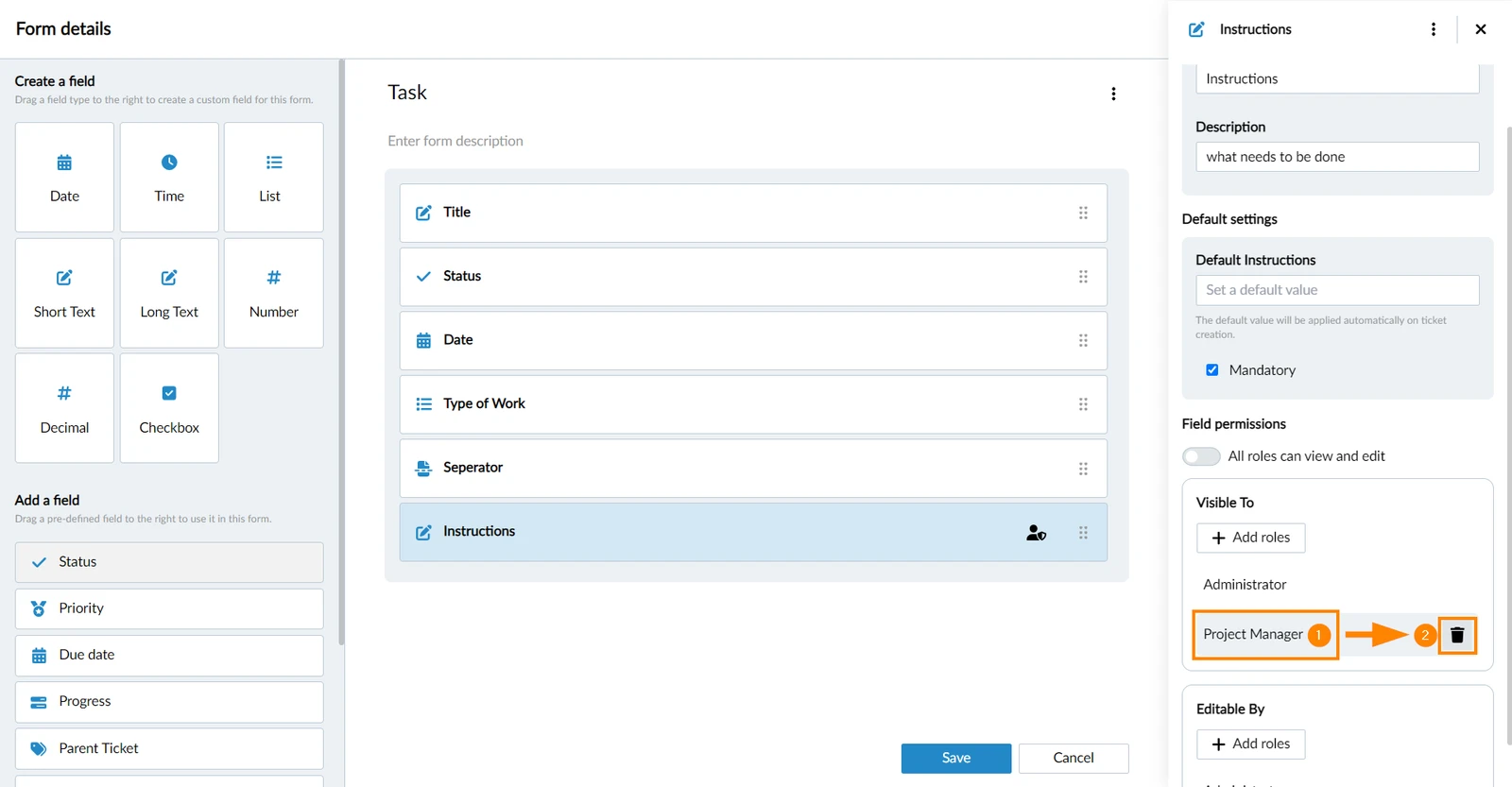
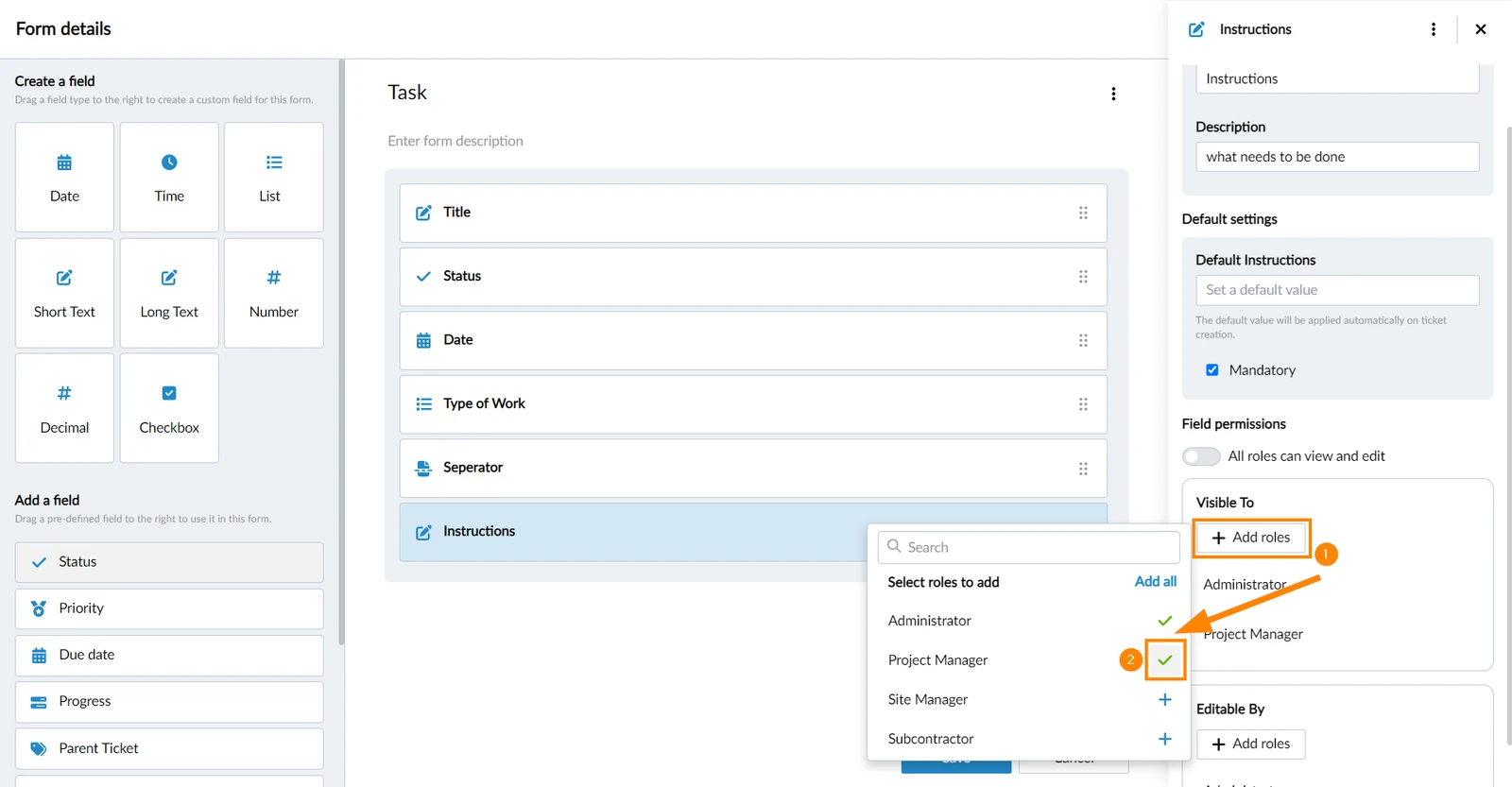
Or alternatively:
- Click + Add roles
- Click ✔ next to the role
Add All / Remove All
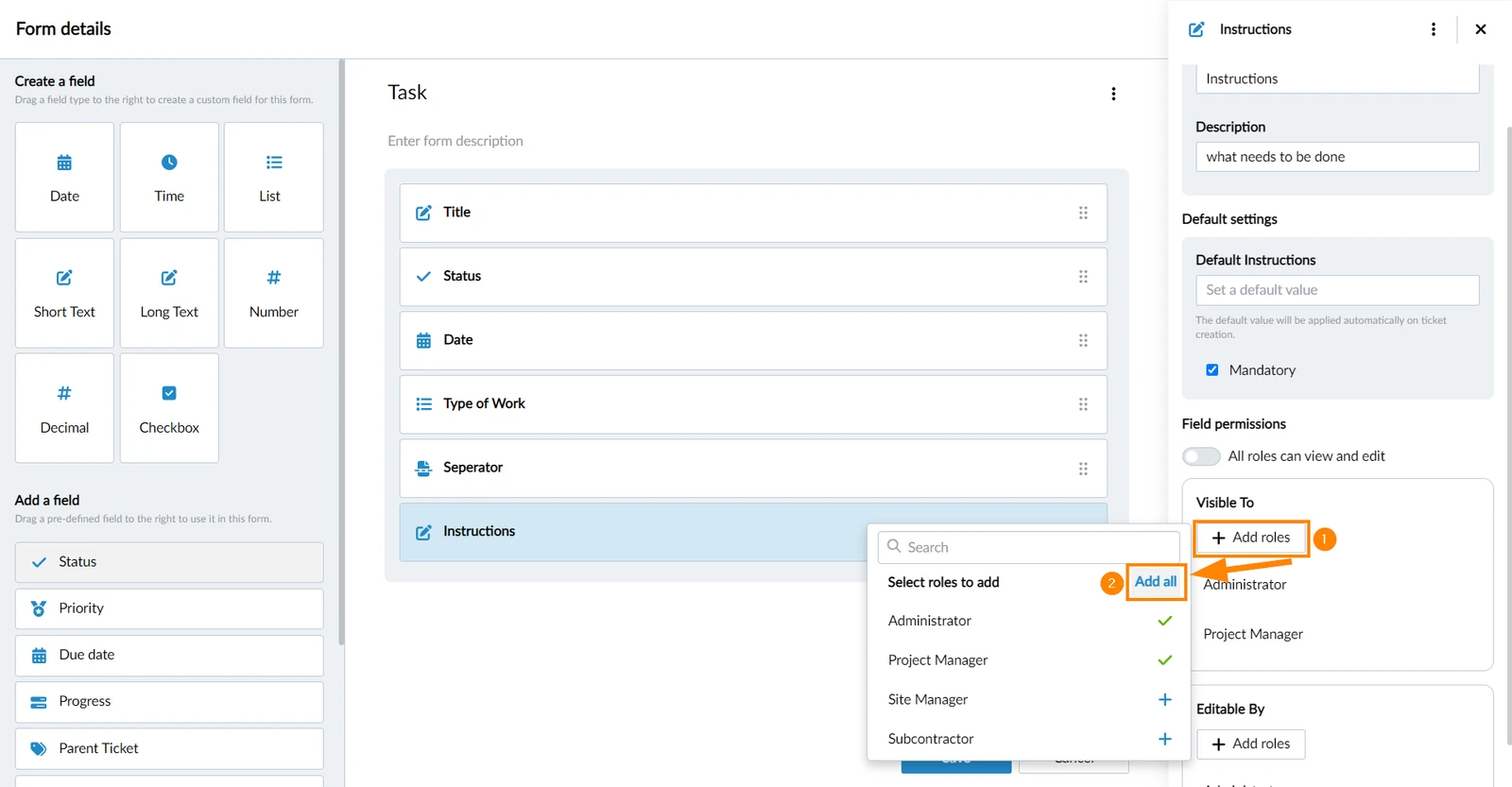
In case not all roles are added, you can add them all:
- Click + Add roles
- Click Add all
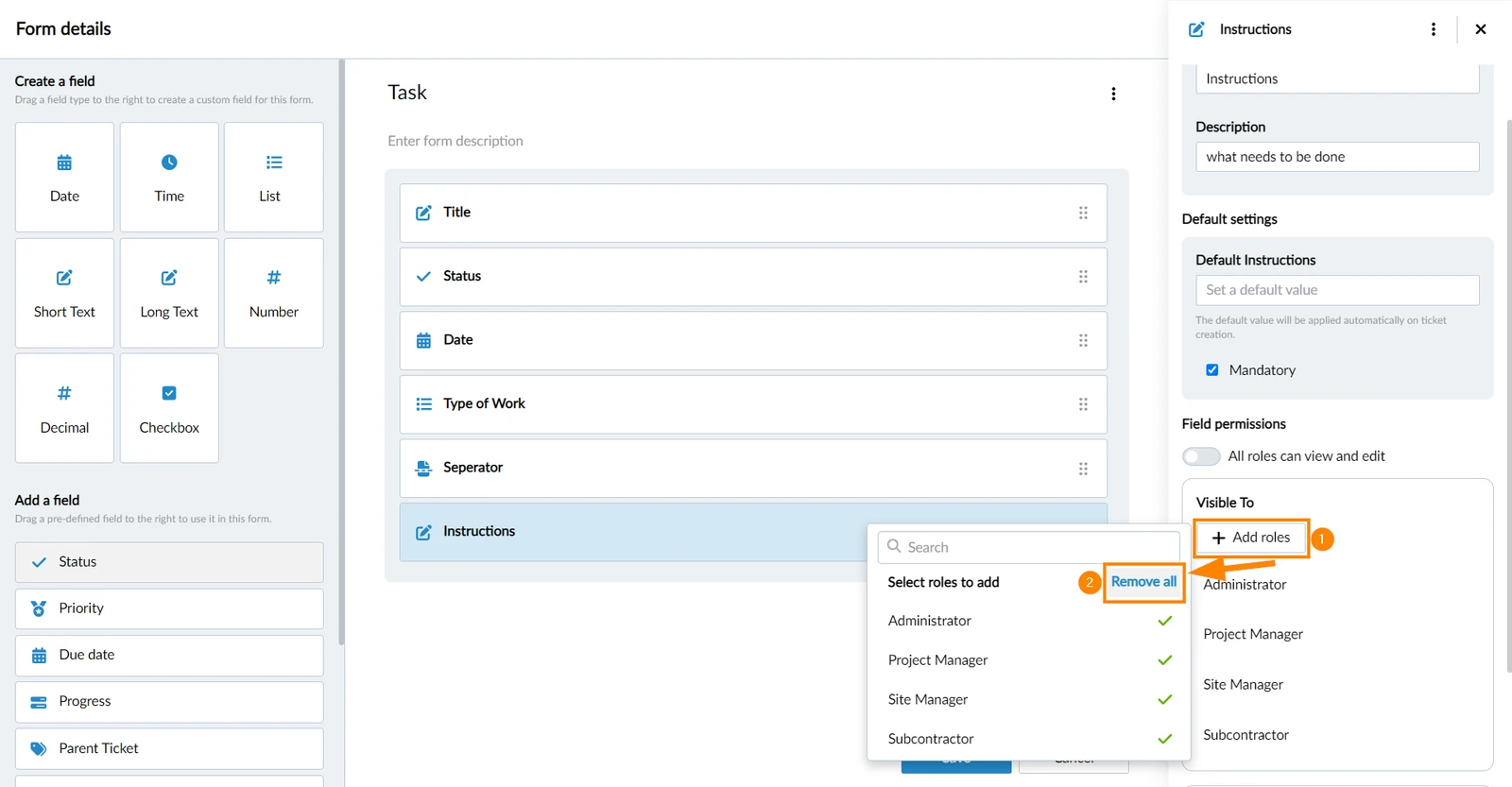
In case all roles are added, you can remove them all:
- Click + Add roles
- Click Remove all
Manage All Field Permissions of a Form
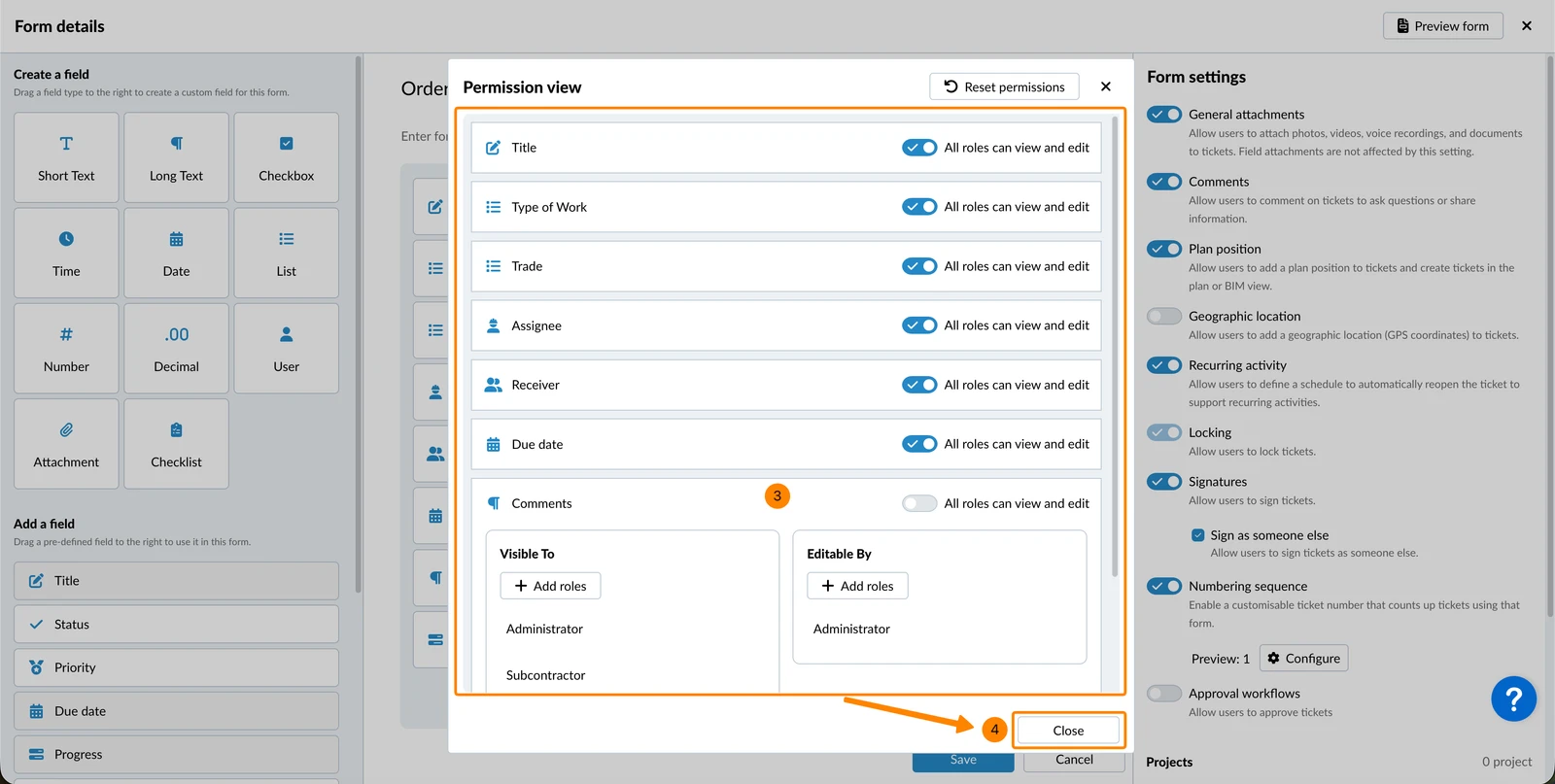
All actions described above are also available in a single consolidated view for all fields within a form.
To access it:
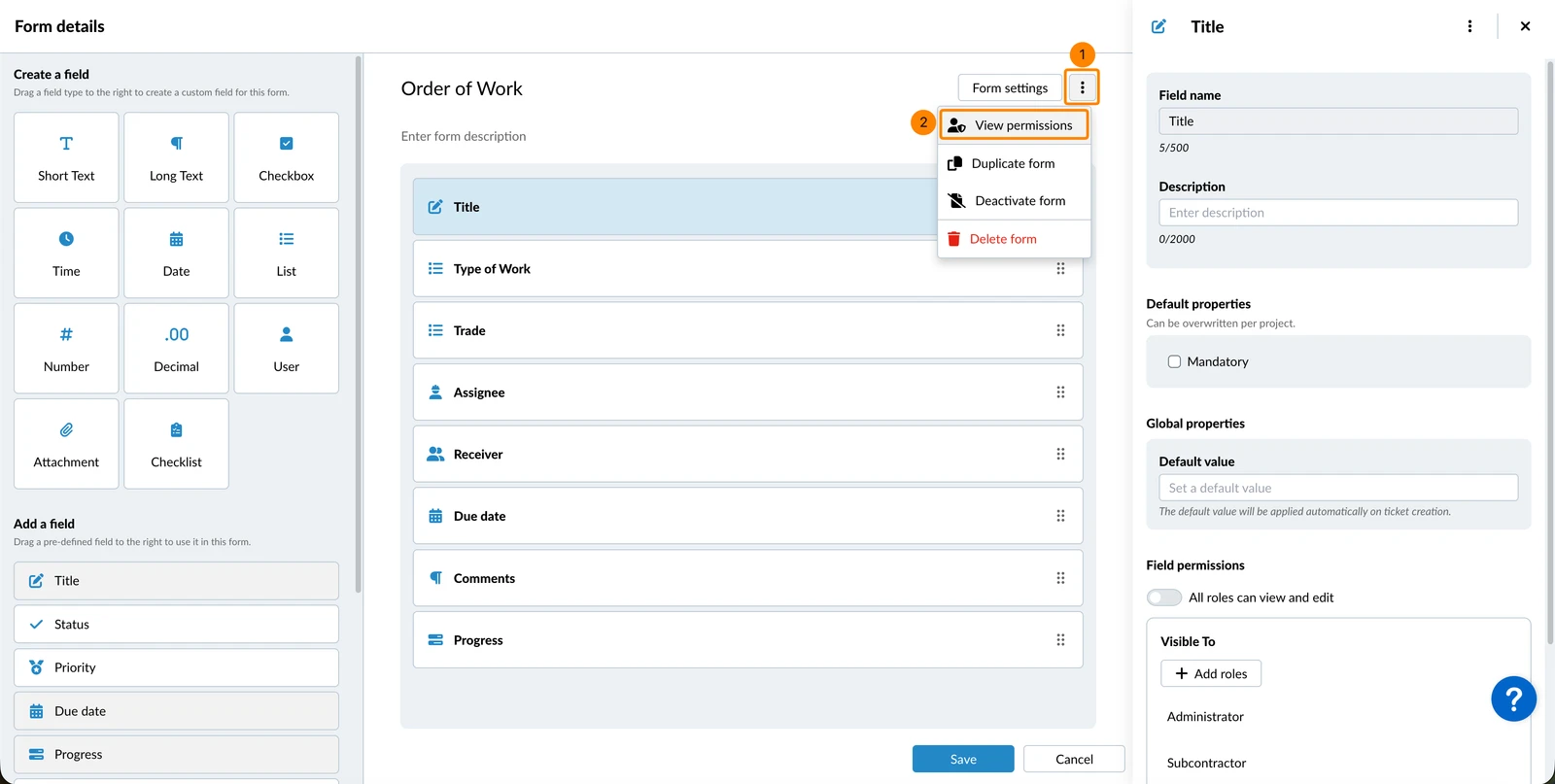
- Open the more menu of a form
- Click Field permissions
- Make your changes (as described above)
- Click Close
Apply to all Fields
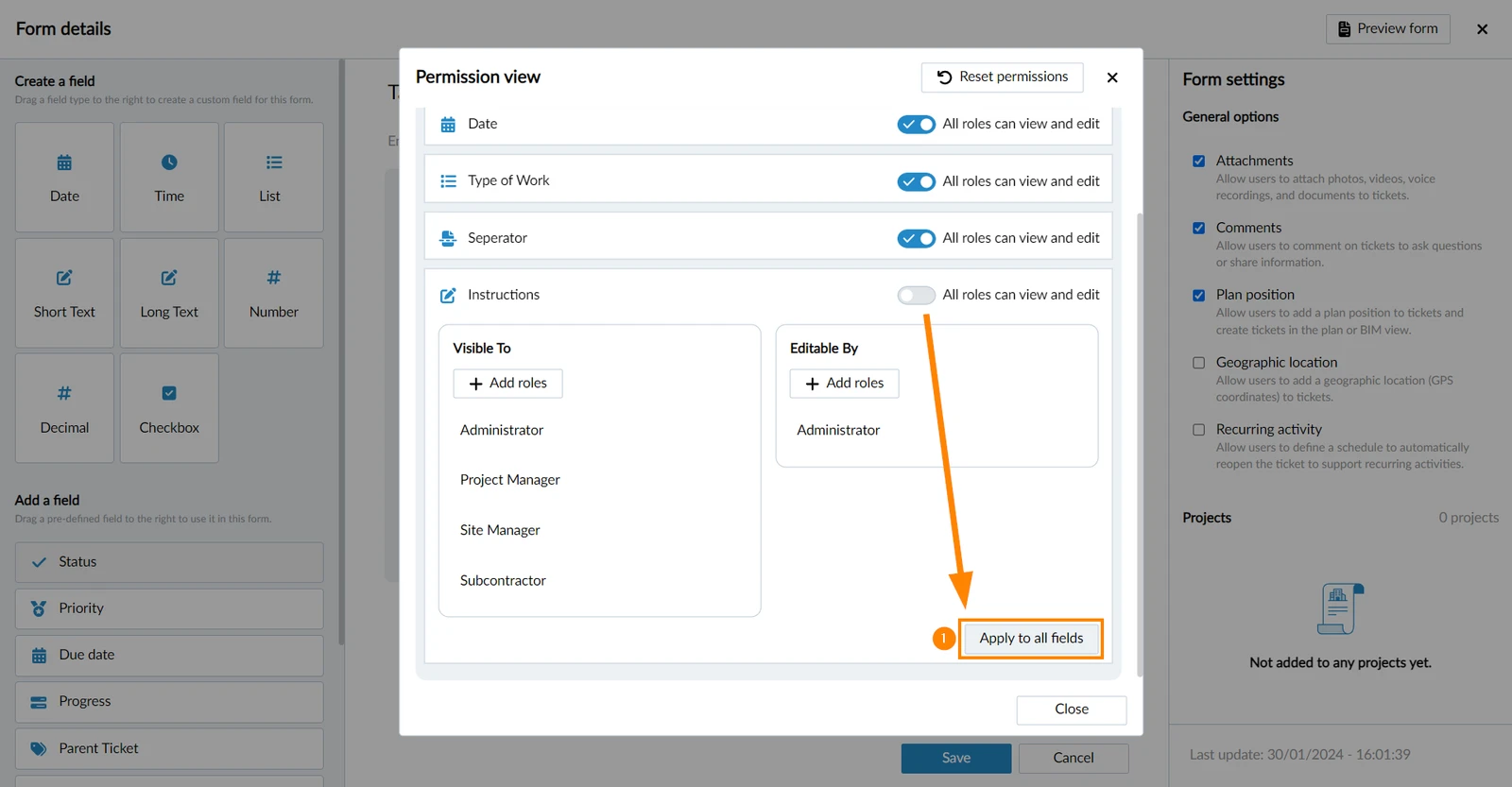
You can apply the same set of view and edit permissions for a field quickly to all fields of the form. To do so:
- Click Apply to all fields
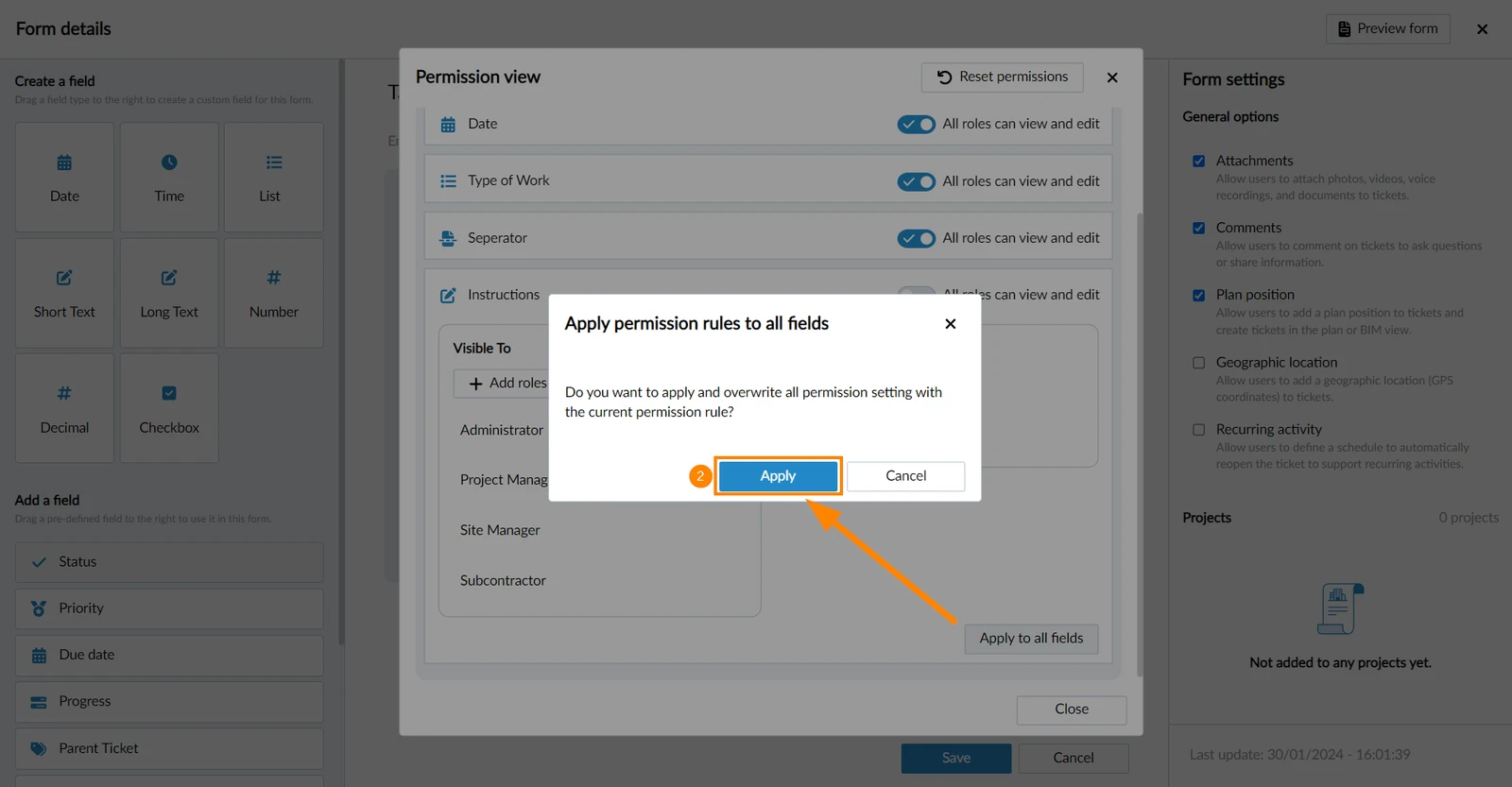
- Click Apply
Reset Permissions
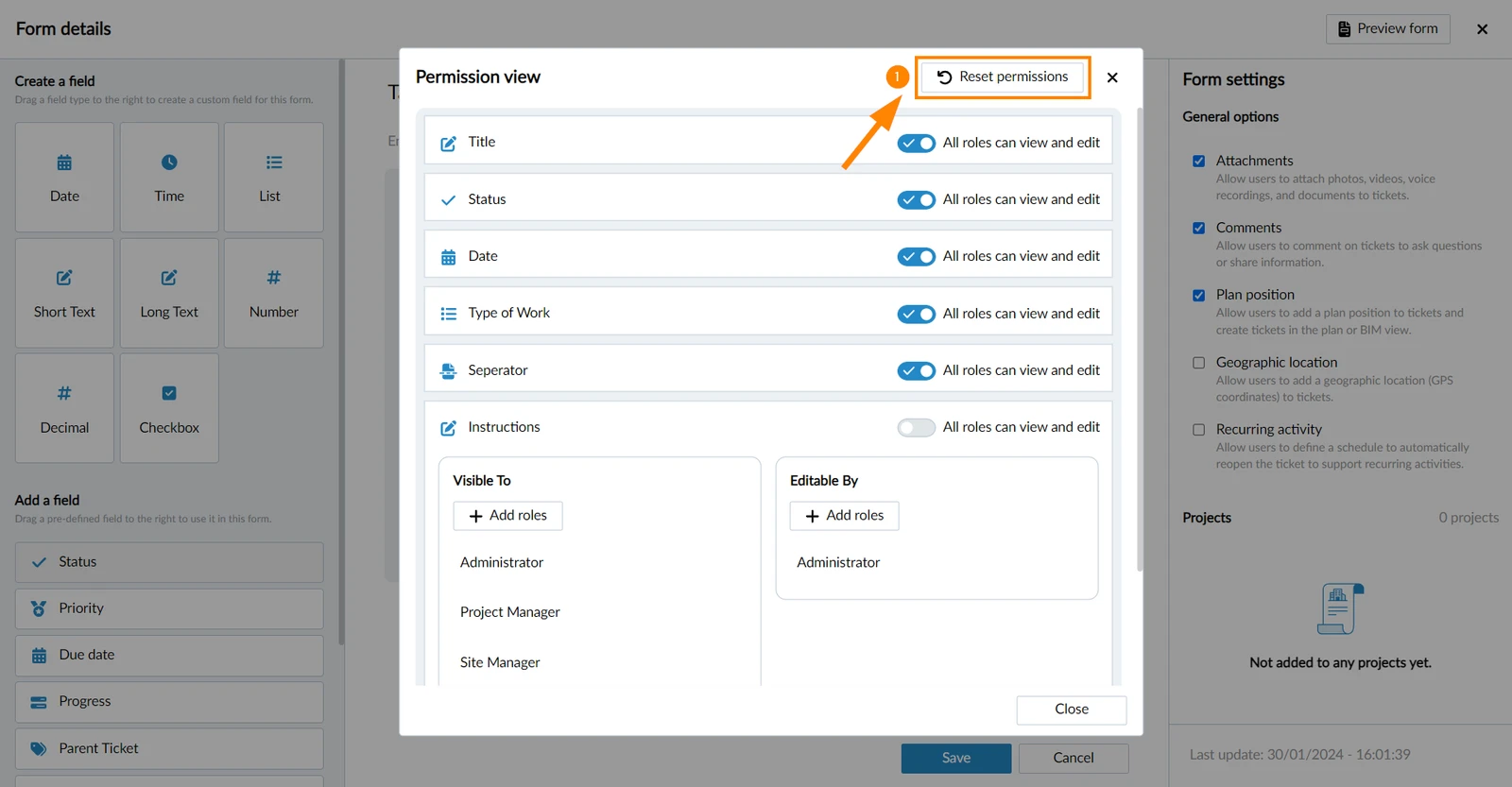
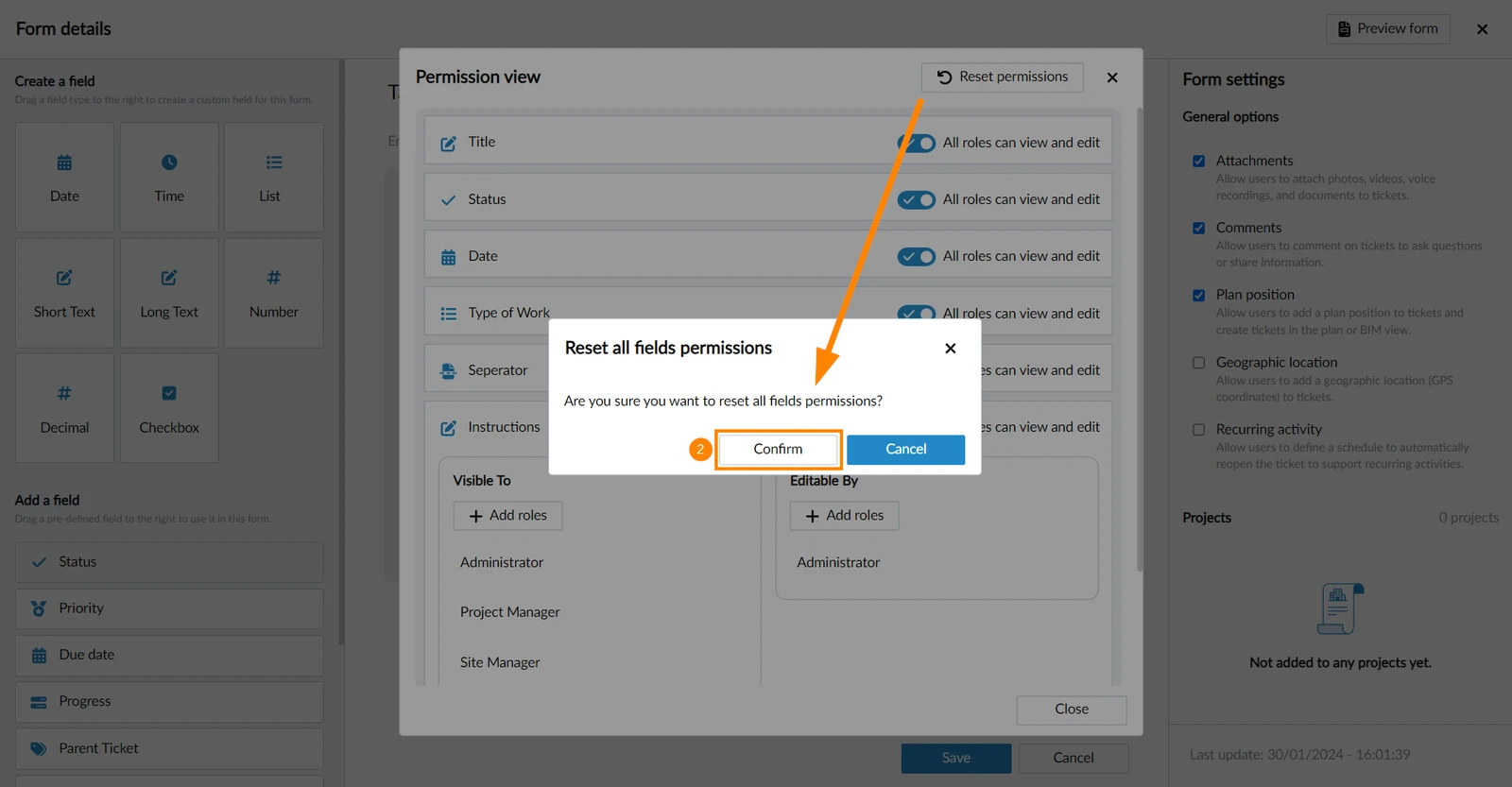
To reset all field permissions of a form and let all roles view and edit every field:
- Click Reset permissions
- Click Confirm
Updated April 27, 2026