

 Deutsch
 Español
 Français
 Hrvatski
 Italiano
 Polski
 Português (BR)
Layers
Overview
Learn about layers in PlanRadar, what you can do with them and how they are related to plans.
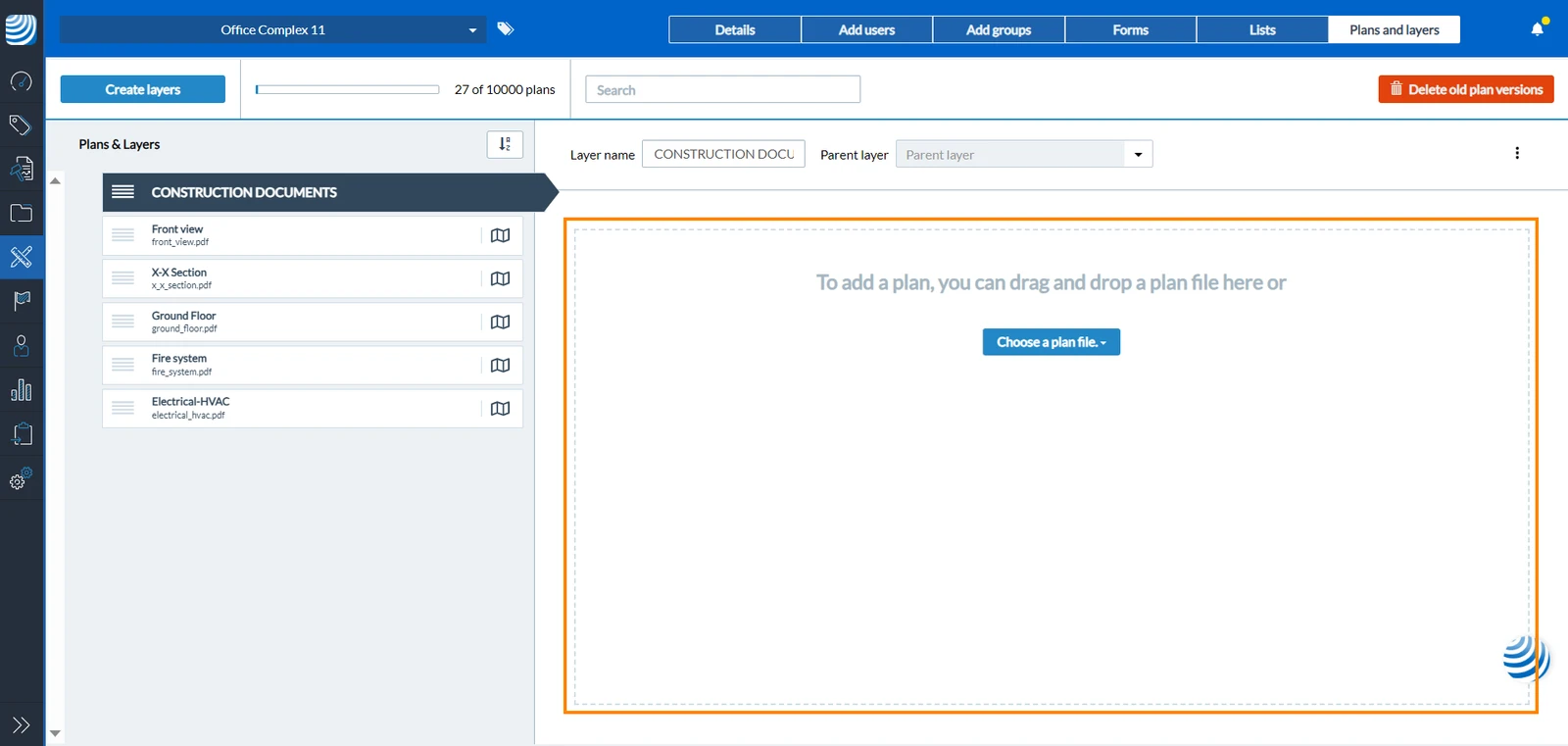
Example of a layer without a plan:
What is a Layer
You can think of layers as folders that help you organise your plans and tickets.
To upload any plan to a project, it must be assigned to a layer. Each layer cannot have more than one plan. However, layers can also be used with a BIM model or entirely without a plan.
Structure a Project
Layers are used to organise your project effectively. These layers are categorised into parent and child layers, providing a hierarchical structure for your projects.
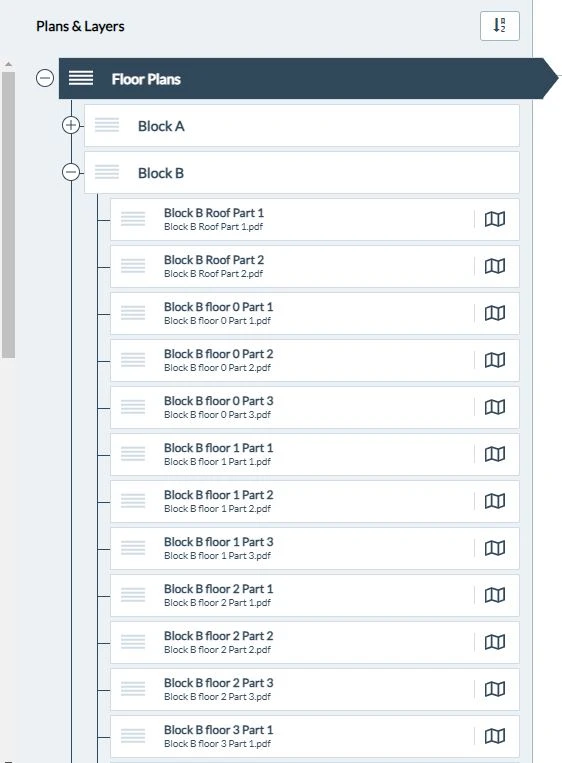
For instance, in the case of managing a large construction project, you can create a main parent layer. Within this layer, you can include separate layers for each block. Each block layer can further contain child layers for individual floors and so on. This simplifies the organisation of complex projects.
Example for structuring a project using layers
Add Tickets to Layers
To create tickets, they need to be attached to a layer. This keeps your tickets organised and makes it easier to filter them according to layers they are attached to.
Filter Tickets by Layers
When viewing your tickets, you can show the ones attached only to a certain layer. Furthermore, you can use filters to show certain tickets in one or more layers.
Upload Plans & BIM Models to Layers
Layers allow you to upload plans or BIM models to them as described in Upload Plans to Layers.
Each layer can have only one current plan or BIM model. Though each plan can have multiple versions and up to 10 related BIM models can be combine in one layer. Read more in Update Plans and Upload & Manage BIM Models in the Webapp.
Updated October 29, 2025