

 Deutsch
 Español
 Français
 Hrvatski
 Italiano
 Polski
 Português (BR)
Plans
Overview
Learn about plans in PlanRadar and what you should know when working with them.
Plans
Using plans in PlanRadar helps you to ensure that all members of a project always work with the newest version of a plan and that they can view them wherever they are, be it in the office on the computer, on-site while online or offline on smartphones or tablets.
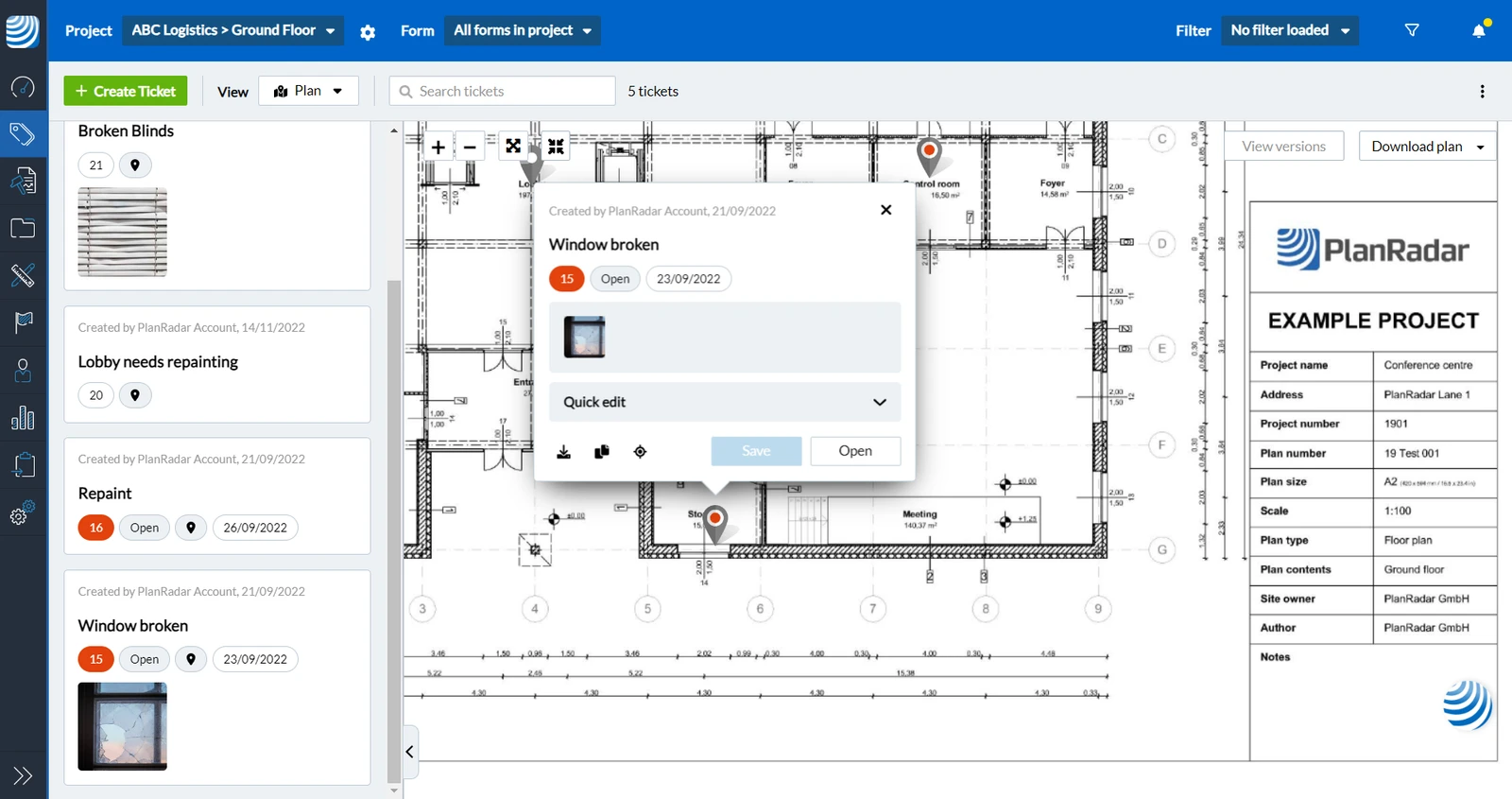
Plans can be used to place ticket pins, so everybody knows exactly where a task or problem is located.
Example of a plan with a ticket
Plans & Layers
Plans are managed in Layers. Layers are similar to folders to help you organise your plans and tickets.
Each plan must be assigned to a layer. Each layer cannot have more than one plan. Layers can also be used without a plan.
Plan Versions
It is possible to upload new versions of a plan as described in Update Plans.
The old version can still be displayed if needed. If you want to save space and reduce the number of plans that you pay for there is an easy way to delete all old versions of a plan and only keep the current version. Read more in Delete Old Plan Versions in the Webapp.
Plan Comparison
The plan comparison tool calculates and highlights any differences between two plan versions to show you quickly what changed.
Plan Files & Quality
When uploading plans you can provide them as PDFs or as image files.
PlanRadar has a sophisticated rendering algorithm with a tiling mechanism to ensure best display quality and performance when zooming in on a plan.
Make sure to upload high quality files. If the initial quality of a plan is too low, details will be missing when zooming in.
Updated October 29, 2025