

 Deutsch
 Español
 Français
 Hrvatski
 Italiano
 Polski
 Português (BR)
Lists
Overview
Learn about lists in PlanRadar and how they are related to forms.
What is a List?
A list in PlanRadar is a set of values that is assigned to a list-type form field to provide the user with a drop-down menu from which to select values in the ticket. Lists can save you time when filling in ticket forms and ensure consistent data entry.
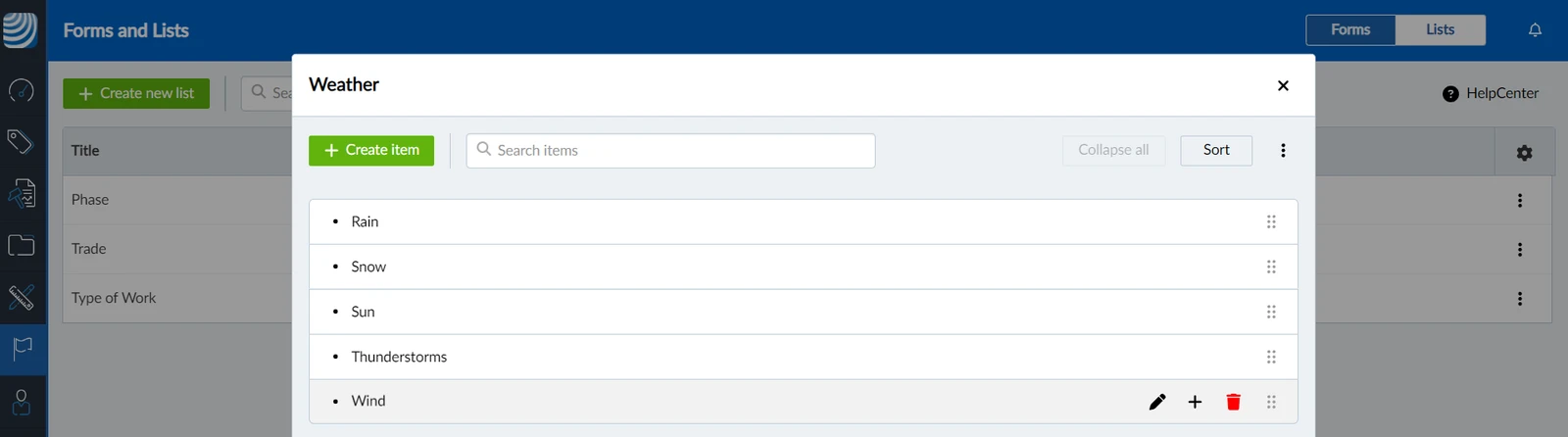
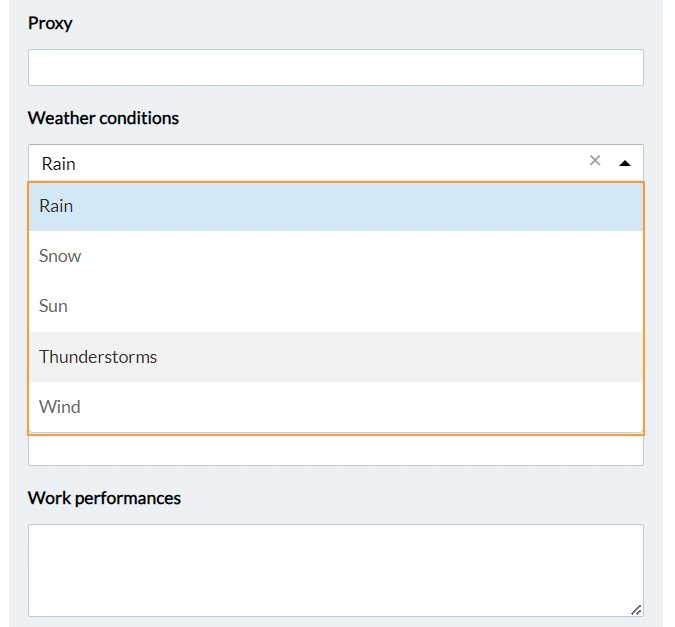
If you want to collect information about the weather in some of your tickets, you can use a list field in the form. Then assign a list with, for example, five weather conditions you want to track. Lists are also great for filtering tickets and for statistics to see trends in selected list items.
Example of creating a list for weather conditions:
In the ticket you have a drop down menu:
Create Lists
Global Lists vs. Project Lists
When creating a list, you should first consider whether you want to use it in multiple projects or if it is relevant to only a single project.
- Global lists are created for the whole account and can be assigned to multiple projects.
- Project lists are created in a project and cannot be used in other projects.
You can also import lists from Excel.
Multilevel Lists
If you have a list with many items, you can structure it into multiple levels, to make it easier to find the right values when filling in ticket forms. PlanRadar supports up to 10 levels within each list.
Multilevel lists appear collapsed with an arrow next to items with sub-items:
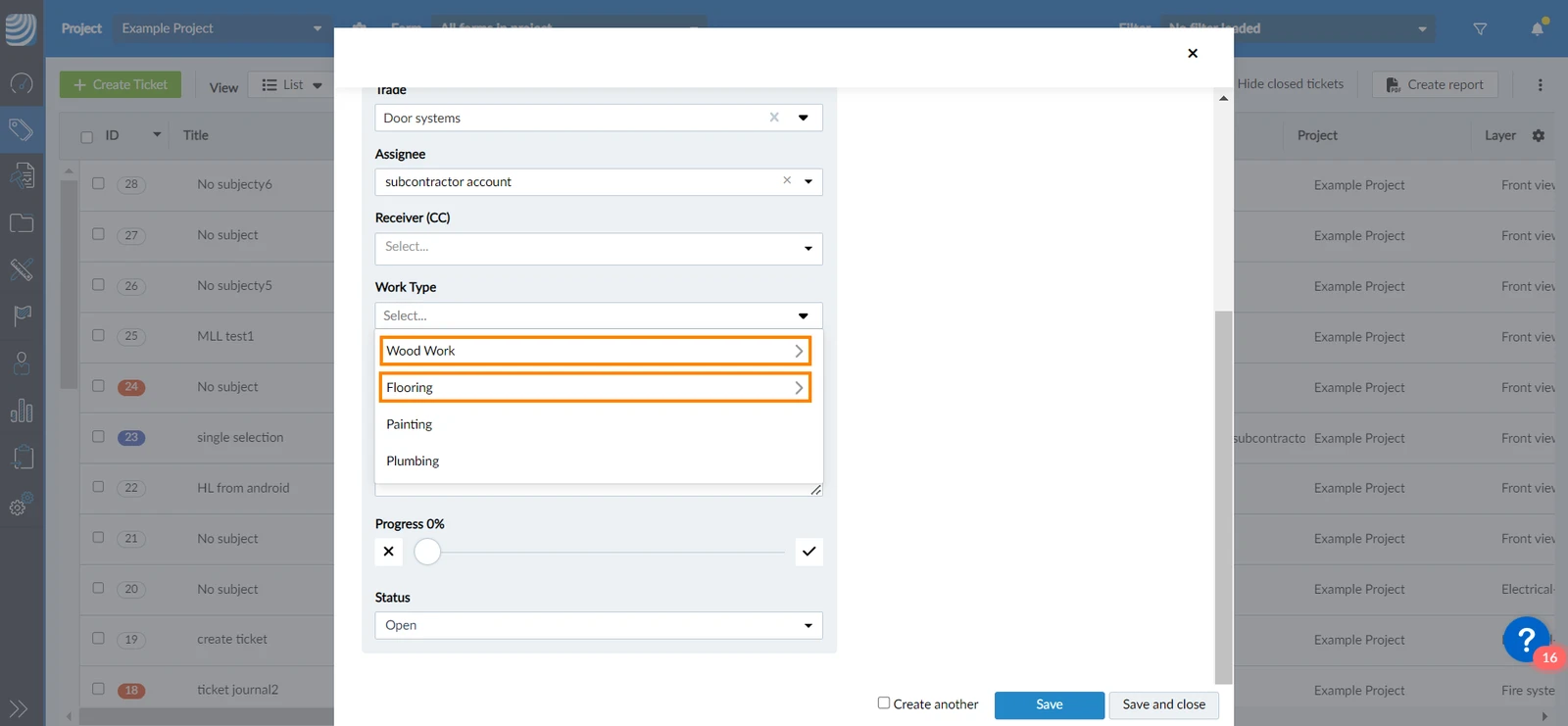
Creating multilevel lists is available in Pro and Enterprise plans. Read more in Pricing and Subscription.
Assign Lists to Forms
When creating a form you can assign default lists to list-type form fields.
You can also define default list settings including:
- Allow multiple selection of list items
- Disable certain list items
- Set the list field to mandatory to ensure an item is selected before saving a ticket.
When you add a form to a project you can either use the default list and settings or change them for that project.
Manage Lists
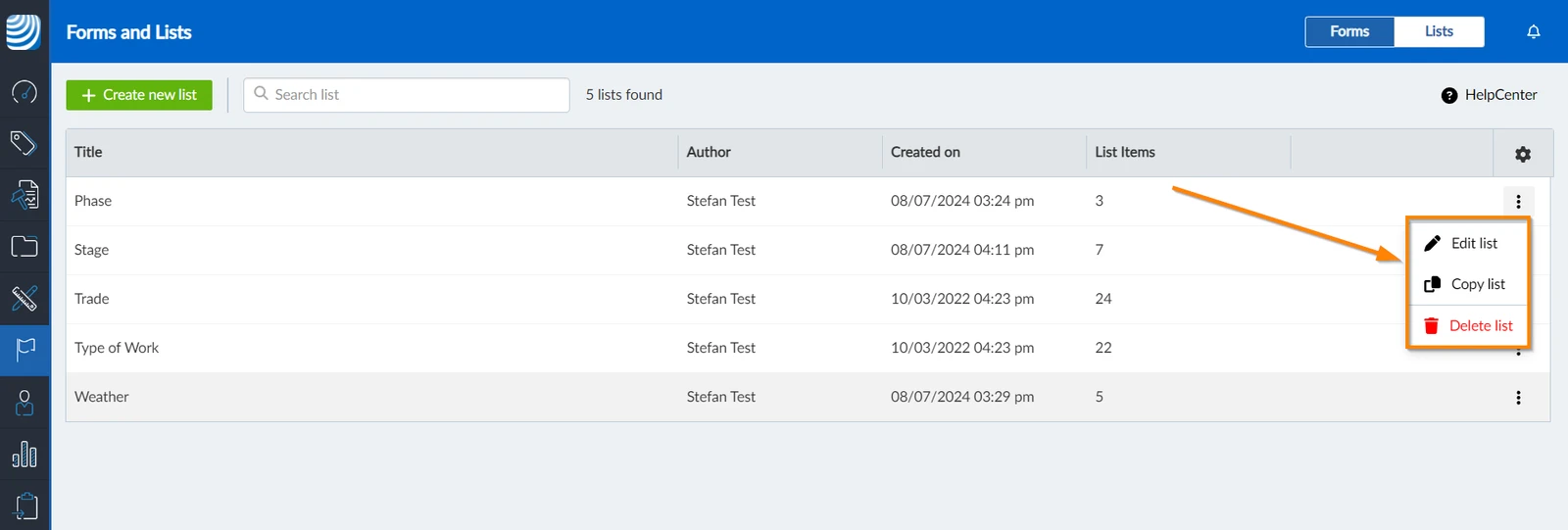
You can duplicate or delete lists.
Updated October 29, 2025