

 Deutsch
 Español
 Français
 Hrvatski
 Italiano
 Polski
 Português (BR)
Review & Approve a Ticket
Overview
Review a ticket with a pending approval request and approve or reject it. You can optionally add a comment. Read more in Request Approval for a Ticket.
Reviewers of the active approval step are notified automatically by email and must approve or reject the request by the due date. Reviewers get due date reminders and if an approval becomes overdue, all involved users are notified.
Access & Permissions
Any user, including subcontractors, can review and approve a ticket if they are added as a reviewer when the approval is requested. Watchers can only view tickets and cannot approve or reject them. No additional permissions are required. Read more in Permissions.
How to access 'Pending your Approval'
There are multiple ways to access approvals. Read more in View & Manage Approvals.
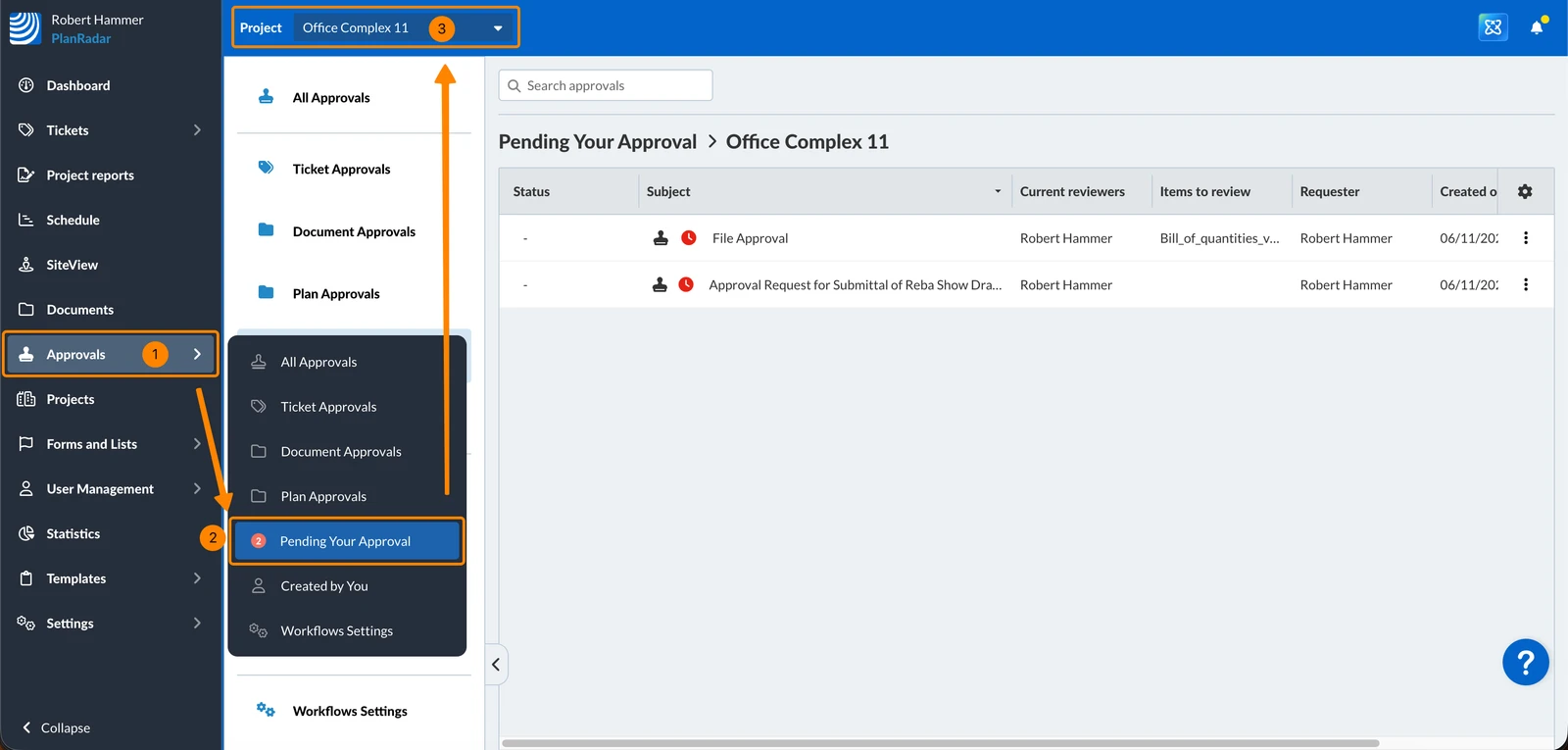
The easiest way to review a ticket that is pending your approval is:
- Click Approvals
- Click Pending Your Approval
- Optional: Select a project or All projects in the Project drop-down
Review & Approve or Reject a Ticket
To review and approve or reject a ticket approval request:
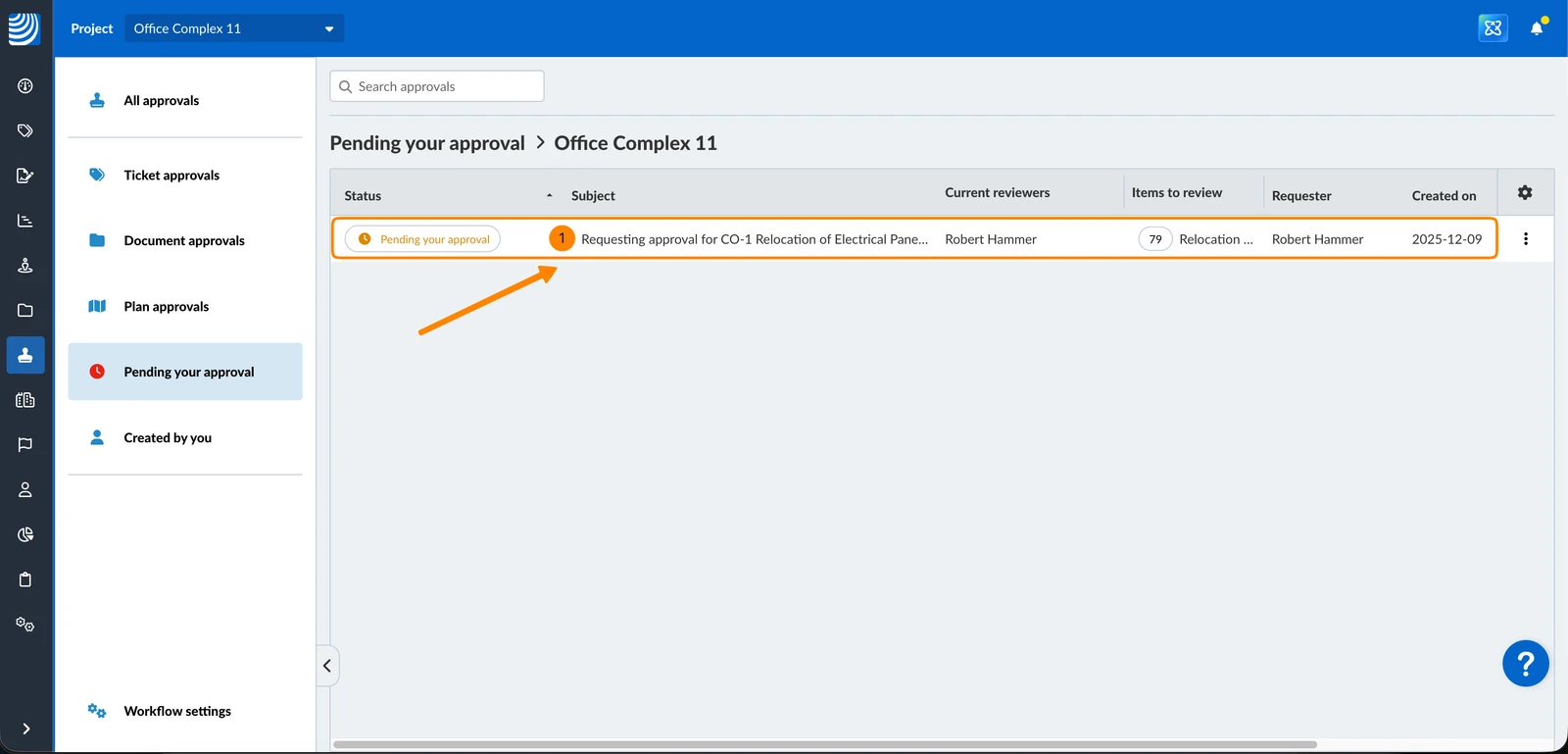
- Open the Approval request details
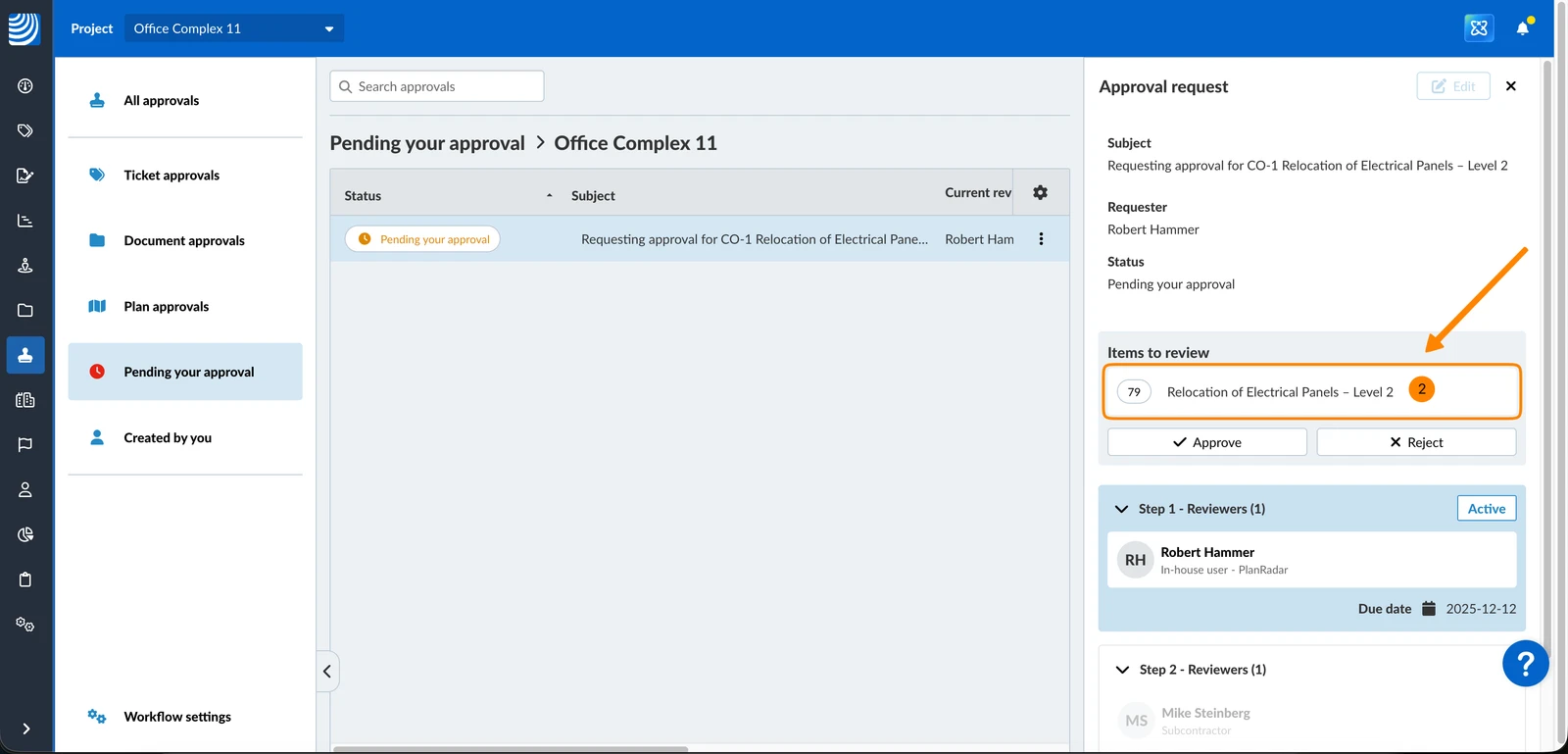
- Open the ticket under Items to review
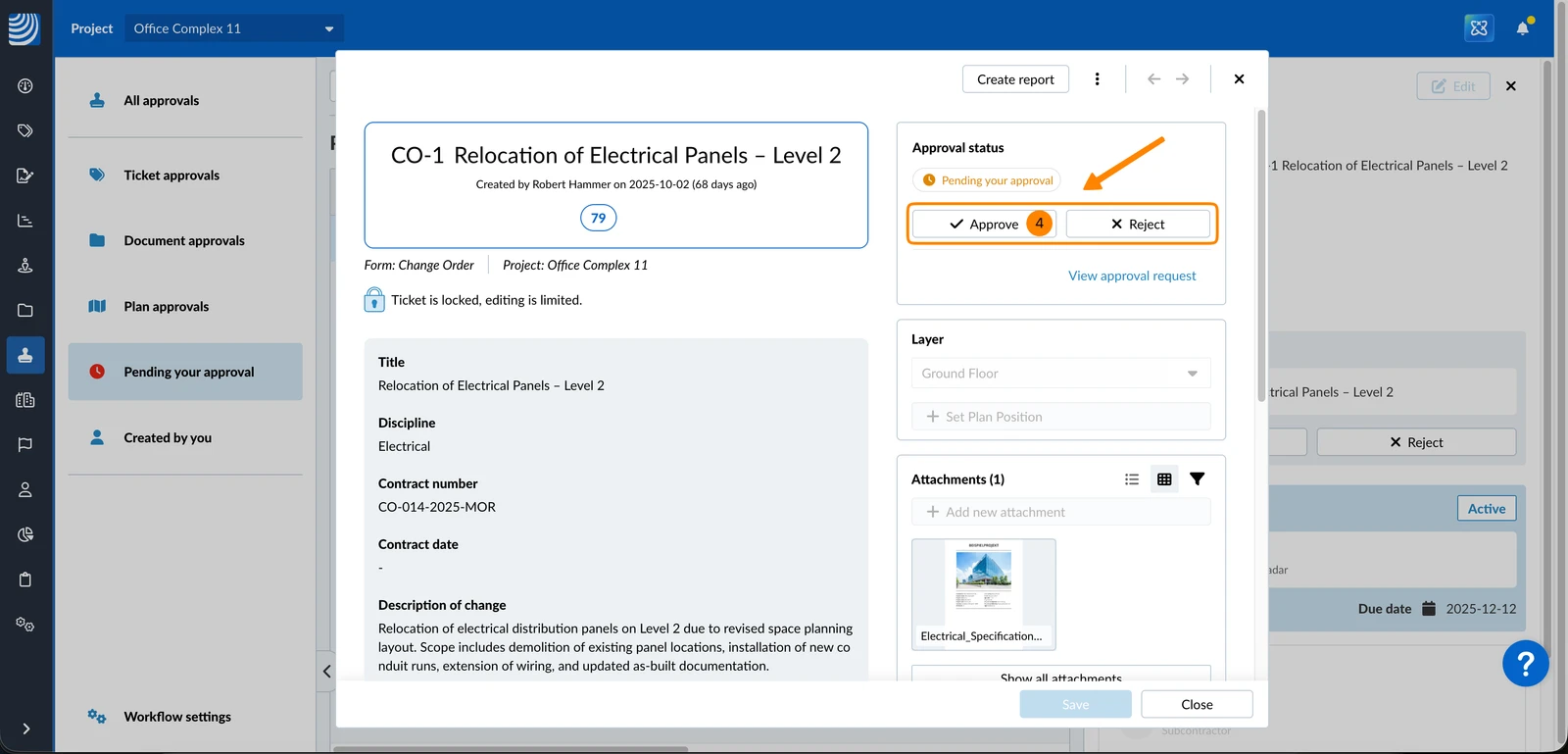
- Review all the ticket details and attachments
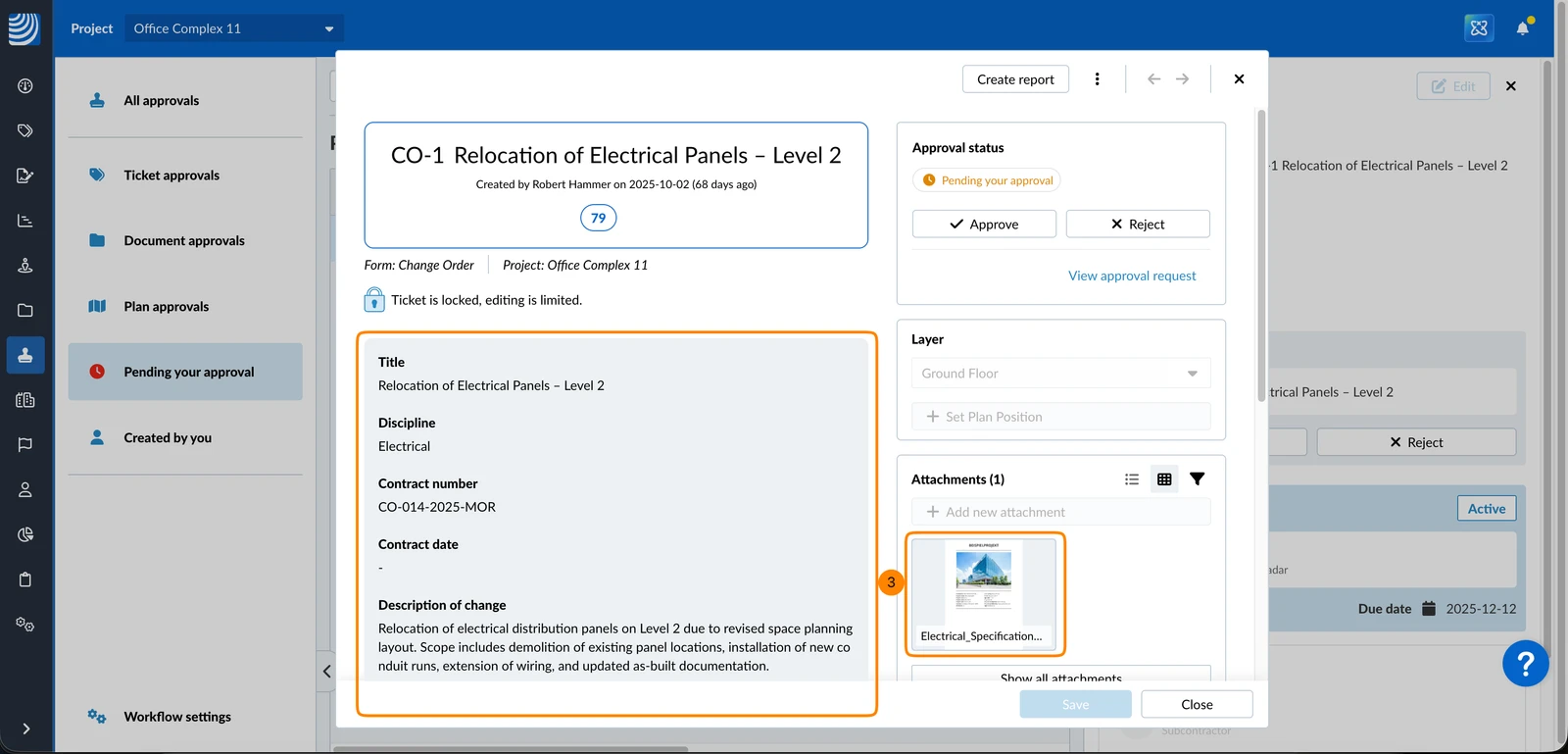
- Click Approve or Reject
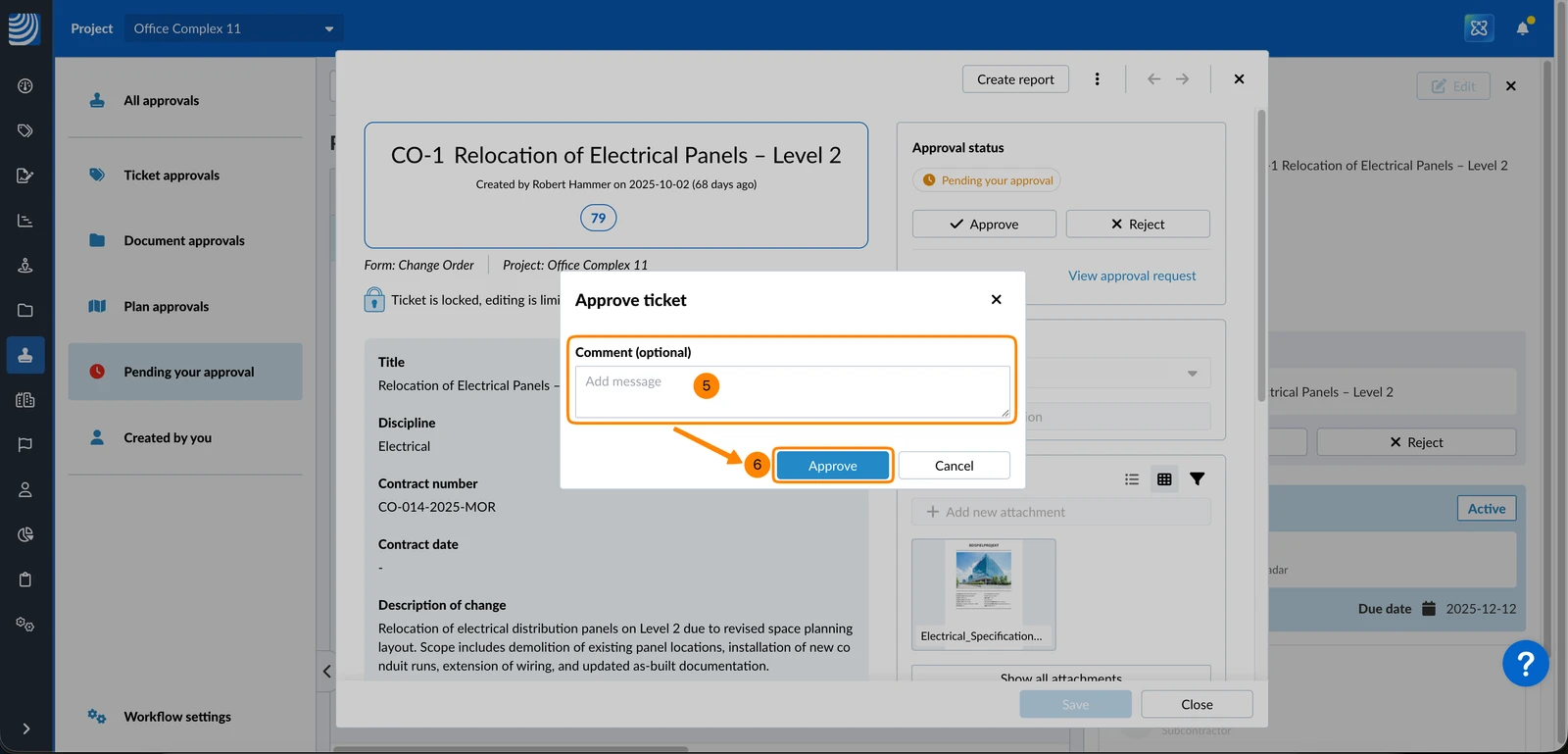
- Optional: Enter a comment
- Click Approve or Reject for final confirmation
Updated April 28, 2026