

 Deutsch
 Español
 Français
 Hrvatski
 Italiano
 Polski
 Português (BR)
Use Sample Ticket Report Templates (Advanced)
Overview
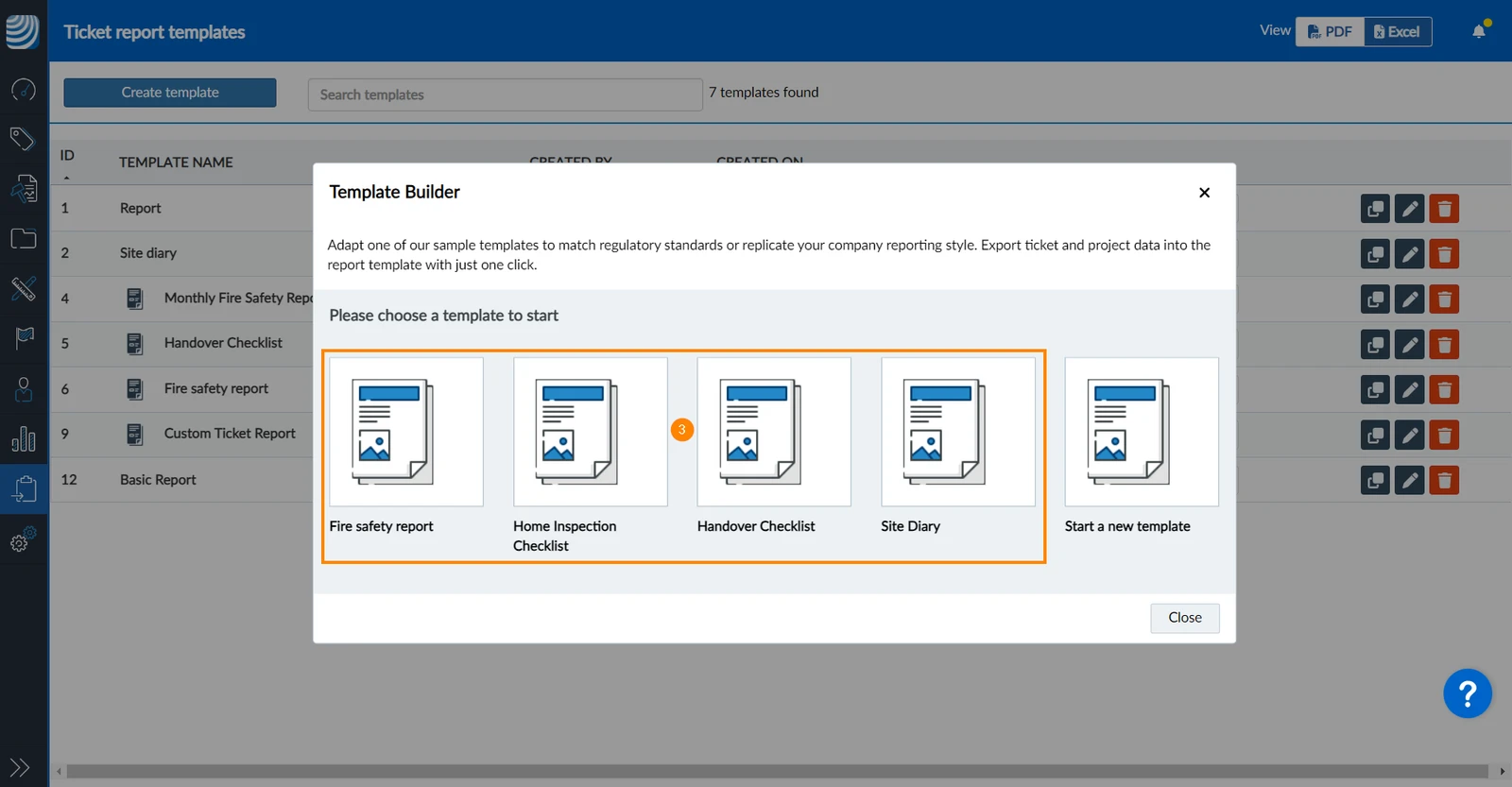
Use sample templates for ticket reports to quickly set up reports for:
- Fire safety reports
- Home inspection checklists
- Handover checklists
- Site diaries
If these sample reports meet your requirements, you can use them without much effort. Or they can be used as examples to see and experiment with the possibilities of advanced ticket report templates.
In order to collect ticket data for a sample report template you can chose to automatically create the corresponding ticket form. Or you can map existing ticket form fields to the fields of a sample report template.
It is also possible to edit a sample template using the powerful template builder. Once you are familiar with the template builder, it might be easier to start a new template from scratch to suit your exact requirements. Read more in Create Advanced Ticket Report Templates.
Access & Permissions
How to access Ticket Report Templates
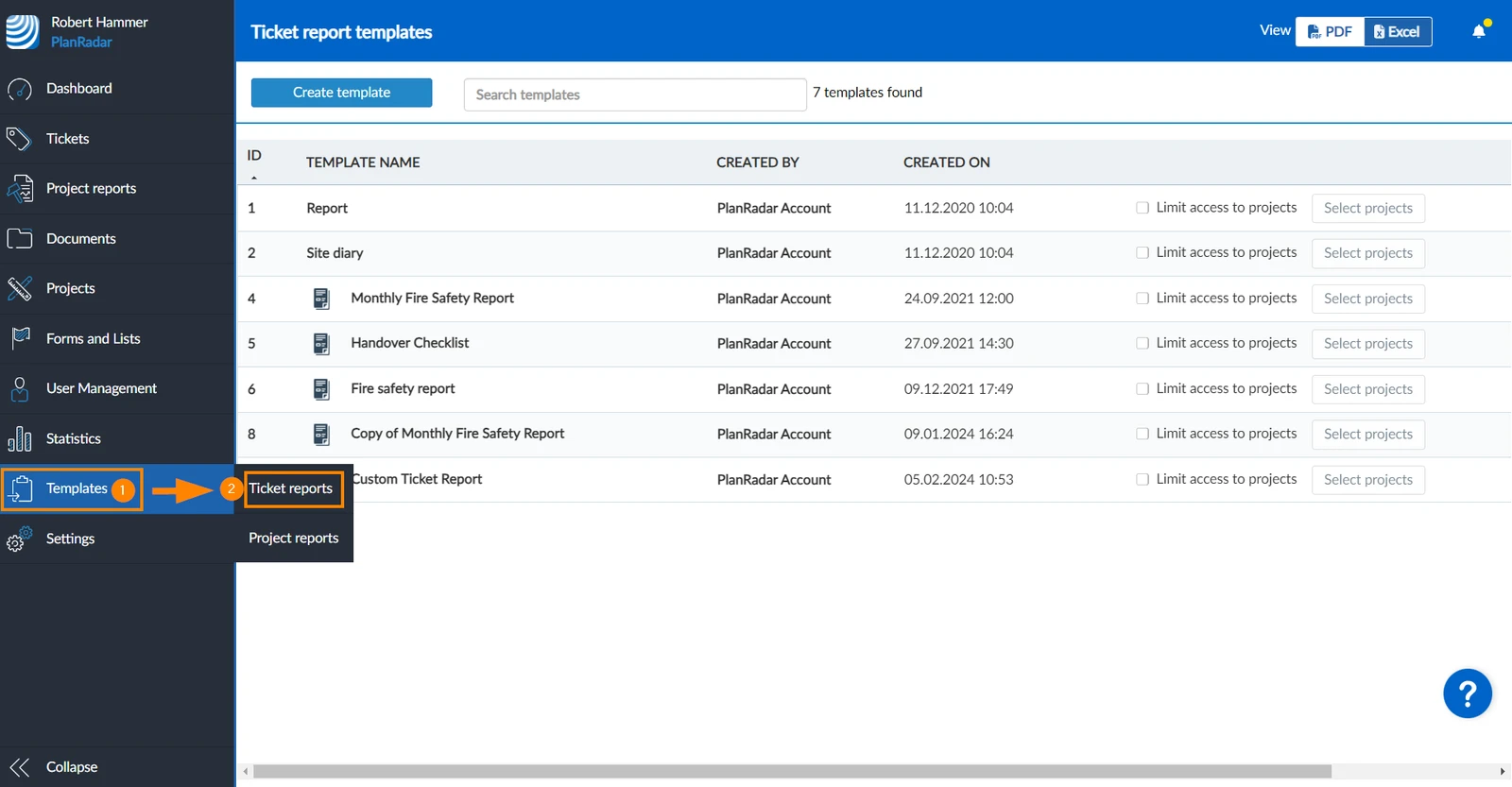
- Hover over Templates
- Click Ticket Reports
Create Ticket Report Templates with Sample Templates
To create a ticket report template using a sample template:
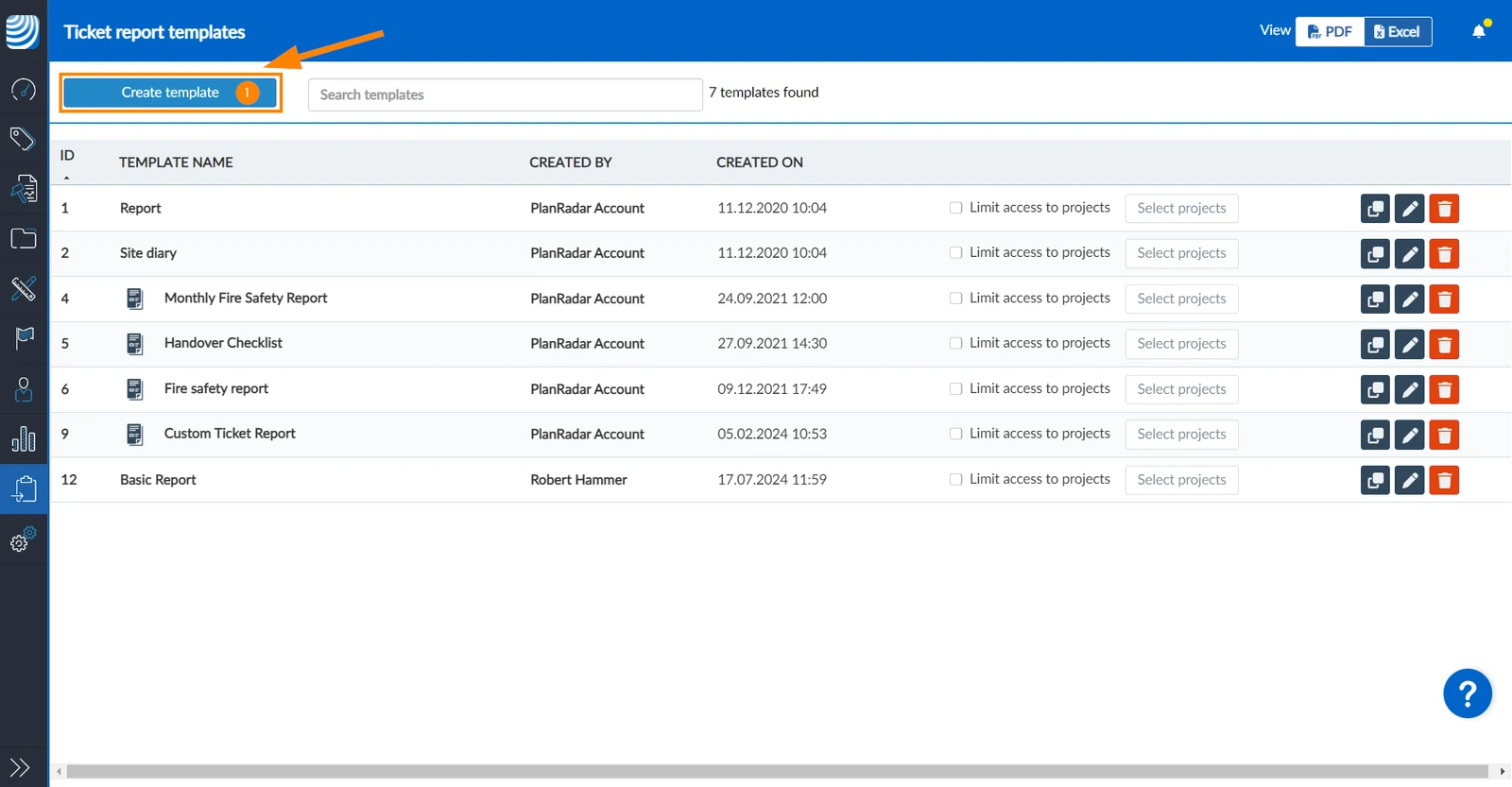
- Click Create template
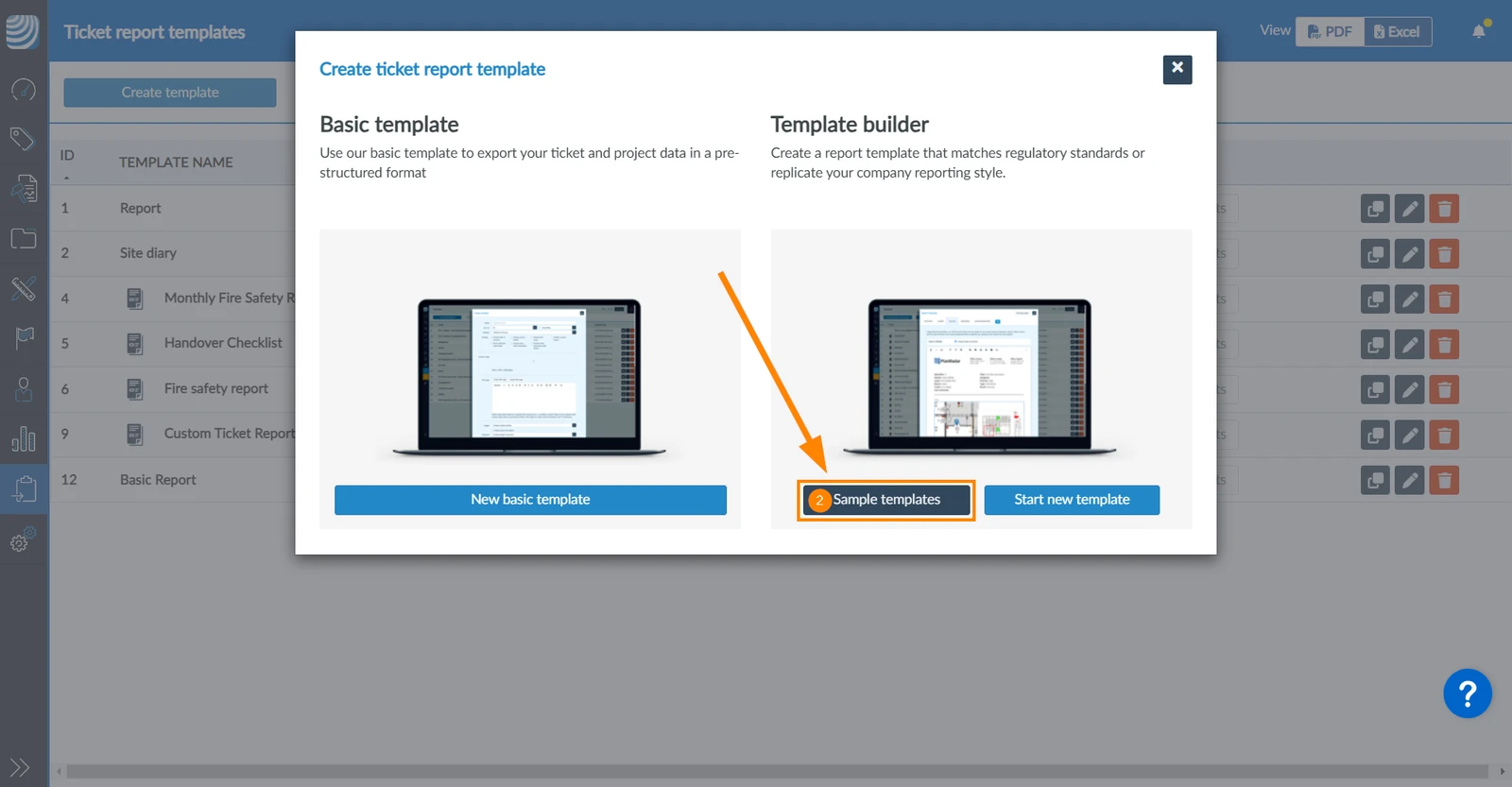
- Click Sample templates
- Click on one of the available sample templates.
Field Mapping
The next step after selecting a sample template is to map form fields.
There are two options:
Automatically Create & Map a Form
PlanRadar offers to automatically create and map suitable ticket forms for these sample templates.
To create and map a form automatically:
- Click Create and map form
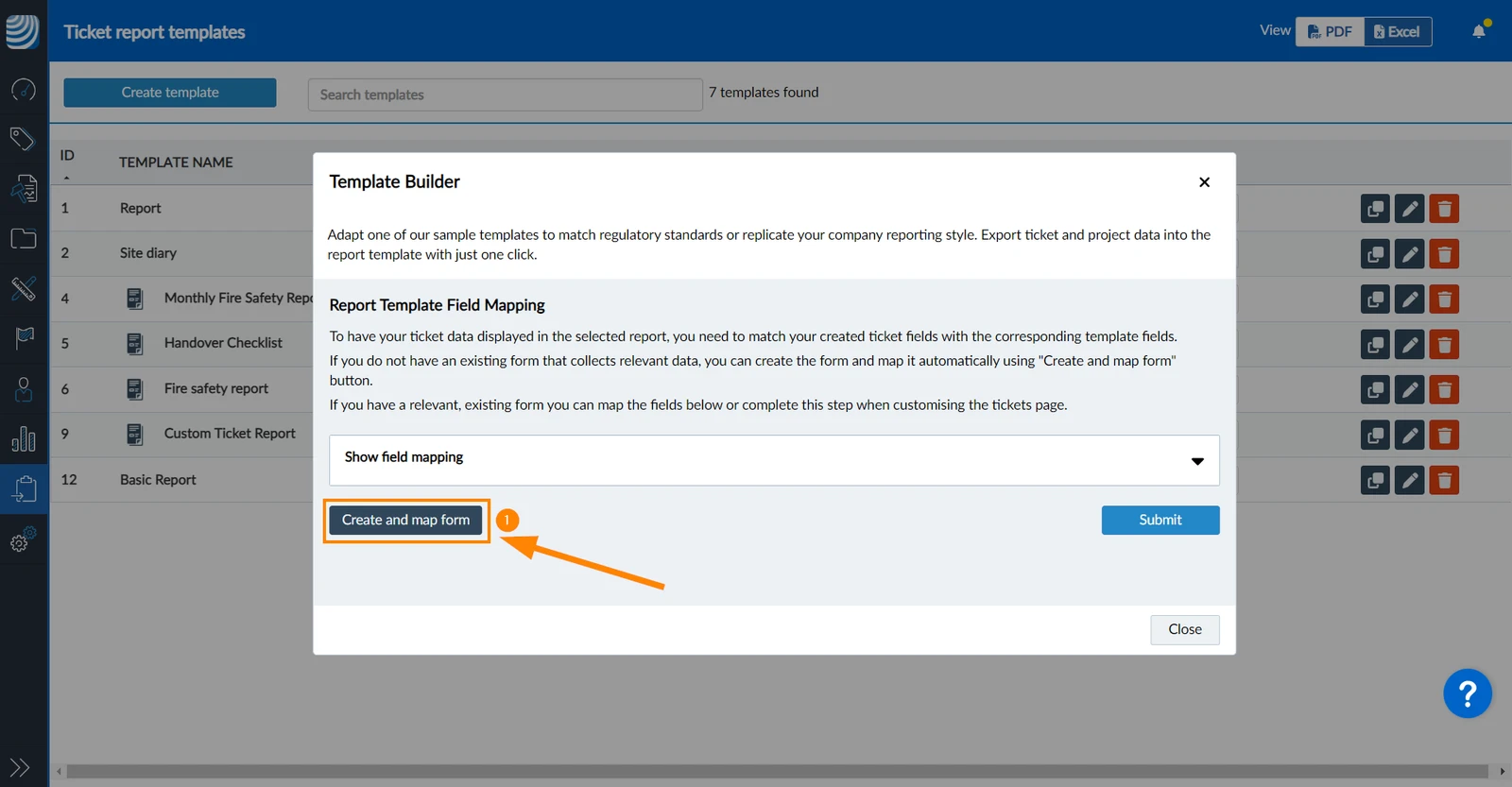
The new template and the new form are created and named like the sample report template (e.g. Fire safety report).
Map Fields from Existing Ticket Forms
Or you can manually map existing ticket form fields to the fields in the sample report template.
To do so continue after selecting a sample template:
- Click Show field mapping to view the list of all report template fields.
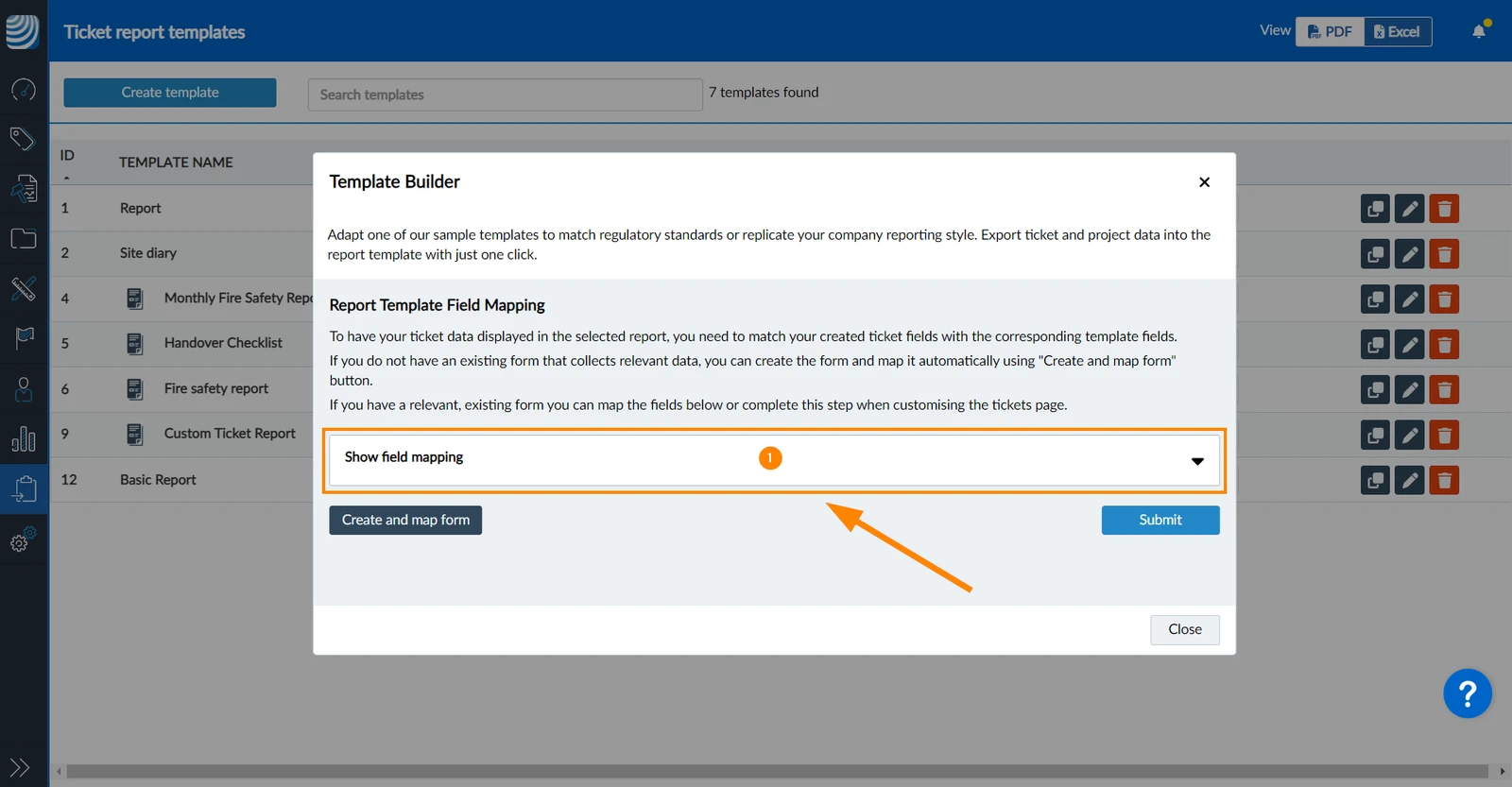
- Open the Select field drop-down menu to map a ticket form field for the respective Report Template Field.
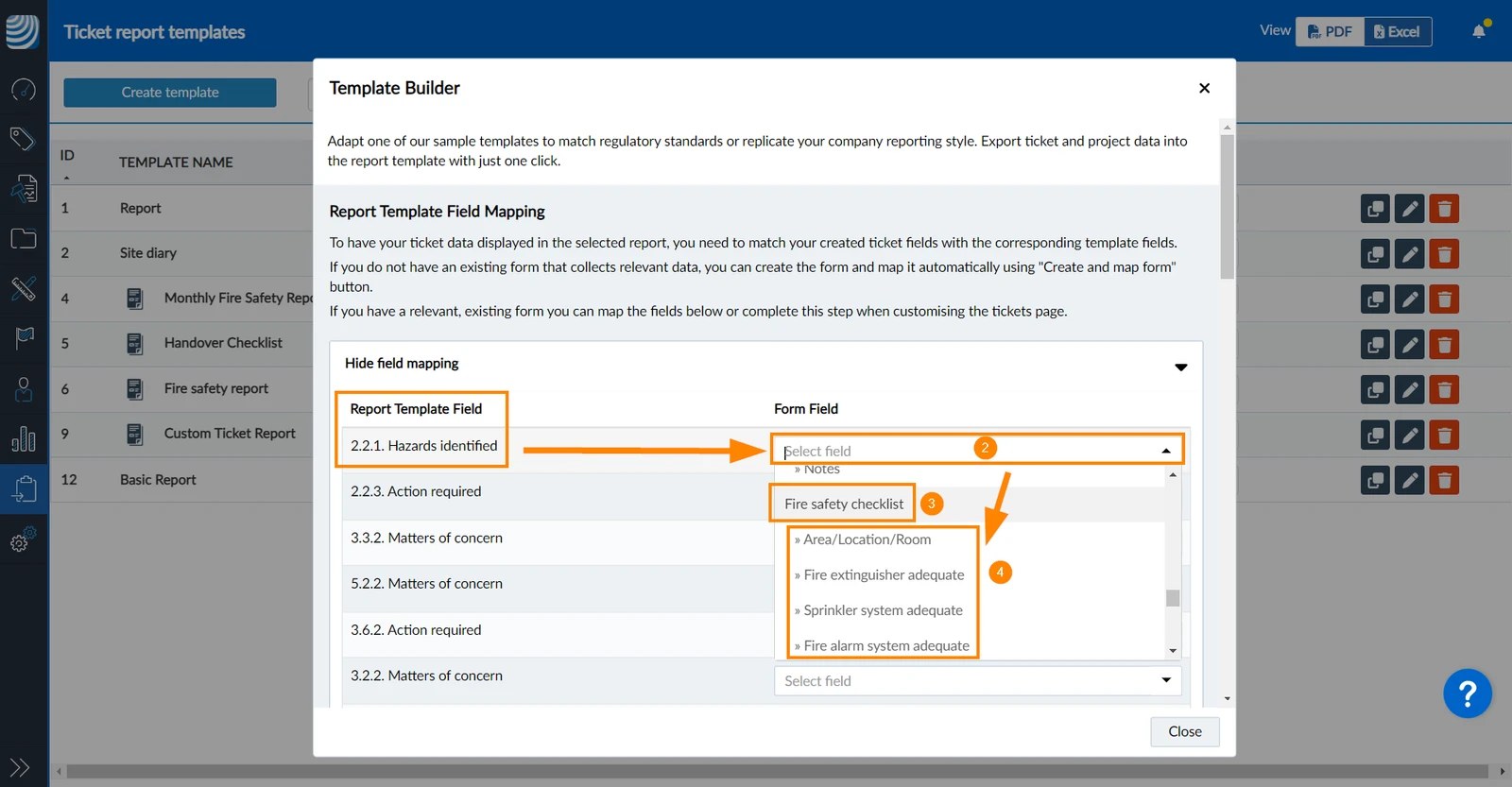
- The list is grouped by ticket forms e.g. Fire safety checklist.
- Select one of the form fields to map it.
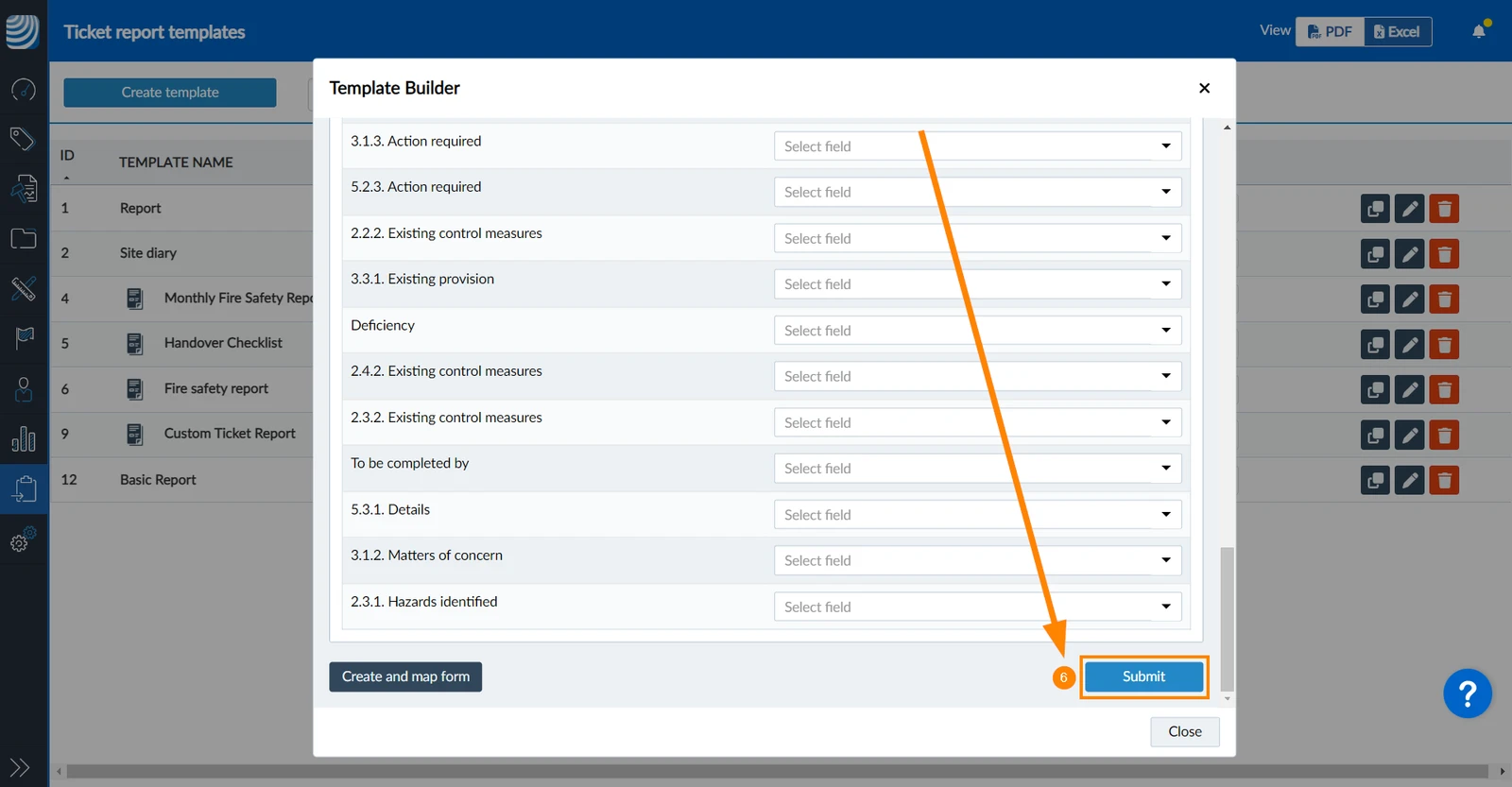
- Repeat this for all report template fields.
- Click Submit when all fields are mapped.
Updated June 23, 2026